
Tongtion H-1
Tongie Wireless HDMI Extender Benutzerhandbuch
Modell: H-1
1. Produktüberschreitungview
The Tongtion Wireless HDMI Extender (Model H-1) provides a solution for extending HDMI video and audio signals wirelessly. It supports 1080P Full HD resolution at 60Hz and offers a transmission range of up to 1640 feet (500 meters) in line-of-sight conditions. Designed for plug-and-play operation, it eliminates the need for complex driver installations or software configurations, making it suitable for various applications including conference rooms, live events, and home theaters.
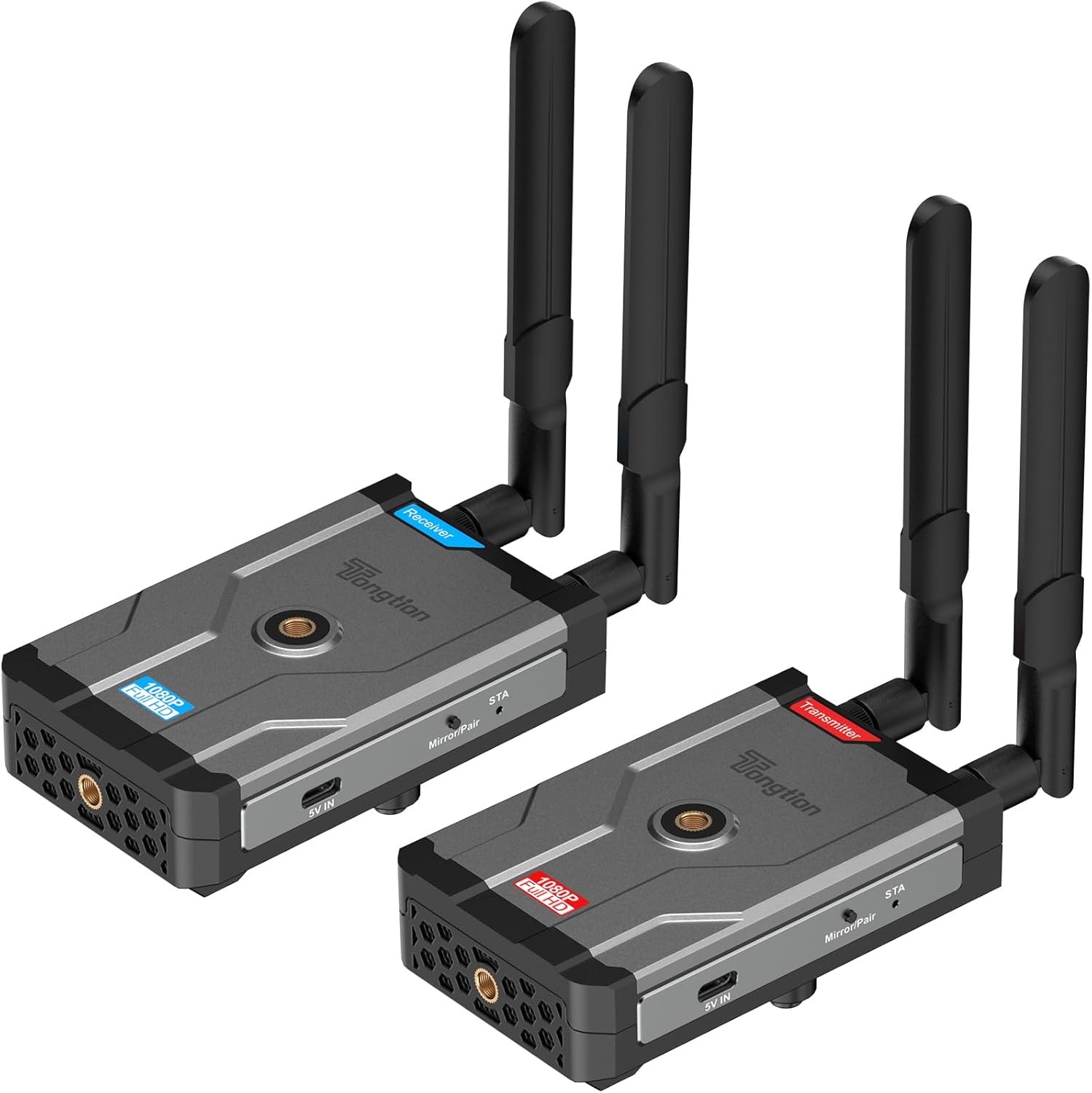
Image: The Tongtion Wireless HDMI Extender system, showing both the transmitter and receiver units with their antennas.
2. Lieferumfang
Überprüfen Sie, ob alle Komponenten im Paket vorhanden sind:
- 1 x drahtloser HDMI-Sender
- 1 x kabelloser HDMI-Empfänger
- 4 x Antennen
- 2 x-Netzteile
- 2 x USB-C-Stromkabel
- 1 x Benutzerhandbuch
- HDMI-Kabel

Image: A visual representation of the package contents, including the transmitter, receiver, antennas, power adapters, USB-C cables, and user guide.
3. Spezifikationen
| Besonderheit | Detail |
|---|---|
| Modellnummer | H-1 |
| Unterstützte Lösungen | 1920×1080@60Hz (1080P Full HD) |
| Übermittlungsbereich | Up to 500m (1640ft) Line-of-Sight |
| Drahtlose Frequenz | 5 GHz (802.11a/n) |
| Antennenkonfiguration | 2T2R Dual-Antenna |
| HDMI-Standard | HDMI1.4 / HDCP1.4 |
| Energieoptionen | Power bank, NP-F series batteries (not included), USB-C ports |
| Farbe | Schwarz |
| Artikelgewicht | 1.17 Pfund (0.53 kg) |
| Technische Daten | 5.87 x 3.74 x 0.96 Zoll (14.9 x 9.5 x 2.4 cm) |
| Besonderheit | Automatische Kalibrierung |
4. Einrichtungsanweisungen
The Tongtion Wireless HDMI Extender is designed for true plug-and-play operation, requiring no drivers or software installation.
- Antennen anschließen: Screw the four provided antennas onto the designated ports on both the Transmitter and Receiver units. Ensure they are securely fastened.

Bild: Nahaufnahme view of the transmitter and receiver units, highlighting the antenna connection points.
- Empfänger mit Strom versorgen: Connect one end of a USB-C power cable to the Receiver unit's USB-C port and the other end to a power adapter. Plug the power adapter into an electrical outlet. Alternatively, use a power bank or compatible NP-F series battery (not included) for portable power.
- Connect Receiver to Display: Use an HDMI cable to connect the HDMI OUT port on the Receiver unit to the HDMI input port on your display device (e.g., TV, projector, monitor).
- Sender mit Strom versorgen: Connect the second USB-C power cable to the Transmitter unit's USB-C port and the other end to its power adapter. Plug the power adapter into an electrical outlet. Similar to the receiver, a power bank or NP-F series battery can be used.
- Connect Transmitter to Source: Use an HDMI cable to connect the HDMI IN port on the Transmitter unit to the HDMI output port on your source device (e.g., laptop, camera, set-top box, PC, DV).

Image: A diagram illustrating the connection process: transmitter connected to a laptop and receiver connected to a television.
- Automatische Kopplung: The Transmitter and Receiver units are designed to pair automatically within seconds. No manual pairing or software configuration is typically required. Wait for the connection indicator lights on both units to show a stable connection.
Note: For optimal performance, ensure a clear line of sight between the transmitter and receiver, especially for longer distances. Walls and other obstructions can reduce the effective transmission range.
5. Bedienungsanleitung
Once the setup is complete and the units are paired, the system operates automatically.
- Einschalten: Stellen Sie sicher, dass sowohl der Sender als auch der Empfänger eingeschaltet sind.
- Quellgeräteausgang: Ensure your source device (laptop, camera, etc.) is outputting video via its HDMI port.
- Bildschirmeingabe: Set your display device (TV, projector) to the correct HDMI input channel where the Receiver is connected.
- Signalübertragung: Das Video- und Audiosignal von Ihrem Quellgerät wird drahtlos an Ihr Display übertragen.
- One-Button Sync: If pairing is lost or you need to re-sync, press the sync button on both the Transmitter and Receiver units simultaneously.

Image: A visual representation of the extender in operation, showing a clear 1080P Full HD signal being transmitted wirelessly to a display.
5.1. Universelle Gerätekompatibilität
The system is compatible with a wide range of HDMI-enabled devices:
- Quellgeräte: Cameras, Laptops, Set-top boxes, Switchers, PCs, DVs.
- Anzeigegeräte: Projectors, TVs, Monitors.
It supports HDMI1.4/HDCP1.4, allowing for protected content streaming from various platforms.

Image: An illustration demonstrating the broad compatibility of the wireless HDMI extender with various input and output devices.
5.2. Transmission Range and Performance
The device offers a long-range 5GHz dual-antenna transmission, minimizing interference and ensuring stable signal coverage.
- Line-of-Sight (LOS) Range: Bis zu 1640 Fuß (500 Meter).
- Through-Wall Penetration: Effective range is reduced when transmitting through walls or obstructions. Typical ranges are 164-295 feet (50-90 meters) through complex home environments.
- Latenz: The system is designed for low latency, suitable for video streaming and presentations. Note: Not recommended for gaming due to potential minor latency.

Image: A graphic depicting the extensive transmission range of 1640 feet and the low latency of 0.15 seconds, with a visual of the transmitter and receiver units.

Abbildung: Draufsicht view of a house layout illustrating the signal penetration capabilities through walls and the difference between line-of-sight and obstructed transmission ranges.
6. Fehlerbehebung
Sollten Probleme auftreten, beachten Sie bitte die folgenden gängigen Schritte zur Fehlerbehebung:
- Kein Signal auf dem Display:
- Ensure both Transmitter and Receiver are powered on and their power indicators are lit.
- Verify all HDMI cables are securely connected to the correct ports (HDMI IN on Transmitter, HDMI OUT on Receiver).
- Check that your display device is set to the correct HDMI input source.
- Ensure the source device is outputting an HDMI signal.
- Try pressing the sync button on both units simultaneously to re-establish pairing.
- Reduce the distance between the Transmitter and Receiver, and remove any obstructions.
- Intermittent Signal / Poor Quality:
- Stellen Sie sicher, dass die Antennen fest angebracht und richtig ausgerichtet sind.
- Check for strong interference sources (e.g., Wi-Fi routers, microwaves) operating on the 5GHz band nearby.
- Move the units closer together or adjust their positions to improve line of sight.
- Verify that the power supply is stable and sufficient for both units.
- Kein Ton:
- Überprüfen Sie die Audioeinstellungen Ihres Quellgeräts.
- Ensure the display device's volume is not muted or set too low.
- Confirm HDMI cables are fully inserted.
- Geräte lassen sich nicht koppeln:
- Stellen Sie sicher, dass beide Einheiten eingeschaltet sind.
- Perform a manual sync by pressing the pairing button on both units.
- Power cycle both the Transmitter and Receiver units.
7. Wartung
Um die Langlebigkeit und optimale Leistung Ihres drahtlosen HDMI-Extenders zu gewährleisten, befolgen Sie bitte diese Wartungsrichtlinien:
- Reinigung: Reinigen Sie die Außenseite der Geräte mit einem weichen, trockenen Tuch. Verwenden Sie keine flüssigen Reiniger oder Sprays.
- Lagerung: Bei längerer Nichtbenutzung sollten die Geräte an einem kühlen, trockenen Ort, geschützt vor direkter Sonneneinstrahlung und extremen Temperaturen, aufbewahrt werden.
- Handhabung: Handle the units and antennas with care to avoid physical damage. Avoid dropping or subjecting them to strong impacts.
- Belüftung: Ensure the units have adequate ventilation to prevent overheating, especially during prolonged operation. Do not block ventilation holes.
- Stromversorgung: Always use the provided power adapters or compatible power sources to prevent damage.
8. Garantie und Support
The Tongtion Wireless HDMI Extender comes with a 1 Jahr Garantie ab Kaufdatum.
Tongtion also provides Lifetime-Support for this product. If you encounter any issues or have questions that are not covered in this manual, please contact Tongtion customer support through their official channels or refer to the 24/7 troubleshooting guides mentioned in the product features.
Weitere Unterstützung finden Sie unter Tongtion Store on Amazon.
Ask a question about this manual
Ask about setup, troubleshooting, compatibility, parts, safety, or missing instructions. Manuals+ will review the question and use this page’s manual context to help answer it.