
Einführung
Thank you for choosing the Devoko Electric Height Adjustable Desk. This manual provides essential information for the safe and efficient assembly, operation, and maintenance of your new desk. Please read these instructions carefully before use and retain them for future reference.
The Devoko Electric Height Adjustable Desk is designed to offer a versatile and ergonomic workspace, allowing seamless transitions between sitting and standing positions. It features a robust dual-motor system, a single-piece tabletop, integrated USB-A charging, and efficient cable management.
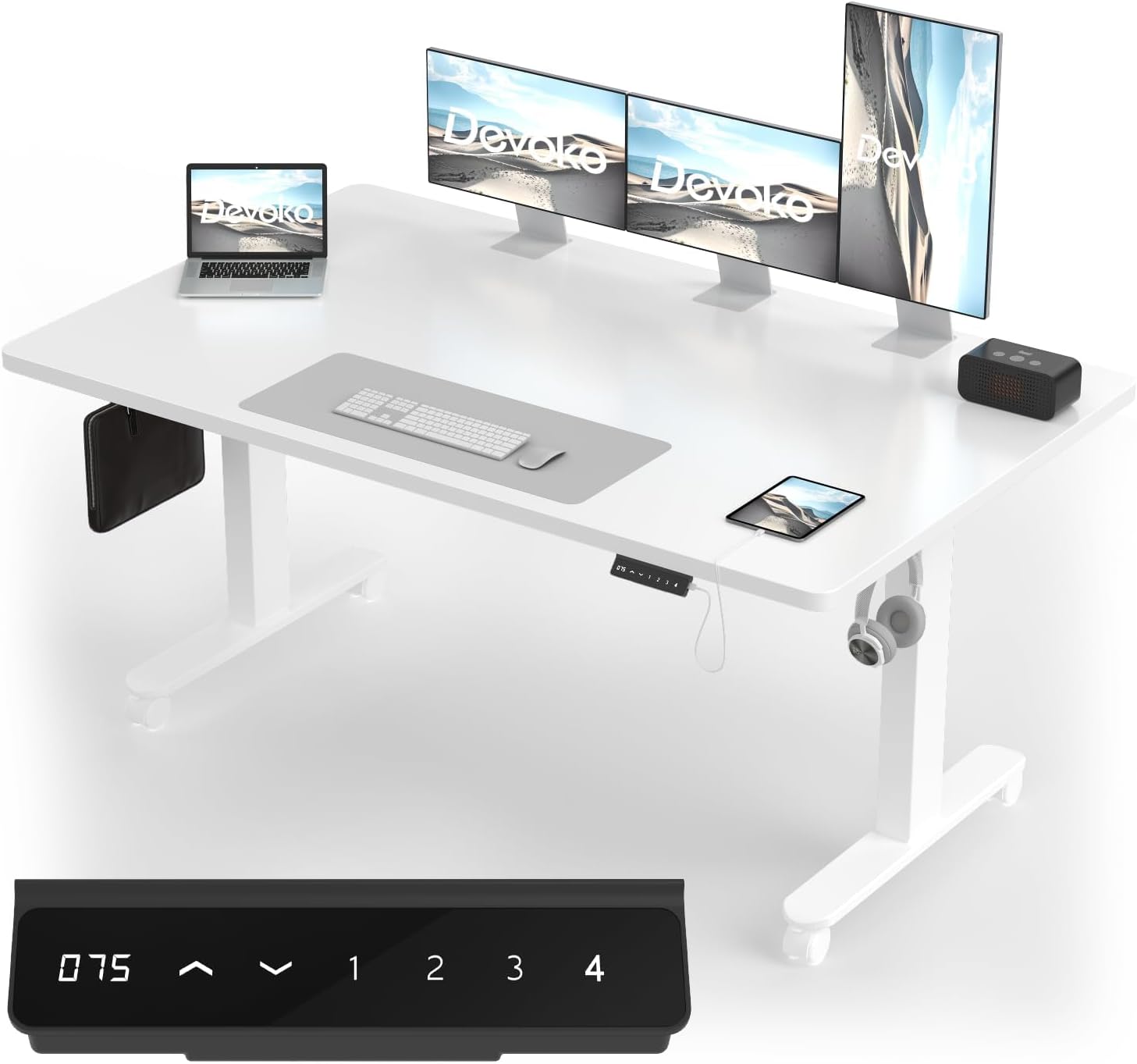
Abbildung: Der elektrisch höhenverstellbare Schreibtisch Devoko, ausgestelltasing its spacious white tabletop, dual monitor setup, laptop, and integrated control panel with USB-A port.
Sicherheitshinweise
Um einen sicheren Betrieb zu gewährleisten und Schäden zu vermeiden, beachten Sie bitte die folgenden Sicherheitsrichtlinien:
- Ensure all components are correctly assembled before connecting to power.
- Halten Sie Kinder und Haustiere während der Höhenverstellung vom Schreibtisch fern.
- Halten Sie während des Betriebs Hände und Gegenstände von beweglichen Teilen fern.
- Avoid overloading the desk. The maximum load capacity is 100 kg (220 lbs).
- Setzen oder stellen Sie sich nicht auf den Schreibtisch.
- Trennen Sie die Stromversorgung vor der Reinigung oder Wartung.
- The desk features an anti-collision system. Ensure the area around the desk is clear to allow it to function effectively.
- Verwenden Sie ausschließlich das mitgelieferte Netzteil und die mitgelieferten Komponenten.
Einrichtung und Montage
The Devoko Electric Height Adjustable Desk is designed for straightforward assembly. All necessary tools and detailed instructions are included. Please follow the step-by-step guide provided in the packaging for precise and stable installation.
Wichtigste Montagemerkmale:
- Vorgebohrte Löcher: All parts come with pre-drilled holes for quick and accurate alignment.
- Complete Tool Set: A full set of assembly tools is provided.
- Single-Piece Tabletop: The desk features a robust, single-piece tabletop for enhanced stability and durability, unlike multi-panel designs.
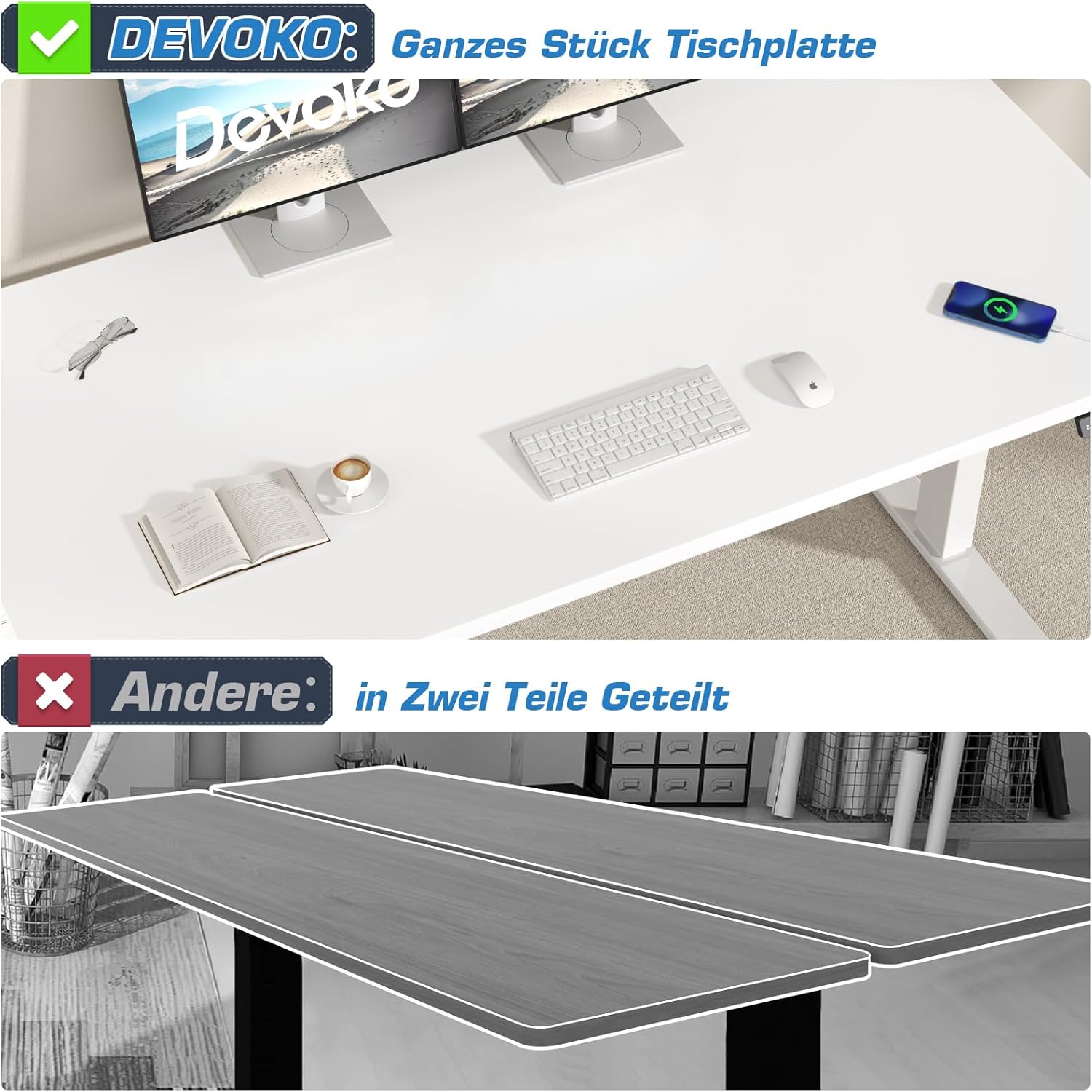
Abbildung: Veranschaulicht den Vorteiltage of Devoko's single-piece tabletop construction over a typical multi-piece design, highlighting improved stability and aesthetics.
Kabelmanagement:
An integrated cable management system helps keep your workspace tidy and organized. Utilize the provided cable tray and hooks to route and secure power cords and peripheral cables.

Image: Demonstrates the integrated cable management solution, showing a neat setup with cables hidden in an under-desk tray, compared to a cluttered alternative.
Bedienungsanleitung
Höhenverstellung:
Your Devoko desk features an electric height adjustment system with a range of 72 cm to 120 cm (28.3 inches to 47.2 inches). The control panel allows for smooth and precise adjustments.
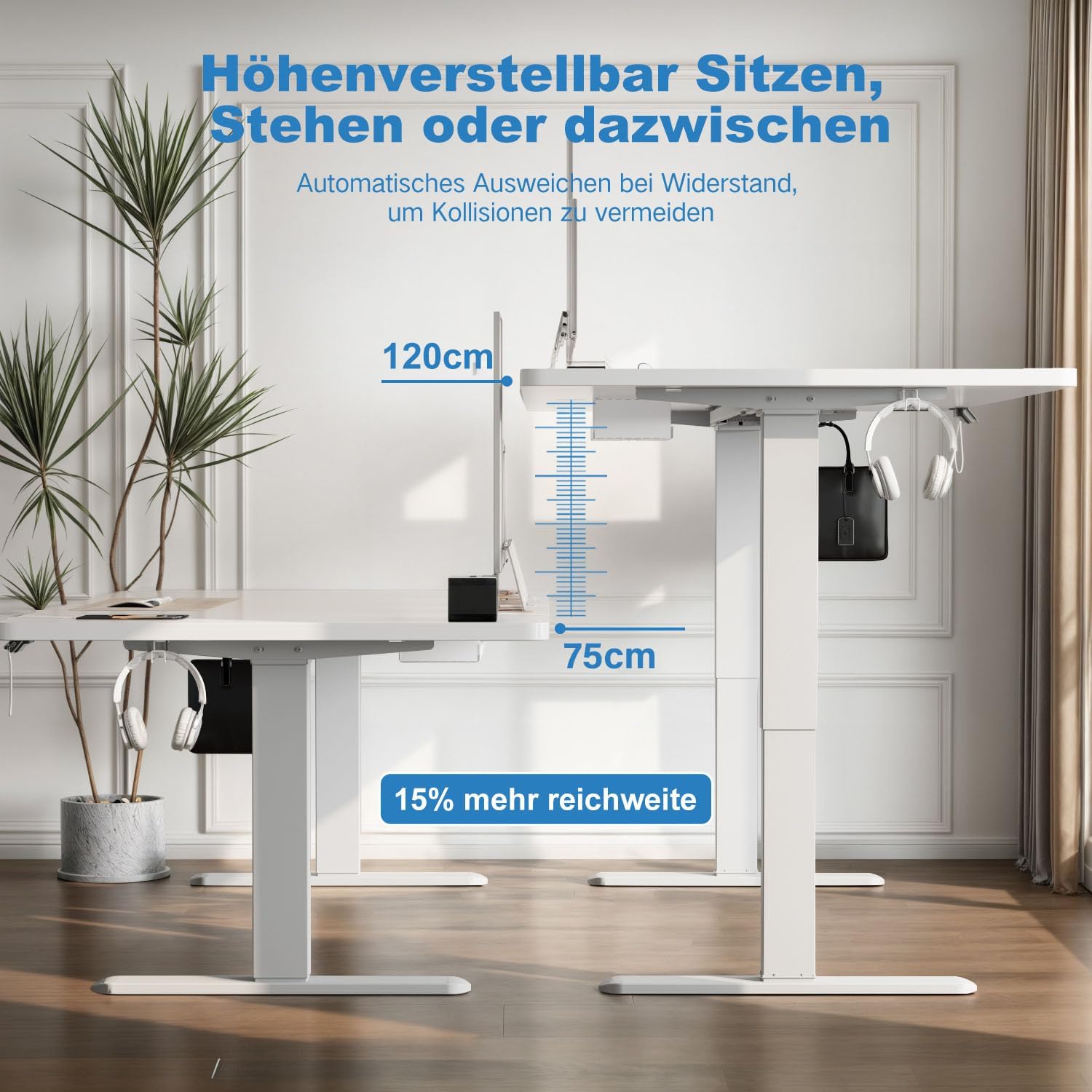
Image: Visual representation of the desk's height adjustment capabilities, illustrating the minimum (75cm) and maximum (120cm) heights.
Funktionen des Bedienfelds:
The desk is equipped with a 6-button LCD touchscreen control panel. Refer to the image below for button identification and functions:

Bild: Detailliert view of the control panel, indicating the LCD display for current height, up/down adjustment buttons, four memory preset buttons, and the convenient USB-A charging interface.
- Pfeiltasten nach oben/unten: Zum stufenlosen Verstellen der Tischhöhe gedrückt halten. Loslassen zum Stoppen.
- Speichervoreinstellungen (1, 2, 3, 4):
- Stellen Sie den Schreibtisch auf die gewünschte Höhe ein.
- Press the "M" button (if present, or hold the number button directly) until the display flashes.
- Press the desired number button (1, 2, 3, or 4) to save the current height.
- Um eine gespeicherte Höhe abzurufen, drücken Sie einfach die entsprechende Zifferntaste.
- USB-A-Ladeanschluss: Located on the control panel, this port allows you to charge compatible devices conveniently.
Antikollisionssystem:
The desk is equipped with an anti-collision system that detects obstacles during height adjustment. If an object is detected, the desk will automatically stop and reverse slightly to prevent damage. Ensure the area around the desk is clear for optimal performance of this safety feature.
Doppelmotorsystem:
The dual-motor design ensures stable, smooth, and quiet height adjustments. This system enhances the desk's longevity and operational reliability.

Image: Explains the dual-motor mechanism, emphasizing its contribution to faster, smoother, and quieter height adjustments compared to single-motor systems.
Wartung
- Reinigung: Wischen Sie die Schreibtischoberfläche mit einem weichen,amp cloth. Avoid abrasive cleaners or harsh chemicals that could damage the finish. The tabletop is designed to be waterproof and easy to clean.
- Inspektion: Überprüfen Sie regelmäßig alle Schrauben und Verbindungen auf festen Sitz. Ziehen Sie sie gegebenenfalls nach.
- Kabelmanagement: Regularly check and organize cables to prevent tangling or damage.
- Netzkabel: Stellen Sie sicher, dass das Netzkabel nicht eingeklemmt oder beschädigt ist.

Image: Demonstrates the tabletop's durability and ease of cleaning, showing water resistance and its substantial 20mm thickness.
Fehlerbehebung
If you encounter issues with your Devoko Electric Height Adjustable Desk, please refer to the following common troubleshooting steps:
| Problem | Mögliche Ursache | Lösung |
|---|---|---|
| Der Schreibtisch bewegt sich nicht. | Stromkabel nicht angeschlossen, Motorfehler oder Überlastung. | Check power connections. Reduce load on the desk. Perform a reset (refer to specific reset instructions in your packaged manual, if available). |
| Ungleichmäßige Höhenverstellung. | Obstruction or uneven weight distribution. | Clear any obstructions. Redistribute weight evenly on the tabletop. |
| Das Antikollisionssystem löst häufig aus. | Obstacles in the path of movement. | Ensure the area above and below the desk is clear of objects during adjustment. |
| Der USB-A-Anschluss lädt nicht. | Device incompatibility or power issue. | Ensure the device is compatible with USB-A charging. Check if the desk is powered on. |
Sollte das Problem nach dem Ausprobieren dieser Lösungsansätze weiterhin bestehen, wenden Sie sich bitte an den Devoko-Kundendienst, um weitere Unterstützung zu erhalten.
Technische Daten
| Besonderheit | Detail |
|---|---|
| Marke | Devoko |
| Modellnummer | 0520 |
| Farbe | Weiß |
| Abmessungen der Tischplatte (L x B) | 160 cm x 80 cm (63 Zoll x 31.5 Zoll) |
| Höhenverstellbereich | 72 cm - 120 cm (28.3 Zoll - 47.2 Zoll) |
| Motorsystem | Doppelmotor |
| Liftgeschwindigkeit | 25 mm/s |
| Maximale Tragfähigkeit | 100 kg |
| Tischplattenmaterial | Holz |
| Rahmenmaterial | Legierter Stahl |
| Besondere Merkmale | Ergonomic, Height Adjustable, Integrated USB-A Port, Electric, Anti-Collision System, Cable Management, Mobile (with optional wheels) |
| Artikelgewicht | 19.8 kg |
Garantie und Support
For warranty information, product support, or to purchase replacement parts, please contact Devoko customer service. Refer to the contact details provided with your product packaging or visit the official Devoko webWebsite.
Devoko Official Store: Besuchen Sie den Devoko Store auf Amazon