
SONRU J48
SONRU Bluetooth 5.3 Empfänger – Benutzerhandbuch
Modell: J48
Marke: SONRU
1. Einleitung
This user manual provides detailed instructions for the SONRU Bluetooth 5.3 Receiver. This wireless audio adapter is designed to bring Bluetooth connectivity to various audio systems, including car stereos, home stereos, wired headphones, and speakers. Featuring advanced Bluetooth 5.3 technology, it ensures a faster, more stable, and smarter connection with minimal sound quality loss. The device also supports hands-free calling and dual device connection, enhancing your audio experience and convenience.
2. Sicherheitshinweise
Keep away from water and extreme temperatures. Do not expose to high heat or fire. Do not short-circuit. Avoid contact with liquids. Do not dispose of in fire. May interfere with other wireless devices. Follow local regulations for battery disposal.
3. Packungsinhalt
Bitte überprüfen Sie, ob alle Artikel in Ihrem Paket enthalten sind:
- 1 x SONRU Bluetooth Wireless Receiver (Model J48)
- 1 x 3.5-mm-Audioadapter.
- 1 x 3.5-mm-Audiokabel.
- 1 x Cinch-Audiokabel.
- 1 x Typ-C Ladekabel
- 1 x Benutzerhandbuch und Garantiekarte

Image: All components included in the SONRU Bluetooth Receiver package.
4. Einrichtung
4.1 Erstaufladung
Before first use, fully charge the Bluetooth receiver. Connect the provided Type-C charging cable to the receiver's charging port and a USB power source. A full charge typically takes approximately 1.5 hours. The device supports charging while in use.
4.2 Verbindung zur Audioquelle
The SONRU Bluetooth Receiver offers versatile connectivity options:
- Für 3.5-mm-AUX-Eingang: Use the included 3.5mm audio adapter or 3.5mm audio cable to connect the receiver to your car's AUX port, home stereo, wired headphones, or speaker.
- Für RCA-Eingang: Use the included RCA audio cable to connect the receiver to older home stereo systems or other audio equipment with RCA inputs.

Image: The receiver's wide compatibility with various audio devices.
4.3 Bluetooth-Kopplung
- Einschalten: Press and hold the multifunction button on the receiver to power it on. The LED display will light up.
- Bluetooth aktivieren: On your mobile device (smartphone, tablet, etc.), go to the Bluetooth settings and ensure Bluetooth is enabled.
- Gerät auswählen: Look for "J48" in the list of available Bluetooth devices and select it to pair. Once connected, the receiver will indicate successful pairing.
- Audio abspielen: Begin playing audio on your mobile device. The sound will now be transmitted wirelessly to the connected audio system.
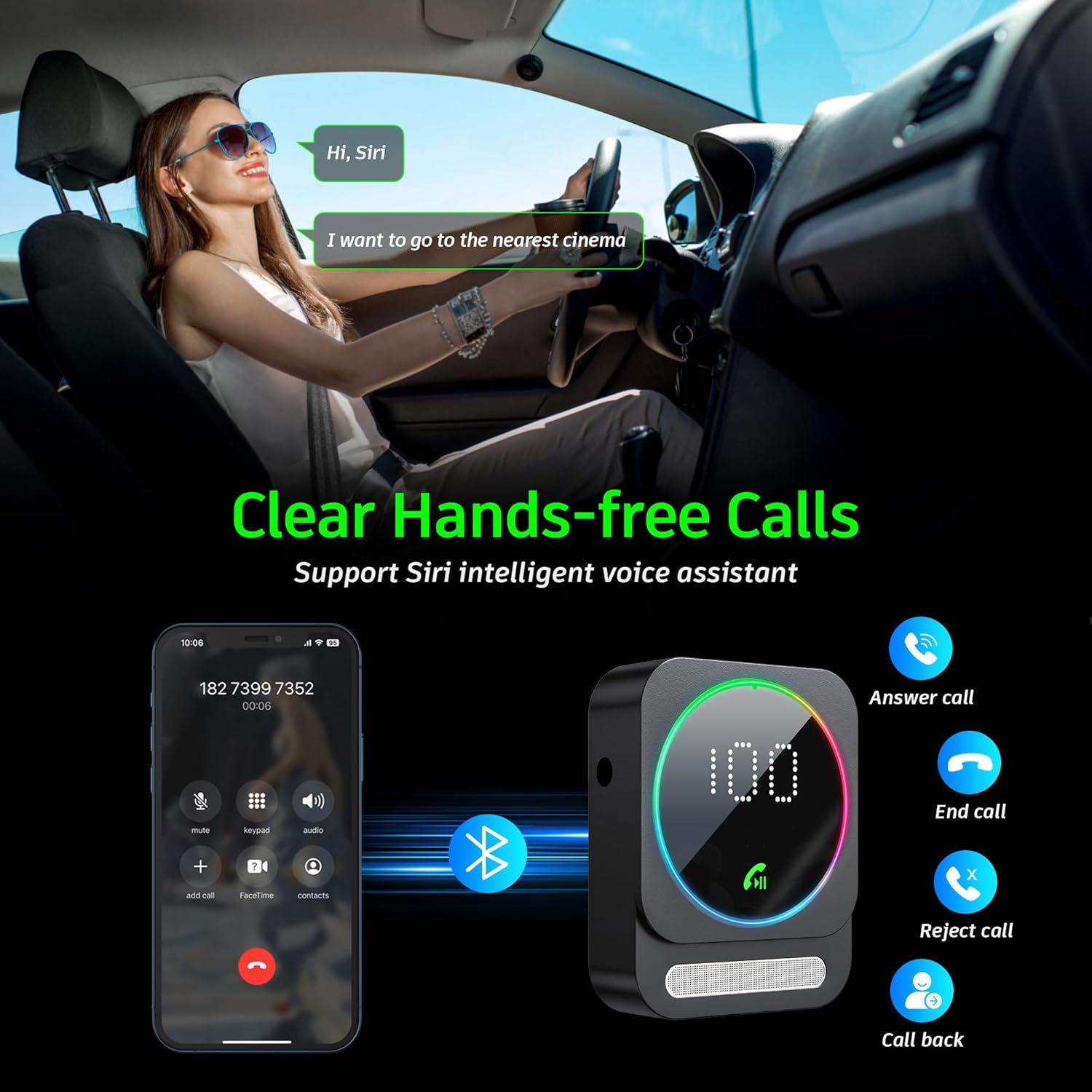
Image: Bluetooth pairing process in a car environment.
5. Bedienungsanleitung
5.1 Freisprechfunktion
The receiver is equipped with a high-quality microphone and CVC8.0 technology for clear hands-free calls.
- Anruf annehmen: Drücken Sie einmal die Multifunktionstaste.
- Anruf beenden: Drücken Sie während eines Anrufs einmal die Multifunktionstaste.
- Anruf ablehnen: Halten Sie die Multifunktionstaste 2 Sekunden lang gedrückt.
- Wahlwiederholung letzte Nummer: Drücken Sie zweimal die Multifunktionstaste.
- Sprachassistent aktivieren (Siri/Google Assistant): Die Multifunktionstaste dreimal drücken.

Image: Multifunction and volume buttons on the receiver.
5.2 Musikwiedergabe
- Abspielen/Pause: Drücken Sie einmal die Multifunktionstaste.
- Nächster Titel: Drücken Sie kurz die "+"-Taste.
- Vorheriges Lied: Drücken Sie kurz die "-"-Taste.
- Lautstärke erhöhen: Die "+"-Taste lange drücken.
- Lautstärke runter: Die "-"-Taste lange drücken.
5.3 Dual-Geräte-Verbindung
The SONRU Bluetooth Receiver can connect to two Bluetooth devices simultaneously. This allows for convenient switching between devices for music or calls. Note that audio from both devices cannot be played simultaneously; you must switch between them.
Image: The receiver's ability to connect to two devices simultaneously.
5.4 Akkulaufzeit und Aufladen
The built-in 250mAh battery provides up to 16 hours of continuous use on a single charge. The device can be fully charged in approximately 1.5 hours using the provided Type-C cable. It supports charging while in use, making it ideal for long journeys.

Image: Visual representation of the receiver's battery life and charging features.
6. Wartung
To ensure the longevity and optimal performance of your SONRU Bluetooth Receiver, follow these maintenance guidelines:
- Reinigung: Reinigen Sie das Gerät mit einem weichen, trockenen Tuch. Verwenden Sie keine flüssigen Reiniger oder Sprays.
- Lagerung: Bewahren Sie das Gerät an einem kühlen, trockenen Ort fern von direkter Sonneneinstrahlung und extremen Temperaturen auf.
- Auswirkungen vermeiden: Das Gerät darf nicht fallen gelassen oder starken Stößen ausgesetzt werden, da dies zu Schäden an den internen Bauteilen führen kann.
- Kabelpflege: Handle cables gently. Avoid bending or pulling them excessively to prevent damage.
7. Fehlerbehebung
If you encounter issues with your SONRU Bluetooth Receiver, please refer to the following common solutions:
| Problem | Lösung |
|---|---|
| Gerät lässt sich nicht einschalten. | Stellen Sie sicher, dass das Gerät vollständig aufgeladen ist. Schließen Sie es mit dem USB-C-Kabel an eine Stromquelle an und versuchen Sie es erneut. |
| Kopplung mit Mobilgerät nicht möglich. |
|
| Kein Ton oder schlechte Tonqualität. |
|
| Die Gesprächsqualität ist schlecht. | Ensure the microphone is not obstructed. Reduce background noise if possible. The CVC8.0 technology helps filter out echoes and background noise. |
8. Spezifikationen
| Besonderheit | Detail |
|---|---|
| Bluetooth-Version | 5.3 |
| Konnektivitätstechnologie | AUX, RCA |
| Batteriekapazität | 250 mAh |
| Ladezeit | Ca. 1.5 Stunden |
| Nutzungsdauer | Bis zu 16 Stunden |
| Besondere Merkmale | Hands-Free Calls, Dual AUX Outputs, Digital Display, Ambient Light |
| Arbeitsbereich | Bis zu 33 m (10 Fuß) ohne Hindernisse |
| Maße | 6.65 x 2.76 x 0.94 Zoll |
| Artikelgewicht | 2.89 Unzen |
Video: Ein überview of the SONRU Bluetooth 5.3 Receiver's features and usage scenarios.
9. Garantie und Support
SONRU provides a warranty for this product. For detailed warranty information, please refer to the included Warranty Card in your package. If you encounter any problems or are not satisfied with your product, please contact SONRU customer support for assistance. We are committed to providing a satisfactory solution.
Die Kontaktdaten des Kundendienstes finden Sie in der Regel auf der Website des Herstellers. weboder über den Händler, bei dem Sie das Produkt gekauft haben.
Ask a question about this manual
Ask about setup, troubleshooting, compatibility, parts, safety, or missing instructions. Manuals+ will review the question and use this page’s manual context to help answer it.