
1. Einleitung
Thank you for choosing the Norwii N76 Rechargeable Wireless Presentation Remote. This device is designed to enhance your presentations with seamless slide control and a powerful green laser pointer. It offers broad compatibility across various operating systems and presentation software, ensuring a smooth and engaging experience for your audience.
Please read this manual carefully to understand the features and proper operation of your new presentation remote. Keep this manual for future reference.
2. Packungsinhalt
Überprüfen Sie, ob alle Artikel in Ihrem Paket vorhanden sind:
- Norwii N76 Kabelloser Presenter
- USB-A-Empfänger
- USB-Ladekabel
- Premium Portable Case
- Bedienungsanleitung

3. Produktüberschreitungview
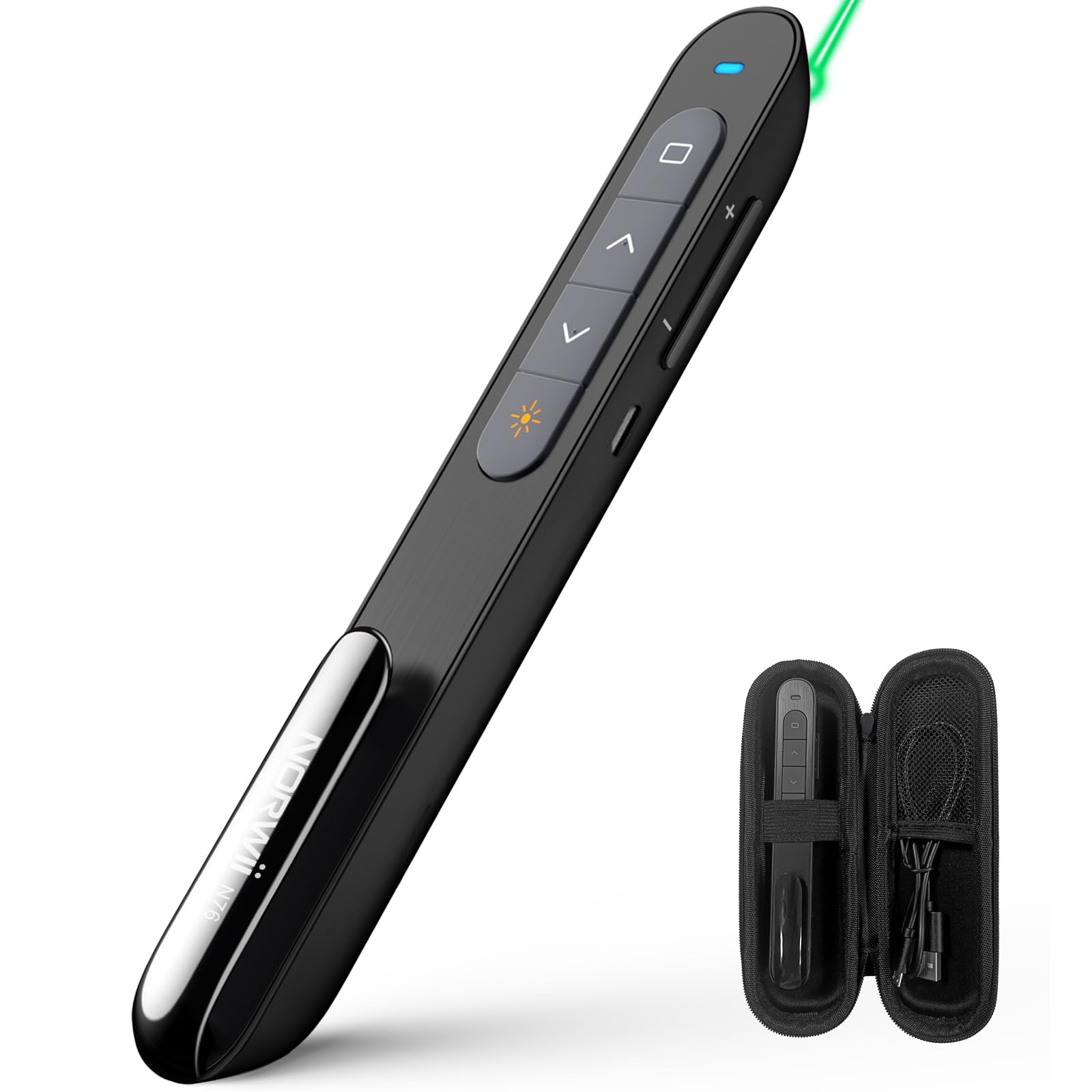
The Norwii N76 features an ergonomic design with clearly labeled, tactile buttons for intuitive control during presentations. The device includes a built-in USB-A receiver for convenient storage and connectivity.

Hauptfunktionen:
- Laserpointer-Taste: Activates the green laser.
- Page Up/Down Buttons: Navigates through presentation slides.
- Full Screen/Black Screen Button: Toggles full screen mode or blacks out the screen.
- Hyperlink/Switch Window Button: Allows opening hyperlinks or switching between active windows.
- Lautstärkeregelung: Regelt die Systemlautstärke.
- Ein / Aus Schalter: Located on the side for power management.

4. Einrichtung
4.1. Connecting the USB-A Receiver
- Locate the USB-A receiver stored inside the tail cap of the Norwii N76 presenter. Gently pull it out.
- Stecken Sie den USB-A-Empfänger in einen freien USB-A-Anschluss Ihres Computers.
- The computer will automatically detect and install the necessary drivers. This is a plug-and-play device, so no manual driver installation is typically required.
- Turn on the Norwii N76 presenter using the ON/OFF switch on its side.

4.2. Aufladen des Geräts
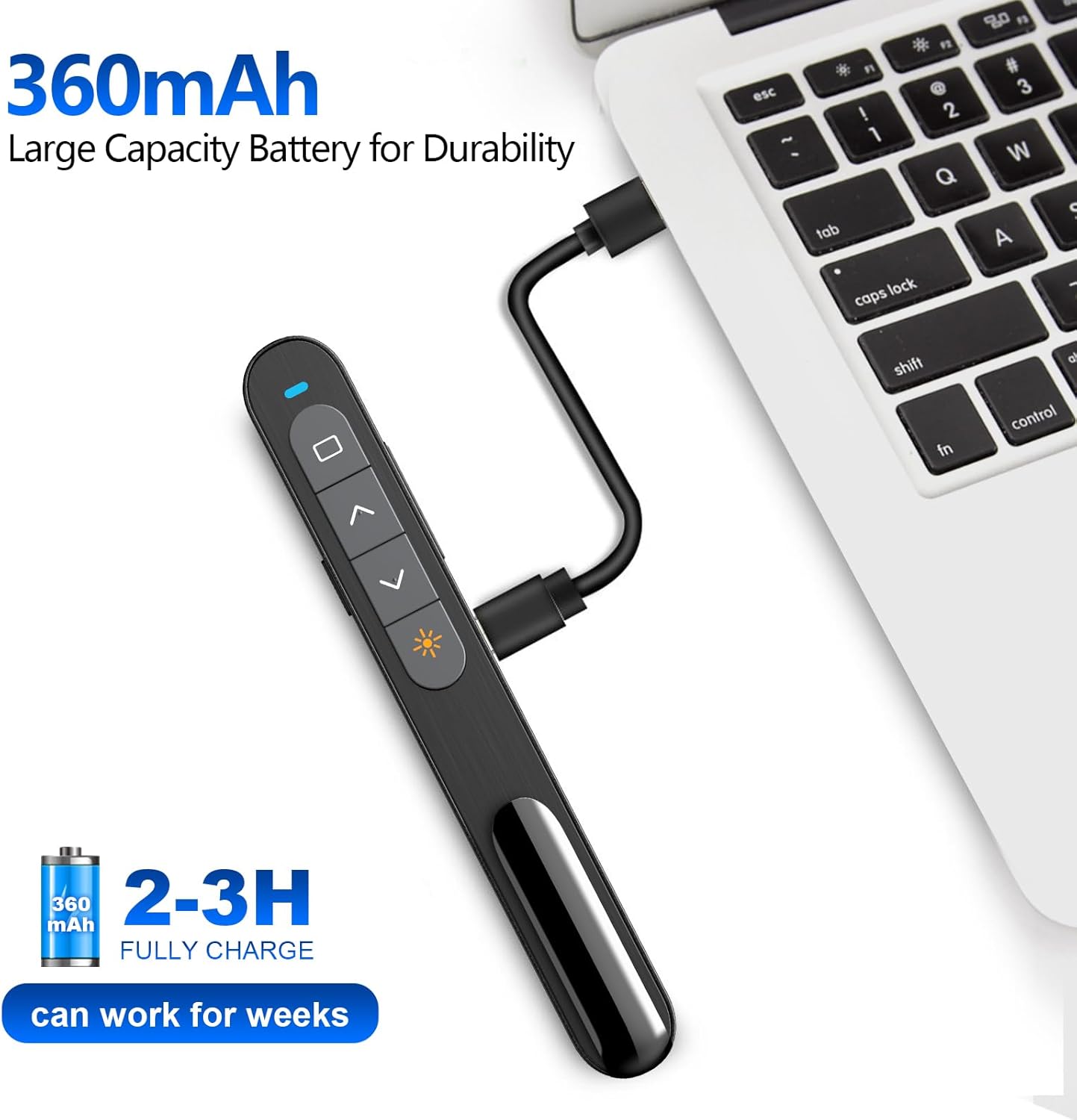
The Norwii N76 is equipped with a built-in 360mAh rechargeable Li-ion battery. To charge the device:
- Connect the provided USB charging cable to the charging port on the presenter.
- Verbinden Sie das andere Ende des USB-Ladekabels mit einer USB-Stromquelle (z. B. einem USB-Anschluss am Computer oder einem USB-Netzteil).
- Die Ladeanzeigeleuchte leuchtet während des Ladevorgangs und erlischt, sobald der Akku vollständig geladen ist.
- Eine vollständige Aufladung dauert in der Regel 1.5-2 Stunden.

5. Bedienungsanleitung
5.1. Ein-/Ausschalten
Slide the ON/OFF switch located on the side of the presenter to the 'ON' position to power on the device. Slide it to 'OFF' when not in use to conserve battery life.
5.2. Basic Slide Control
- Drücken Sie die Seite nach oben (▲) button to move to the previous slide.
- Drücken Sie die Seite nach unten (▼) button to move to the next slide.
5.3. Laser Pointer Function
Halten Sie die Laserpointer button (often marked with a sun or star icon) to activate the green laser. Release the button to turn off the laser. The green laser is 8 times brighter than a red laser, providing clear visibility on most screens. Note: The laser is not intended for use on TV screens.
5.4. Erweiterte Funktionen
- Vollbild/Schwarzer Bildschirm: Press the dedicated button (often a square icon) to toggle between full screen mode and a black screen.
- Hyperlink/Switch Window: Use the designated button (often a chain link or window icon) to activate hyperlinks within your presentation or switch between open applications.
- Lautstärkeregelung: Use the volume up (+) and volume down (-) buttons on the side of the presenter to adjust the audio output of your computer.

5.5. Anpassbare Schaltflächen
The Norwii N76 allows for button reprogramming via the Norwii Presenter software. This software enables you to assign custom functions to buttons for a personalized workflow. Refer to the Norwii webWebseite zum Herunterladen der Software und für detaillierte Anweisungen.

6. Wartung
6.1. Batteriepflege
- Laden Sie das Gerät vor dem ersten Gebrauch vollständig auf.
- Um die Lebensdauer des Akkus zu verlängern, sollte dieser nicht regelmäßig vollständig entladen werden.
- If storing the device for an extended period, charge it to approximately 50% every few months.
6.2. Reinigung
Wipe the device with a soft, dry cloth. Do not use harsh chemicals or abrasive cleaners. Ensure no liquid enters the device openings.
7. Fehlerbehebung
If you encounter issues with your Norwii N76, refer to the following common problems and solutions:
| Problem | Lösung |
|---|---|
| Moderator antwortet nicht |
|
| Laserpointer funktioniert nicht |
|
| Limited wireless range |
|
8. Spezifikationen
| Besonderheit | Detail |
|---|---|
| Modellnummer | N76 |
| Konnektivität | 2.4-GHz-Funkverbindung (USB-A-Empfänger) |
| Drahtlose Reichweite | Bis zu 100 Meter (328 Fuß) |
| Lasertyp | Green Light (656 feet laser range) |
| Batterie | Wiederaufladbarer Lithium-Polymer-Akku mit 360 mAh |
| Ladezeit | 1.5-2 Stunden |
| Technische Daten | 5.5 x 0.7 x 0.8 Zoll |
| Artikelgewicht | 1.05 Unzen |
| Kompatibles Betriebssystem | Windows, macOS, Android, Linux |
| Kompatible Software | PowerPoint, Google Slides, WPS Office, Prezi, Keynote |
9. Sicherheitshinweise
- Lasersicherheit: Do not point the laser beam directly at people or animals. Avoid direct eye exposure to the laser beam. Do not point the laser beam at highly reflective surfaces.
- Kinder: Bewahren Sie das Gerät außerhalb der Reichweite von Kindern auf.
- Batterie: Do not attempt to replace the internal battery. Do not expose the device to extreme temperatures or direct sunlight.
- Entsorgung: Das Gerät und seine Batterie sind gemäß den örtlichen Vorschriften zu entsorgen.
10. Garantie und Support
Norwii products are designed for reliability and performance. For warranty information, technical support, or service inquiries, please refer to the warranty card included in your package or visit the official Norwii website. Please have your product model number (N76) and purchase details ready when contacting support.