
Einführung
The Xiaomi Smart Camera C500 is an advanced indoor surveillance camera designed to provide comprehensive monitoring for your home. Featuring a dual-lens system, 4-megapixel resolution, and dual-band Wi-Fi 6 connectivity, it offers enhanced security features such as human tracking, crying detection, and pet tracking. This manual provides detailed instructions for setting up, operating, and maintaining your camera to ensure optimal performance.
Sicherheitshinweise
- Stellen Sie sicher, dass die Kamera an einem stabilen Ort installiert ist, um ein Herunterfallen zu verhindern.
- Verwenden Sie ausschließlich das mit dem Gerät gelieferte Original-Netzteil.
- Setzen Sie die Kamera keinen extremen Temperaturen, hoher Luftfeuchtigkeit oder direkter Sonneneinstrahlung aus.
- Keep the camera away from water or other liquids. This product is not water-resistant.
- Versuchen Sie nicht, die Kamera selbst zu zerlegen oder zu reparieren. Wenden Sie sich an autorisiertes Servicepersonal.
- Außerhalb der Reichweite von Kindern aufbewahren.
Packungsinhalt
Überprüfen Sie, ob alle Artikel in Ihrem Paket vorhanden sind:
- 1 × Xiaomi Smart Camera C500 4MP Dual Lens with Wi-Fi 6 Dual-Band
- Netzteil
- Mounting Accessories (if applicable for ceiling/wall mount)
- Bedienungsanleitung
Produkt überview
The Xiaomi Smart Camera C500 features a compact dome design with dual lenses for extended coverage. It includes a power port, status indicator light, and a microSD card slot for local storage.
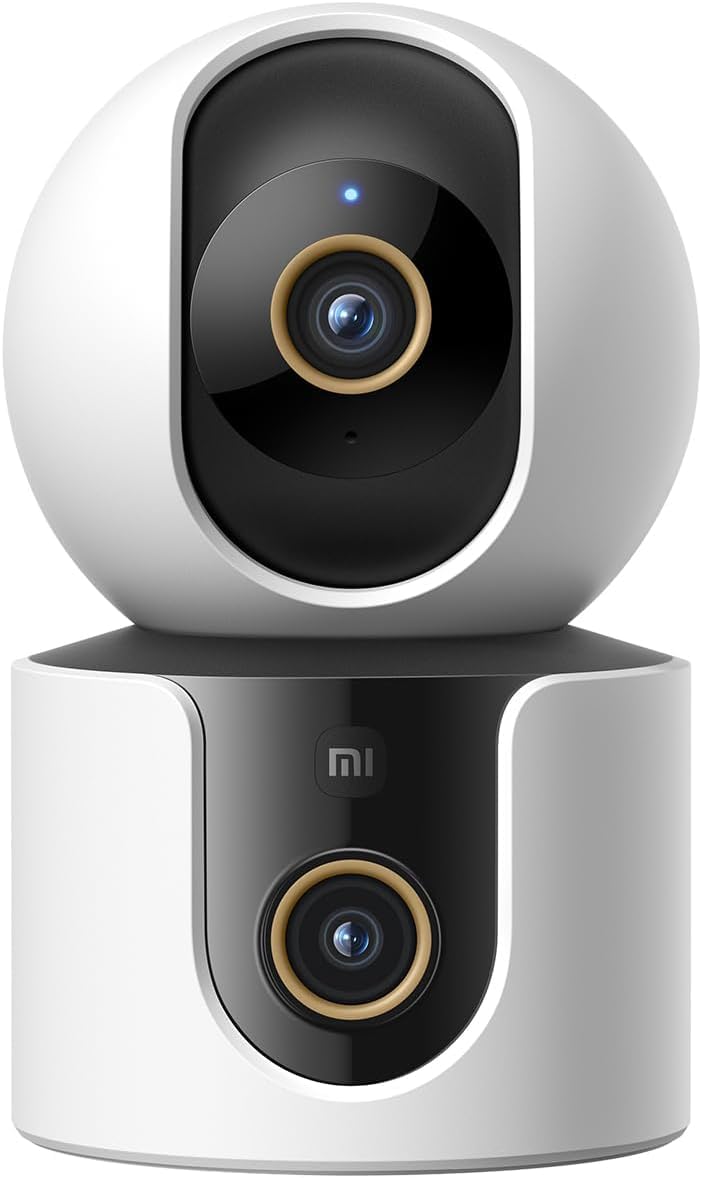
Abbildung 1: Vorderseite view of the Xiaomi Smart Camera C500, showing its dual-lens design and white and black casing.

Abbildung 2: Draufsicht view of the Xiaomi Smart Camera C500, highlighting its spherical upper section and ventilation holes.

Abbildung 3: Seite view of the Xiaomi Smart Camera C500, showing the power input and other ports on the base.
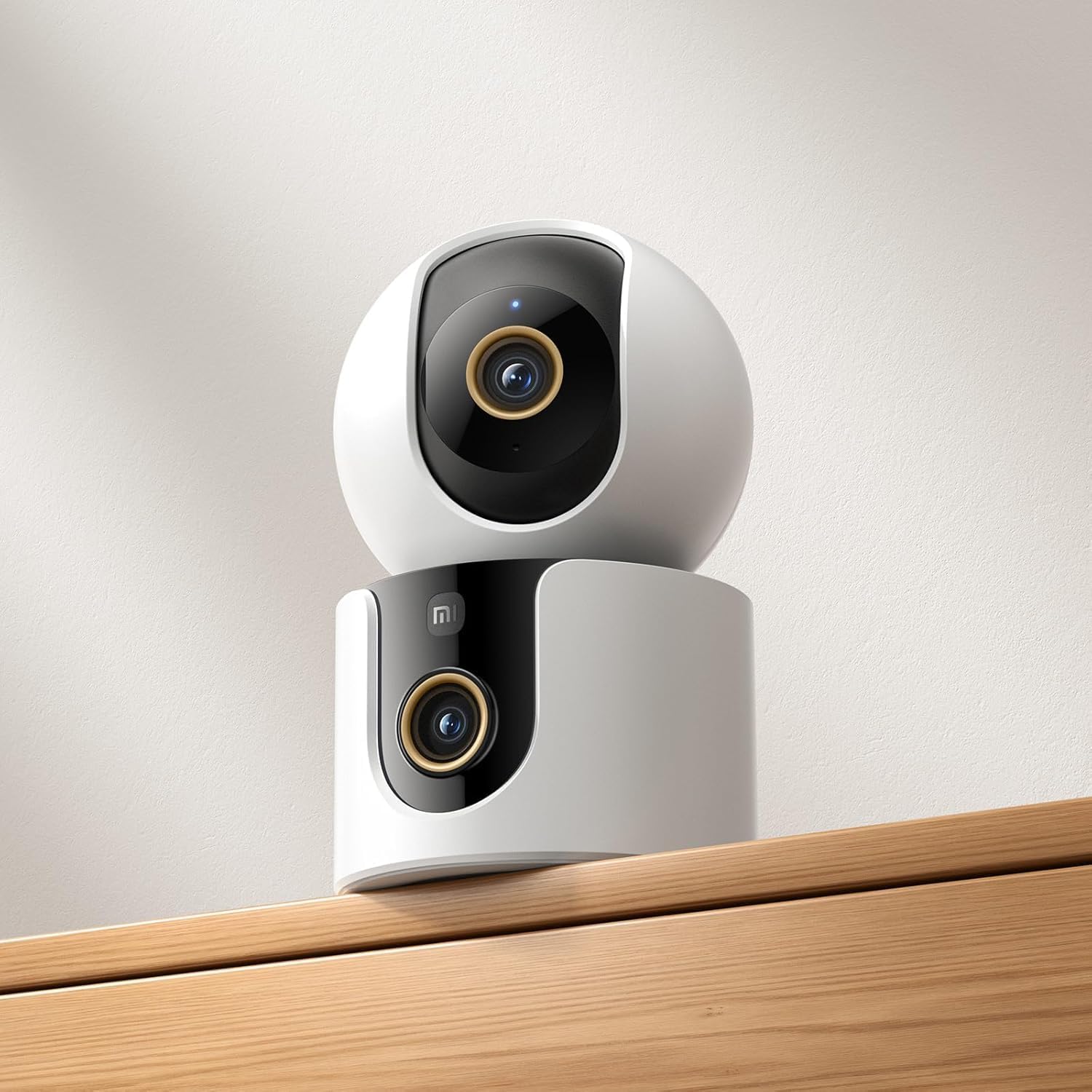
Figure 4: The Xiaomi Smart Camera C500 positioned on a wooden shelf, demonstrating its compact size and discreet placement.
Aufstellen
1. Einschalten
- Schließen Sie das Netzteil an den Stromeingang der Kamera an.
- Stecken Sie das Netzteil in eine Wandsteckdose.
- The camera will automatically power on, and the indicator light will begin to flash, indicating it is ready for connection.
2. App-Installation
- Laden Sie die Xiaomi Startseite App aus dem App Store Ihres Smartphones (Google Play Store für Android oder Apple App Store für iOS).
- Öffne die App und erstelle ein Xiaomi-Konto oder melde dich an, falls du bereits eines hast.
3. Kopplung mit der App
- In the Xiaomi Home app, tap the "+" icon in the top right corner to add a new device.
- Select the Xiaomi Smart Camera C500 from the list of available devices.
- Follow the on-screen instructions to connect the camera to your Wi-Fi network. Ensure your phone is connected to a 2.4GHz or 5GHz Wi-Fi network (the camera supports dual-band Wi-Fi 6).
- Scan the QR code displayed on your phone screen using the camera lens. You will hear a voice prompt confirming successful scanning.
- Sobald die Verbindung hergestellt ist, können Sie Ihrer Kamera einen Namen geben und sie einem bestimmten Raum zuweisen.
4. Montage der Kamera
The camera supports tabletop placement or ceiling/wall mounting.
- Tischmontage: Stellen Sie die Kamera auf eine ebene, stabile Oberfläche.
- Decken-/Wandmontage: Use the provided mounting base and screws to secure the camera to a desired location. Ensure the camera is securely attached and has a clear field of view.
Bedienungsanleitung
1. Leben View
Open the Xiaomi Home app and select your camera to view the live feed. You can pan and tilt the camera remotely using the controls in the app to achieve 360-degree coverage.
2. Aufnahme und Wiedergabe
- Lokaler Speicher: Insert a microSD card (up to 256GB) into the camera's slot for continuous or event-triggered recording.
- Cloud-Speicher: Optional cloud storage services may be available through the Xiaomi Home app for secure backup of recordings.
- Wiedergabe: Auf aufgezeichnetes Foo zugreifentage through the app's playback feature, navigating by date and time.
3. Zwei-Wege-Audio
Use the microphone and speaker icon in the live view interface to enable two-way communication. This allows you to speak through the camera and hear audio from its location.
4. Bewegungserkennung und Personenverfolgung
The camera can detect motion and intelligently track human figures. Enable these features in the app settings to receive alerts and automatically record when activity is detected.
5. Crying Detection
For parents, the crying detection feature can be enabled to send instant notifications to your phone when a baby's cry is detected, allowing for quick response.
6. Pet Tracking
The camera can also track pets, providing alerts and recording their movements. This feature is useful for monitoring your furry companions throughout the day.
7. Nachtsicht
The camera automatically switches to ultra-low light color mode or infrared night vision in dim conditions, ensuring clear visibility up to 15 meters even in complete darkness.
Wartung
- Reinigung: Reinigen Sie Objektiv und Gehäuse der Kamera vorsichtig mit einem weichen, trockenen Tuch. Verwenden Sie keine scharfen Chemikalien oder Scheuermittel.
- Firmware-Updates: Regularly check for and install firmware updates through the Xiaomi Home app to ensure optimal performance and access to new features.
- MicroSD-Karte: If using a microSD card, periodically check its status and format it if necessary to maintain recording quality and prevent data corruption.
Fehlerbehebung
| Ausgabe | Mögliche Lösung |
|---|---|
| Die Kamera kann keine Verbindung zum WLAN herstellen. | Ensure your Wi-Fi network is 2.4GHz or 5GHz. Check Wi-Fi password. Move camera closer to router. Reset camera and try pairing again. |
| Kein Leben view oder Aufnahme | Check power connection. Ensure Wi-Fi is stable. Verify microSD card is inserted correctly and not full. Check app permissions. |
| Schlechte Videoqualität | Clean the camera lens. Ensure adequate lighting. Check Wi-Fi signal strength. Adjust video resolution settings in the app. |
| Nicht erhaltene Benachrichtigungen | Check app notification settings on your phone. Ensure motion/crying detection is enabled in the camera settings. Verify app has necessary permissions. |
| Zwei-Wege-Audio funktioniert nicht | Check microphone and speaker settings in the app. Ensure phone volume is up. Avoid placing camera in noisy environments. |
Technische Daten
| Besonderheit | Detail |
|---|---|
| Markenname | Xiaomi |
| Modellname | Überwachungskamera |
| Modellnummer | C500 Dual |
| Empfohlene Verwendungen für das Produkt | Sicherheit in Innenräumen |
| Konnektivitätstechnologie | Kabellos |
| Besondere Merkmale | Hohe Auflösung |
| Innen-/Außenbereich | Innenbereich |
| Kompatible Geräte | Smartphone |
| Stromquelle | Kabelgebundene Elektrik |
| Kommunikationsprotokoll | WLAN-Netzwerk |
| Controllertyp | Amazon Alexa |
| Montagetyp | Tabletop Mount, Freestanding |
| Farbe | Weiß |
| Formfaktor | Kuppel |
| Material | Acrylnitril-Butadien-Styrol (ABS) |
| Wasserbeständigkeit | Nicht wasserfest |
| Gegenstandsform | Kuppel |
| Alarmtyp | Audio und Bewegung |
| Zimmertyp | Büro |
| Lichtquelle | Infrarot |
| Auflösung des Bildsensors | 4 Megapixel |
| Kontrollmethode | Per App |
| Bandtage | 5.0 |
| Wastage | 10.0 |
| Batterien erforderlich? | NEIN |
| Anzahl der Kanäle | 2 |
| Videokodierung | H.265 |
| Videoaufnahmeformat | MPEG-4 |
| Nachtsichtbereich | 15 Meter |
| Nachtsicht | Nachtfarbe |
| Number of Infrared LED Lights | 10 |
| Flash-Speichertyp | Micro SD |
| Maximum Supported Flash Memory Size | 256 GB |
| Anzahl der Artikel | 1 |
| Spezifische Produktanwendungen | 360-Grad-Abdeckung, Überwachung |
| Hersteller | Xiaomi |
| Drahtlose Kommunikationstechnologie | W-lan |
| Auflösung der Videoaufnahme | 1080p |
| Bildfrequenz | 25 Bilder pro Sekunde |
| Viewing-Winkel | 360 Grad |
| Fokustyp | Autofokus |
| Bildsensor-Technologie | CMOS |
| Artikelabmessungen | 7.8 x 7.8 x 11.5 cm |
| Artikelgewicht | 327 Gramm |
| Einheitenanzahl | 1.0 Anzahl |
Garantie und Support
Informationen zur Garantie finden Sie auf der Garantiekarte, die Ihrer Produktverpackung beiliegt, oder auf der offiziellen Xiaomi-Website. website. For technical support, troubleshooting assistance, or to report issues, please contact Xiaomi customer service through their official channels or the Xiaomi Home app.
You can find additional resources and FAQs on the Xiaomi official support page.