
SUPVAN E11
SUPVAN E11 Bluetooth-Etikettendrucker – Benutzerhandbuch
Einführung
This manual provides detailed instructions for the setup, operation, maintenance, and troubleshooting of your SUPVAN E11 Bluetooth Label Maker Machine. Please read this manual thoroughly before using the device to ensure proper function and longevity.
Sicherheitshinweise
- Halten Sie das Gerät von Wasser und hoher Luftfeuchtigkeit fern.
- Setzen Sie das Gerät keinen extremen Temperaturen oder direkter Sonneneinstrahlung aus.
- Use only SUPVAN approved label tapes to prevent damage to the print head.
- Versuchen Sie nicht, das Gerät selbst zu zerlegen oder zu reparieren. Wenden Sie sich an den Kundendienst, um Hilfe zu erhalten.
- Außerhalb der Reichweite von Kindern aufbewahren.
Packungsinhalt
Überprüfen Sie, ob alle Artikel in Ihrem Paket vorhanden sind:
- Etikettendrucker E11
- Bedienungsanleitung
- USB-C-Kabel
- 2 Rolls White Continuous Label Tape (15 mm x 6 m)
- 2 Rolls White Die-cut Label Tape (12 mm x 40 mm)

Image: Contents of the SUPVAN E11 Label Maker package, including the label maker, USB-C cable, user manual, and four rolls of label tape.
Produkt überview
The SUPVAN E11 is a portable thermal label maker designed for various labeling needs. It features a QWERTY keyboard for direct input and Bluetooth connectivity for app-based design and printing.
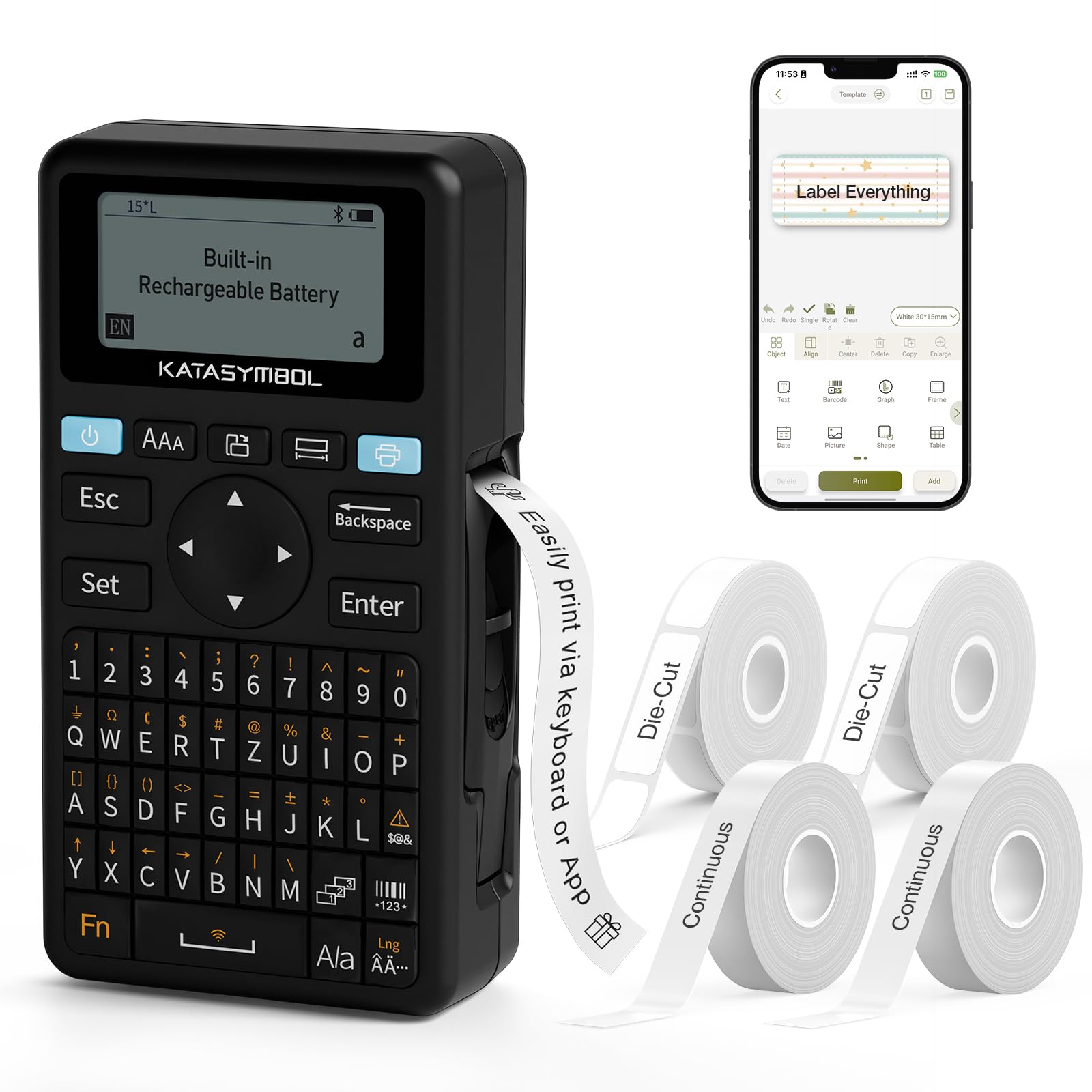
Bild: Vorderseite view of the SUPVAN E11 Label Maker, showing the QWERTY keyboard and display screen.
Aufstellen
1. Aufladen des Geräts
The SUPVAN E11 features a built-in 1200 mAh rechargeable battery. Before initial use, fully charge the device using the provided USB-C cable.
- Connect the USB-C cable to the charging port on the label maker.
- Verbinden Sie das andere Ende des Kabels mit einem USB-Netzteil (nicht im Lieferumfang enthalten) oder einem USB-Anschluss eines Computers.
- Die Ladeanzeige am Gerät zeigt den Ladestatus an.

Image: The SUPVAN E11 Label Maker demonstrating that it uses thermal paper and requires no ink or toner.
2. Anbringen des Etikettenbandes
The E11 label maker uses thermal label rolls. Follow these steps to install a new roll:
- Öffnen Sie die Abdeckung des Etikettenfachs an der Seite des Geräts.
- Insert the label roll into the compartment, ensuring the label tape feeds out from the bottom and through the guide slot.
- Schließen Sie die Fachabdeckung sicher.

Image: A hand demonstrating how to install a label tape roll into the SUPVAN E11 Label Maker.
3. Connecting via Bluetooth (App)
For advanced customization and printing, connect your label maker to the companion app:
- Laden Sie die offizielle SUPVAN-App aus dem App Store Ihres Geräts herunter.
- Turn on the label maker and ensure Bluetooth is enabled on your smartphone.
- Open the SUPVAN app and follow the on-screen instructions to pair with your E11 device.

Image: A visual guide showing the step-by-step process of connecting the label maker to the mobile app via Bluetooth.
Betrieb
1. Keyboard Printing
For quick and frequent labeling, use the integrated QWERTY keyboard:
- Schalten Sie den Etikettendrucker ein.
- Type your desired text using the keyboard. The text will appear on the LCD display.
- Drücken Sie die Schaltfläche „Drucken“, um das Etikett auszudrucken.
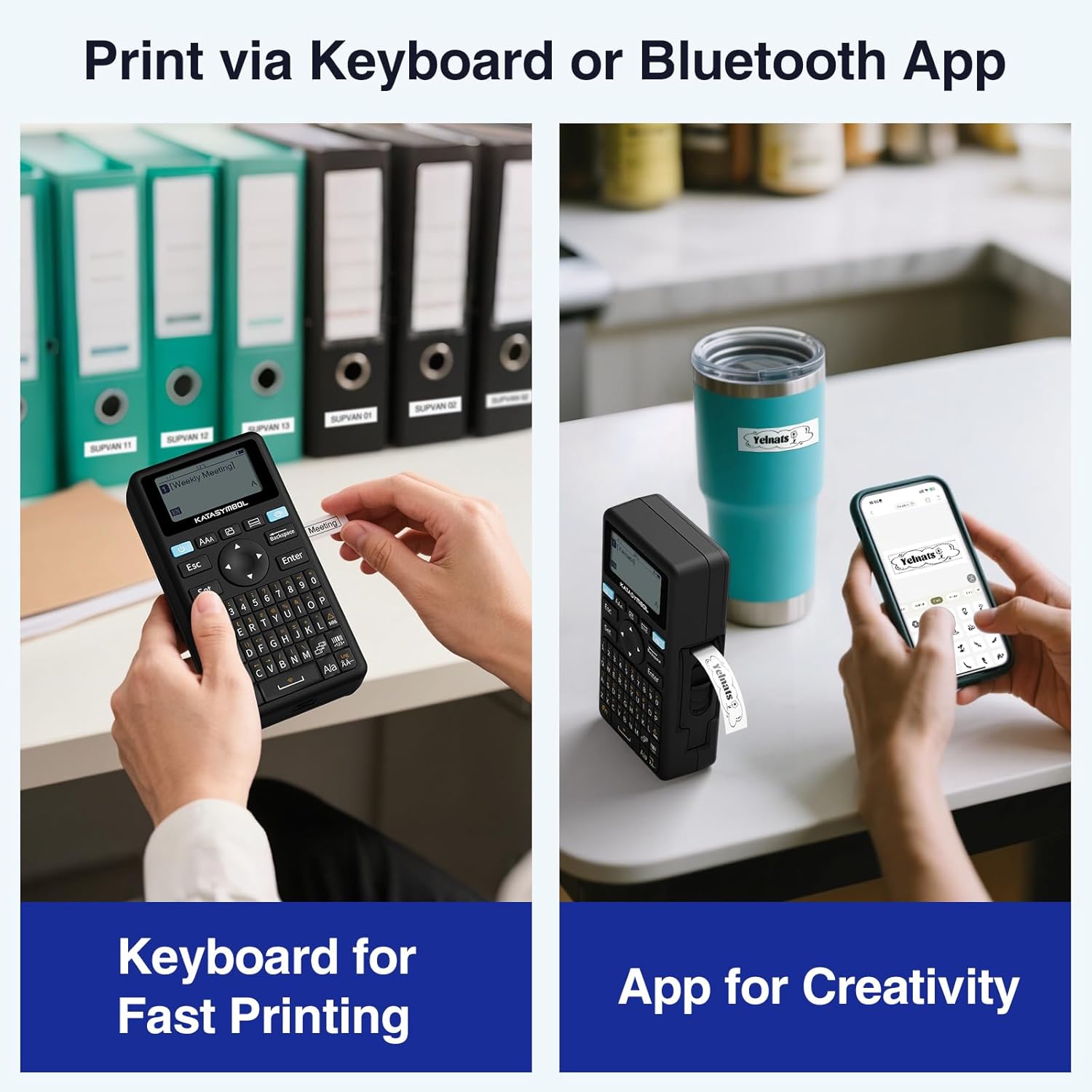
Image: A person using the SUPVAN E11 Label Maker's keyboard to type and print a label.
2. App Printing and Customization
The SUPVAN app offers extensive customization options:
- Ensure your device is connected to the app via Bluetooth.
- Open the app and select your label design.
- Utilize the app's features to customize your label:
- Schriftarten: Wählen Sie aus über 30 Schriftarten.
- Rahmen: Apply from over 50 frames.
- Symbole: Select from over 660 icons.
- QR-Codes & Barcodes: Generate and print QR codes and various barcode types.
- Vorlagen: Create and save your own label templates.
- Sobald Ihr Design fertig ist, tippen Sie in der App auf die Schaltfläche „Drucken“.
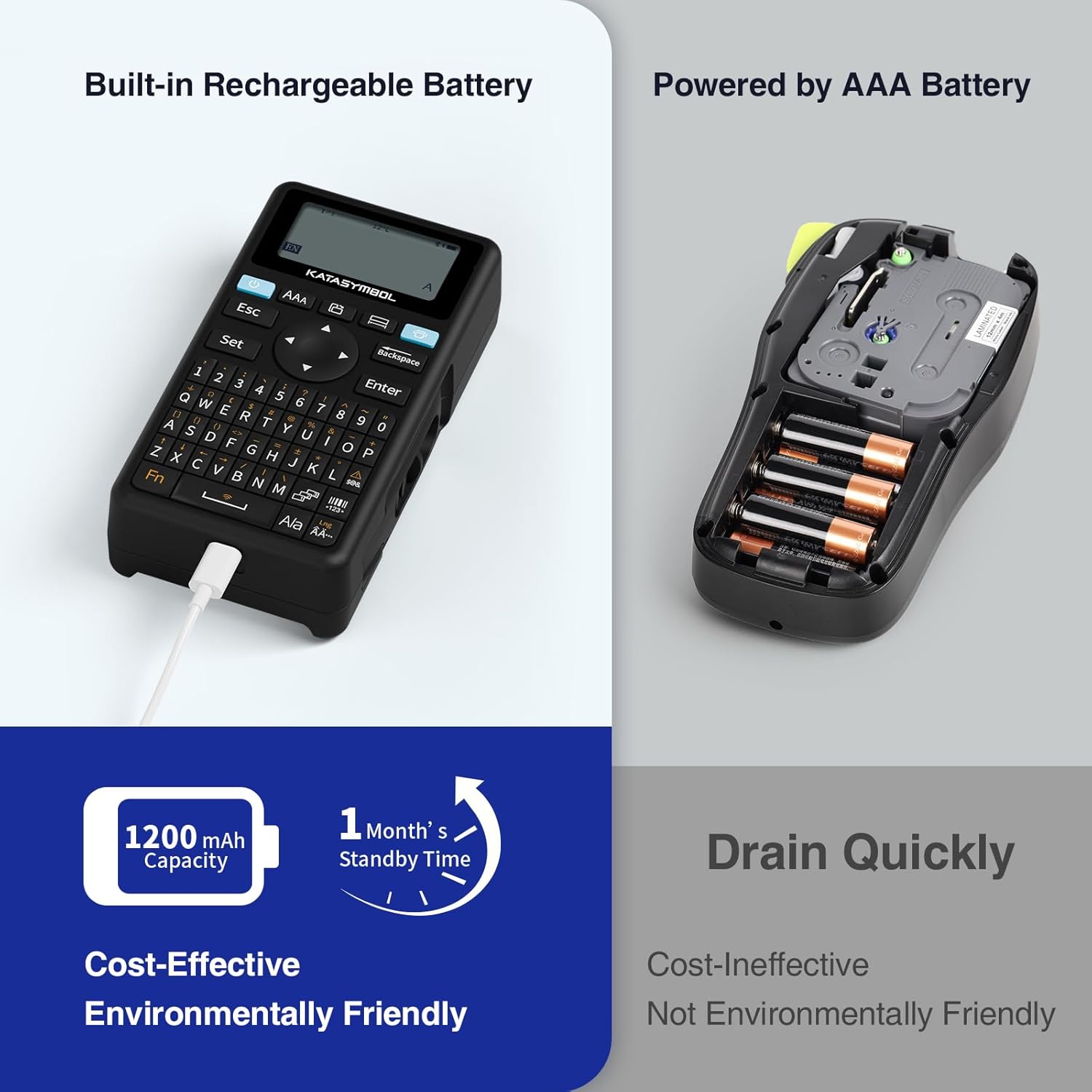
Image: A person using the SUPVAN E11 Label Maker in conjunction with the mobile app to design and print a customized label.

Image: A visual representation of the SUPVAN Label App's features, including a wide selection of fonts, frames, icons, and options for QR codes and barcodes.
Adjusting Label Font Size in the App
Video: This video demonstrates how to adjust the font size of your label text within the SUPVAN mobile application.
Adjusting Font Styles in the App
Video: This video illustrates the process of changing font styles and applying various formatting options to your labels using the SUPVAN mobile application.
3. Label Types and Minimal Margin Printing
The E11 supports both continuous and die-cut labels, offering flexibility for different applications. It also features minimal margin printing, reducing label waste.
- Kontinuierliche Etiketten: Ideal for long text or custom lengths.
- Die-Cut Labels: Pre-sized labels for specific items or standard applications.
- Minimal Margin: The E11 prints with only a 0.2-inch margin, significantly less than many other label makers, saving tape.

Bild: Examples of die-cut and continuous labels printed by the SUPVAN E11, showcasing its versatility for different label types.
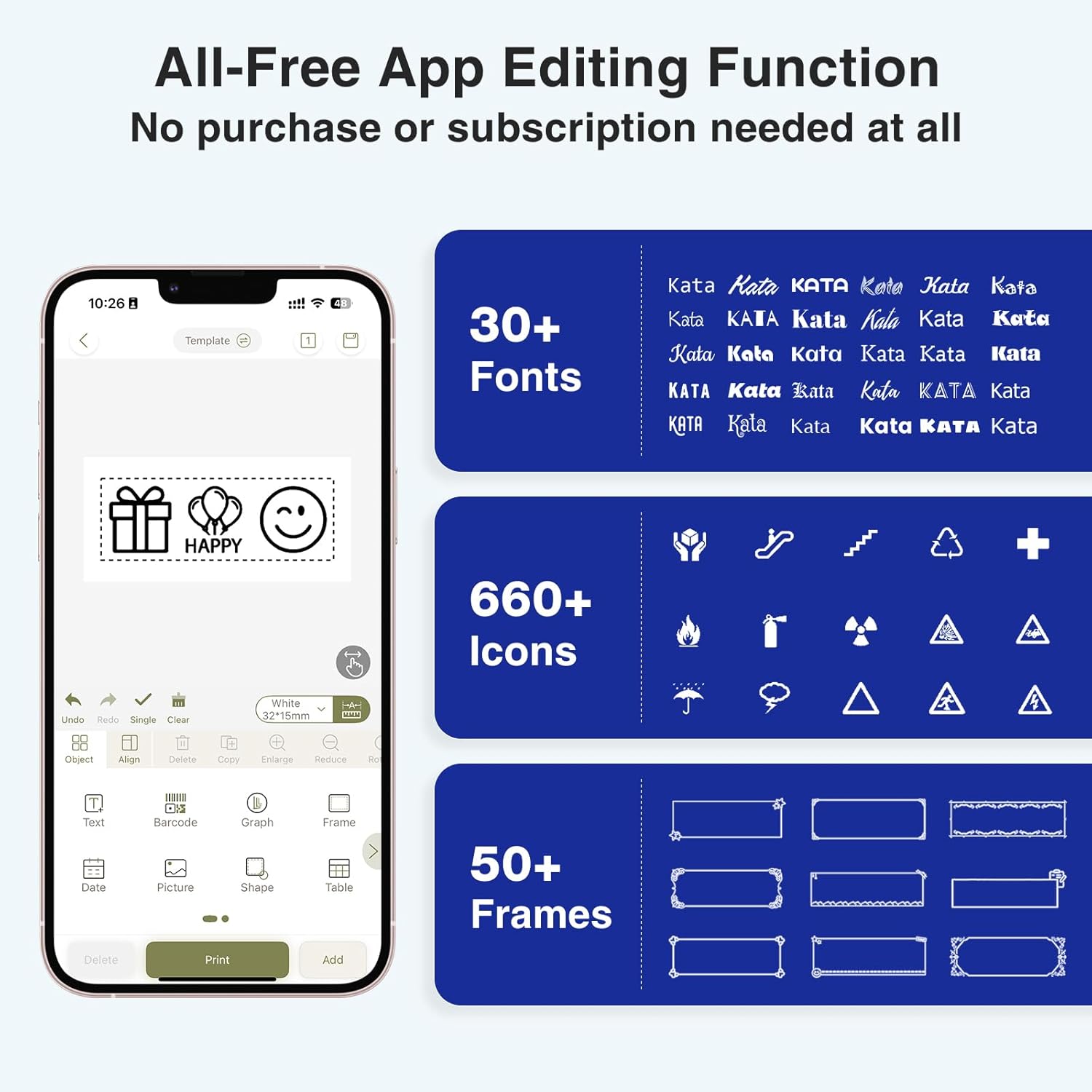
Image: A visual comparison highlighting the minimal 0.2-inch margin of SUPVAN labels versus the larger 1-inch margin of other label makers, demonstrating material efficiency.
4. Breites Anwendungsspektrum
The SUPVAN E11 is suitable for various organizational tasks in different environments:
- Heim: Organizing pantry items, storage bins, and personal belongings.
- Küche: Labeling food containers, spices, and expiry dates.
- Büro: Categorizing files, folders, and office supplies.
- Schule: Labeling school supplies, books, and projects.
- Garage/Werkstatt: Organizing tools and parts.

Image: A collage showing various applications of labels created with the SUPVAN E11, including labeling bottles, file folders, and storage containers.
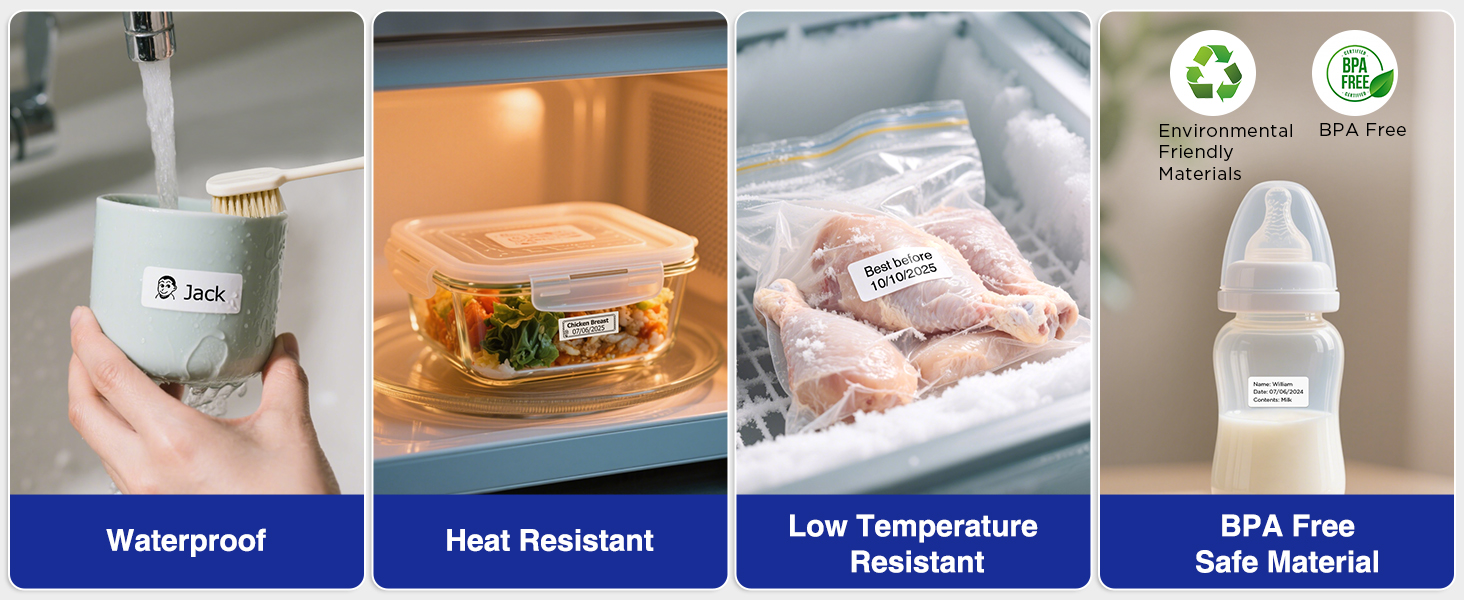
Image: A display illustrating the durability of SUPVAN laminated labels, highlighting their waterproof, heat-resistant, low-temperature resistant, and BPA-free characteristics.
Wartung
1. Reinigung des Druckkopfes
Um eine optimale Druckqualität zu gewährleisten, reinigen Sie den Druckkopf regelmäßig:
- Turn off the label maker and open the label compartment.
- Wischen Sie den Druckkopf vorsichtig mit einem weichen, fusselfreien Tuch ab.ampmit Isopropylalkohol gereinigt.
- Lassen Sie den Druckkopf vollständig trocknen, bevor Sie das Fach schließen und das Gerät verwenden.
2. Batteriepflege
So verlängern Sie die Akkulaufzeit:
- Vermeiden Sie häufiges vollständiges Entladen des Akkus.
- Laden Sie das Gerät regelmäßig auf, auch wenn es nicht benutzt wird, um die Batterieleistung zu erhalten.
- Bewahren Sie das Gerät an einem kühlen, trockenen Ort auf, wenn es längere Zeit nicht benutzt wird.
Fehlerbehebung
| Problem | Mögliche Ursache | Lösung |
|---|---|---|
| Device does not turn on or turns off unexpectedly. | Low battery; device overload during long prints. | Ensure the device is fully charged. For long prints, try breaking the text into shorter segments. |
| Poor print quality (faint, streaky, or blank labels). | Print head is dirty; incorrect label tape installation; faulty label tape. | Clean the print head as described in the Maintenance section. Reinstall the label tape correctly. Try a new roll of label tape. |
| Probleme mit der Bluetooth-Verbindung. | Bluetooth is off; device not paired; app issues. | Ensure Bluetooth is enabled on both devices. Re-pair the label maker through the app. Restart the app and the label maker. |
| Labels are not feeding correctly or jamming. | Improper tape installation; foreign object in the feed path. | Open the compartment and re-install the tape, ensuring it is aligned. Check for any obstructions and carefully remove them. |
Technische Daten
| Besonderheit | Detail |
|---|---|
| Marke | SUPVAN |
| Modellname | E11 |
| Konnektivitätstechnologie | Bluetooth |
| Drucktechnologie | Thermal |
| Druckerausgabe | Einfarbig |
| Maximale Druckgeschwindigkeit Monochrom | 40 mm/s |
| Auflösung | 203 dpi |
| Artikelgewicht | 0.5 Pfund (ca. 227 g) |
| Produktabmessungen (T x B x H) | 5.8" x 3.1" x 1.5" (ca. 14.7 cm x 7.9 cm x 3.8 cm) |
| Batteriekapazität | 1200 mAh |
| Ladeschnittstelle | USB Typ C |
| Anzeigetyp | LCD |
| Kontrollmethode | App, Druckknopf |
| Maximale Mediengröße | 15 mm x 6 m |
Garantieinformationen
Der SUPVAN E11 Etikettendrucker wird mit einem 2 Jahr HerstellergarantieDiese Garantie deckt Material- und Verarbeitungsfehler bei normalem Gebrauch ab. Bitte bewahren Sie Ihren Kaufbeleg für Garantieansprüche auf.
For detailed warranty terms and conditions, please refer to the official SUPVAN webWebsite oder wenden Sie sich an den Kundendienst.
Kundenservice
If you encounter any issues or have questions not covered in this manual, please contact SUPVAN customer support:
- WebWebsite: Visit the official SUPVAN webWebsite mit häufig gestellten Fragen und Support-Ressourcen.
- E-Mail: Beachten Sie die Angaben auf Ihrer Produktverpackung oder die offizielle Kennzeichnung. webWebsite für Kundenservice-E-Mail-Adressen.
Zugehörige Dokumente - E11
 |
Katasymbol E11 Label Maker User Manual Comprehensive user manual for the Katasymbol E11 thermal label maker, including setup instructions, app connectivity, printing guides, maintenance tips, and safety information. |
 |
SUPVAN KATASYMBOL E16 Bluetooth-Etikettendrucker – Benutzerhandbuch und Spezifikationen Umfassende Anleitung zum Bluetooth-Etikettendrucker SUPVAN KATASYMBOL E16 mit Informationen zu Einrichtung, App-Verbindung, Drucken, Fehlerbehebung, Sicherheitsinformationen und Produktspezifikationen. |
 |
SUPVAN Bluetooth Label Printer & Katasymbol App: EU Data Law Transparency Detailed transparency declaration for SUPVAN Bluetooth label printers and the Katasymbol app, covering data handling, privacy, security, and EU data law compliance. |
 |
Shenzhen CTL Testing Technology Co., Ltd. Testbericht für Supvan Thermodrucker FCC ID: 2AZW2-E10 Dieser Testbericht von Shenzhen CTL Testing Technology Co., Ltd. beschreibt die Konformität des Supvan-Thermodruckers (Modell E10, E11, E12, E13, E15) mit den FCC-Vorschriften Teil 15.225. Er umfasst leitungsgebundene Emissionen, abgestrahlte Emissionen, 20-dB-Bandbreite, Frequenzstabilität und Antennenanforderungen. |
 |
Déclaration de transparence : Imprimante Bluetooth SUPVAN et application KataSymbol Déclaration de transparence et de protection des données pour les imprimantes Bluetooth SUPVAN et l'application KataSymbol. Informations sur la collecte, le stockage et la sécurité des données. |
 |
SUPVAN Bluetooth Label Printer & Katasymbol App Data Transparency Declaration Official data transparency declaration for SUPVAN Bluetooth label printers and the Katasymbol application, detailing data generation, collection, processing, transmission, and storage in compliance with EU Regulation 2023/2854. |
Ask a question about this manual
Ask about setup, troubleshooting, compatibility, parts, safety, or missing instructions. Manuals+ will review the question and use this page’s manual context to help answer it.