
ETOE A1222
ETOE Starfish 720P Projector User Manual (Model A1222)
Ihr Leitfaden für Einrichtung, Betrieb und Wartung
1. Einleitung
Welcome to the ETOE Starfish 720P Projector user manual. This guide provides essential information for setting up, operating, and maintaining your projector. The ETOE Starfish projector offers a native 720P resolution with 300 ANSI lumens, a built-in Google Android system for streaming, and features like 140-degree rotation, auto keystone correction, and dual-band Wi-Fi connectivity. Please read this manual thoroughly before using your device to ensure optimal performance and longevity.
2. Lieferumfang
Carefully unpack your ETOE Starfish projector and ensure all items are present:
- Projektor
- Adapter
- Bedienungsanleitung
- Fernbedienung
- Netzkabel
3. Produktüberschreitungview
Familiarize yourself with the main components and features of your ETOE Starfish projector.

Bild: Vorderseite view of the ETOE Starfish Projector, showcasing sein kompaktes und modernes Design.
3.1. Anschlüsse und Verbindungen
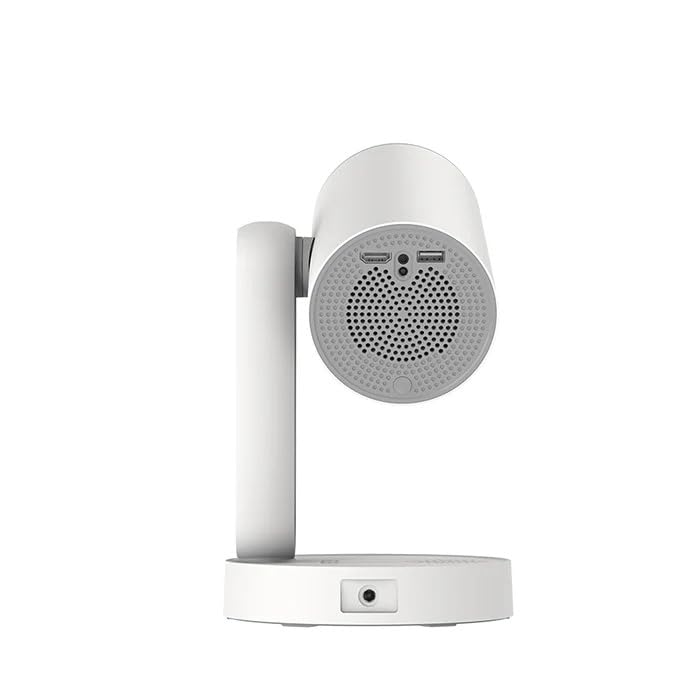
Abbildung: Seite view of the ETOE Starfish Projector, highlighting its connectivity ports including USB and HDMI.
The projector includes various ports for connectivity:
- HDMI-Anschluss: For connecting external devices like gaming consoles, Blu-ray players, or laptops.
- USB-Anschluss: Zum Anschließen von USB-Speichergeräten zur Medienwiedergabe files.
- Leistungsaufnahme: Zum Anschluss des Netzteils.
3.2. Hauptmerkmale
- 140° Drehung: The projector head can be rotated up to 140 degrees for flexible projection angles, including ceiling projection.
- Touch-controlled Ambient Light: A customizable seven-color night light feature with adjustable brightness and color temperature.
- Built-in Google Android System: Access popular streaming services like Netflix, YouTube, and Prime Video directly.
- Automatische Trapezkorrektur: Das Bild wird automatisch für eine perfekt rechteckige Darstellung angepasst.
- Dualband-WLAN: Supports 2.4G and 5G Wi-Fi for stable wireless connectivity.
- Geräuscharmer Betrieb: Designed for quiet performance, operating at approximately 24.5 dB.
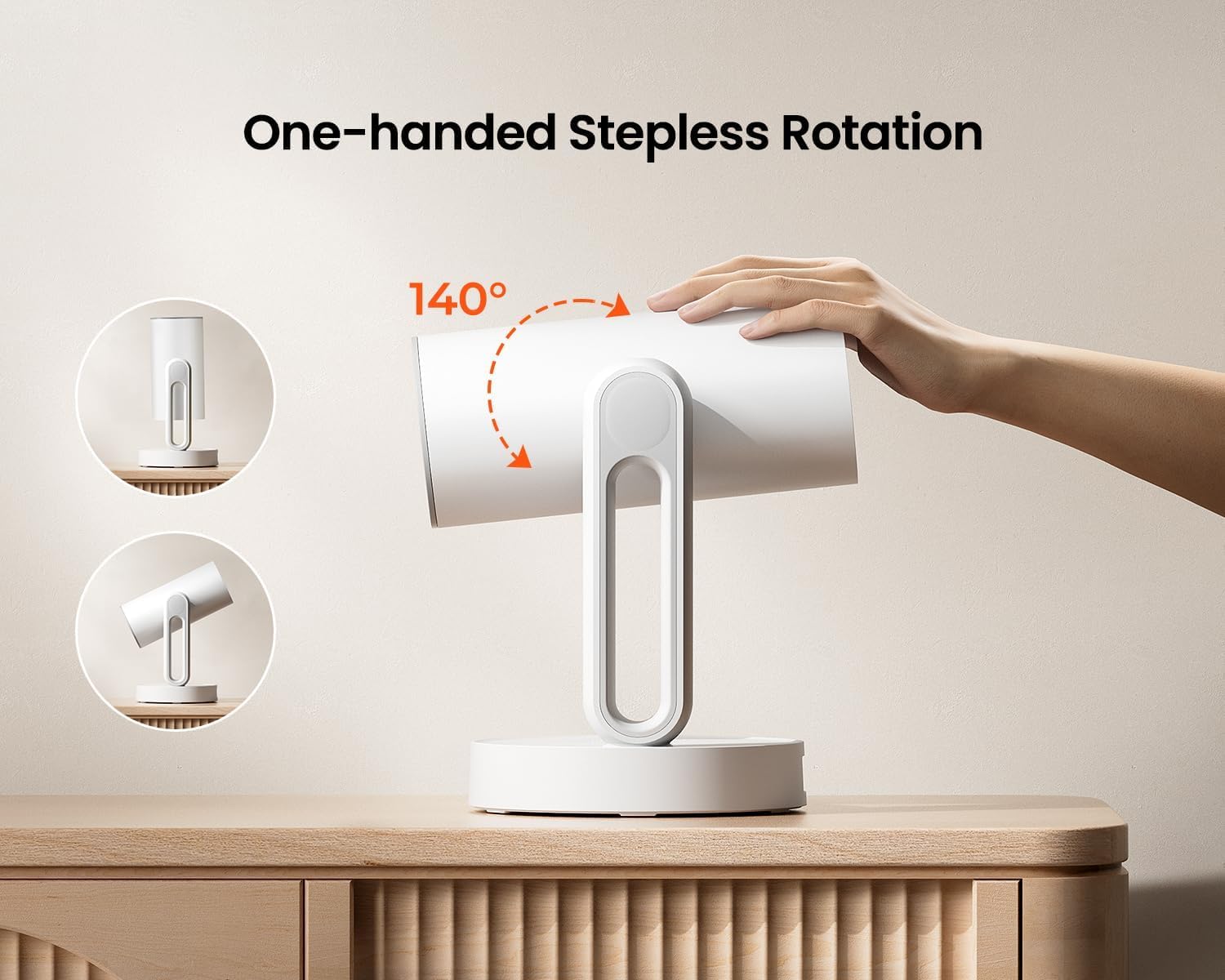
Image: The ETOE Starfish Projector shown rotating 140 degrees, illustrating its flexible projection capabilities.

Image: The ETOE Starfish Projector displaying its touch-controlled ambient light feature with various color options.
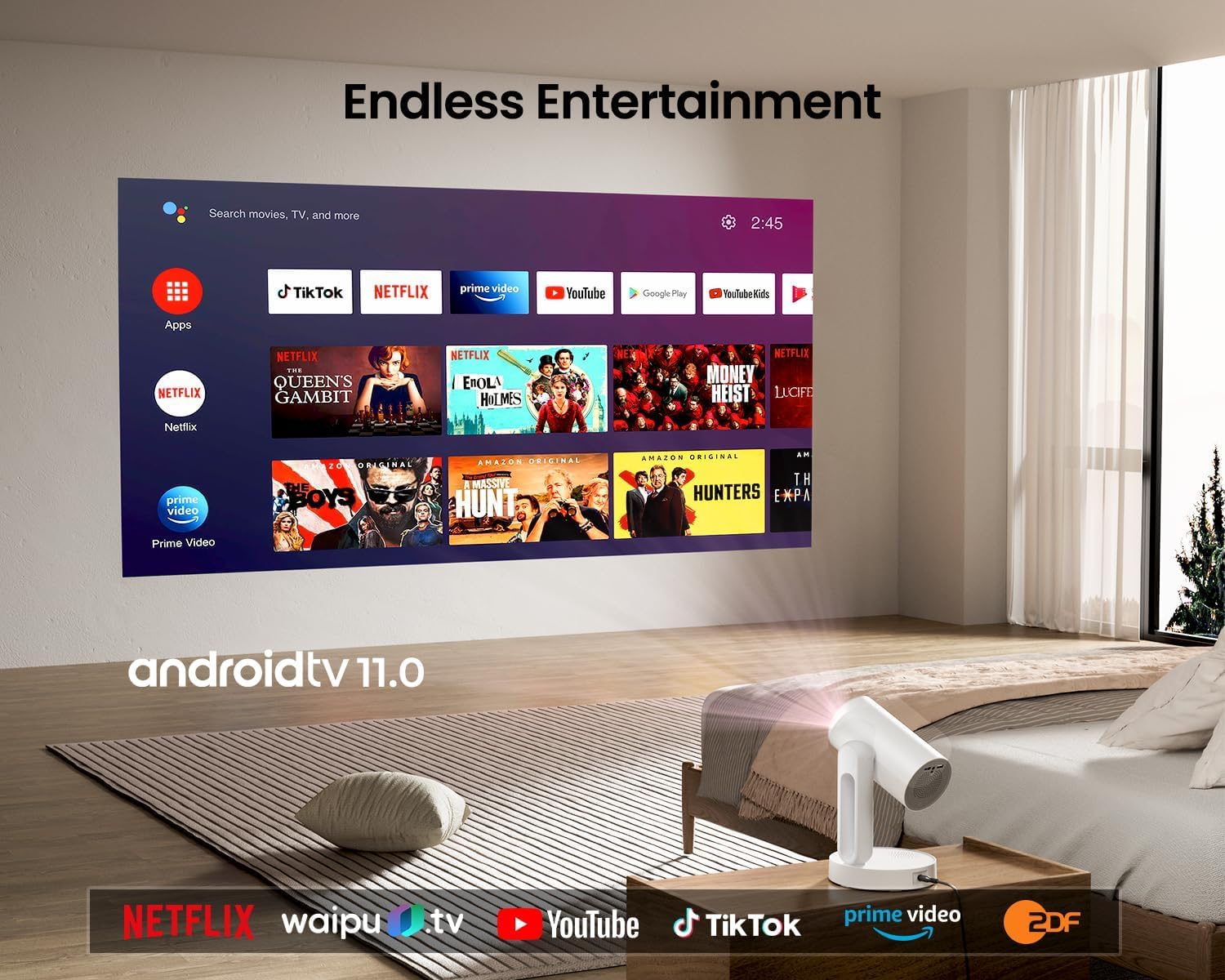
Image: The ETOE Starfish Projector displaying the Android TV interface, showing various streaming applications like Netflix, YouTube, and Prime Video.

Image: The ETOE Starfish Projector automatically correcting a distorted image to a perfect rectangle.

Image: Illustration comparing the low noise level of the ETOE Starfish Projector (24.5 dB) to common sounds.
4. Einrichtung
4.1. Stromanschluss
- Connect the power cord to the adaptor.
- Plug the adaptor into the projector's power input port.
- Stecken Sie das andere Ende des Netzkabels in eine Steckdose.
4.2. Erstplatzierung
Stellen Sie den Projektor auf eine stabile, ebene Fläche. Für optimale Ergebnisse viewing, ensure the projection surface (wall or screen) is clean and smooth. The 140° rotation feature allows for flexible positioning, including ceiling projection.
4.3. Einrichtung der Fernbedienung
Legen Sie zwei AAA-Batterien (nicht im Lieferumfang enthalten) unter Beachtung der richtigen Polarität in die Fernbedienung ein.
4.4. First Boot and Network Connection
- Drücken Sie den Netzschalter am Projektor oder an der Fernbedienung, um ihn einzuschalten.
- Follow the on-screen instructions for the initial Google Android system setup. This will include language selection and connecting to a Wi-Fi network.
- Select your preferred 2.4G or 5G Wi-Fi network and enter the password.
5. Bedienungsanleitung
5.1. Grundlegende Bedienung
- Ein-/Ausschalten: Drücken Sie den Ein-/Ausschalter an der Fernbedienung oder am Projektor.
- Navigation: Use the directional buttons on the remote to navigate the Android interface.
- Lautstärkeregelung: Benutzen Sie die Lautstärketasten auf der Fernbedienung.
5.2. Bildanpassung
- Digitaler Fokus: Adjust the image clarity using the focus controls on the remote or through the settings menu.
- Automatische Trapezkorrektur: The projector automatically corrects trapezoidal distortion. If manual adjustment is needed, access it via the settings.
- Digitalzoom: Adjust the image size from 50% to 100% without moving the projector, accessible in the settings menu.
- 140° Drehung: Physically rotate the projector head to project onto different surfaces, including ceilings. The auto keystone will adjust the image accordingly.

Image: The ETOE Starfish Projector projecting content onto a ceiling, demonstrating its versatility for different viewing angles, with a smartphone mirroring content.
5.3. Smart System Features
- Streaming-Anwendungen: Access pre-installed apps like Netflix, YouTube, and Prime Video. Ensure you are logged into your respective accounts.
- Google Assistant: Use voice commands via the remote control for navigation, content search, and system control.
- Chromecast integriert: Cast content directly from compatible Android, iOS, and PC devices to the projector. Ensure both devices are on the same Wi-Fi network.
5.4. Ambient Light Function
The projector features a touch-controlled ambient light. Touch the designated area on the projector to cycle through seven colors, adjust brightness, and change color temperature to create your desired atmosphere.
6. Wartung
Durch die richtige Wartung wird die Langlebigkeit und optimale Leistung Ihres Projektors gewährleistet.
- Linsenreinigung: Wischen Sie die Projektorlinse vorsichtig mit einem weichen, fusselfreien Tuch ab, das speziell für optische Linsen entwickelt wurde. Vermeiden Sie Scheuermittel oder aggressive Chemikalien.
- Staubschutz: The ETOE Starfish features a fully sealed optical engine designed to protect against dust ingress, minimizing the need for internal cleaning.
- Allgemeine Reinigung: Wischen Sie die Außenseite des Projektors mit einem weichen, trockenen Tuch ab. Verwenden Sie keine flüssigen Reinigungsmittel direkt auf dem Gerät.
- Lagerung: Wenn Sie den Projektor längere Zeit nicht verwenden, lagern Sie ihn an einem kühlen, trockenen Ort, geschützt vor direkter Sonneneinstrahlung und extremen Temperaturen.
7. Fehlerbehebung
Sollten Sie Probleme mit Ihrem Projektor haben, beachten Sie bitte die folgenden häufig auftretenden Probleme und Lösungen:
| Problem | Mögliche Ursache | Lösung |
|---|---|---|
| Der Projektor lässt sich nicht einschalten. | Power cord not connected properly; power outlet issue. | Ensure power cord is securely connected to both projector and outlet. Test outlet with another device. |
| Kein Bild angezeigt. | Input source incorrect; external device not connected; projector in standby. | Check input source settings. Ensure HDMI/USB devices are connected and powered on. Wake projector from standby. |
| Das Bild ist unscharf. | Fokus nicht eingestellt; Projektor zu nah/zu weit von der Leinwand entfernt. | Adjust digital focus using the remote. Ensure optimal projection distance. |
| Image is distorted (not rectangular). | Korrektur der Keystone-Korrektur erforderlich. | The projector has auto keystone. If manual adjustment is required, access it in the settings menu. |
| Kein Ton. | Volume too low; external audio device issue; mute enabled. | Increase volume. Check external audio connections. Disable mute. |
| Probleme mit der WLAN-Verbindung. | Falsches Passwort; Router zu weit entfernt; Netzwerkstörungen. | Re-enter Wi-Fi password. Move projector closer to router. Restart router. |
| Fernbedienung funktioniert nicht. | Batteries low/dead; line of sight blocked. | Replace batteries. Ensure no obstructions between remote and projector. |
8. Spezifikationen
Detailed technical specifications for the ETOE Starfish 720P Projector (Model A1222).
| Marke | ETOE |
| Modell | A1222 |
| Hersteller | JVDN International |
| Technische Daten | 61 x 48 x 43 cm |
| Artikelgewicht | 3 kg |
| Anzeigetyp | LCD |
| Bildhelligkeit | 300 ANSI-Lumen |
| Bildkontrastverhältnis | 3000:1 |
| Seitenverhältnis | 16:9 |
| Native Auflösung | 1280 x 720 |
| Bandtage | 240 Volt |
| Wastage | 5 Watt |
| Bildwiederholrate | 60 Hz |
| Konnektivitätstechnologie | Wi-Fi (2.4 GHz & 5 GHz) |
| Hardware-Schnittstelle | HDMI, USB |
| Kompatible Geräte | Smartphones (Android & iOS), Gaming Consoles, Blu-ray Players, Media Players |
| Besondere Merkmale | Digital Focus, Portable, Wireless, Auto Keystone, 140° Rotation, Built-in Android System, Ambient Light |
| Montagetyp | Tischhalterung |
9. Garantie und Support
9.1. Garantieinformationen
The ETOE Starfish Projector is manufactured by JVDN International. For specific warranty terms and conditions, please refer to the warranty card included with your product or contact the manufacturer directly. Keep your purchase receipt as proof of purchase for warranty claims.
9.2. Kundendienst
For technical assistance, troubleshooting not covered in this manual, or warranty inquiries, please contact JVDN International customer support:
- Ansprechpartner: JAYESH KUMAR JAGETIYA
- Telefon: +91 91361 87951
- E-Mail: jayesh@jvdninternational.com
- Adresse: B-1122 Sun Westbank, Ashram Road, Ahmedabad, Gujarat, India, 380009
Ask a question about this manual
Ask about setup, troubleshooting, compatibility, parts, safety, or missing instructions. Manuals+ will review the question and use this page’s manual context to help answer it.