
LIECTROUX HCR-10
LIECTROUX HCR-10 Electric Window Cleaning Robot User Manual
Model: HCR-10 | Brand: LIECTROUX
Einführung
This user manual provides detailed instructions for the safe and efficient operation, maintenance, and troubleshooting of your LIECTROUX HCR-10 Electric Window Cleaning Robot. Please read this manual thoroughly before using the product and keep it for future reference.
The LIECTROUX HCR-10 is an intelligent household appliance designed for deep window cleaning. It features a powerful 2800Pa suction motor, dual-spiral cleaning heads with microfiber cloths, and ultrasonic water spray for effective dirt removal. It is compatible with various glass surfaces, including windows, tiles, and glass floors, making it ideal for hard-to-reach areas.
Produkteigenschaften
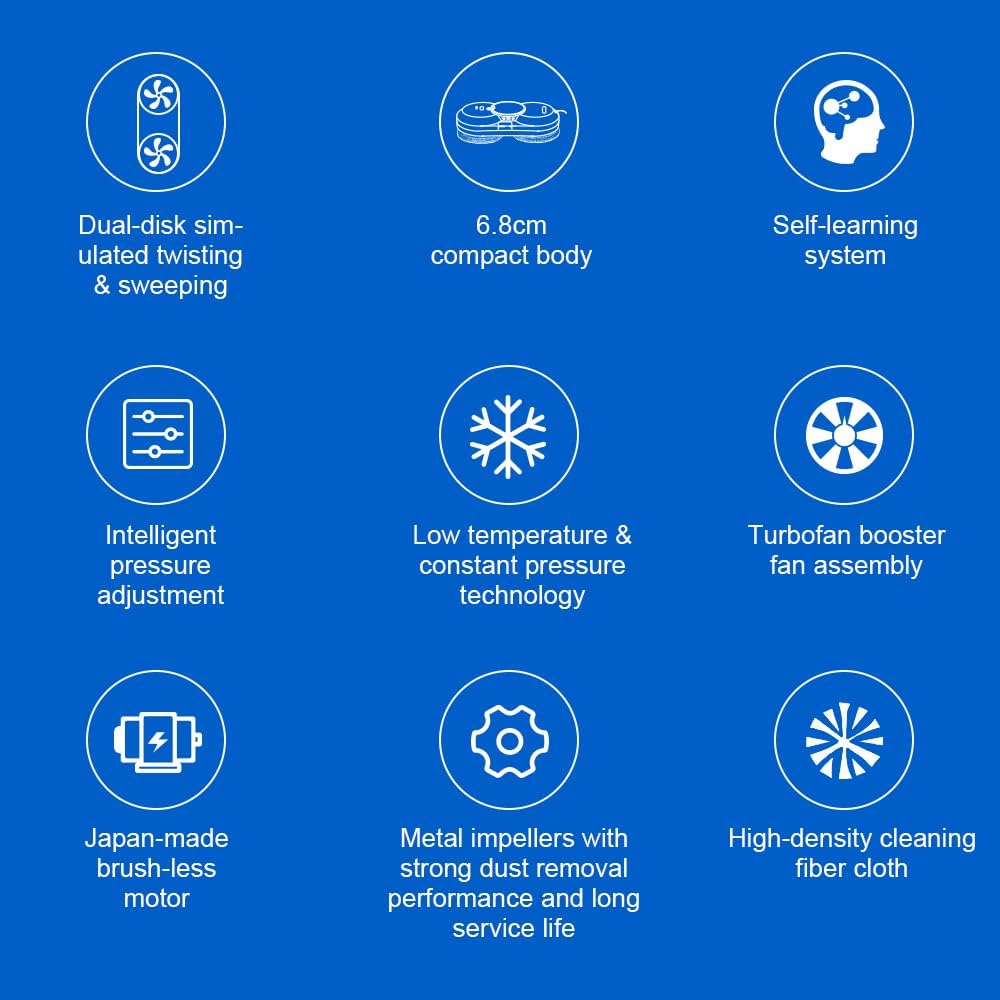
- Starke Saugkraft: Integrated suction motor provides 2800Pa suction for secure attachment to vertical surfaces.
- Effiziente Reinigung: Dual-spiral cleaning heads with microfiber cloths and ultrasonic water spray system for thorough cleaning.
- Intelligente Navigation: AI technology detects window frames and obstacles, automatically adjusting direction.
- Mehrere Reinigungsmodi: Features 3 automatic cleaning modes and remote control for flexible operation.
- Sicherheitsmerkmale: Die integrierte USV-Batterie bietet 25 Minuten Schutz vor Überspannung bei Stromausfall.tages, preventing falls. Includes a 4m safety rope and 5.2m adapter cord.
- Vielseitige Anwendung: Suitable for various glass types, windows, tiles, and glass floors.
- Bürstenlosen Motor: Equipped with a Japan-made brushless motor for quiet and efficient operation.
Packungsinhalt
Bitte überprüfen Sie beim Auspacken den Packungsinhalt, um sicherzustellen, dass alle Artikel vorhanden und unbeschädigt sind.

- LIECTROUX HCR-10 Window Cleaning Robot
- Fernbedienung
- Netzteil
- Verlängerungskabel (5.2 m)
- Sicherheitsseil (4 m)
- Microfiber Cleaning Cloths (x10)
- Support Covers (x4)
- Wasserflasche
- Bedienungsanleitung
Aufstellen
1. Sicherheitsvorkehrungen
- Always ensure the robot is connected to a power source during operation.
- Attach the safety rope securely to a fixed object before placing the robot on the window.
- Verwenden Sie den Roboter nicht auf gesprungenen oder beschädigten Glasoberflächen.
- Halten Sie Hände und lose Kleidung von beweglichen Teilen fern.
2. Vorbereitung des Roboters
- Attach clean microfiber cleaning cloths to the dual-spiral cleaning heads. Ensure they are securely fastened.
- Fill the 30ml water tank with appropriate window cleaning solution or distilled water.
- Connect the power adapter to the robot and plug it into a power outlet. Ensure the connection is firm.
- Attach the safety rope to the designated attachment point on the robot and secure the other end to a sturdy indoor fixture.


Bedienungsanleitung
1. Starting the Robot
- Place the robot on the glass surface you wish to clean. Ensure it is flat against the surface.
- Drücken Sie den Ein-/Ausschalter am Roboter oder an der Fernbedienung, um die Saugkraft zu aktivieren. Der Roboter haftet dann an der Glasscheibe.
- Once securely attached, select a cleaning mode using the remote control.
2. Reinigungsmodi
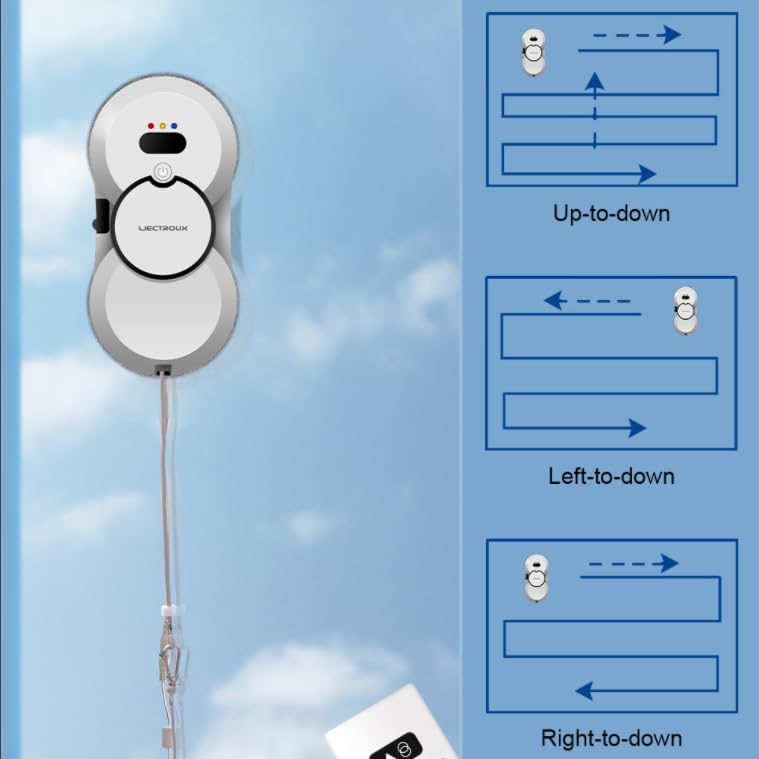
The HCR-10 offers three automatic cleaning modes and manual control via the remote:
- Automatic Up-to-Down: The robot cleans from top to bottom, moving horizontally across the surface.
- Automatic Left-to-Down: The robot starts from the left and moves downwards, covering the area.
- Automatic Right-to-Down: The robot starts from the right and moves downwards, covering the area.
- Manuelle Kontrolle: Use the directional buttons on the remote control to guide the robot as needed.
3. Wassersprühfunktion
The robot features an ultrasonic water spray system to soften dirt and facilitate cleaning. This function can be activated automatically or manually via the remote control.

4. Cleaning Process Overview

- Saugen: The robot creates a strong vacuum to adhere to the glass surface.
- Initial Wiping: The microfiber cloths remove most floating dust and loose particles.
- Spray: Ultrasonic water spray is applied to soften dirt and stains.
- Final Wiping: The cloths then remove the softened dirt and water stains, leaving the surface clean.
5. Ending Operation
Once cleaning is complete, the robot will return to its starting position or stop. Press the power button to release the suction and carefully remove the robot from the glass.
Wartung
1. Cleaning Microfiber Cloths
After each use, remove the microfiber cleaning cloths from the robot. They are washable and can be cleaned by hand or machine. Ensure they are completely dry before reattaching them for the next use.

2. Reinigung des Robotergehäuses
Wischen Sie den Roboterkörper mit einem weichen, fusselfreien Tuch ab.amp Mit einem Tuch abwischen. Verwenden Sie keine Scheuermittel und tauchen Sie den Roboter nicht in Wasser.
3. Wartung des Wassertanks
Empty any remaining cleaning solution from the water tank after use. Rinse the tank with clean water periodically to prevent residue buildup.
Fehlerbehebung
| Problem | Mögliche Ursache | Lösung |
|---|---|---|
| Der Roboter haftet nicht an Glas. | Insufficient power; surface too dirty or wet; suction cups obstructed. | Ensure power cable is securely connected. Clean the glass surface and the robot's suction cups. |
| Der Roboter stürzt während des Betriebs ab. | Power disconnected; safety rope not attached; extreme surface conditions. | Always keep the robot plugged in. Securely attach the safety rope. Avoid using on excessively wet or uneven surfaces. |
| Streaks left on glass. | Dirty cleaning cloths; incorrect cleaning solution; insufficient water spray. | Replace or clean microfiber cloths. Use appropriate window cleaning solution. Ensure water tank is filled and spray nozzle is clear. |
| Robot not moving or responding to remote. | Low battery in remote; obstacle detection; internal error. | Replace remote control batteries. Clear any obstacles. Restart the robot. If problem persists, contact customer support. |
Technische Daten
| Besonderheit | Detail |
|---|---|
| Marke | LIECTROUX |
| Modellname | HCR-10 |
| Farbe | Weiß |
| Produktabmessungen (L x B x H) | 29.5 x 14.5 x 6.8 cm |
| Geräuschpegel | 65 dB |
| Stromquelle | Electric Cord (Wired) |
| Saugleistung | 2800 Pa |
| Vertical Pull | 8500 g |
| Fassungsvermögen des Wassertanks | 30 ml |
| USV-Batterie-Backup | 25 Minuten (Absorptionsschutz) |
| Sicherheitsseillänge | 4 m |
| Länge des Adapterkabels | 5.2 m |


Garantie und Support
Specific warranty details for the LIECTROUX HCR-10 Electric Window Cleaning Robot are not provided in the product information. Please refer to the warranty card included in your product packaging or contact LIECTROUX customer support directly for warranty information and service.
For technical support, troubleshooting assistance, or spare parts inquiries, please contact the manufacturer's customer service. Contact information can typically be found on the product packaging or the official LIECTROUX webWebsite.
Ask a question about this manual
Ask about setup, troubleshooting, compatibility, parts, safety, or missing instructions. Manuals+ will review the question and use this page’s manual context to help answer it.