
1. Einleitung
This manual provides comprehensive instructions for the Ailgely Digital Thermometer Hygrometer Sensor Meter. This wireless sensor is designed to measure temperature and humidity both indoors and outdoors, transmitting data to a compatible Fanju weather station. Please read this manual thoroughly before use to ensure proper setup and operation.
2. Packungsinhalt
Bitte überprüfen Sie beim Auspacken, ob alle unten aufgeführten Artikel vorhanden und in gutem Zustand sind:
- 1 x Ailgely Digital Thermometer Hygrometer Sensor Meter
Note: 2 x AA batteries are required for operation and are not included in the package.
3. Produktmerkmale
- Verwendung im Innen- und Außenbereich: Suitable for monitoring temperature and humidity in various environments.
- Drahtlose Übertragung: Offers a 60-meter transmission range in open areas for accurate data collection.
- Wasserdichtes Design: IPX4 waterproof rating ensures durability in different weather conditions.
- Flexible Installation: Can be easily mounted on a wall or placed on a desktop.
- Kompatibilität: Specifically designed for use with Fanju weather stations.
4. Einrichtung
4.1 Einlegen der Batterie
- Suchen Sie die Abdeckung des Batteriefachs auf der Rückseite des Sensors.
- Schieben oder lösen Sie die Abdeckung vorsichtig, um das Fach zu öffnen.
- Insert two (2) AA batteries, ensuring correct polarity (+ and - terminals).
- Bringen Sie den Batteriefachdeckel wieder fest an.
4.2 Aufstellung und Montage
The sensor offers versatile placement options:
- Desktop-Platzierung: The sensor can stand upright on any flat surface.
- Wandmontage: Use the integrated hanging hole on the back of the sensor. Secure a screw (not included) into the desired wall location and hang the sensor.

Abbildung 1: Zurück view of the sensor with battery compartment and mounting hole.
4.3 Pairing with Fanju Weather Station
Important: This sensor is designed exclusively for use with Fanju weather stations. It may not be compatible with other brands or models.
To pair the sensor with your Fanju weather station:
- Ensure both the sensor and the Fanju weather station are powered on and within the 60-meter transmission range.
- Refer to your Fanju weather station's instruction manual for specific pairing procedures. Typically, this involves initiating a sensor search function on the weather station.
- The sensor will automatically attempt to transmit data once powered. The weather station should detect and display the sensor's readings.
5. Bedienung
5.1 Anzeige überview
The sensor features a clear LCD display showing current temperature and humidity readings.
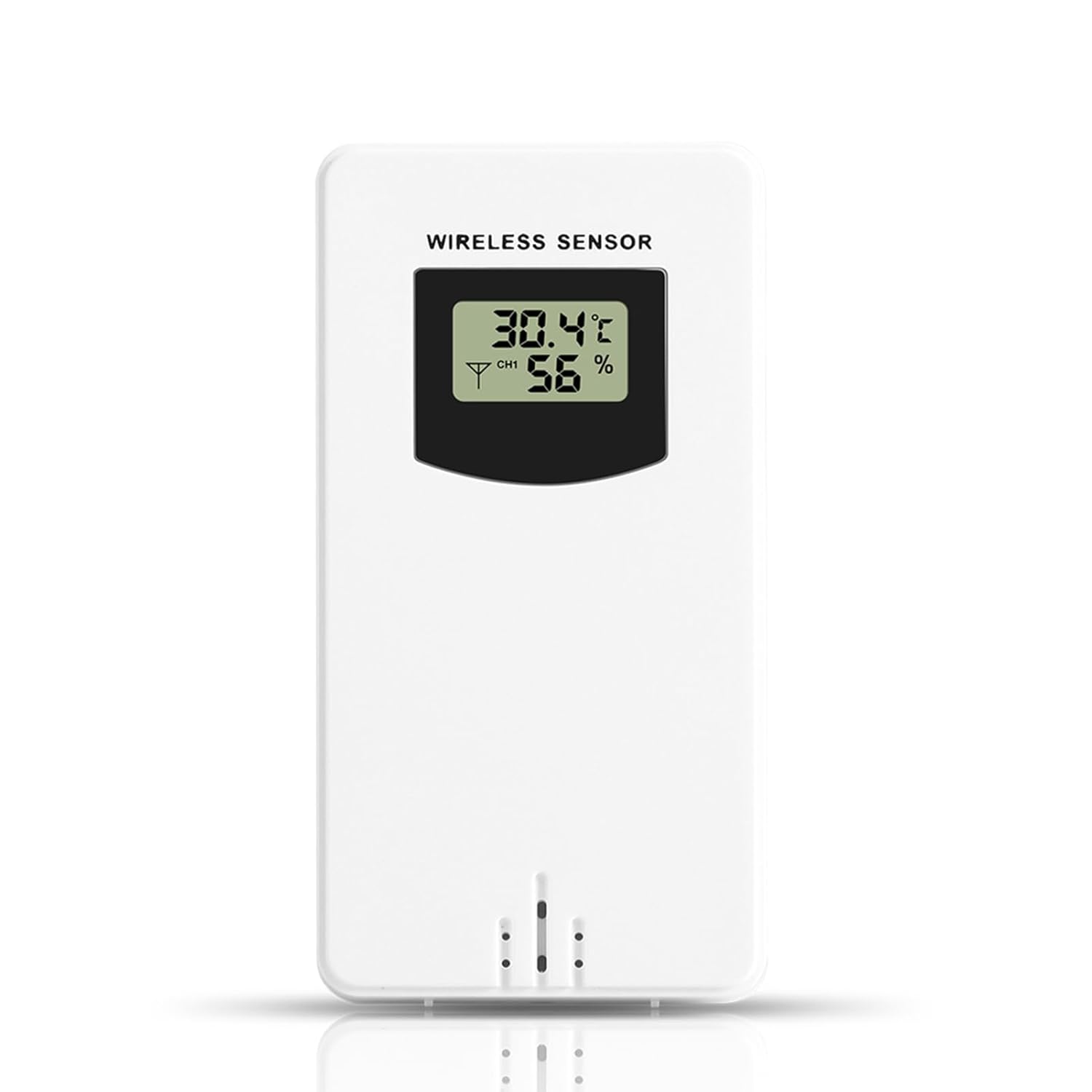
Abbildung 2: Vorderseite view of the sensor display.
- Temperatur: Displays in Celsius (°C) or Fahrenheit (°F), depending on the setting of the connected Fanju weather station.
- Luftfeuchtigkeit: Wird als Prozentsatz angezeigttage (%).
- Kanalanzeige: May show a channel number (e.g., CH1) if the sensor supports multiple channels or if the weather station is configured for multiple sensors.
5.2 Übermittlung
The sensor wirelessly transmits temperature and humidity data to the paired Fanju weather station. Ensure there are no significant obstructions (e.g., thick walls, large metal objects) between the sensor and the weather station to maintain optimal signal strength and transmission range.
6. Wartung
6.1 Batteriewechsel
When the display becomes dim or the sensor stops transmitting data, it is time to replace the batteries. Follow the battery installation steps in Section 4.1. Always use fresh AA batteries.
6.2 Reinigung
Um den Sensor zu reinigen, wischen Sie ihn mit einem weichen, fusselfreien Tuch ab.amp cloth. Do not use abrasive cleaners, solvents, or immerse the unit in water. Ensure the battery compartment is dry before closing.
7. Fehlerbehebung
- Kein Bildschirm: Überprüfen Sie den Batterieeinbau und stellen Sie sicher, dass die Batterien neu sind.
- No Data on Weather Station:
- Verify the sensor is within the 60m transmission range of the weather station.
- Ensure there are no major obstructions blocking the signal.
- Re-pair the sensor with the weather station according to the weather station's manual.
- Replace batteries in the sensor.
- Ungenaue Messwerte: Ensure the sensor is placed in a location free from direct sunlight, heat sources, or excessive moisture that could skew readings.
8. Spezifikationen
| Besonderheit | Spezifikation |
|---|---|
| Modellnummer | Ailgelyvwcdo75mzp-5W |
| Material | ABS |
| Farbe | Weiß |
| Wasserdichtigkeit | IPX4 |
| Übermittlungsbereich | Bis zu 60 Meter (freier Bereich) |
| Stromversorgung | 2 x AA-Batterien (nicht im Lieferumfang enthalten) |
| Abmessungen (ca.) | 9.6cm (H) x 5cm (W) x 3.4cm (D) / 3.78in (H) x 1.97in (W) x 1.34in (D) |
| Gewicht ca.) | 73 g |
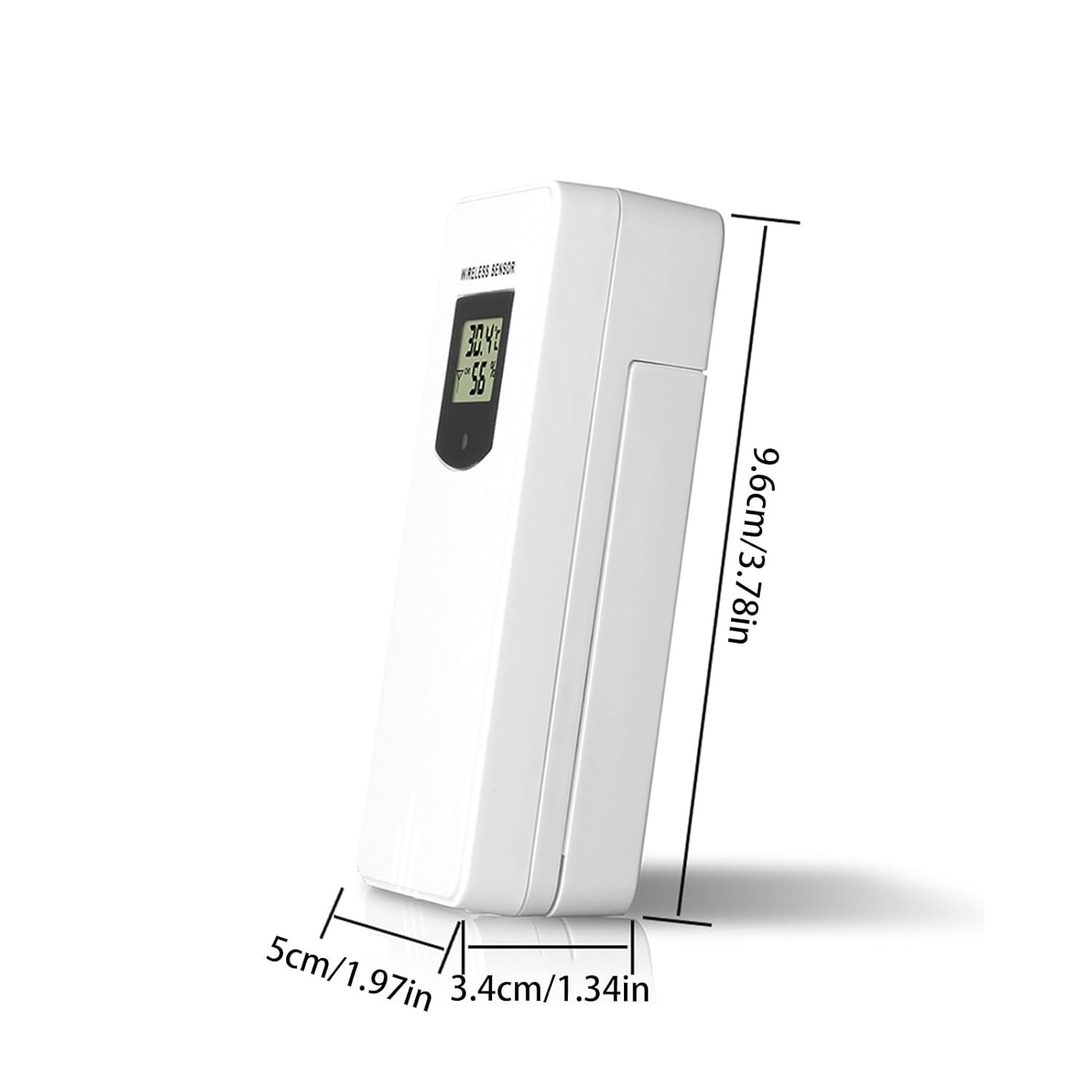
Abbildung 3: Sensorabmessungen.
9. Garantie und Support
Informationen zur Garantie und zum technischen Support finden Sie in der mitgelieferten Dokumentation oder wenden Sie sich an Ihren Händler. Bewahren Sie Ihren Kaufbeleg als Kaufnachweis auf.