
1. Einleitung
Thank you for choosing the TechniSat DIGITRADIO 52 BT. This DAB+ FM alarm clock radio is designed to provide reliable timekeeping, radio reception, and Bluetooth audio streaming. This manual will guide you through the setup, operation, and maintenance of your device.
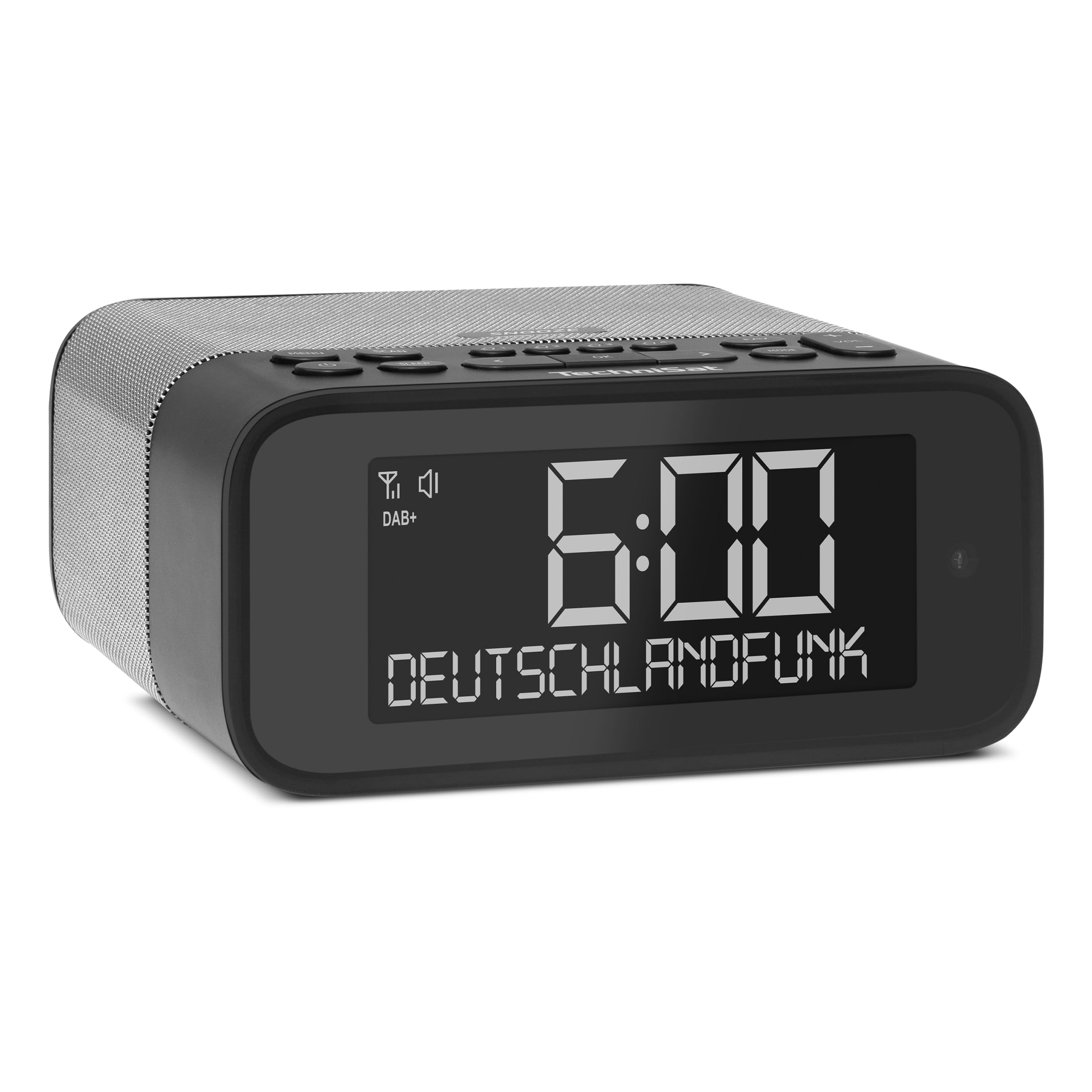
Bild 1: Vorderseite view of the TechniSat DIGITRADIO 52 BT. The device is black with a large digital display showing "6:00" and "DEUTSCHLANDFUNK". Control buttons are visible on the top panel.
2. Sicherheitshinweise
- Lesen Sie vor der Verwendung alle Anweisungen sorgfältig durch.
- Halten Sie das Gerät von Wasser, Feuchtigkeit und direkten Wärmequellen fern.
- Versuchen Sie nicht, das Gerät zu zerlegen oder zu verändern. Überlassen Sie alle Wartungsarbeiten qualifiziertem Fachpersonal.
- Verwenden Sie nur das mitgelieferte Netzteil.
- Sorgen Sie für eine ausreichende Belüftung rund um das Gerät.
- Reinigen Sie das Gerät mit einem weichen, trockenen Tuch. Verwenden Sie keine flüssigen Reinigungsmittel.
3. Packungsinhalt
Bitte prüfen Sie das Paket auf folgende Artikel:
- TechniSat DIGITRADIO 52 BT unit
- Netzteil
- Bedienungsanleitung
4. Produktüberschreitungview
4.1. Bedienelemente und Anzeige
The DIGITRADIO 52 BT features an intuitive layout for easy access to all functions.
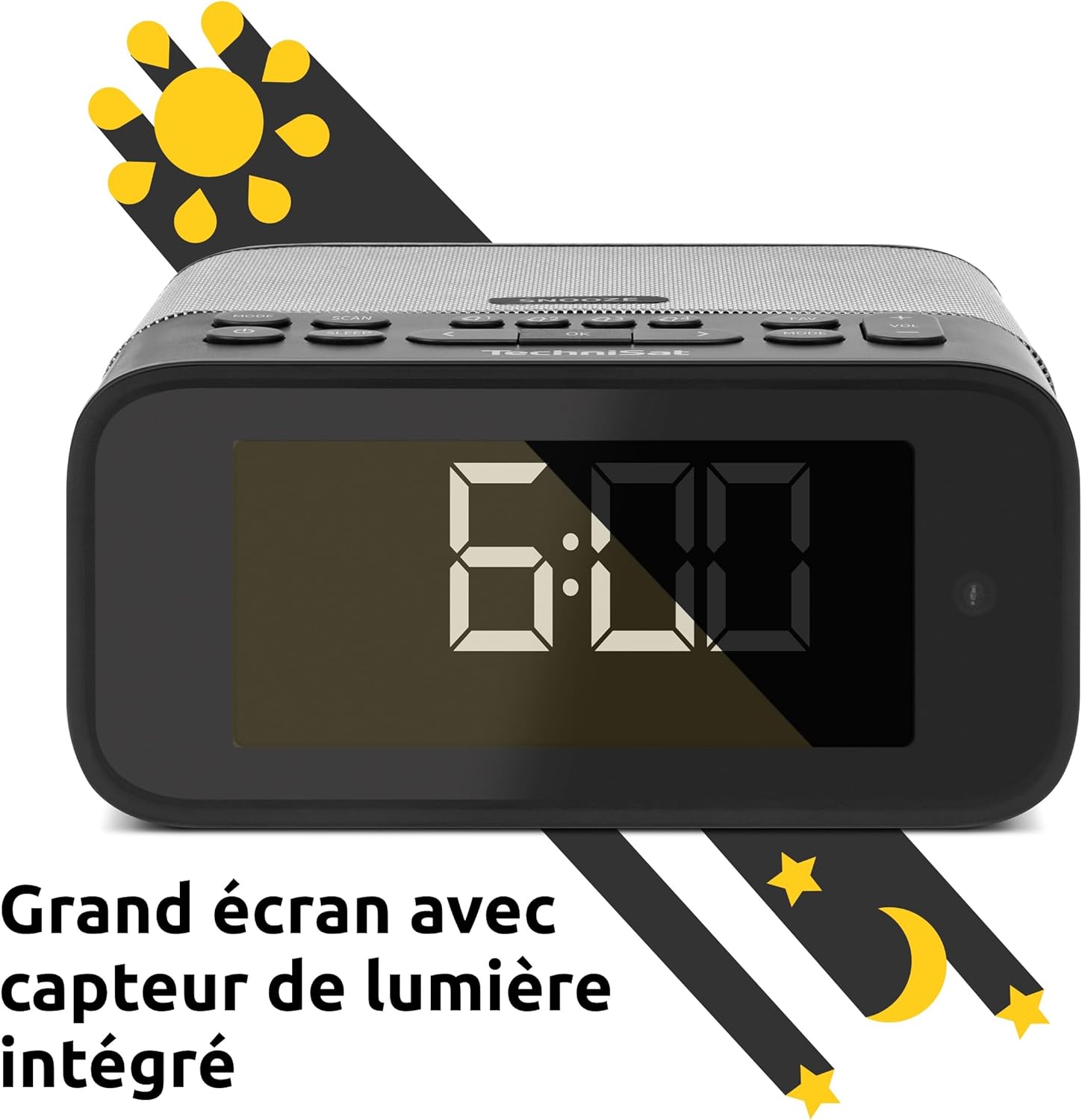
Image 2: Close-up of the large display with integrated light sensor. The display shows "6:00". The light sensor automatically adjusts screen brightness based on ambient light.
4.2. Anschlüsse auf der Rückseite
The rear panel provides essential connectivity options.
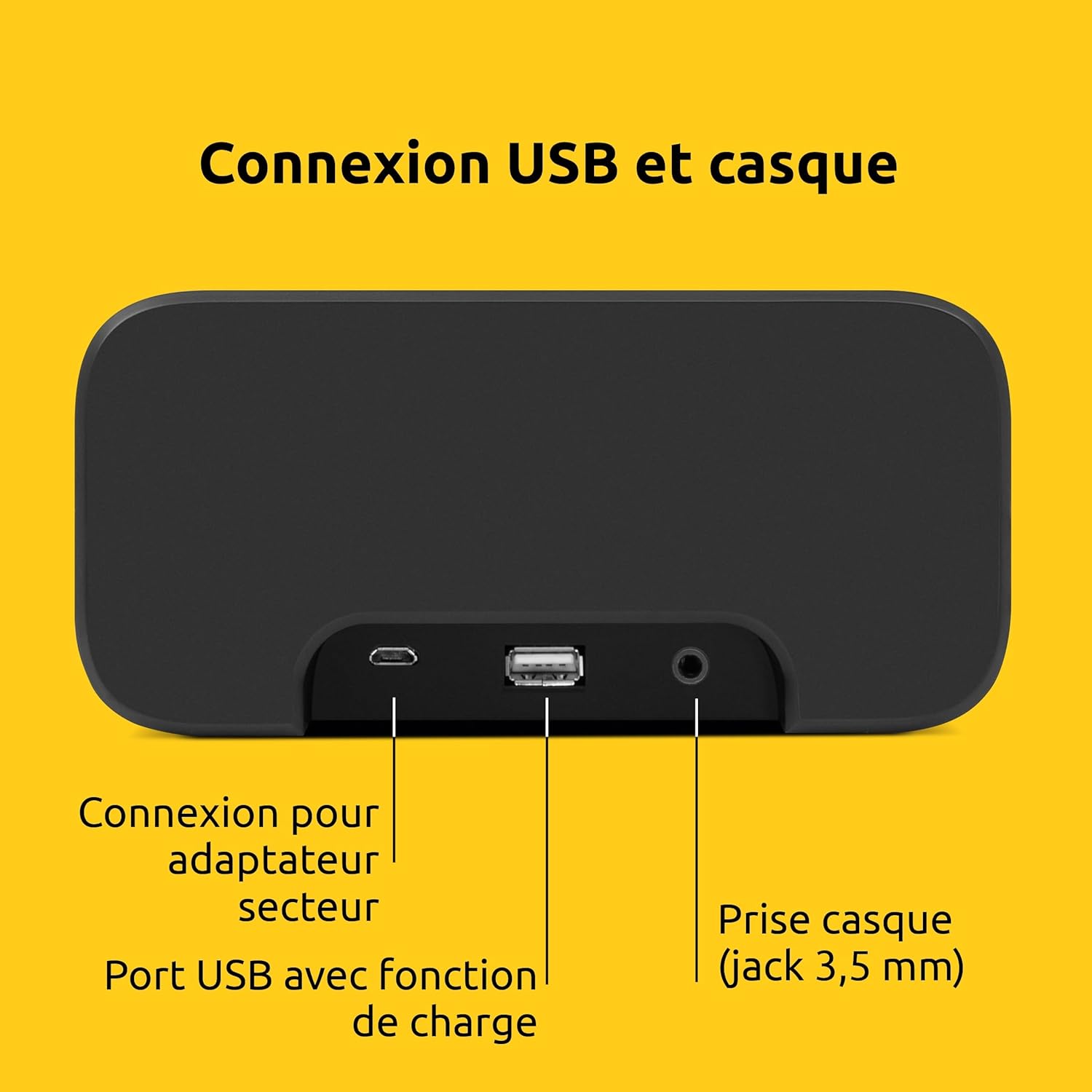
Bild 3: Hinten view of the device showing the power adapter connection, a USB port with charging function, and a 3.5mm headphone jack.
- Stromanschluss: Schließen Sie hier das mitgelieferte Netzteil an.
- USB-Anschluss: Zum Laden externer Geräte (z. B. Smartphones, Tablets).
- Kopfhöreranschluss (3.5 mm): Zum privaten Hören.
5. Einrichtung
5.1. Stromanschluss
- Connect the power adapter to the DC input on the rear of the DIGITRADIO 52 BT.
- Stecken Sie den Netzadapter in eine normale Wandsteckdose (230 Volt).
- The device will power on and enter standby mode or begin initial setup.
5.2. Initial Scan (DAB+ and FM)
Upon first power-on, the radio will automatically scan for available DAB+ and FM stations. This process may take a few minutes.

Image 4: The radio display showing "DAB+" and "6:00 DEUTSCHLANDFUNK", indicating successful reception of a DAB+ station.
5.3. Uhrzeit und Datum einstellen
The time and date are usually synchronized automatically via DAB+ or FM signals. If manual adjustment is needed, refer to the "Operating" section for menu navigation.
6. Bedienung
6.1. Ein-/Ausschalten und Standby
- Drücken Sie die Leistung Taste, um das Gerät ein- oder auszuschalten.
- In standby mode, the display shows the current time.
6.2. Radio Tuning (DAB+ / FM)
- Drücken Sie die Modus Taste zur Auswahl von DAB+ oder FM-Radio.
- Verwenden Sie die Einstellen/Auswählen Drehknopf oder Tasten zum Sendersuchlauf.
- To save a favorite station, press and hold the Vorgabe Drücken Sie die entsprechende Taste und wählen Sie dann eine voreingestellte Nummer aus.
- To recall a favorite station, press the Vorgabe button, then select the desired preset number. Up to 20 favorite stations can be stored for both DAB+ and FM.
6.3. Bluetooth-Audiostreaming
- Drücken Sie die Modus button to select Bluetooth mode. The display will show "Bluetooth Pairing".
- On your Bluetooth-enabled device (e.g., smartphone, tablet), search for "DIGITRADIO 52 BT" in the Bluetooth settings.
- Select the device to pair. Once paired, you can stream audio from your device to the radio.
6.4. Lautstärkeregelung
- Verwenden Sie die Volumen buttons or knob to adjust the audio output level.
7. Alarmfunktionen
The DIGITRADIO 52 BT supports up to four programmable alarms, a snooze function, and a sleep timer.

Image 5: Visual representation of the alarm features: 4 adjustable alarms, adjustable alarm rhythm, sleep timer, and a tactile snooze button.
7.1. Alarme einstellen
- Drücken Sie die Alarm Taste zum Aufrufen der Alarmeinstellungen.
- Select one of the four available alarms (Alarm 1-4).
- Set the desired alarm time, alarm source (radio or beep), and alarm volume.
- Choose the alarm rhythm: daily, weekdays (Mon-Fri), or weekends (Sat-Sun).
- Bestätigen Sie die Einstellungen, um den Alarm zu aktivieren.
7.2. Schlummerfunktion
- When an alarm sounds, gently touch the Schlummern area on the top of the device to temporarily silence the alarm. The alarm will sound again after a set interval.
7.3. Sleep-Timer
- Drücken Sie die Schlafen Taste zum Aktivieren des Sleep-Timers.
- Select the desired duration (e.g., 15, 30, 60 minutes). The radio will play for the set duration and then automatically switch to standby.
8. Anzeigeeinstellungen
The large display's brightness can be adjusted manually or automatically.
- Automatische Helligkeit: The integrated light sensor automatically adjusts the display brightness based on ambient light conditions. This ensures comfortable viewing during the day and minimal disturbance at night.
- Manuelle Helligkeit: Access the display settings through the menu to manually set the desired brightness level.
9. USB aufladen
The USB port on the rear panel can be used to charge external devices.
- Connect your smartphone, tablet, or other USB-powered device to the USB port using a compatible charging cable.
- Das Gerät beginnt automatisch mit dem Aufladen.
10. Fehlerbehebung
| Problem | Mögliche Ursache | Lösung |
|---|---|---|
| Kein Strom | Netzteil nicht angeschlossen oder Steckdose defekt. | Stellen Sie sicher, dass das Netzteil fest angeschlossen ist und die Steckdose funktioniert. |
| Schlechter Radioempfang | Weak signal, antenna position. | Adjust the antenna position. Try moving the radio to a different location. Perform a new station scan. |
| Bluetooth-Kopplung fehlgeschlagen | Device not in pairing mode, out of range, or already paired. | Ensure the radio is in Bluetooth pairing mode. Move your device closer. Disconnect from other Bluetooth devices. |
| Der Alarm ertönt nicht | Alarm not activated, volume too low. | Check alarm settings to ensure it is enabled and the volume is adequate. |
| Display zu dunkel/hell | Automatic brightness setting, manual override needed. | Adjust manual brightness settings or ensure the light sensor is not obstructed. |
11. Spezifikationen
| Besonderheit | Detail |
|---|---|
| Marke | TechniSat |
| Modell | DR 52 (0000/2938) |
| Radio-Tuner | DAB+, UKW |
| Bluetooth | Ja (Bluetooth 5) |
| Ausgangsleistung | 3W RMS (mono) |
| Anzeige | 4.2-inch Dimmable LCD with Light Sensor |
| Alarm | 4 programmable alarms (radio/beep) |
| Schlummerfunktion | Yes (tactile button) |
| Einschlaftimer | Ja |
| Konnektivität | USB (charging), 3.5mm Headphone Jack |
| Stromquelle | Electric Cable (230V input) |
| Abmessungen (L x H x T) | 15 cm x 7 cm x 14 cm |
| Gewicht | 606 Gramm |
| Material | Plastik |

Image 6: The compact design of the radio with its dimensions indicated as 15 cm (length), 7 cm (height), and 14 cm (depth).
12. Garantie und Support
12.1. Herstellergarantie
The TechniSat DIGITRADIO 52 BT comes with a 2 Jahr eingeschränkte Garantie Diese Garantie gilt ab Kaufdatum und deckt Material- und Verarbeitungsfehler bei normalem Gebrauch ab. Bitte bewahren Sie Ihren Kaufbeleg für Garantieansprüche auf.
12.2. Kundendienst
For technical assistance, troubleshooting, or warranty inquiries, please contact TechniSat customer support. Refer to the official TechniSat website for contact details and further information.
Note: Software updates are not guaranteed. Information on spare parts availability is not provided.