
Einführung
Thank you for choosing the FLEXISPOT EC5 Plus Electric Sit-Stand Desk Frame. This manual provides essential information for the safe and efficient assembly, operation, and maintenance of your new desk frame. Designed with ergonomics in mind, this dual-motor frame offers smooth and quiet height adjustment, allowing you to effortlessly switch between sitting and standing positions for a healthier work environment.
Wichtige Sicherheitshinweise
Bitte lesen Sie vor der Montage und Benutzung alle Anweisungen sorgfältig durch. Die Nichtbeachtung dieser Anweisungen kann zu Verletzungen oder Schäden am Produkt führen.
- Vor der Montage sicherstellen, dass alle Komponenten vorhanden und unbeschädigt sind. Nicht verwenden, wenn Teile fehlen oder beschädigt sind.
- Halten Sie Kinder und Haustiere während des Betriebs vom Schreibtisch fern, um Verletzungen durch bewegliche Teile zu vermeiden.
- Do not place hands or other body parts near the lifting columns or crossbar during height adjustment to avoid pinching.
- Stellen Sie sicher, dass der Schreibtisch auf einer ebenen Fläche steht, um ein Umkippen zu verhindern.
- Überladen Sie den Schreibtisch nicht. Die maximale Tragfähigkeit beträgt 120 kg (265 lbs).
- Verwenden Sie ausschließlich das mitgelieferte Netzteil und die mitgelieferten Kabel.
- Trennen Sie die Stromversorgung vor der Reinigung oder Wartung.
- The anti-collision system is designed to prevent damage, but always exercise caution during operation.
Packungsinhalt
Vergewissern Sie sich, dass alle folgenden Komponenten in Ihrem Paket enthalten sind:
- Schreibtischbeine (2)
- Querlatte (1)
- Seitenhalterungen (2)
- Steuerkasten (1)
- Handgerät/Bedienfeld (1)
- Netzteil (1)
- Stromkabel (1)
- Kabelmanagementfach (1)
- Hardware-Set (Schrauben, Werkzeuge usw.)
- Benutzerhandbuch (dieses Dokument)

Installationshandbuch
Montageanleitung
Assembly typically requires two people. Follow the steps below for a successful setup. Refer to the detailed diagrams in the included printed manual for visual guidance.
- Komponenten auspacken: Nehmen Sie alle Teile vorsichtig aus der Verpackung und legen Sie sie auf eine saubere, weiche Unterlage, um Kratzer zu vermeiden.
- Attach Side Brackets to Legs: Secure the side brackets to the top of each lifting column (leg) using the provided screws.
- Querträger montieren: Connect the two halves of the crossbar, ensuring the motor cables are properly routed.
- Beine mit der Querstange verbinden: Attach the assembled legs to the crossbar. Ensure all connections are secure.
- Schaltkasten installieren: Mount the control box to the designated area on the crossbar using the provided screws.
- Connect Motors and Handset: Plug the motor cables from each leg into the control box. Connect the handset/control panel cable to the control box.
- Netzteil anschließen: Connect the power adapter to the control box and then to the power cable.
- Tischplatte montieren: Carefully place your chosen tabletop (not included) onto the assembled frame. Ensure it is centered and aligned. Secure the tabletop to the frame using appropriate screws (ensure screw length is suitable for your tabletop thickness to avoid piercing through). The frame is compatible with tabletops from 120 to 180 cm in length and 60 to 80 cm in width.
- Kabelmanagement: Use the included cable management tray and ties to organize all cables neatly.
- Erstes Einschalten: Plug the power cable into a wall outlet. The desk should be ready for initial calibration or operation.

Bedienungsanleitung
Systemsteuerung überview
The EC5 Plus features an intuitive control panel with an LED display and memory functions.
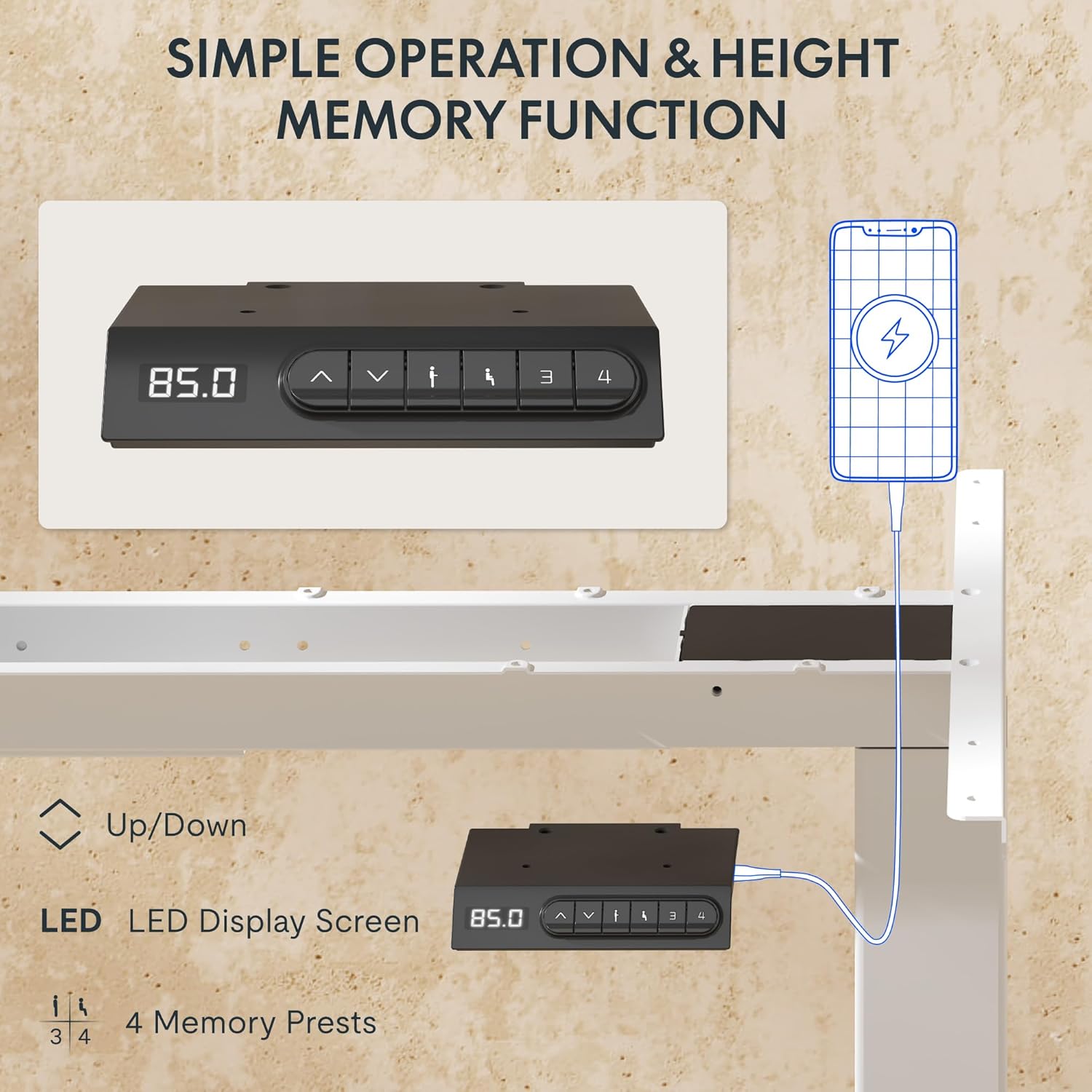
- LED-Anzeige: Zeigt die aktuelle Höhe des Schreibtisches in Zentimetern an.
- Auf-/Abwärtspfeile (▲ / ▼): Zum manuellen Einstellen der Schreibtischhöhe drücken und halten.
- Speichervoreinstellungen (1, 2, 3, 4): Bevorzugte Höheneinstellungen speichern und abrufen.
- USB-A- und USB-C-Anschlüsse: Integrated charging ports for your devices.
Höhenverstellung
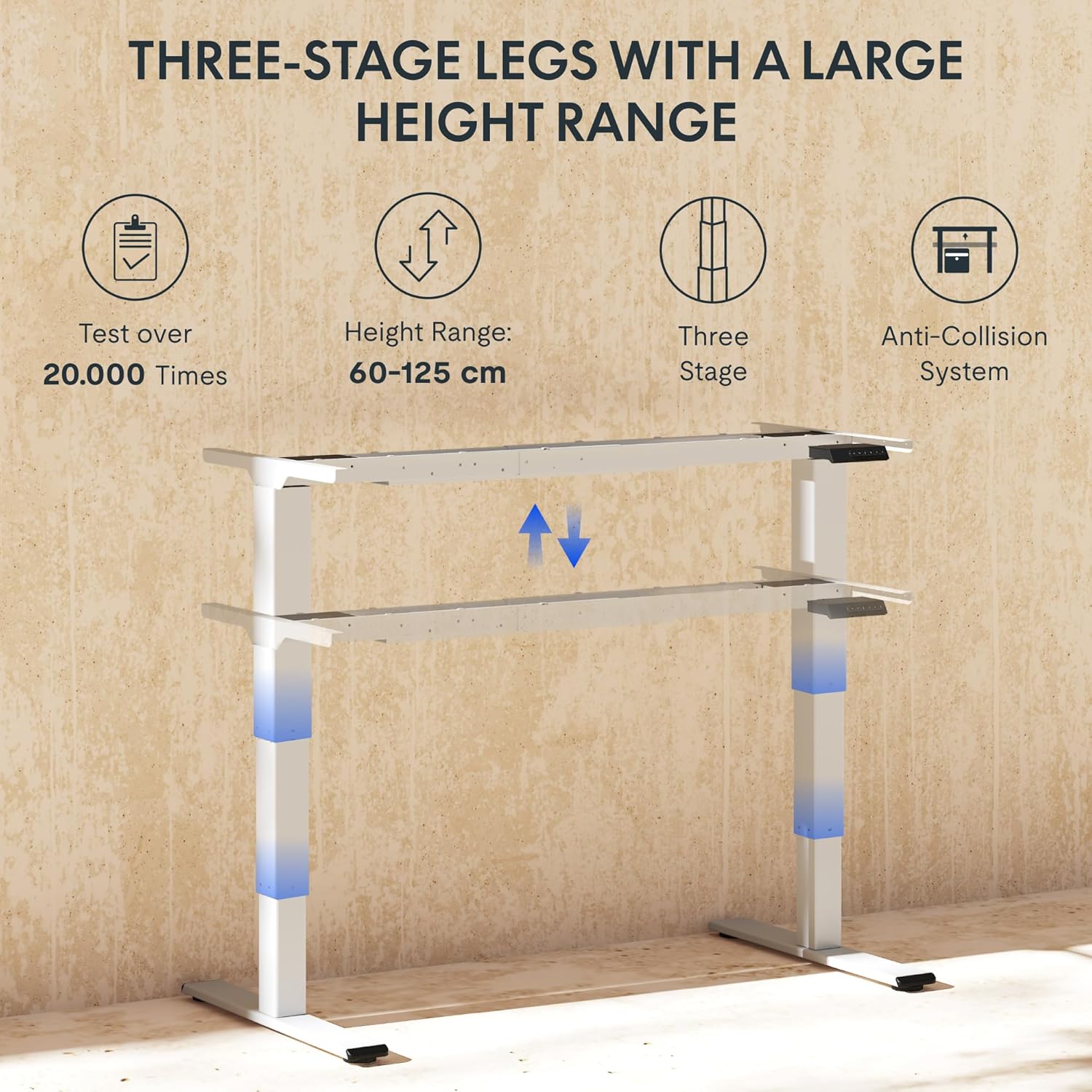
Um die Schreibtischhöhe anzupassen, drücken und halten Sie die Taste ▲ (Nach oben) oder ▼ (Down) arrow button until the desk reaches your desired height. The LED display will show the current height in real-time. The desk frame supports a height range of 60 cm to 125 cm.
Speichervoreinstellungen
The desk allows you to save up to four preferred height settings for quick recall:
- Stellen Sie den Schreibtisch mithilfe der Auf-/Ab-Pfeile auf die gewünschte Höhe ein.
- Press the "M" or "SET" button (if available, otherwise proceed to step 3).
- Press one of the numbered memory preset buttons (1, 2, 3, or 4) within 3 seconds. The LED display will show "S-" followed by the number, indicating the height has been saved.
- To recall a saved height, simply press the corresponding numbered memory preset button. The desk will automatically move to the saved position.
Antikollisionssystem
The EC5 Plus is equipped with an intelligent anti-collision system. If the desk encounters an obstacle during height adjustment, it will automatically stop and reverse slightly to prevent damage or injury. This system has adjustable sensitivity levels. Refer to the detailed manual for instructions on adjusting sensitivity.
USB-Ladeanschlüsse
The control panel includes integrated USB-A and USB-C charging ports. Simply connect your smartphone, tablet, or other compatible devices to these ports for convenient charging directly from your desk.
Wartung
Regular maintenance ensures the longevity and optimal performance of your FLEXISPOT EC5 Plus desk frame.
- Reinigung: Wischen Sie das Tischgestell mit einem weichen, fusselfreien Tuch ab.amp cloth. Avoid using abrasive cleaners or solvents that may damage the finish. Ensure the desk is unplugged before cleaning.
- Inspektion: Überprüfen Sie regelmäßig alle Schrauben und Verbindungen auf festen Sitz. Ziehen Sie sie gegebenenfalls nach.
- Kabelmanagement: Achten Sie darauf, dass die Kabel nicht eingeklemmt oder verheddert sind, da dies die Funktion des Schreibtisches beeinträchtigen oder Schäden verursachen könnte.
- Schmierung: The lifting columns are designed to be maintenance-free and do not require lubrication.
Fehlerbehebung
If you encounter any issues with your desk frame, refer to the table below for common problems and solutions.
| Problem | Mögliche Ursache | Lösung |
|---|---|---|
| Der Schreibtisch bewegt sich nicht. | Power cable disconnected; control box not connected; motor cables loose. | Check all power and motor connections. Ensure the power outlet is functional. |
| Der Schreibtisch wackelt ungleichmäßig oder macht ungewöhnliche Geräusche. | Überlastung; lose Verbindungen; Verstopfung. | Reduce weight on the desk. Check all screws and connections. Ensure no obstructions are present. Perform a reset (refer to manual for specific reset procedure). |
| Das Antikollisionssystem löst zu oft oder gar nicht aus. | Die Empfindlichkeitseinstellung ist falsch. | Adjust the anti-collision sensitivity via the control panel (refer to manual for specific steps). |
| Das LED-Display zeigt einen Fehlercode an. | Spezifische Fehlfunktion. | Eine vollständige Liste der Fehlercodes und deren Lösungen finden Sie im Benutzerhandbuch. Sollte das Problem weiterhin bestehen, wenden Sie sich bitte an den Kundendienst. |
Technische Daten
Detailed technical specifications for the FLEXISPOT EC5 Plus Desk Frame:
| Besonderheit | Detail |
|---|---|
| Marke | FLEXISPOT |
| Modellnummer | EC5W-PL-IE |
| Farbe | Weiß |
| Produktabmessungen (L x B x H) | 80 x 180 x 125 cm (frame dimensions, adaptable to tabletop) |
| Artikelgewicht | 22.6 Kilogramm |
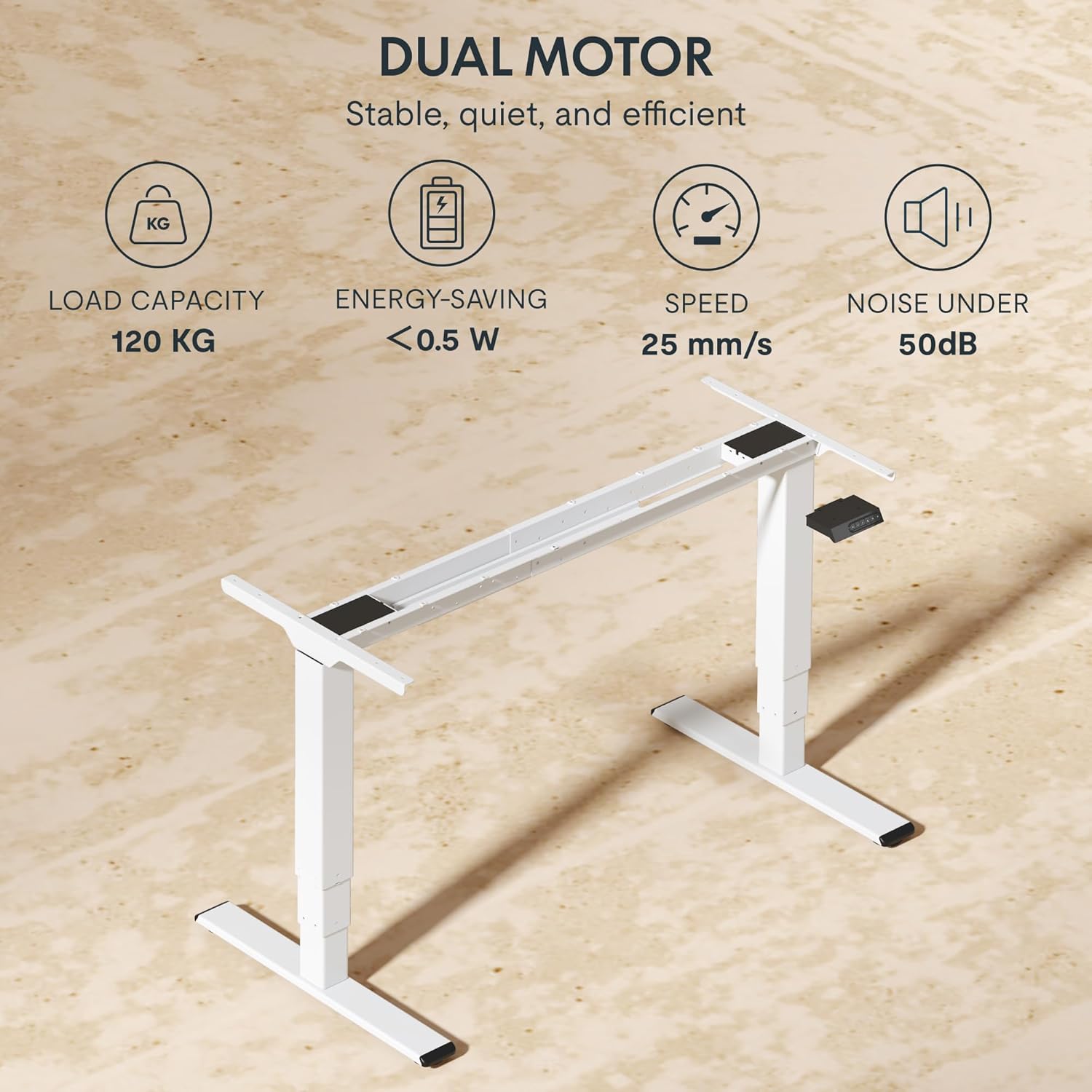
| Tragfähigkeit | 120 kg |
| Motortyp | Duales Motorsystem |
| Höhenverstellbereich | 60 cm - 125 cm (23.6 Zoll - 49.2 Zoll) |
| Liftgeschwindigkeit | 25 mm/s |
| Geräuschpegel | Unter 50 dB |
| Bein S.tages | Drei-stage telescopic legs |
| Bedienfeld | LED display, 4 memory presets, Up/Down buttons |
| Ladeports | Integrated USB-A and USB-C ports |
| Besondere Merkmale | Ergonomic design, Anti-Collision System, Energy-saving (<0.5W standby) |
| Compatible Tabletop Sizes | Length: 120-180 cm; Width: 60-80 cm |
| Grundmaterial | Metall |
Garantie und Support
FLEXISPOT stands behind the quality of its products. Your EC5 Plus Desk Frame comes with the following warranty:
- Rahmengarantie: 5 Jahre
- Motorgarantie: 3 Jahre
This warranty covers defects in materials and workmanship under normal use. For warranty claims or technical assistance, please contact FLEXISPOT customer support. Lifetime free technical support is provided.
For the most up-to-date contact information, please visit the official FLEXISPOT webBesuchen Sie die Website oder konsultieren Sie Ihre Kaufunterlagen.
WebWebsite: www.flexispot.com