
1. Einleitung
Thank you for choosing the LogiLink PA0331 In-Wall Socket. This product integrates a standard CEE 7/3 protective contact socket with two USB-C ports featuring Power Delivery (PD) technology. It allows for simultaneous charging of up to two USB-C devices while keeping the traditional power outlet available. This manual provides essential information for safe installation, operation, and maintenance of your device.
The LogiLink PA0331 is ideal for various settings including homes, offices, hotel rooms, and restaurants, offering a convenient and clutter-free charging solution.
2. Sicherheitshinweise
WARNING: Electrical installation should only be performed by a qualified electrician in accordance with local wiring regulations and safety standards. Failure to follow these instructions may result in electric shock, fire, or serious injury.
- Always disconnect power at the main circuit breaker before installation, maintenance, or repair.
- Nicht bei Nässe oder damp locations. The product has an IP20 protection rating, suitable for dry indoor use only.
- Ensure the product's electrical ratings (230 V AC, 50 Hz, 16 A, 3600 W max.) are compatible with your electrical system.
- Do not overload the socket or USB ports beyond their specified maximum output.
- Keep children away from electrical outlets. This product features increased contact protection for the CEE 7/3 socket.
- Versuchen Sie nicht, das Produkt zu zerlegen oder zu verändern. Es enthält keine vom Benutzer wartbaren Teile.
3. Packungsinhalt
Bitte prüfen Sie das Paket auf folgende Artikel:
- 1 x LogiLink PA0331 In-Wall Socket
If any components are missing or damaged, please contact your retailer.
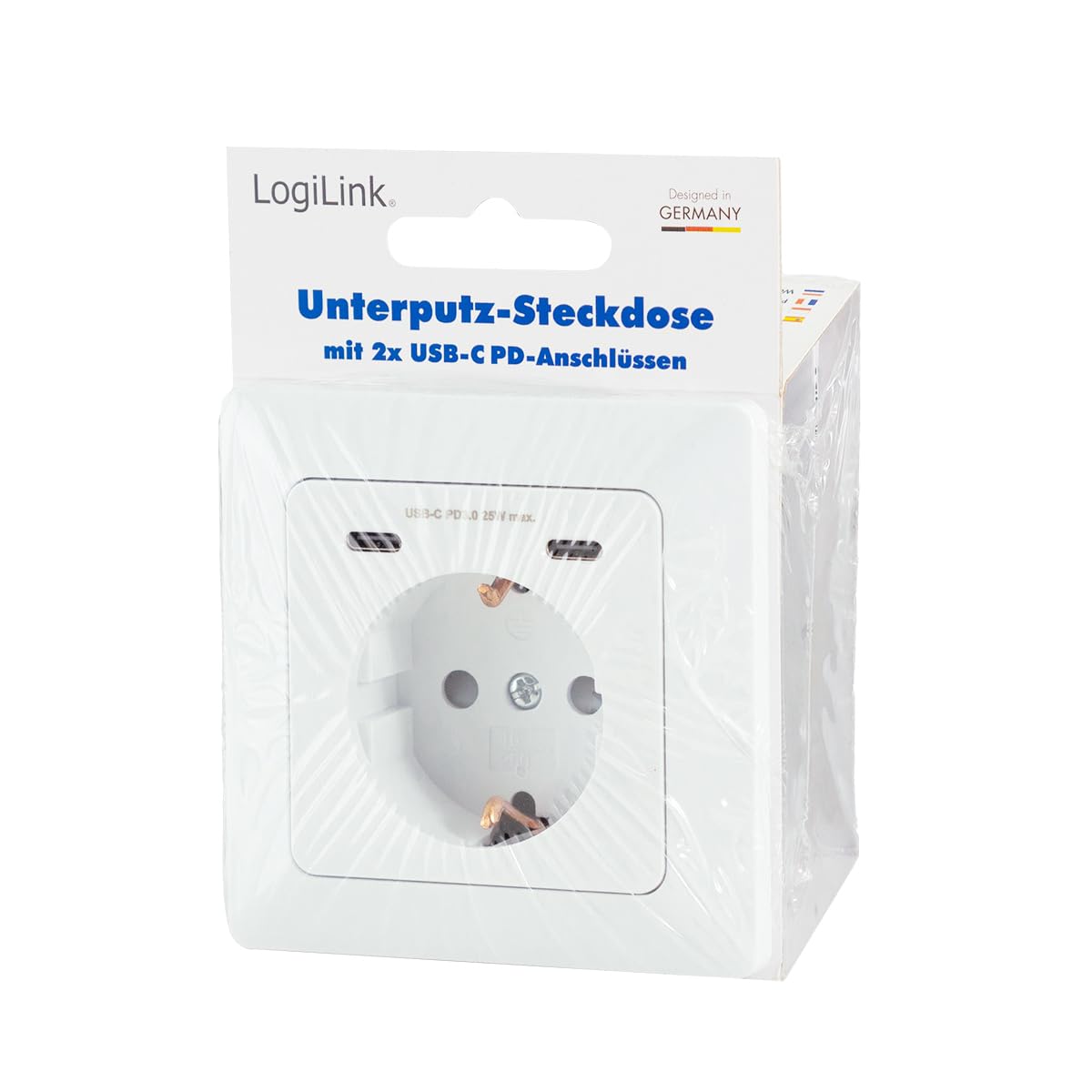
Image: The LogiLink PA0331 in-wall socket in its retail packaging.
4. Einrichtung und Installation
The LogiLink PA0331 is designed for installation in a standard German flush-mounted box. Due to the electrical nature of this product, professional installation is strongly recommended.
4.1. Prüfungen vor der Installation
- Ensure the power supply to the installation area is completely switched off at the main circuit breaker.
- Verify that the existing flush-mounted box meets the required dimensions for the PA0331. The product has a standard size of 80 x 80 mm with a minimum installation depth of 29.5 mm.
- Confirm that the wiring in the wall box is suitable for a 16A socket (Live, Neutral, Earth).

Image: Detailed dimensions of the LogiLink PA0331 in-wall socket, showing front panel measurements (80x80mm) and installation depth (29.5mm).
4.2. Verkabelung und Montage
- Carefully remove the existing socket or blanking plate from the wall box.
- Connect the electrical wires (Live, Neutral, Earth) to the corresponding terminals on the rear of the LogiLink PA0331 socket module. Ensure connections are secure and correct. Refer to the diagram below for terminal identification.

Bild: Rückseite view of the LogiLink PA0331 socket module, showing the electrical wiring terminals (L, N, Earth) for connection.
- Gently push the wired socket module into the flush-mounted box.
- Secure the module to the wall box using the provided screws.
- Attach the decorative frame and the front cover plate. Ensure all components are properly aligned and securely fastened.

Bild: Eine explodierte view of the LogiLink PA0331, showing the main socket module, mounting frame, and front cover plate.
4.3. Nach der Installation
- Sobald die Installation abgeschlossen ist und alle Komponenten sicher an ihrem Platz sind, schalten Sie die Stromversorgung am Hauptleistungsschalter wieder ein.
- Test the CEE 7/3 socket and both USB-C ports to ensure they are functioning correctly.
5. Bedienungsanleitung
The LogiLink PA0331 provides both a traditional power outlet and modern USB-C charging capabilities.
5.1. Using the CEE 7/3 Socket
Plug any compatible electrical appliance into the CEE 7/3 protective contact socket. Ensure the appliance's power requirements do not exceed the socket's maximum rating of 16 A / 3600 W.
5.2. Using the USB-C PD Ports
The two integrated USB-C ports support Power Delivery (PD 3.0) for fast charging compatible devices. They can charge two devices simultaneously.
- Connect your USB-C compatible device (e.g., smartphone, tablet, laptop, digital camera) to either of the USB-C ports using a suitable USB-C cable.
- The ports will automatically detect the connected device and deliver the optimal charging power up to 25 W total output.
- The USB-C ports support various output profiles: 5 V/3 A (15 W), 9 V/2.77 A (25 W), 12 V/2.08 A (25 W max.). When both USB-C ports are used simultaneously, the total output is 5 V/3 A (15 W max.).

Bild: Eine Nahaufnahme view of the LogiLink PA0331, highlighting the CEE 7/3 socket and the two USB-C PD 25W max ports.
6. Wartung
To ensure the longevity and proper functioning of your LogiLink PA0331 in-wall socket, follow these simple maintenance guidelines:
- Reinigung: Disconnect power before cleaning. Use a soft, dry cloth to wipe the surface of the socket. Do not use liquid cleaners, aerosols, or abrasive materials, as these can damage the product or pose an electrical hazard.
- Inspektion: Periodically inspect the socket for any signs of damage, such as cracks, discoloration, or loose connections. If any damage is observed, discontinue use immediately and consult a qualified electrician.
- Umfeld: Ensure the installation environment remains dry and free from excessive dust or humidity.
7. Fehlerbehebung
If you encounter issues with your LogiLink PA0331, please refer to the following troubleshooting steps:
- No Power from CEE 7/3 Socket:
- Check if the main circuit breaker is tripped. Reset if necessary.
- Ensure the appliance plugged into the socket is working correctly by testing it in another known-good outlet.
- Verify that the socket is properly installed and wired (consult a qualified electrician if unsure).
- USB-C Ports Not Charging:
- Ensure the device you are trying to charge is USB-C compatible and supports the Power Delivery standard.
- Try using a different USB-C cable, as faulty cables are a common cause of charging issues.
- Test charging with a different device to rule out a device-specific problem.
- If both USB-C ports are in use, note that the total output is limited to 15W. If one device requires higher power, try charging it individually.
- Check if the main power to the socket is active.
- Loose Plugs in CEE 7/3 Socket:
- Some users have reported issues with plugs fitting loosely. Ensure the plug is fully inserted. If the issue persists with multiple plugs, professional inspection may be required.
If the problem persists after attempting these steps, please contact LogiLink customer support or a qualified electrician.
8. Spezifikationen
| Besonderheit | Spezifikation |
|---|---|
| Modellnummer | PA0331 |
| Eingangslautstärketage | 230 V Wechselstrom, 50 Hz |
| Max. Current (CEE 7/3) | 16 A |
| Max. Power (CEE 7/3) | 3600 Watt |
| USB-C-Ausgang (Einzelanschluss) | 5 V/3 A (15 W), 9 V/2.77 A (25 W), 12 V/2.08 A (25 W max.) |
| USB-C Output (Dual Ports) | 5 V/3 A (15 W max. total) |
| Gesamt-USB-Ausgang | 25 W max. |
| USB-C Standard | Stromversorgung 3.0 (PD 3.0) |
| Schutzklasse | IP20 |
| Abmessungen (mit Rahmen) | 80 x 80 mm |
| Dimensions (without frame) | 55 x 55 mm |
| Einbautiefe | 29.5 mm |
| Farbe | Weiß |
| Kompatible Geräte | Smartphone, tablet, laptop, digital camera |
| Hersteller | 2direct GmbH |
| Produktgewicht | 110 Gramm |
| Ursprungsland | China |
9. Garantie und Support
LogiLink products are designed for reliability and performance. For warranty information and support, please refer to the terms and conditions provided by your retailer or visit the official LogiLink webWebsite.
Informationen zur Verfügbarkeit von Ersatzteilen für dieses Produkt sind derzeit nicht verfügbar.
For technical assistance or further inquiries, please contact LogiLink customer support.