
FLEXISPOT E6
FLEXISPOT E6 Elektrischer höhenverstellbarer Stehschreibtisch – Bedienungsanleitung
Model: E6 (White Frame + 55"x24" Solid Wood Desktop)
Einführung
This manual provides detailed instructions for the assembly, operation, and maintenance of your FLEXISPOT E6 Electric Height Adjustable Standing Desk. Please read this manual thoroughly before assembly and use to ensure proper function and safety. Keep this manual for future reference.

Image: The FLEXISPOT E6 standing desk in a home office setting.
Sicherheitshinweise
To prevent injury or damage to the desk, please observe the following safety guidelines:
- Vor der Benutzung sollte stets sichergestellt werden, dass der Schreibtisch ordnungsgemäß montiert und stabil ist.
- Überschreiten Sie nicht das Höchstgewicht von 220 kg (100 lbs).
- Keep the work area clear of obstacles to prevent accidents during height adjustment.
- Always use both hands when adjusting the desk height to maintain stability.
- Never leave children unattended near the desk.
- Ensure all cables are properly managed to avoid entanglement during movement.
- Vermeiden Sie es, Flüssigkeiten direkt auf das Bedienfeld oder in die Nähe von elektrischen Bauteilen zu bringen.

Image: Anti-collision system diagram.
Einrichtung und Montage
Follow these steps to assemble your FLEXISPOT E6 standing desk. It is recommended to have assistance for certain steps due to the weight of components.
1. Komponenten auspacken
Packen Sie alle Komponenten vorsichtig aus und vergleichen Sie sie mit der beiliegenden Teileliste. Stellen Sie sicher, dass alle Teile vorhanden und unbeschädigt sind.
2. Rahmen zusammenbauen
Begin by assembling the crossbeams and pedestals. Ensure screws are aligned with square holes in the cross member and pressed tightly. Pre-tighten all screws for installing the cross beams, then tighten them simultaneously.
Video: FLEXISPOT E6 Essential Standing Desk Installation Guide. This video demonstrates the step-by-step assembly process for the desk frame and desktop attachment.
3. Attach the Desktop
Carefully place the desktop upside down on a soft, clean surface. Position the assembled frame onto the desktop, ensuring proper alignment. The distance between the supporting bracket and the edge of the tabletop should not exceed 200mm. Secure the frame to the desktop using the provided screws. Use a drill for efficiency, but ensure not to overtighten.

Image: The assembled desk with a light wood top and white frame.
4. Install Keypad and Cable Management
Attach the intelligent keypad to the underside of the desktop. Ensure the keypad is on the same side as the adapter bracket and its curved edge is flush with the edge of the table top. Connect all necessary cables (AC power cable, power adaptor, extension cord) to the control box and motors. Utilize the cable clips for organized cable management.
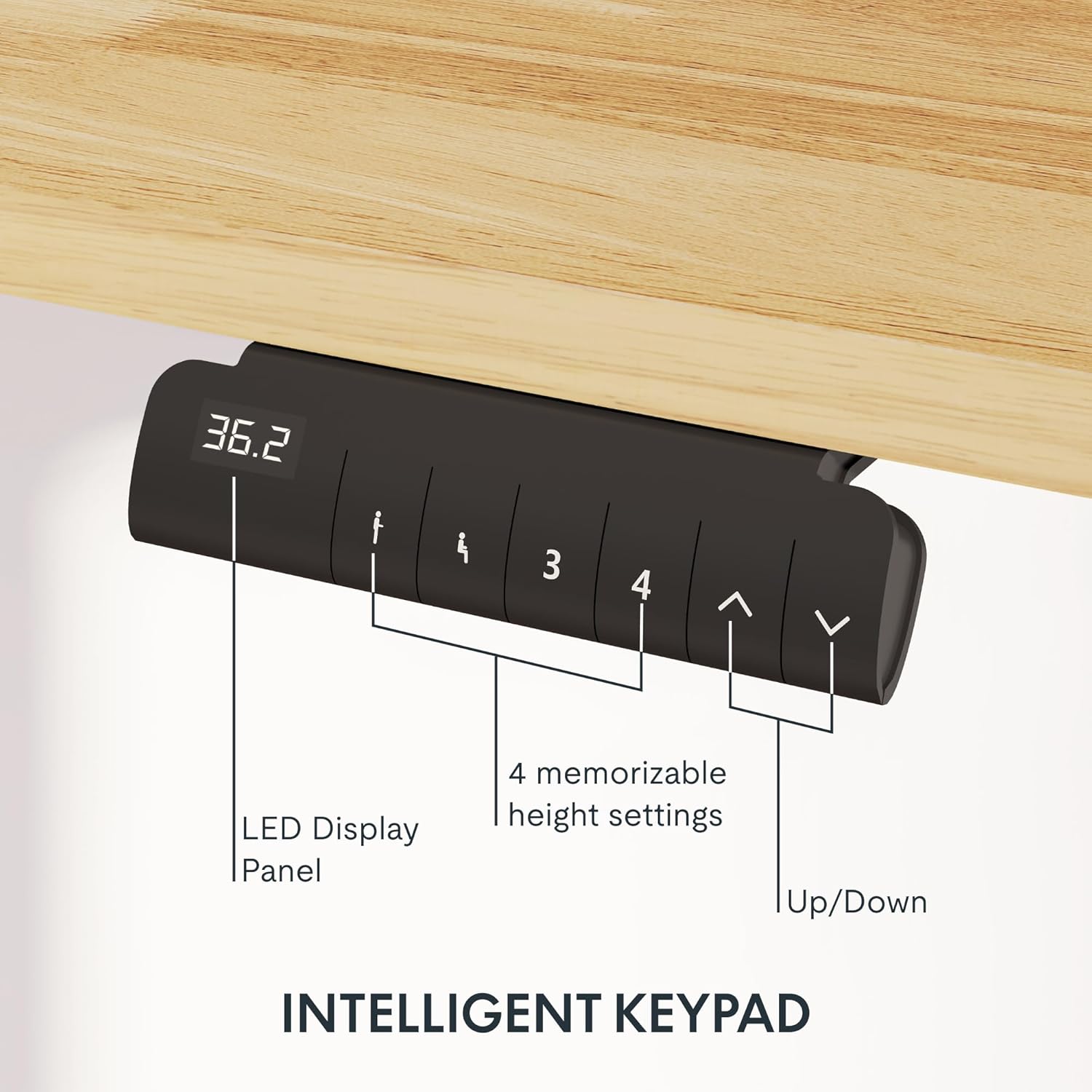
Image: Close-up of the intelligent keypad for height adjustment.
Bedienungsanleitung
Your FLEXISPOT E6 desk features a dual-motor system for smooth and quiet height adjustments.
Höhenverstellung
- Verwenden Sie die Up Und Runter arrows on the keypad to manually adjust the desk height.
- The LED display panel will show the current height.
Speichervoreinstellungen
The keypad includes four memorizable height settings for convenience:
- Stellen Sie den Schreibtisch mithilfe der Auf-/Ab-Pfeile auf die gewünschte Höhe ein.
- Drücken Sie die M button (or similar memory set button) followed by a number button (1, 2, 3, or 4) to save the current height to that preset.
- Um eine gespeicherte Höhe abzurufen, drücken Sie einfach die entsprechende Zifferntaste.

Image: Illustration of the desk's height adjustment range.
Wartung
Regelmäßige Wartung gewährleistet die Langlebigkeit und optimale Leistung Ihres Stehtisches.
- Reinigung: Wischen Sie die Tischplatte und den Rahmen mit einem weichen, fusselfreien Tuch ab.amp Verwenden Sie kein scheuerndes Reinigungsmittel oder aggressive Chemikalien, die die Oberfläche beschädigen könnten.
- Kabelmanagement: Periodically check and reorganize cables to prevent tangling or damage, especially after moving the desk.
- Schraubenanzugsmoment: Occasionally check all screws and bolts to ensure they are securely tightened. Retighten if necessary.
- Gewichtsverteilung: Distribute weight evenly across the desktop to prevent strain on the motors and frame.
Fehlerbehebung
If you encounter issues with your FLEXISPOT E6 desk, refer to the following common solutions:
- Schreibtisch bewegt sich nicht: Überprüfen Sie alle Stromanschlüsse. Stellen Sie sicher, dass das Netzteil sowohl an die Steckdose als auch an die Steuereinheit fest angeschlossen ist.
- Ungleichmäßige Bewegung: Perform a reset procedure (refer to the specific reset instructions in your packaged manual, as procedures can vary). Ensure no obstacles are impeding movement.
- Fehlercodes: If an error code appears on the LED display, consult the full product manual for specific code meanings and solutions.
- Geräusche während des Betriebs: A slight hum is normal for dual motors. Excessive or unusual noise may indicate loose components; check all connections and screws.
Bei anhaltenden Problemen wenden Sie sich bitte an den FLEXISPOT-Kundendienst.
Technische Daten
Key specifications for the FLEXISPOT E6 Electric Height Adjustable Standing Desk:
| Besonderheit | Detail |
|---|---|
| Marke | FLEXISPOT |
| Modellnummer | E6 |
| Desktop-Material | Rubber Solid Wood (FSC-Certified) |
| Rahmenmaterial | Metall |
| Produktabmessungen (T x B x H) | 55.1" x 23.6" x 23.6" (at minimum height) |
| Desktopgröße | 55"x24" (Whole-piece) |
| Mindesthöhe | 23.6 Zoll |
| Maximale Höhe | 48.8 Zoll |
| Maximale Gewichtskapazität | 220 Pfund |
| Motortyp | Doppelmotoren |
| Geräuschpegel | Weniger als 45 dB |
| Bedienfeld | Intelligent Keypad with LED Display and 4 Memory Presets |
| Besondere Merkmale | Anti-collision system, Finger Joint Design |
| Montage erforderlich | Ja |
| Für die Montage empfohlene Werkzeuge | Schraubendreher |
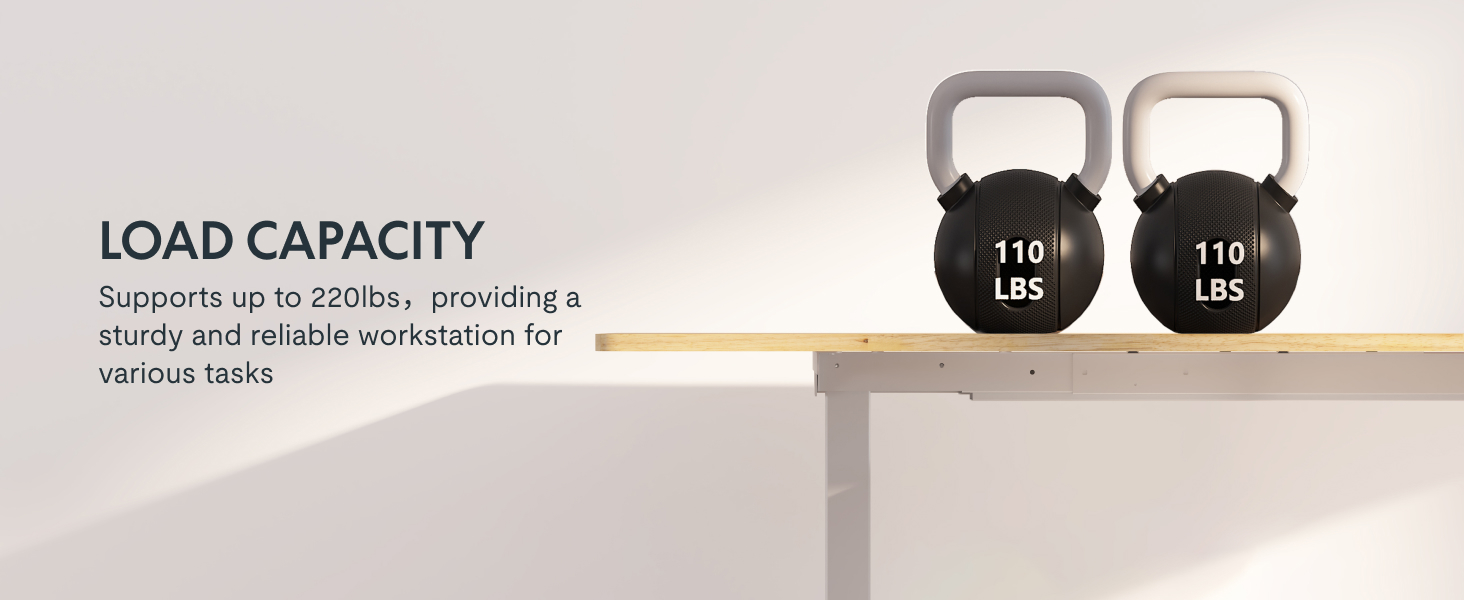
Image: Desk illustrating its 220 lbs maximum load capacity.
Garantie und Support
FLEXISPOT bietet Ihnen eine umfassende Garantieabdeckung für Ihre Sicherheit:
- 5-jährige Abdeckung: Applies to the desk frame and motors.
- 2-jährige Abdeckung: Applies to the control panel and electronics.
For any assistance, warranty claims, or product inquiries, please contact FLEXISPOT customer support. You can find contact information on the official FLEXISPOT webWebsite oder über Ihre Einkaufsplattform.
Rückgabe möglich bis zum 31. Januar 2026.
Ask a question about this manual
Ask about setup, troubleshooting, compatibility, parts, safety, or missing instructions. Manuals+ will review the question and use this page’s manual context to help answer it.