
1. Einleitung
The TRIGKEY Key-N150 Mini PC is a compact and efficient computer designed for various tasks, from office work to media entertainment. It features an Intel Twin Lake N150 processor, 16GB DDR4 RAM, and a 500GB M.2 PCIeX4 SSD, offering reliable performance in a small form factor. This manual provides essential information for setting up, operating, and maintaining your Mini PC.

Bild 1.1: Vorderseite view of the TRIGKEY Key-N150 Mini PC.
2. Packungsinhalt
Bitte prüfen Sie das Paket auf folgende Artikel:
- TRIGKEY Key-N150 Mini PC
- Bedienungsanleitung
- HDMI-Kabel (1 m)
- AC Power Cable (Optional: US/EU/UK/JP/AU)
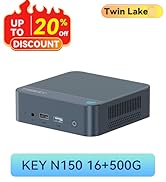
Image 2.1: TRIGKEY Key-N150 Mini PC and included accessories.
3. Produktüberschreitungview
The Key-N150 Mini PC is equipped with a variety of ports and internal components to support its functionality.
3.1 Front and Rear Panel Interfaces

Image 3.1: Front panel of the Mini PC, showing USB ports and audio jack.

Image 3.2: Rear panel of the Mini PC, showing AC power, USB, LAN, and HDMI ports.
The Mini PC features:
- Front: 3.5mm Audio Jack, USB 2.0, USB 3.2 (10Gbps), Power Button, Power Indicator Light.
- Hinteren: AC Power Input, USB 3.2 (10Gbps) x2, LAN (1000M) x2, HDMI x2.
3.2 Interne Komponenten
Abbildung 3.3: Explosionszeichnung view showing the internal components of the Mini PC, including the CPU, fan, RAM, and SSD slots.
Key internal features include:
- Prozessor: Intel Twin Lake N150 (4 Cores/4 Threads, up to 3.60GHz).
- Grafik: Intel UHD Graphics (24EUs, 1000MHz).
- Erinnerung: 16GB DDR4 3200MHz SO-DIMM (single channel, expandable).
- Lagerung: 500GB M.2 PCIeX4 SSD (supports dual M.2 2280 SSDs, up to 2TB expansion).
- Kabellose Verbindung: WiFi 5 und Bluetooth 5.0.
- Stromversorgung: Built-in 45W PSU.

Image 3.4: Details of the Intel Twin Lake N150 processor, highlighting its 3.6 GHz max turbo frequency, 4 cores, and 4 threads.

Image 3.5: Illustration of the 16GB DDR4 SO-DIMM RAM and the dual M.2 2280 SSD slots for storage expansion.
4. Einrichtungsanweisungen
Follow these steps to set up your TRIGKEY Key-N150 Mini PC:
- Anschluss an ein Display: Use an HDMI cable to connect the Mini PC to your monitor or TV. The device supports dual HDMI output for multiple displays.
- Peripheriegeräte anschließen: Schließen Sie Ihre USB-Tastatur und -Maus an die verfügbaren USB-Anschlüsse an.
- Mit Netzwerk verbinden: For a wired connection, connect an Ethernet cable to one of the two LAN ports. For wireless, ensure your WiFi network is available during initial setup.
- Einschalten: Connect the AC power cable to the Mini PC and then to a power outlet. Press the power button on the front panel.
- Erster Start: The Mini PC will boot up. Follow the on-screen instructions to complete the operating system setup (if not pre-configured).
Video 4.1: Ein überview of the TRIGKEY Key-N150 Mini PC, demonstrating its features and connectivity options. This video provides a visual guide to the product's design and capabilities.
5. Bedienungsanleitung
5.1 Grundlegende Bedienung
Once set up, your Mini PC functions like a standard desktop computer. You can perform tasks such as web browsing, media playback, and office applications.

Image 5.1: The Mini PC supports various applications including web browsing, media entertainment, office work, and 4K video playback.
5.2 Dual-Display-Setup
The Mini PC supports connecting two monitors via its dual HDMI ports. To configure dual displays:
- Schließen Sie beide Monitore an die HDMI-Anschlüsse auf der Rückseite des Mini-PCs an.
- Schalten Sie den Mini-PC und beide Monitore ein.
- The operating system should automatically detect both displays. You can adjust display settings (extend, duplicate, primary display) through your OS display settings.
5.3 Intel Unison App
The Intel Unison App allows seamless connection between your Mini PC and mobile devices. This enables features such as:
- Viewing photo galleries from your PC.
- Extending your PC screen with a tablet.
- Making and receiving phone calls from your PC.
- Übertragen files between phone/tablet and PC.
- Sending and receiving text messages from your PC.
- Managing device notifications from a single source.

Image 5.2: The Intel Unison App facilitates seamless connectivity and data transfer between your Mini PC and mobile devices.
6. Wartung
Um die Langlebigkeit und optimale Leistung Ihres Mini-PCs zu gewährleisten, beachten Sie bitte die folgenden Wartungstipps:
- Halte es sauber: Regularly clean the exterior of the Mini PC with a soft, dry cloth. Ensure ventilation holes are free from dust and obstructions to maintain efficient cooling.
- Software-Updates: Halten Sie Ihr Betriebssystem und Ihre Treiber auf dem neuesten Stand, um Sicherheits- und Leistungsverbesserungen zu erzielen.
- Ordnungsgemäßes Herunterfahren: Um Datenbeschädigung zu vermeiden, sollte der Mini-PC stets ordnungsgemäß über das Betriebssystem heruntergefahren werden.
- Umgebungsbedingungen: Betreiben Sie den Mini-PC in einem gut belüfteten Bereich, fern von direkter Sonneneinstrahlung, übermäßiger Hitze und Feuchtigkeit.

Image 6.1: The Mini PC features an efficient cooling system to ensure stable operation and heat dissipation.
7. Fehlerbehebung
Sollten Sie Probleme mit Ihrem Mini-PC haben, beachten Sie bitte die folgenden gängigen Lösungsansätze:
- Kein Strom: Ensure the AC power cable is securely connected to both the Mini PC and the power outlet. Try a different power outlet.
- Kein Bildschirm: Check that the HDMI cable is firmly connected to both the Mini PC and the monitor. Verify the monitor is powered on and set to the correct input source. Try a different HDMI cable or monitor if possible.
- Keine Internetverbindung: For wired connections, check the Ethernet cable and router status. For wireless, ensure Wi-Fi is enabled in the operating system and you are connected to the correct network with the correct password.
- Peripheriegeräte funktionieren nicht: Ensure USB devices are properly plugged into the USB ports. Try different USB ports or restart the Mini PC.
- Systemverlangsamung: Schließen Sie unnötige Anwendungen. Prüfen Sie, ob Hintergrundprozesse viele Ressourcen verbrauchen. Stellen Sie sicher, dass ausreichend Speicherplatz frei ist.
- Unerwartete Abschaltungen: Ensure the Mini PC is in a well-ventilated area and not overheating. Check for any recent software or driver installations that might be causing instability.
If problems persist, consult the TRIGKEY support resources mentioned in the Warranty and Support section.
8. Spezifikationen
| Besonderheit | Detail |
|---|---|
| Marke | TRIGKEY |
| Modellnummer | KEY N150 |
| CPU Modell | Intel Twin Lake N150 (Celeron) |
| CPU-Geschwindigkeit | Bis zu 3.6 GHz |
| Anzahl der Prozessoren | 4 |
| Grafik-Coprozessor | Intel UHD-Grafik |
| RAM-Speicher installiert | 16 GB DDR4 SDRAM |
| Speichergeschwindigkeit | 3200 MHz |
| Verfügbare Speichersteckplätze | 1 |
| Speicherkapazität | 500 GB |
| Festplattenbeschreibung | 500GB M.2 PCIeX4 SSD |
| Betriebssystem | Betriebssystem (vorinstalliert) |
| Konnektivitätstechnologie | Bluetooth, Ethernet, HDMI, WLAN |
| Drahtlose Kompatibilität | 802.11ac (Wi-Fi 5), Bluetooth 5.0 |
| Anzahl USB-Anschlüsse | 3 (USB 3.2 x2, USB 2.0 x1) |
| Total Number of HDMI Ports | 2 |
| Maximale Bildschirmauflösung | 3840x2160 (4K) |
| Kühlmethode | Passive (with fan for efficient heat dissipation) |
| Netzsteckertyp | Typ A - 2-polig (Nordamerika) |
| Farbe | Grau |
9. Garantie und Support
TRIGKEY is committed to providing excellent customer service and support for your Mini PC.
- Schnelle Antwort: Support inquiries receive a reply within 24 hours.
- Rückgaberecht: 30-tägiges Rückgaberecht.
- Ersatz: Ersatz ist innerhalb von 12 Monaten nach dem Kauf möglich.
- Lebenslanger Support: Lifetime after-sales service and technical support.

Image 9.1: TRIGKEY's commitment to customer service, including response times, return policy, replacement period, and lifetime technical support.
Kontaktieren Sie uns
For further assistance, technical support, or warranty claims, please use the following channels:
- E-Mail: Refer to your product packaging or the official TRIGKEY website for email contact information.
- WebWebsite: Besuchen Sie die offizielle TRIGKEY-Website. webWebsite mit FAQs, Treibern und Support-Ressourcen.
- Online-Beratung: Check the TRIGKEY store page for online chat or consultation options.

Image 9.2: Various contact methods for TRIGKEY customer service and technical support.