
1. Einleitung
The TELE System TS4020 PRO is an advanced and versatile digital decoder designed for receiving both terrestrial and satellite television broadcasts. It features dual DVB-T/T2 and DVB-S/S2 tuners, supporting HEVC HD, HDR10, and HLG for high-quality video. This device allows access to a wide range of free-to-air TV and radio channels without a subscription. Additionally, its USB port enables media playback of music, photos, and videos, transforming the decoder into a home entertainment hub.
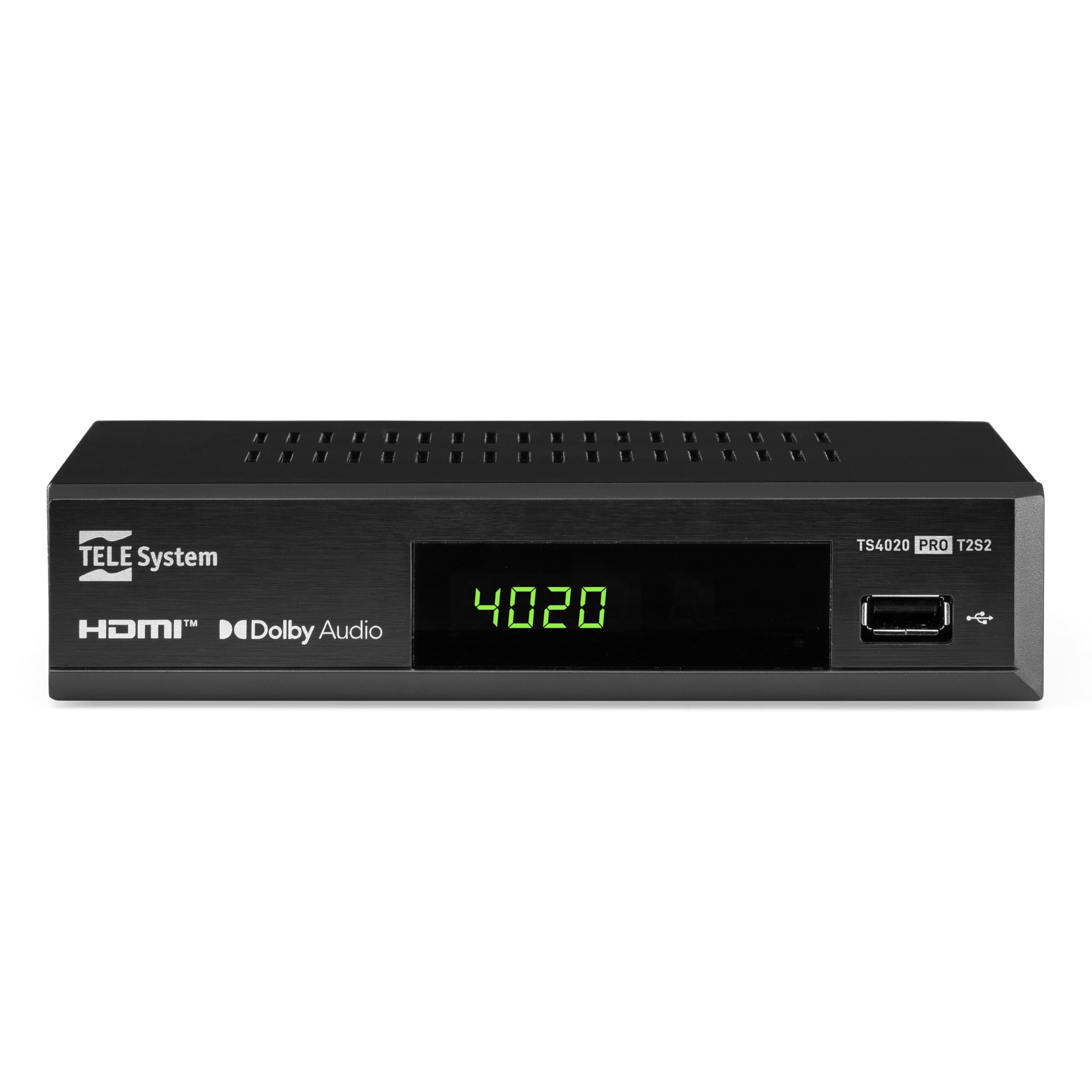
Figure 1: Tele System TS4020 PRO Decoder and included remote control.
2. Einrichtung
2.1 Auspacken und Komponenten
Packen Sie alle Artikel vorsichtig aus dem Karton aus. Stellen Sie sicher, dass die folgenden Komponenten vorhanden sind:
- Tele System TS4020 PRO Decoder
- Fernbedienung
- Externes Netzteil
- Benutzerhandbuch (dieses Dokument)
2.2 Anschließen des Decoders
Follow these steps to connect your decoder to your television and antenna/satellite dish.
- Stromanschluss: Connect the external power adapter to the DC 12V input on the back of the decoder, then plug it into a power outlet.
- HDMI-Verbindung: Use an HDMI cable to connect the HDMI OUT port on the decoder to an available HDMI input on your television.
- Antenna Connection (for DVB-T/T2): Schließen Sie Ihr terrestrisches Antennenkabel an die HF-EINGANG port on the back of the decoder.
- Satellite Connection (for DVB-S/S2): Schließen Sie das Kabel Ihrer Satellitenschüssel an die SAT EIN port on the back of the decoder.
- Optionale Verbindungen:
- SCART: For older televisions, connect a SCART cable from the TV SCART port on the decoder to your TV. Note that 4K resolution is not supported via SCART.
- Koaxiales Audio: For digital audio output, connect a coaxial audio cable from the COAXIAL port to your audio receiver.
- USB: For media playback, insert a USB drive into the USB port on the front or back of the decoder.

Figure 2: Rear panel connections of the TS4020 PRO decoder, including SAT IN, RF IN, Coaxial, HDMI, and TV SCART ports.
2.3 Erste Einrichtung und Kanalsuche
After connecting the decoder, turn on your television and select the correct HDMI input. The decoder should power on automatically or can be turned on using the remote control.
- Befolgen Sie für die Ersteinrichtung die Anweisungen auf dem Bildschirm.
- Wählen Sie Ihre bevorzugte Sprache und Region aus.
- The decoder features an AUTOSCAN function for quick and easy automatic channel searching and sorting for both terrestrial and satellite channels. Initiate the scan when prompted.
- Once the scan is complete, your decoder is ready for use.
3. Bedienungsanleitung
3.1 Fernbedienungsfunktionen
The TELE System TS4020 PRO comes with a unique remote control designed to manage both the decoder and your television. It features programmable keys for added convenience.

Figure 3: Layout of the TS4020 PRO remote control.
- Netzschalter: Schaltet den Decoder ein/aus.
- AV/TV: Switches TV input source.
- VOL+/VOL-: Passt die Lautstärke an.
- PROG+/PROG-: Wechselt die Kanäle.
- DTT/SAT: Switches between terrestrial and satellite modes.
- SPEISEKARTE: Greift auf das Hauptmenü zu.
- OK: Bestätigt die Auswahl.
- Pfeiltasten: Navigates menus and EPG.
- INFO: Zeigt Programminformationen an.
- EPG: Elektronischer Programmführer.
- Bedienelemente des Medienplayers: Wiedergabe, Pause, Stopp, Vorspulen, Zurückspulen.
- Programmable TV Control Keys: These keys (usually at the top) can be programmed to control basic TV functions like power, volume, and input. Refer to the remote control section in the full manual for programming instructions.
3.2 Kanäle Viewing and Selection
Verwenden Sie die PROG+ Und PROG- buttons to navigate through channels. Press OK Zu view the channel list and select a channel directly. Use the DTT/SAT button to switch between terrestrial (DVB-T/T2) and satellite (DVB-S/S2) channel lists.
3.3 Medienwiedergabe über USB
The decoder supports media playback from a USB storage device.
- Stecken Sie einen USB-Stick oder eine externe Festplatte in den USB-Anschluss.
- Access the Media Player function from the main menu.
- Navigieren Sie durch Ihren files to play music, view photos, or watch videos.
3.4 HDR Quality
The TS4020 PRO is compatible with HDR10 and HLG standards, providing enhanced image quality with improved color rendering and visual depth, especially for content with high dynamic range. Ensure your television also supports HDR10 or HLG for the best viewErfahrung.
4. Wartung
- Reinigung: Use a soft, dry cloth to clean the decoder's exterior. Do not use liquid cleaners or abrasive materials.
- Belüftung: Ensure the decoder has adequate ventilation. Do not block the ventilation openings.
- Software-Updates: Periodically check for available software updates through the decoder's menu (if supported). Software updates can improve performance and add new features. Information regarding guaranteed software updates is not available.
- Lagerung: Wenn Sie das Gerät über einen längeren Zeitraum lagern, trennen Sie es vom Stromnetz und bewahren Sie es an einem kühlen, trockenen Ort auf.
5. Fehlerbehebung
If you encounter issues with your Tele System TS4020 PRO, refer to the following common problems and solutions:
| Problem | Mögliche Ursache | Lösung |
|---|---|---|
| Kein Strom | Netzteil nicht angeschlossen oder Steckdose defekt. | Ensure the power adapter is securely connected to the decoder and a working power outlet. |
| Kein Bild/Ton auf dem Fernseher | Incorrect TV input selected, loose HDMI/SCART cable. | Select the correct HDMI/AV input on your TV. Check that the HDMI or SCART cable is securely connected at both ends. |
| No channels found or poor signal | Antenna/satellite dish not connected, misaligned, or damaged. | Check antenna/satellite cable connections. Ensure your antenna/dish is properly aligned. Perform an AUTOSCAN again. |
| Fernbedienung funktioniert nicht | Leere Batterien, Hindernisse oder Fernbedienung außerhalb der Reichweite. | Replace batteries. Ensure no obstructions between the remote and the decoder. Point the remote directly at the decoder. |
| HDMI output not compatible with TV | Specific TV model incompatibility. | If available, try using the SCART connection for video output. Note that 4K resolution is not supported via SCART. |
| Date resets to 1970 after reset | Internal clock issue or software bug. | Check for available software updates. If the issue persists, contact customer support. |
6. Spezifikationen
| Modellnummer | 21005355 |
| Marke | TELE-System |
| Konnektivitätstechnologie | USB, Power, HDMI, SCART, RF IN, SAT IN, Coaxial |
| Audioausgabemodus | Umgeben |
| Gesamtzahl der HDMI-Anschlüsse | 1 |
| Kompatible Geräte | Fernsehen |
| Unterstützte Audioformate | Dolby Digital, DTS, AAC, MP3, PCM |
| Bandtage | 12 Volt (DC) |
| Videoausgabeauflösung | 1080p |
| Unterstützte Standards | DVB-T2, DVB-S2, H.265, HDR10, HLG, MP3, AAC |
| Seitenverhältnis | 16:9 |
| Farbe | Schwarz |
| Ursprungsland | China |
7. Garantieinformationen
The Tele System TS4020 PRO decoder comes with a 2 Jahr Herstellergarantie. Please retain your proof of purchase for warranty claims. For specific terms and conditions, refer to the warranty card included with your product or contact Tele System customer support.
8. Kundendienst
For further assistance, technical support, or inquiries regarding your Tele System TS4020 PRO decoder, please visit the official Tele System webWebsite oder wenden Sie sich an die Kundendienstabteilung.
Hinweis: Informationen zur Verfügbarkeit von Ersatzteilen für dieses Produkt sind derzeit nicht verfügbar.