
TATTMUSE A887-BK
TATTMUSE Tattoo-Schablonendrucker – Benutzerhandbuch
Model: A887-BK
Marke: TATTMUSE
1. Einleitung
This manual provides comprehensive instructions for the operation and maintenance of your TATTMUSE Tattoo Stencil Printer. This wireless thermal printer is designed for efficient and high-quality tattoo stencil creation, compatible with various devices and featuring advanced anti-wrinkle technology.

Figure 1: TATTMUSE Tattoo Stencil Printer Overview
2. Einrichtung
2.1 Auspacken und Erstaufladung
Upon unboxing, ensure all components are present: Tattoo Stencil Printer, 10 x Tattoo Transfer Paper, 1 x USB to USB-C Adapter, 1 x USB-C cable (80cm), 1 x Quick Start Guide, and 1 x Velvet Pouch. Charge the printer fully before first use using the provided USB-C cable.
2.2 Papier einlegen
- Peel off the clear sheet from the transfer paper.
- Use a ruler or similar flat object to lift the yellow backing.
- Power up the printer by pressing the power button.
- Place the paper smoothly onto the printer, ensuring the ribbon page faces down.

Figure 2: Steps for Paper Loading
2.3 Konnektivität
The printer supports wireless Bluetooth connection for smartphones and tablets (Android, iOS) and wired USB Type-C connection for laptops (macOS 10+, Windows 7+, Chrome OS, Linux).

Figure 3: Device Compatibility and Connection Methods
3. Bedienungsanleitung
3.1 Using the Phomemo APP
The Phomemo APP provides access to over 800 free tattoo designs and various editing tools. Key features include large image cutting (splitting designs into 2-9 parts), filter functions to convert photos into outlines, tattoo preview, and AI-powered tattoo design generation.

Figure 4: Phomemo App Features
3.2 Druckprozess
Once connected and your design is ready in the app, initiate the print command. The printer utilizes advanced thermal technology for ink-free printing, ensuring clear and quick results. The patented wrinkle-resistant mode adds lines to the paper edges to maintain flatness during printing, minimizing wrinkles and creases.

Figure 5: Anti-Wrinkle Technology in Action
3.3 Stencil Application
- Cleanse the skin area with a wipe or alcohol.
- Apply tattoo transfer gel evenly to the cleansed skin.
- Press the printed stencil firmly onto your skin.
- Wait for a few minutes to allow the transfer to set before carefully peeling off the stencil paper.

Figure 6: Steps for Flawless Stencil Transfers
3.4 Produktdemonstrationsvideo
Video 1: Wireless Thermal Tattoo Transfer Printer Demonstration. This video illustrates the setup, printing, and stencil application process.
4. Wartung
The TATTMUSE Tattoo Stencil Printer is designed for low maintenance due to its ink-free thermal printing technology. To ensure optimal performance:
- Halten Sie den Papierweg frei von Schmutz und Staub.
- Store the printer in a clean, dry environment when not in use.
- Setzen Sie den Drucker keinen extremen Temperaturen oder direkter Sonneneinstrahlung aus.
- Use only compatible tattoo transfer paper to prevent damage to the print head.
5. Fehlerbehebung
If you encounter issues with your TATTMUSE Tattoo Stencil Printer, consider the following:
- Verbindungsprobleme: Ensure Bluetooth is enabled on your device and the printer is within range. For USB-C connection, verify the cable is securely connected to both the printer and your computer.
- Druckqualität: Ensure the transfer paper is loaded correctly with the ribbon page facing down. The printer's wrinkle-resistant mode is designed to minimize creases and maintain print quality.
- Probleme mit der Stromversorgung: Ensure the printer is sufficiently charged. The 1200mAh battery provides long-lasting operation.
- App-Funktionalität: Ensure your Phomemo APP is updated to the latest version for optimal performance and access to all features.
For further assistance, refer to the Quick Start Guide or contact TATTMUSE customer support.
6. Spezifikationen
| Besonderheit | Detail |
|---|---|
| Technische Daten | 2.64 x 12.2 x 1.57 Zoll |
| Artikelgewicht | 1.57 Pfund |
| Modellnummer | A887-BK |
| Batterien | 1 Lithium-Polymer-Akku (im Lieferumfang enthalten) |
| Hersteller | TATTMUSE |
| Konnektivitätstechnologie | Bluetooth, USB-C |
| Drucktechnologie | Thermal (Ink-Free) |
| Besondere Merkmale | Wider Device Connectivity, Wireless, Rechargeable, Bluetooth, Lightweight, Portable, Wrinkle-resistant Mode, Thermal, Inkless |
| Farbe | Schwarz |
| Druckerausgabe | Einfarbig |
| Maximale Druckgeschwindigkeit (Monochrom) | 30 ppm |
| Maximale Mediengröße | A4 |

Abbildung 7: Batterieleistung überview
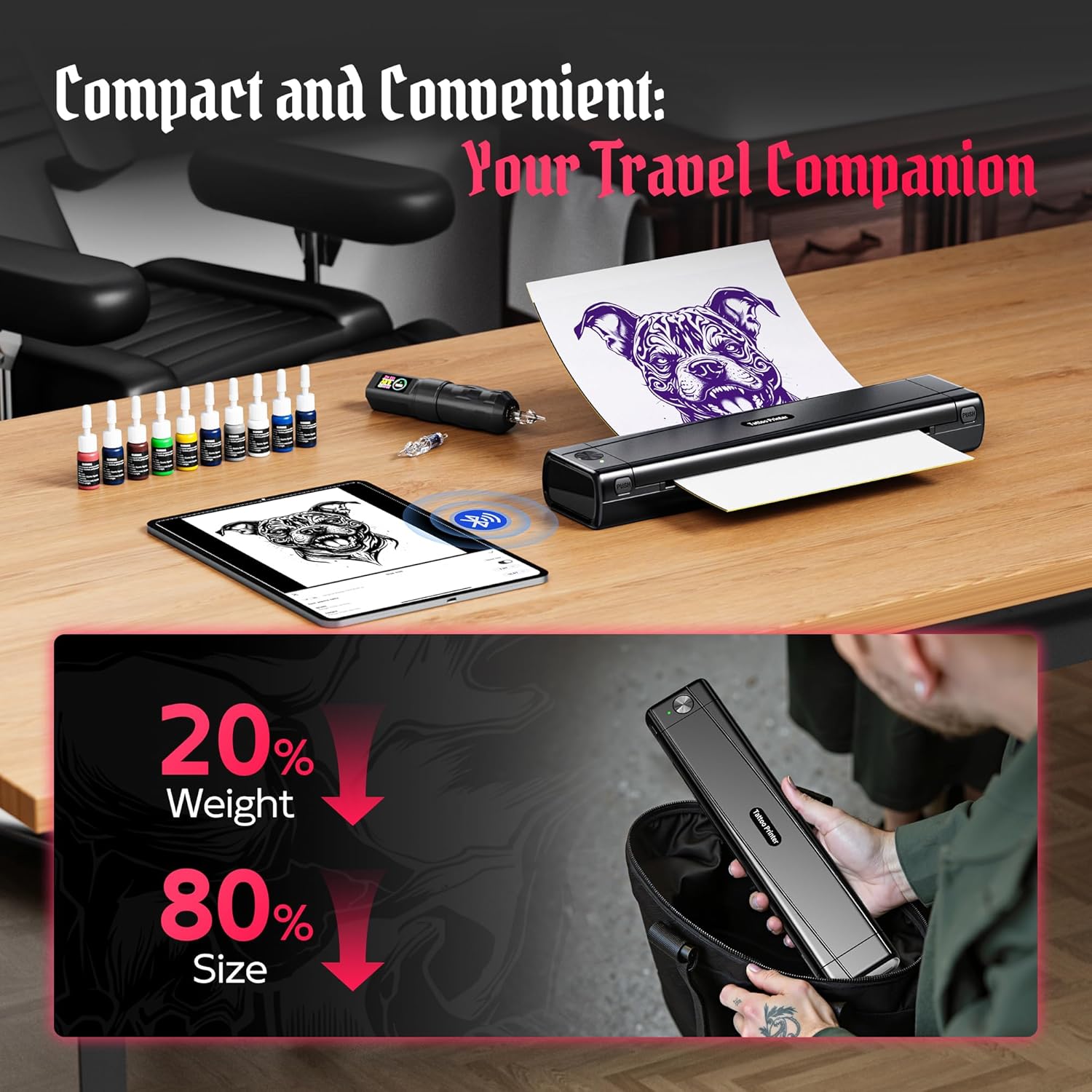
Abbildung 8: Kompaktes und tragbares Design

Figure 9: Print Resolution Comparison
7. Sicherheitshinweise
No specific safety information is provided by the manufacturer in the product details. Always handle electronic devices with care and follow general safety guidelines. Keep out of reach of children. Do not disassemble or attempt to repair the device yourself.
8. Garantie und Support
Warranty information for the TATTMUSE Tattoo Stencil Printer is not explicitly detailed in the provided product information. For specific warranty terms, conditions, and duration, please refer to the manufacturer's official website or contact TATTMUSE customer support directly.
For technical support, troubleshooting assistance beyond this manual, or any product-related inquiries, please visit the TATTMUSE store on Amazon or their official support channels.
TATTMUSE Store Link: Visit TATTMUSE Store
Zugehörige Dokumente - A887-BK
 |
TATTMUSE Device Data Usage and Privacy Policy Information regarding how TATTMUSE devices generate, store, and allow user access to data, including instructions for data requests and customer support contact. |
 |
Phomemo A887 Tattoo Printer User Guide Comprehensive user guide for the Phomemo A887 Tattoo Printer. Includes instructions for setup, mobile app and computer driver installation, paper loading, printing, and maintenance. |
 |
Umfassendes Handy-Modellverzeichnis Ein detailliertes Verzeichnis von Mobiltelefonmodellen zahlreicher globaler Hersteller, darunter Apple, Samsung, LG, Nokia, Motorola, HTC und viele mehr, mit einer überview der Mobiltechnologie. |
 |
Bluetooth-Kompatibilitätsliste 2014: Mobilgeräte und Marken Eine umfassende Liste mit Einzelheiten zur Bluetooth-Kompatibilität verschiedener Mobilgeräte, darunter Marken wie Acer, Apple, BlackBerry, HTC, Huawei, LG, Motorola, Nokia, Samsung und Sony Ericsson sowie viele andere und die jeweiligen Modelle. |
Ask a question about this manual
Ask about setup, troubleshooting, compatibility, parts, safety, or missing instructions. Manuals+ will review the question and use this page’s manual context to help answer it.