
1. Einleitung
The LYNCAST HY300 Pro+ is a portable mini projector designed for versatile entertainment. Featuring Android 14 OS, built-in streaming applications, WiFi 6, and Bluetooth 5.4, it offers a comprehensive viewDieses Handbuch bietet Ihnen wichtige Informationen zum Einrichten, Bedienen, Warten und zur Fehlerbehebung Ihres Projektors.

The compact design of the HY300 Pro+ allows for easy portability.
2. Installationsanleitung
2.1 Packungsinhalt
Vor Beginn der Arbeiten vergewissern Sie sich, dass alle Artikel im Paket vorhanden sind:
- LYNCAST HY300 Pro+ Mini Projector
- Fernbedienung
- Netzteil
- HDMI-Kabel
- Bedienungsanleitung
2.2 Stromanschluss
Connect the power adapter to the projector's DC input port and then plug it into a power outlet. The projector will power on automatically or can be turned on using the power button on the device or remote control.

The projector features HDMI, USB, and DC input ports for various connections.
2.3 Platzierung und Projektion
The HY300 Pro+ offers flexible placement options due to its 180° rotatable design and ultra-short throw ratio. Place the projector on a tabletop, mount it on a tripod, or even project onto the ceiling.
- 180° Multi-Angle Projection: Adjust the projector's angle to project onto walls or ceilings.
- Ultrakurzer Wurf: Achieve a large screen size (e.g., 100+ inches) from a short distance (under 2 meters).

The 180° rotatable design allows projection onto various surfaces, including the ceiling.

Multiple setup options: tripod, desk, or ceiling mounting.
2.4 Fokus- und Trapezkorrektur
The projector features automatic keystone correction and manual focus adjustment for a clear, rectangular image.
- Automatische Trapezverzerrung: The projector automatically adjusts the image shape to correct for angled projection.
- Manueller Fokus: Use the focus ring on the projector to sharpen the image.

Auto keystone correction and manual focus ensure a clear, properly shaped image.
3. Bedienungsanleitung
3.1 Navigation im Android 14-Betriebssystem
The projector runs on Android 14 TV OS, providing access to a wide range of applications. Use the included remote control to navigate the interface.
- Startbildschirm: Access pre-installed apps like Netflix, Prime Video, YouTube, Tubi, and Disney+.
- App Store: Laden Sie weitere Anwendungen aus dem integrierten App-Store herunter.

Access a variety of built-in streaming applications directly from the projector.
3.2 Drahtlose Konnektivität (WiFi 6 & Bluetooth 5.4)
Connect the projector to your home network via WiFi 6 for fast streaming and pair with Bluetooth devices for enhanced audio.
- WLAN 6: Provides faster and more stable wireless internet connection for 4K content streaming.
- Bluetooth 5.4: Connect to external Bluetooth speakers for richer sound or headphones for private listening.

Experience seamless wireless connectivity with WiFi 6 and Bluetooth 5.4.
3.3 Bildschirmspiegelung
Mirror content from your iOS, Android, or Windows devices to the projector.
- Android Miracast / Apple AirPlay: Wirelessly cast content from compatible smartphones and tablets.
- Apple Wired Connection / Transcreen: Alternative options for Apple devices (Transcreen may require a separate download).

Mirror your smartphone, tablet, or computer screen to the projector.
3.4 Anschlussmöglichkeiten für externe Geräte
Connect various devices using the HDMI and USB ports.
- HDMI: Connect laptops, gaming consoles (Switch/PS5), TV sticks, and other HDMI-enabled devices.
- USB: Play multimedia directly from USB drives or connect other USB accessories.
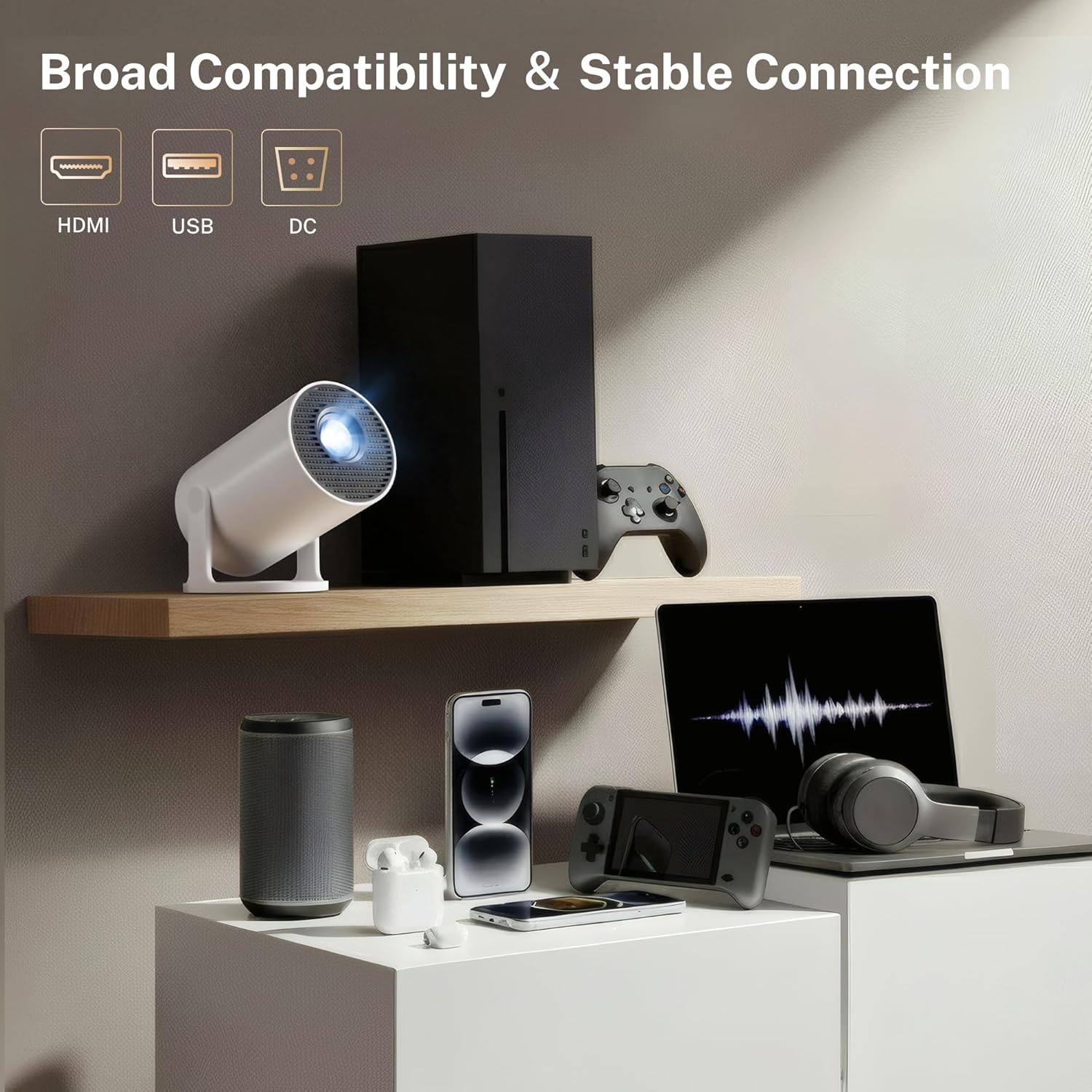
The projector offers broad compatibility with multiple devices via HDMI and USB.
4. Wartung
4.1 Reinigung des Projektors
To ensure optimal performance and longevity, keep your projector clean.
- Linse: Wischen Sie die Projektorlinse vorsichtig mit einem weichen, fusselfreien Tuch ab, das speziell für optische Linsen entwickelt wurde. Vermeiden Sie Scheuermittel oder aggressive Chemikalien.
- Exterieur: Wischen Sie die Außenseite abasinMit einem weichen, trockenen Tuch abwischen. Flüssige Reinigungsmittel nicht direkt auf dem Projektor verwenden.
- Vents: Periodically check the ventilation openings for dust accumulation. Use a soft brush or compressed air to clear any obstructions. Ensure the projector is powered off and unplugged before cleaning.
4.2 Speicherung
Bei längerer Nichtbenutzung sollte der Projektor an einem kühlen, trockenen Ort, geschützt vor direkter Sonneneinstrahlung und extremen Temperaturen, aufbewahrt werden. Verwenden Sie die Originalverpackung oder eine Schutzhülle, um Staub und Beschädigungen zu vermeiden.
5. Fehlerbehebung
If you encounter issues with your LYNCAST HY300 Pro+ Mini Projector, refer to the following common problems and solutions:
| Problem | Mögliche Ursache | Lösung |
|---|---|---|
| Kein Strom | Stromkabel nicht angeschlossen; Steckdose defekt | Vergewissern Sie sich, dass das Netzkabel fest angeschlossen ist; versuchen Sie es mit einer anderen Steckdose. |
| Kein Bild | Input source incorrect; Lens cap on; Focus adjustment needed | Select correct input source (HDMI/USB); Remove lens cap; Adjust manual focus. |
| Unscharfes Bild | Focus not adjusted; Keystone incorrect | Adjust manual focus; Allow auto keystone to correct or manually adjust. |
| Kein Ton | Lautstärke zu niedrig; Externes Audiogerät nicht angeschlossen; Stummgeschaltet | Increase volume; Connect Bluetooth speaker/headphones; Unmute the projector. |
| WLAN-Verbindungsprobleme | Falsches Passwort; Router zu weit entfernt; Netzwerkstörungen | Verify WiFi password; Move projector closer to router; Restart router. |
| Bildschirmspiegelung schlägt fehl | Devices not on same network; Compatibility issues | Ensure both devices are on the same WiFi network; Check device compatibility with Miracast/AirPlay. |
6. Spezifikationen
Key technical specifications for the LYNCAST HY300 Pro+ Mini Projector:
- Marke: LYNCAST
- Modellname: HY300 Pro+
- Modellnummer: X1BR
- Bildschirmauflösung: Native 1280 x 720 (720P Full HD), Supports 4K input
- Helligkeit: 300 ANSI Lumens (equivalent to 2000 Lumen marketing term)
- Kontrastverhältnis: 10000:1
- Betriebssystem: Android 14 TV OS
- Kabellose Verbindung: WiFi 6, Bluetooth 5.4
- Konnektivitätstechnologie: Bluetooth, HDMI, USB, WLAN
- Eingangsanschlüsse: HDMI, USB, DC
- Lebensdauer der Lichtquelle: 30000 Stunden
- Maximale Bildgröße: 130 Zoll
- Minimum Image Size: 50 Zoll
- Projektionsverhältnis: 0.8:1 (Ultra-Short Throw)
- Abmessungen (L x B x H): 3.1"L x 3.1"W x 6"H (Cylindrical)
- Artikelgewicht: 466 Gramm
- Besondere Merkmale: Auto Keystone, 180° Multi-Angle Projection, Built-In Apps, Built-In Speakers, Digital Zoom (50-100%)

The projector supports 4K input and offers a native 720P resolution with high brightness and contrast.

Advanced optical lens design contributes to improved performance.
7. Garantie und Support
LYNCAST offers a satisfaction guarantee for the HY300 Pro+ Mini Projector.
- Rückgaberecht: Full refund available within 30 days for quality issues.
- Verfügbarkeit von Ersatzteilen in der EU: 7 Jahre
For further assistance or technical support, please refer to the contact information provided with your purchase or visit the official LYNCAST webWebsite.
8. Produktvideos
8.1 Mini Projector with WiFi and Bluetooth Android TV OS
Dieses Video bietet ein Overview of the projector's features, including its Android TV OS, WiFi, and Bluetooth capabilities.
8.2 Mini Projector with WiFi and Bluetooth Portable
This video demonstrates the portability and ease of use of the mini projector, highlighting its wireless connectivity.