
Einführung
This user manual provides detailed instructions for the setup, operation, and maintenance of your Anderic RRTR214D Ceiling Fan Remote Control. Designed as a direct replacement for various Harbor Breeze remote models, this remote offers comprehensive control over your ceiling fan's speed and lighting functions. Please read this manual thoroughly before use to ensure proper functionality and to maximize the lifespan of your device.
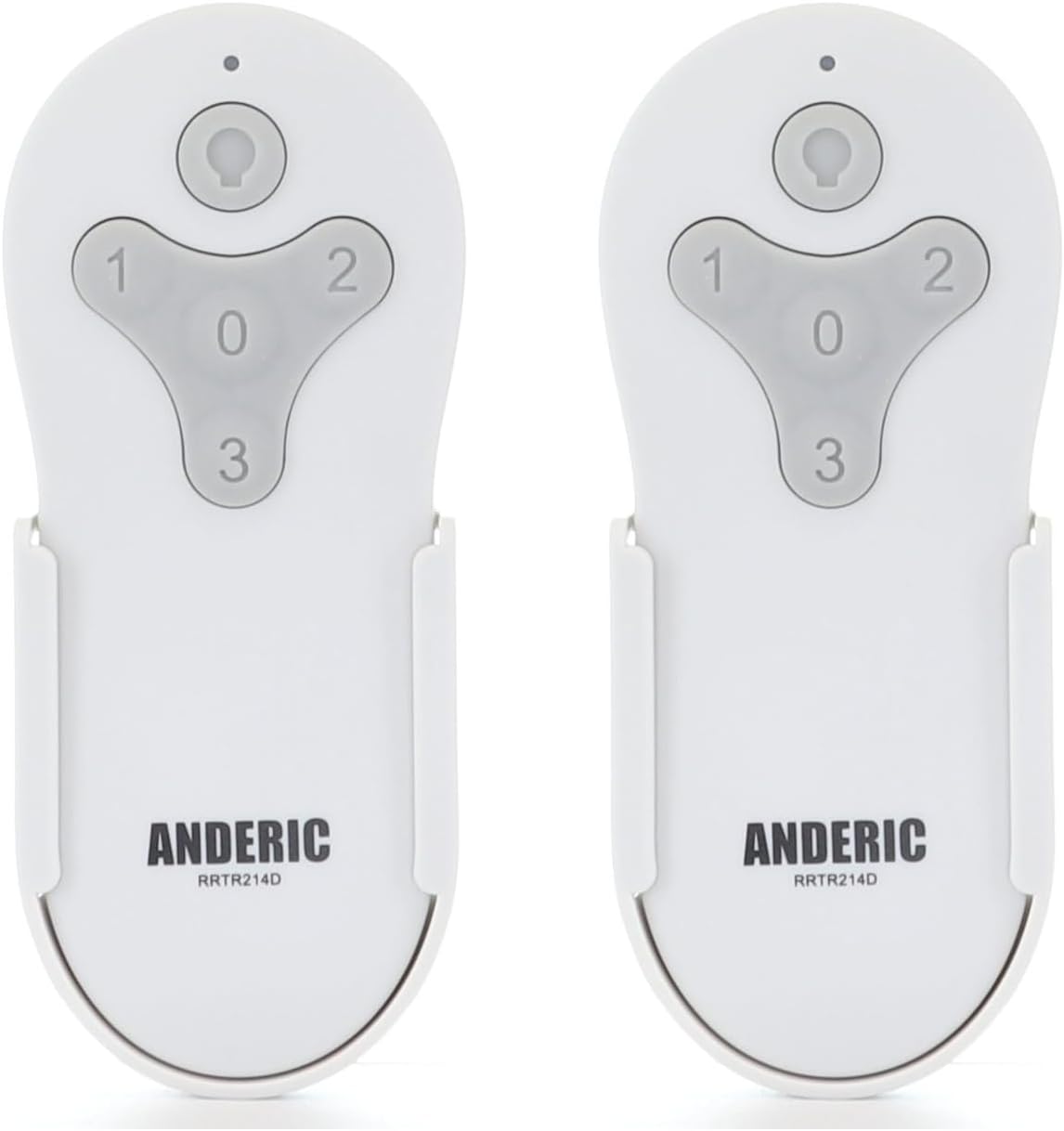
Figure 1: Two Anderic RRTR214D remote controls. These remotes are designed for ease of use and reliable performance with compatible ceiling fans.
Produkt überview und Funktionen
The Anderic RRTR214D remote control is engineered to provide seamless control for your ceiling fan. Its key features include:
- Direkter Ersatz: Seamlessly replaces Harbor Breeze remote models A25-FA0138, KUJCE10311, TR214B, KUJCE10712, TR214A, and KUJCE10610.
- Müheloses Pairing: Designed for easy pairing with your current receiver, ensuring a hassle-free setup.
- Umfassende Kontrolle: Offers complete control over fan speeds (high, medium, low, and off) and light functions (on/off and dimming).
- Batteriebetrieben: Uses a 23A 12-volt battery (not included) for long-lasting operation.
- Convenient Wall Mount: Includes a wall mount for easy installation and accessibility.

Figure 2: Remote control button functions. The remote features dedicated buttons for light control (on/off/dimming) and fan speeds (1 for low, 2 for medium, 3 for high, 0 for off).

Figure 3: Remote control dimensions. The compact design ensures it fits comfortably in hand and integrates well into your living space.
Kompatibilität
The Anderic RRTR214D remote control is specifically designed to replace the following Harbor Breeze remote models. It is crucial that your existing ceiling fan receiver was originally supplied with one of these models for proper compatibility.
- A25-FA0138
- KUJCE10311
- TR214B
- KUJCE10712
- TR214A
- KUJCE10610
This remote cannot be paired with other ceiling fan receivers not originally supplied with these specific models.

Figure 4: Compatible Harbor Breeze models. This image illustrates the range of specific Harbor Breeze fan models that are compatible with the Anderic RRTR214D remote control.
Setup und Installation
Einlegen der Batterie
The Anderic RRTR214D remote control requires one 23A 12-volt battery (not included). Follow these steps to install the battery:
- Suchen Sie die Batteriefachabdeckung auf der Rückseite der Fernbedienung.
- Slide the cover off in the direction indicated by the arrow (if present).
- Insert one 23A 12-volt battery, ensuring the positive (+) and negative (-) terminals align correctly with the markings inside the compartment.
- Schieben Sie den Batteriefachdeckel wieder an seinen Platz, bis er sicher einrastet.

Figure 5: Battery installation. This diagram illustrates the correct orientation for inserting the 23A 12-volt battery into the remote control's battery compartment.
Anweisungen zum Koppeln
To pair your new Anderic RRTR214D remote control with your ceiling fan receiver, follow these simple steps:
- Cycle power to the fan: Turn off the power to your ceiling fan at the wall switch or circuit breaker, wait for approximately 10 seconds, and then turn the power back on.
- Install battery in the remote: Ensure the 23A 12-volt battery is correctly installed in your remote control.
- Press and hold the "0" key: Within 30 seconds of restoring power to the fan, press and hold the "0" (fan off) button on the remote control for five seconds. The fan light should blink or the fan should respond, indicating successful pairing.
Notiz: Only one remote can be paired to the same fan at a time. If you are replacing an old remote, ensure it is no longer in use or its pairing is cleared (if applicable) before pairing the new remote.
Installation der Wandhalterung
The included wall mount provides a convenient storage solution for your remote control. To install the wall mount:
- Wählen Sie einen geeigneten Platz an einer Wand, fernab von direkter Sonneneinstrahlung oder Wärmequellen.
- Use the provided screws (or appropriate hardware for your wall type) to secure the wall mount to the desired surface. Ensure it is level and firmly attached.
- Slide the remote control into the wall mount for easy access.

Figure 6: Wall mount installation. The wall mount helps keep your remote accessible and prevents it from being misplaced.
Betrieb
Once paired, your Anderic RRTR214D remote control allows you to operate your ceiling fan and its light with ease.
- Lüfterdrehzahlregelung:
- Drücken "1" for Low fan speed.
- Drücken "2" for Medium fan speed.
- Drücken "3" for High fan speed.
- Drücken "0" to turn the fan Off.
- Lichtsteuerung:
- Drücken Sie die Lichttaste (bulb icon) to turn the light On or Off.
- To dim the light, press and hold the Lichttaste. Release when the desired brightness is achieved.
Wartung
Proper maintenance will ensure the longevity and optimal performance of your remote control.
- Batteriewechsel: When the remote's range decreases or the fan/light response becomes inconsistent, it's time to replace the 23A 12-volt battery. Follow the battery installation steps in the "Setup and Installation" section.
- Reinigung: Clean the remote control with a soft, dry cloth. Do not use abrasive cleaners, solvents, or harsh chemicals, as these can damage the surface or internal components.
- Lagerung: If the remote will not be used for an extended period, remove the battery to prevent leakage and potential damage. Store the remote in a cool, dry place.
Fehlerbehebung
If you encounter issues with your Anderic RRTR214D remote control, please refer to the following common problems and solutions:
| Problem | Mögliche Ursache | Lösung |
|---|---|---|
| Remote not responding to fan/light. |
|
|
| Fan operates but light does not. |
|
|
| Fan speeds are incorrect or inconsistent. |
|
|
Sollte das Problem nach dem Ausprobieren dieser Lösungsansätze weiterhin bestehen, wenden Sie sich bitte an den Kundendienst, um weitere Unterstützung zu erhalten.
Technische Daten
| Modellnummer | RRTR214D-2PK |
| Technische Daten | 1.7 x 3.9 x 1.8 Zoll |
| Artikelgewicht | 2.24 Unzen |
| Akku-Typ | 1 x 23A 12-volt (not included) |
| Farbe | Weiß |
| Hersteller | Dan's Electronics Etc., Inc. |
Garantie und Support
For warranty information or technical support, please refer to the documentation provided with your purchase or visit the official Anderic website. You may also contact the manufacturer, Dan's Electronics Etc., Inc., for assistance.
Weitere Ressourcen und Produktinformationen finden Sie unter Anderic Store auf Amazon.