
Produkt überview
The Insta360 Connect is an advanced AI conference room system designed to enhance virtual meetings. It integrates dual 4K cameras, a 14-microphone array, and intelligent AI features to provide a seamless and engaging conferencing experience. Certified for Zoom Rooms and compatible with various platforms, it is ideal for small to medium-sized meeting spaces.

Image: The Insta360 Connect AI Conference Room System, highlighting its dual 4K cameras and sleek design.
Lieferumfang
- 1x Insta360 Connect Unit
- 1x Fernbedienung
- 1x Desk Stand
- 2x 1.8 Meter HDMI Cables
- 1x 1.8 Meter USB-C Cable
- 1x Netzteil
Einrichtung und Anschluss
Physischer Aufbau
Place the Insta360 Connect unit on its included desk stand or mount it securely in your conference room. Ensure it has a clear line of sight to all participants and any whiteboards you intend to use.
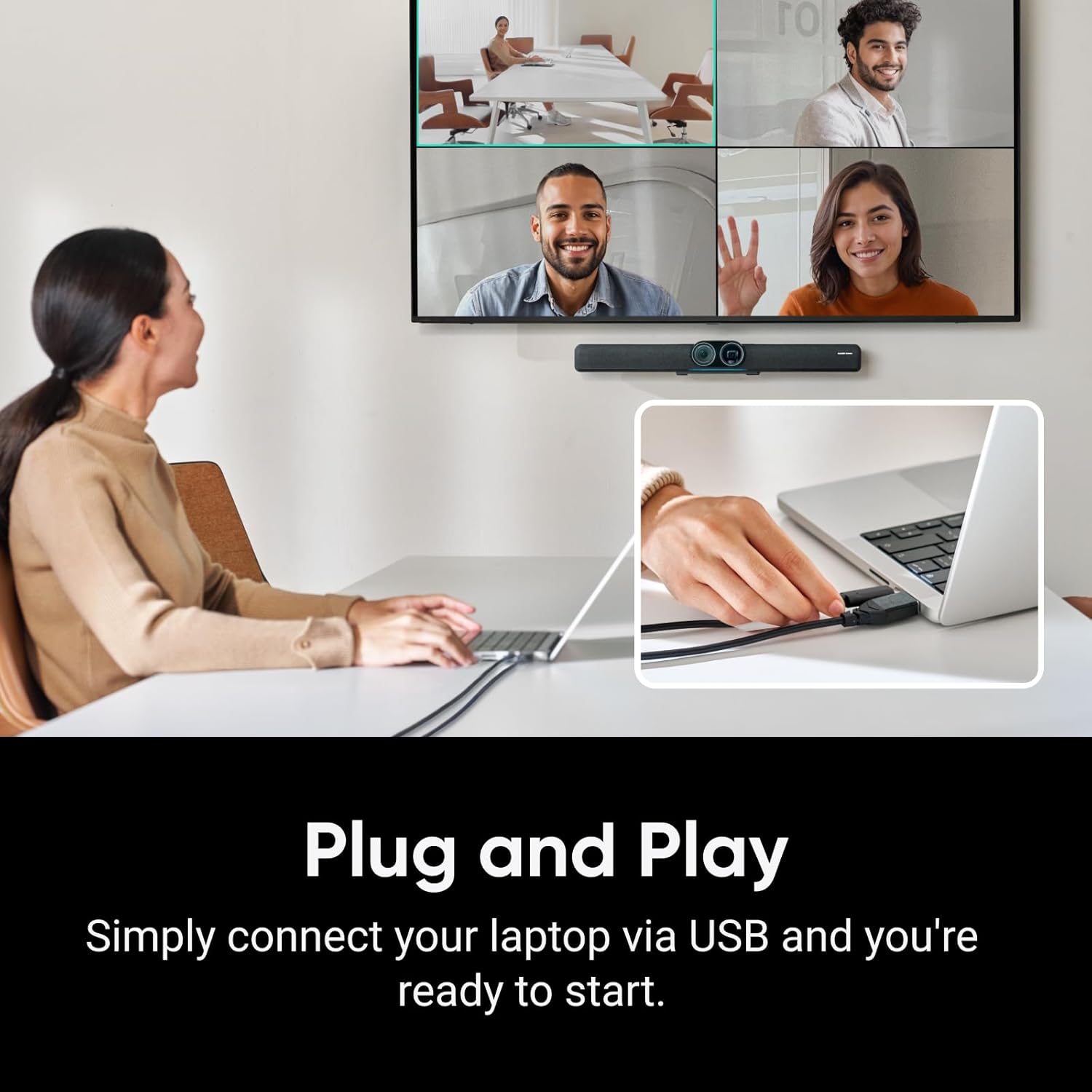
Image: The Insta360 Connect connected to a laptop via USB, illustrating the plug-and-play setup.
Verbindungsmethoden
The Insta360 Connect offers two primary connection methods:
- HDMI Direct Connection: Connect the Insta360 Connect via HDMI to your TV. Use the included remote control to initiate or join meetings directly. For this method, the device requires an internet connection via Ethernet or Wi-Fi (Ethernet recommended).
- BYOD (Bring Your Own Device) Mode: Connect the HDMI-OUT port on the Insta360 Connect to an HDMI input on your TV. Then, connect an HDMI cable and a USB-C cable from your PC/laptop to the HDMI-IN and USB-C-IN ports on the Insta360 Connect. In BYOD mode, the device does not require an internet connection. The PC/laptop's HDMI signal passes through the Connect, which can overlay its interface or informational messages on the TV. The webcam, speaker, and microphone functions are recognized by your operating system via the USB-C cable.
Bedienungsanleitung
Dual 4K Cameras
The Insta360 Connect features a dual-camera system with a 1/1.3" CMOS sensor wide-angle camera and a telephoto gimbal camera. These cameras work in tandem to deliver high-quality 4K visuals, capturing both wide group views and individual close-ups.
Image: Close-up of the Insta360 Connect's dual 4K cameras, emphasizing its Zoom certification.
AI-Framing
The advanced AI framing technology ensures all participants are clearly visible. You can choose between:
- Group Framing: Automatically detects and frames all individuals in the room, adjusting zoom to keep everyone in view.
- Galeriemodus: Provides individual windows for each participant, making online meetings more engaging.

Image: A conference room setup demonstrating the Intelligent AI Framing feature, displaying multiple participants in individual windows on a large screen.
Sprecherverfolgung
Utilizing voice, facial, and body recognition, the AI technology precisely tracks the active speaker, keeping them centered in the frame. This feature ensures the focus remains on the person speaking, enhancing meeting dynamics.

Image: A person speaking in a conference room, with a highlighted close-up frame demonstrating the Speaker Tracking functionality.
Whiteboard-Modus
The dedicated Whiteboard Mode enhances presentations by automatically squaring off and optimizing the view of a whiteboard. It can even make presenters semi-transparent when they block the camera, ensuring the whiteboard content remains visible.

Image: A person presenting at a whiteboard, with the Whiteboard Mode feature ensuring the content is clear and visible, even when partially obscured.
Audiofunktionen
- 14-Microphone Array: Captures crystal-clear audio with voice pickup up to 33 feet away.
- Adaptives Audio: Intelligent noise reduction technology eliminates unwanted sounds and echoes, ensuring interruption-free meetings.
- Freisprechmodus: Provides professional audio for conference calls with easy Bluetooth connectivity.
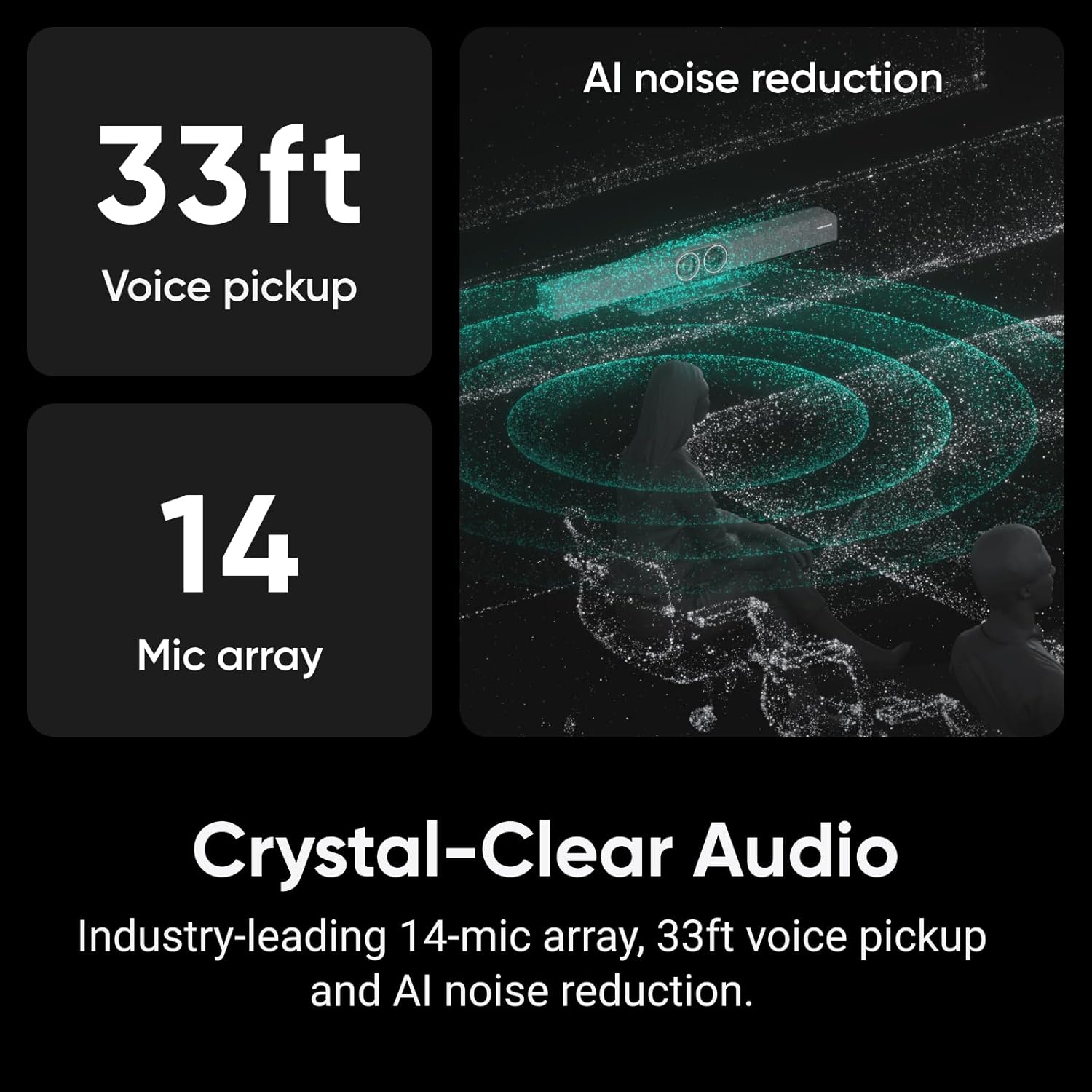
Image: Infographic detailing the Crystal-Clear Audio capabilities of the Insta360 Connect, including 33ft voice pickup, a 14-microphone array, and AI noise reduction.
Datenschutzmodus
Protect your privacy with a single slide that conceals the lens and mutes the microphone, ensuring confidentiality when needed.
Offizielles Produktvideo
Video: Offizielles Produkt überview of the Insta360 Connect Dual-camera AI video bar, showcasing seine Merkmale und Funktionen.
Technische Daten
| Besonderheit | Detail |
|---|---|
| Marke | Insta360 |
| Modellnummer | CINSAABA |
| Auflösung der Videoaufnahme | 4K |
| Fotosensor-Technologie | CMOS |
| Fotosensorgröße | 1/2.8" |
| Objektivtyp | Telephoto, Wide Angle |
| Optischer Zoom | 3x |
| Besondere Merkmale | AI Framing, Speaker Tracking, Whiteboard Mode, Advanced Audio Capabilities |
| Konnektivitätstechnologie | HDMI, USB |
| Betriebssystem | Android |
| Anzahl der Lautsprecher | 1 |
| Kompatible Geräte | Laptop, Microphone, Personal Computer, Tablet |
| Farbe | Schwarz |
| GTIN / UPC | 842126111273 |
Fehlerbehebung
If you encounter any issues with your Insta360 Connect, please refer to the following common troubleshooting steps:
- Keine Video-/Audioausgabe: Ensure all cables (HDMI, USB-C) are securely connected. Verify that the correct input source is selected on your display. Check your computer's sound and camera settings to ensure Insta360 Connect is selected as the default device.
- KI-Funktionen funktionieren nicht: Confirm that the device firmware is up to date. Ensure the room is adequately lit and there are no obstructions blocking the camera's view.
- Schlechte Audioqualität: Check for excessive background noise. Ensure participants are within the 33ft voice pickup range. Verify that Adaptive Audio (noise reduction) is enabled.
- Gerät nicht erkannt: Try connecting the USB-C cable to a different port on your computer. Restart your computer and the Insta360 Connect unit.
Wartung
To ensure the longevity and optimal performance of your Insta360 Connect, follow these maintenance guidelines:
- Reinigung: Use a soft, dry cloth to clean the camera lenses and the device's exterior. Avoid using harsh chemicals or abrasive materials.
- Lagerung: Bewahren Sie das Gerät bei Nichtgebrauch an einem kühlen, trockenen Ort auf und schützen Sie es vor direkter Sonneneinstrahlung und extremen Temperaturen.
- Firmware-Updates: Prüfen Sie regelmäßig, ob Firmware-Updates verfügbar sind, und installieren Sie diese, um sicherzustellen, dass Sie über die neuesten Funktionen und Leistungsverbesserungen verfügen.
Garantie und Support
The Insta360 Connect comes with a 2 Jahr Garantie. For technical support, warranty claims, or additional assistance, please visit the official Insta360 support webWebsite oder wenden Sie sich an den Kundendienst.