
Einführung
The GameSir G8 Plus Thanos Edition is a versatile mobile game controller designed to provide a console-like gaming experience across multiple platforms. This manual provides essential information for setting up, operating, maintaining, and troubleshooting your controller.
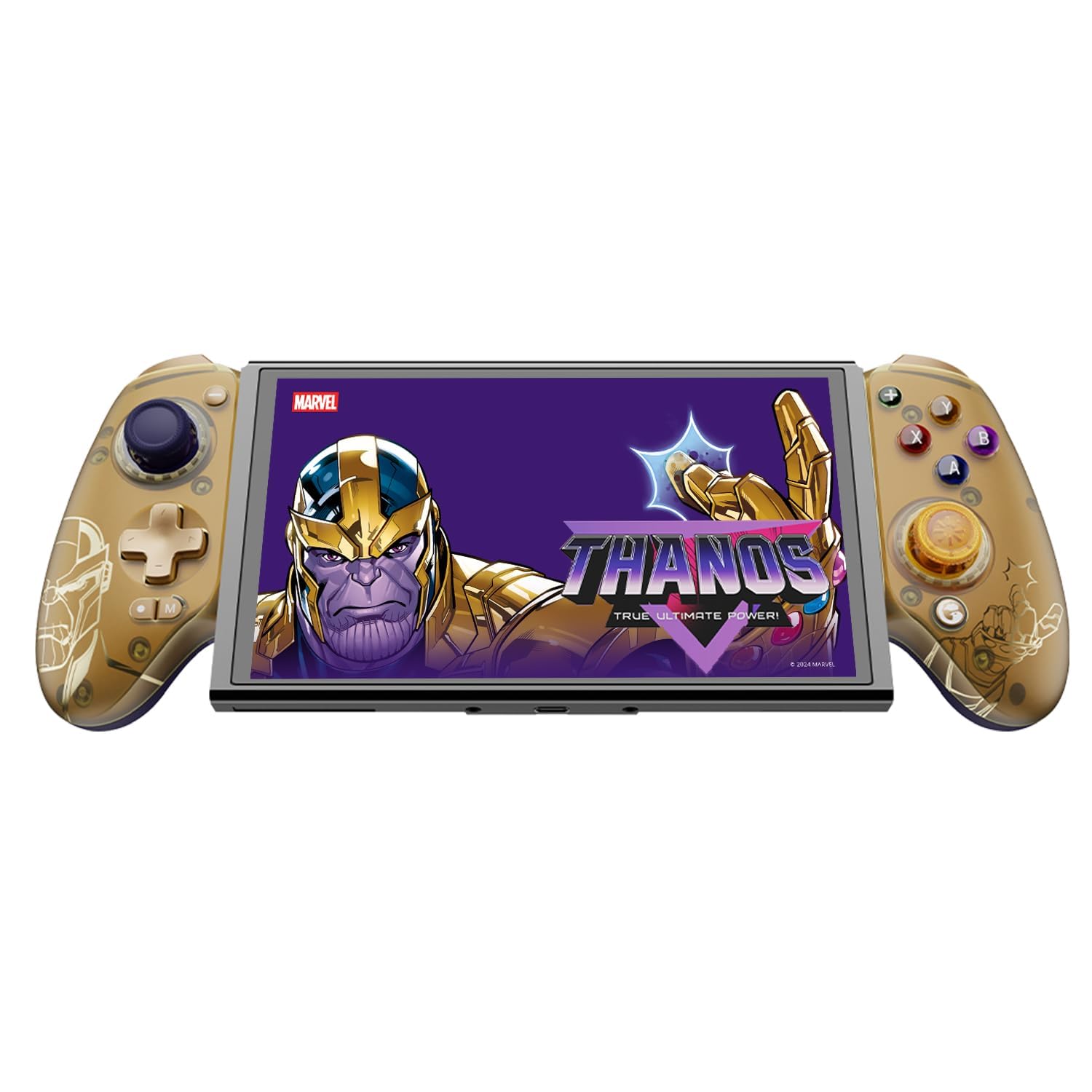
Figure 1: GameSir G8 Plus Thanos Edition Mobile Game Controller.
Aufstellen
Packungsinhalt
Überprüfen Sie, ob alle Artikel im Paket vorhanden sind:
- GameSir G8 Plus Thanos Edition Mobile Game Controller
- Interchangeable Thumbstick Caps (3 pairs)
- USB-C-Kabel
- Benutzerhandbuch (dieses Dokument)

Figure 2: Contents of the GameSir G8 Plus Thanos Edition package.
Gerätekompatibilität
The GameSir G8 Plus is compatible with a wide range of devices:
- Android devices (Android 8.0 or later)
- iOS-Geräte
- Nintendo-Schalter
- Tablets (4.7 to 8.4 inches)
- PC (via 2.4G receiver, sold separately, or wired)

Figure 3: Universal compatibility of the GameSir G8 Plus.
Erstverbindung
To connect your GameSir G8 Plus controller to a device:
- For Mobile Devices (Bluetooth): Extend the controller to fit your smartphone or tablet. Ensure Bluetooth is enabled on your device. Press and hold the pairing button on the controller until the indicator light flashes, then select "GameSir G8 Plus" from your device's Bluetooth settings.
- Für Nintendo Switch: Insert the Switch console into the controller. The controller should automatically connect.
- For PC (Wired): Verbinden Sie den Controller mit Ihrem PC mithilfe des mitgelieferten USB-C-Kabels.
- For PC (2.4G Wireless): Insert the 2.4G receiver (sold separately) into your PC's USB port. The controller should connect automatically.
Video 1: Endeview of the Gamesir G8 Plus Bluetooth Marvel Licensed controller, demonstrating its design and features.
Betrieb
Hauptmerkmale und Bedienelemente
- Hall-Effekt-Joysticks: Experience precise 360° control with anti-drift technology, ensuring longevity and accuracy.
- Auslöser des Hall-Effekts: Optimized triggers provide smooth and quick response, ideal for various game genres.
- Belegbare Zurück-Tasten: Two additional back buttons (L4/R4) allow for instant button mapping, enhancing gameplay customization.
- Bewegungserkennung: A built-in 6-axis gyroscope enhances motion control, particularly useful for compatible Switch games and motion-sensitive gameplay.
- Haptisches Feedback: Console-level haptic feedback provides realistic and immersive sensations during gameplay.

Figure 4: Explanation of GameSir Hall Effect Sticks.

Abbildung 5: Trigger-Modi für verschiedene Spieltypen umschalten.

Figure 6: Motion Control capabilities with built-in 6-axis gyro.

Figure 7: Realistic and immersive haptic sensation.
Anpassung
- Magnetic Faceplates: The controller features magnetic faceplates that can be easily removed and swapped for personalized aesthetics or maintenance.
- Interchangeable Thumbstick Caps: Three pairs of thumbstick caps with varying heights are included, allowing users to customize control feel.
- GameSir App: The GameSir app (Android exclusive) allows for real-time customization, including button mapping and sensitivity adjustments, for personalized gameplay.

Figure 8: Free customization options for the controller.

Figure 9: Advanced features of the GameSir G8 Plus.
Video 2: Introduction to the GameHub App, showcasing its features for game management and controller customization.
Moduswechsel
The controller supports various modes for different platforms. To switch between modes, press the corresponding key combination:
| Modus | Home-Anzeige | Verbindungsmethode | Kompatible Plattform |
|---|---|---|---|
| Android | Grün | Controller + A | Android 8.0 oder neuere Versionen |
| DS4 | Blau | Controller + B | iOS |
| Schalten | Rot | Controller + X | Schalten |
| G-Touch | Cyan | Controller + Y | GameSir App |
*Drücken Sie im Arbeitsstatus die entsprechende Tastenkombination, um in den gewünschten Modus zu wechseln.
Wartung
Um die Langlebigkeit und optimale Leistung Ihres GameSir G8 Plus-Controllers zu gewährleisten, befolgen Sie bitte diese Wartungsrichtlinien:
- Reinigung: Wischen Sie die Oberfläche des Controllers mit einem weichen, trockenen Tuch ab. Bei hartnäckigem Schmutz leicht andrücken.ampBefeuchten Sie das Tuch mit Wasser oder einer milden Reinigungslösung. Vermeiden Sie scharfe Chemikalien oder scheuernde Materialien.
- Lagerung: Bewahren Sie den Controller an einem kühlen, trockenen Ort, geschützt vor direkter Sonneneinstrahlung und extremen Temperaturen, auf. Stellen Sie sicher, dass er vor der Lagerung vollständig aufgeladen ist, wenn er längere Zeit nicht verwendet wird.
- Handhabung: Avoid dropping the controller or subjecting it to strong impacts. Do not attempt to disassemble the controller beyond removing the magnetic faceplates and thumbstick caps.
Fehlerbehebung
If you encounter issues with your GameSir G8 Plus controller, refer to the following common troubleshooting steps:
- Controller stellt keine Verbindung her: Ensure Bluetooth is enabled on your device and the controller is in the correct mode (Android, DS4, Switch). Try restarting both the controller and your device. For wired connections, ensure the USB-C cable is securely connected.
- Tasten oder Joysticks reagieren nicht: Check if the controller's battery is charged. If using the GameSir App, verify that button mappings are correctly configured. For Hall Effect Joysticks, recalibration might be necessary if drift occurs (refer to GameSir App for calibration options).
- Gerät passt nicht: Ensure your device's dimensions are within the supported range of 4.7 to 8.4 inches. The controller's design accommodates devices with larger cameras.
- GameSir App Issues: Ensure your GameSir App is updated to the latest version. The app is currently exclusive to Android devices.
Für weitere Unterstützung wenden Sie sich bitte an den GameSir-Kundendienst.
Technische Daten
Detailed specifications for the GameSir G8 Plus Thanos Edition Mobile Game Controller:
| Besonderheit | Detail |
|---|---|
| Kompatible Geräte | Android, iOS, Nintendo Switch, PC |
| Controllertyp | Gamepad |
| Konnektivitätstechnologie | Bluetooth 5.3, USB, 2.4G (receiver sold separately) |
| Zusätzliche Merkmale | Multiuse, Wireless, Hall Effect Joysticks & Triggers, 6-axis Gyroscope, Mappable Back Buttons, Magnetic Faceplates, Interchangeable Thumbstick Caps, Pass-through Charging |
| Anzahl der Tasten | 6 (standard face buttons) + D-pad, shoulder buttons, triggers, menu buttons, 2 back buttons |
| Hardware-Plattform | Smartphone, Tablet, Nintendo Switch, PC |
| Stromquelle | Battery Powered (500mAh per side) |
| Artikelgewicht | 620 Gramm |
| Modellname | G8 Plus |
| Hersteller | SpielSir |
| Farbe | Gamesir G8 Plus Thanos Edition (Gold/Purple) |
Garantie und Support
Garantieinformationen
The GameSir G8 Plus Thanos Edition Mobile Game Controller comes with a 1 Jahr Garantie. GameSir provides 12 months replacement service for product issues.
Kundenservice
If you experience any problems with your product or require further assistance, please feel free to send a message through Amazon. GameSir aims to reply within 24 hours.