
1. Einleitung
This manual provides essential information for setting up, operating, and maintaining your GMKtec Mini PC G10. Please read these instructions carefully before using the device to ensure optimal performance and longevity.
2. Packungsinhalt
Überprüfen Sie, ob alle Artikel im Paket vorhanden sind:
- GMKtec Nucbox G10 Mini PC
- Netzteil und Kabel
- HDMI-Kabel
- VESA-Halterung und Schrauben
- Bedienungsanleitung

Image: Contents of the GMKtec Mini PC G10 package, including the mini PC, power adapter, HDMI cable, VESA mount, and user manual.
3. Produktüberschreitungview und Schnittstellen
The GMKtec Mini PC G10 features a compact design with a variety of ports for connectivity. Familiarize yourself with the available interfaces:
Vorderseite:
- 1x CTIA Audio Jack
- 2x USB 3.2 (5Gbps) Ports
- 1x Einschaltknopf
Rückwand:
- 1x USB-C Power Input (PD Only)
- 1x USB-C (Full-function: DisplayPort, Data, Power Delivery)
- 1x USB 2.0-Anschluss
- 1x 2.5G Gigabit Ethernet (LAN) Port
- 1x HDMI 2.1 (4K@60Hz) Port
- 1x DisplayPort 1.4 (4K@60Hz)
- 1x Kensington-Schloss-Steckplatz

Bild: Detailliert view of the front and rear ports of the GMKtec Mini PC G10, illustrating USB, HDMI, DisplayPort, Ethernet, and power connections.
4. Einrichtung
Follow these steps to set up your GMKtec Mini PC G10:
- Anschluss an das Display: Connect your monitor(s) to the Mini PC using the HDMI, DisplayPort, or USB-C (DisplayPort Alt Mode) outputs. The device supports up to three displays simultaneously.
- Peripheriegeräte anschließen: Schließen Sie Ihre Tastatur, Maus und andere USB-Geräte an die verfügbaren USB-Anschlüsse an.
- Netzwerkverbindung: For a wired connection, connect an Ethernet cable to the 2.5G LAN port. For wireless, ensure Wi-Fi is enabled in the operating system settings after initial boot.
- Einschalten: Connect the power adapter to the Mini PC's USB-C power input and then to a power outlet. Press the power button on the front panel to turn on the device.
- Ersteinrichtung: Folgen Sie den Anweisungen auf dem Bildschirm, um die Einrichtung von Windows 11 Pro abzuschließen.
5. Betriebssystem
The GMKtec Mini PC G10 comes pre-installed with Windows 11 Pro. It is also compatible with Windows 10 and various Linux distributions.
Windows 11 Pro Features:
- Enhanced security features.
- BitLocker device encryption.
- Remote Desktop capabilities.
- Domain Join and Group Policy management.
Ensure your operating system is regularly updated for security and performance improvements.
6. Leistung und Speicherung
The Mini PC G10 is designed for efficient daily computing and light gaming, featuring robust components for smooth operation.
Prozessor:
Ausgestattet mit einem AMD Ryzen 5 3500U Prozessor, a 64-bit quad-core CPU with 8 threads, based on AMD's 12nm Zen+ architecture. It offers a base frequency of 2.1 GHz and a boost frequency of up to 3.7 GHz, with a TDP of 15W (configurable up to 35W for higher performance).
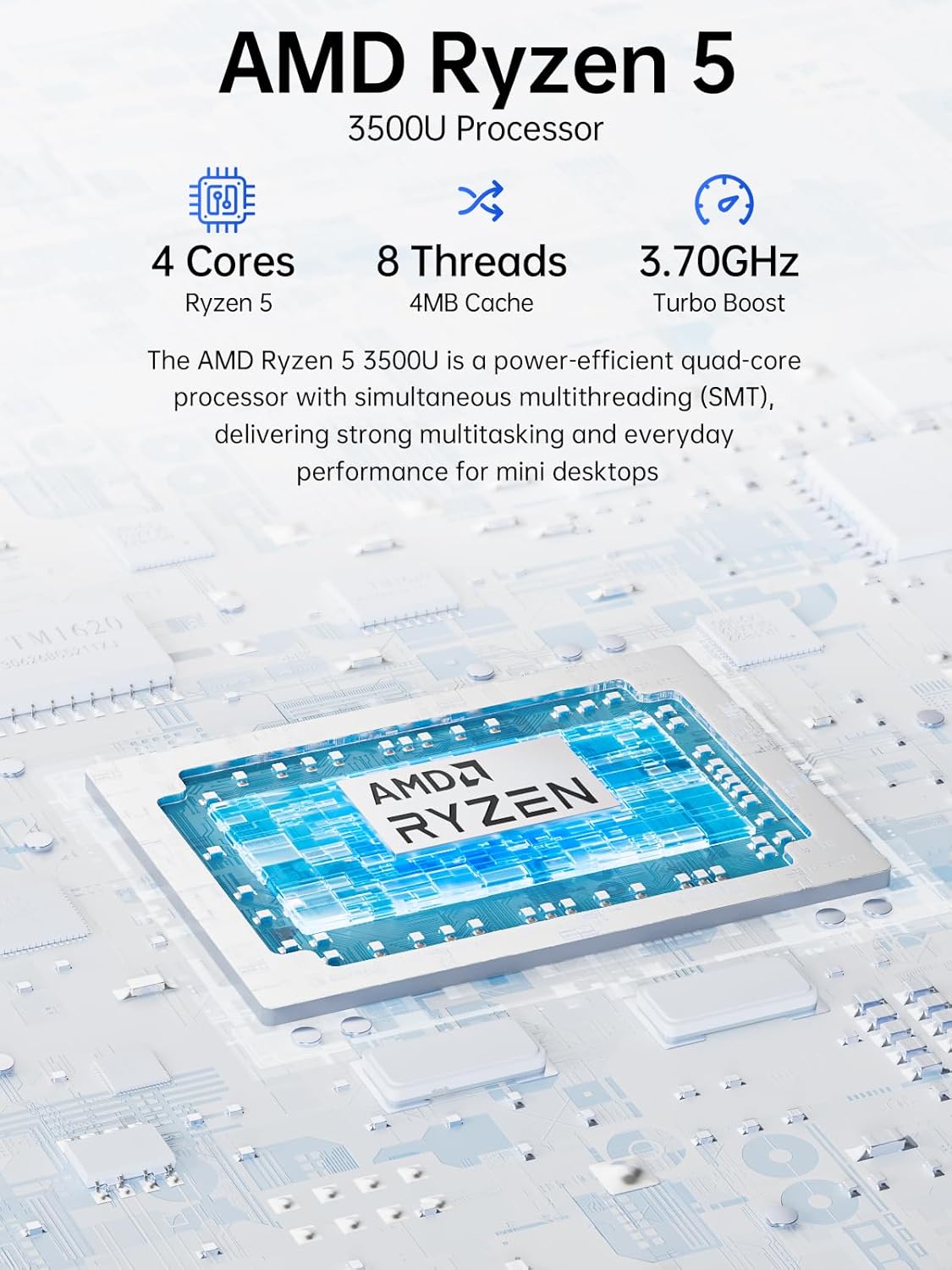
Image: Visual representation of the AMD Ryzen 5 3500U processor, highlighting its 4 cores, 8 threads, 4MB cache, and 3.70GHz turbo boost.
Grafik:
Integriert Radeon Vega 8 Grafikkarte (up to 1.2 GHz) provides capable performance for video editing, multimedia playback, and casual gaming.
Arbeitsspeicher (RAM):
Das System umfasst 16GB of DDR4 SO-DIMM dual-channel RAM (2 x 8GB). The memory is expandable up to 32GB.
Lagerung:
Verfügt über ein 1TB PCIe 3.0 x4 NVMe SSD, offering significantly faster data transfer speeds (up to 3500 MB/s) compared to traditional SATA SSDs. This results in quicker boot times, faster application loading, and smoother file Überweisungen.
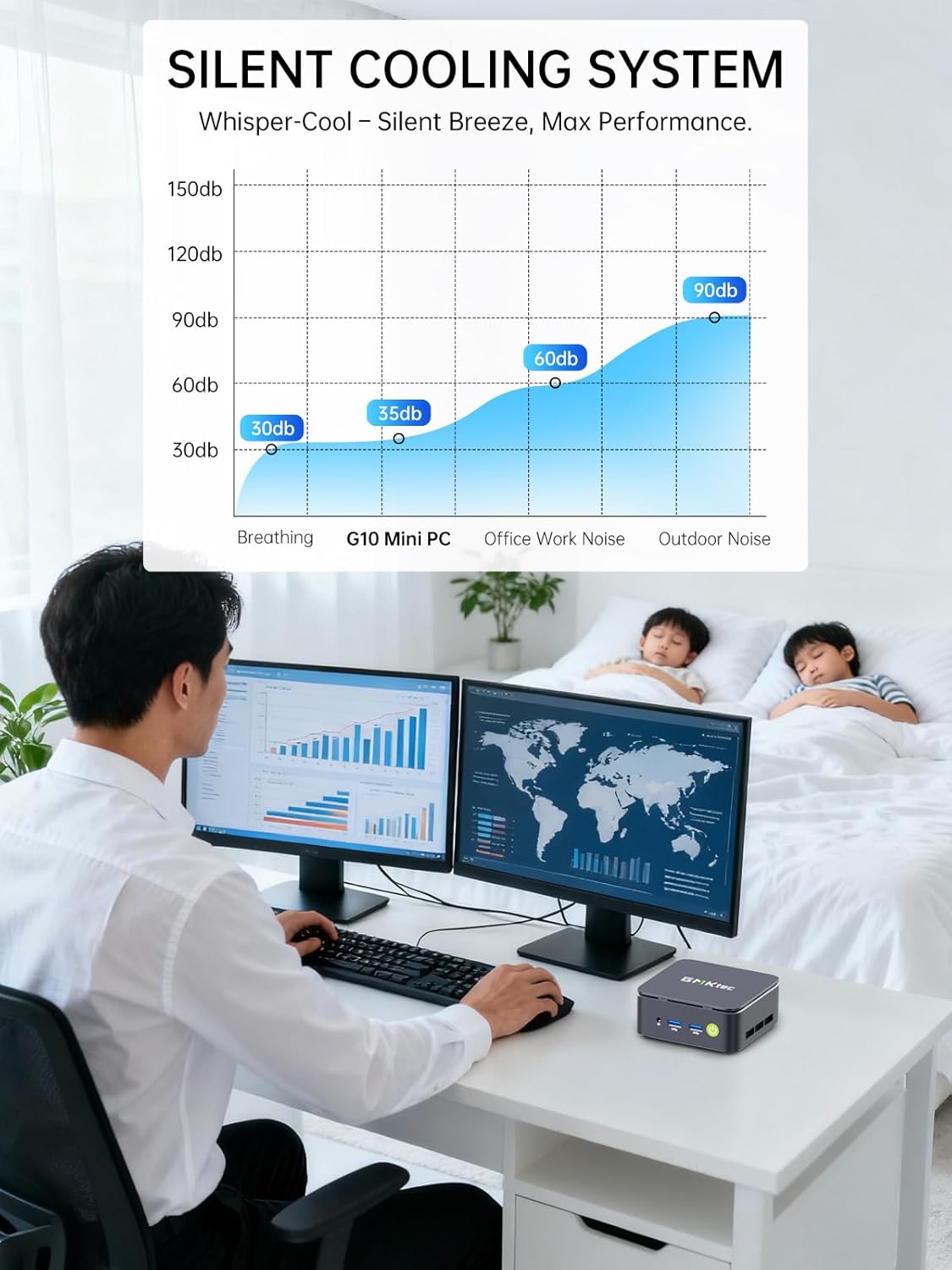
Abbildung: Vergleich zur Veranschaulichung des Geschwindigkeitsvorteilstage of PCIe 3.0 NVMe SSDs (up to 3500 MB/s) over SATA SSDs (up to 550 MB/s).
Speichererweiterung:
The Mini PC G10 is equipped with two M.2 2280 PCIe 3.0 slots, allowing for storage expansion up to 16TB (with 2 x 8TB SSDs, not included).

Image: Diagram showing the dual SO-DIMM DDR4 slots for RAM expansion up to 64GB and two M.2 2280 SSD slots for storage expansion up to 16TB.
7. Anzeigekonfiguration
The GMKtec Mini PC G10 supports a triple display setup, allowing for enhanced productivity and immersive multimedia experiences.
- Connect up to three monitors simultaneously using the HDMI 2.1, DisplayPort 1.4, and full-function USB-C ports.
- All display outputs support 4K resolution at 60Hz.

Image: An illustration of a triple monitor setup connected to the Mini PC, demonstrating its multi-display capability for a productive workspace.
8. Konnektivität
The Mini PC G10 offers versatile connectivity options for both wired and wireless networks and peripherals.
- WLAN 5: Provides fast wireless internet access.
- Bluetooth 5.0: Zum Anschluss drahtloser Peripheriegeräte wie Tastaturen, Mäuse und Kopfhörer.
- 2.5-Gigabit-Ethernet: An ultra-fast wired network connection for high-speed data transfer and low-latency applications.

Image: A visual representation of the Mini PC connected wirelessly via Wi-Fi and Bluetooth, and wired via 2.5GbE Ethernet, highlighting its comprehensive connectivity.
9. Silent Cooling System
The GMKtec Mini PC G10 incorporates a silent turbo cooling fan designed to maintain optimal operating temperatures while minimizing noise output. This ensures stable performance even under load.

Bild: Eine explodierte view of the Mini PC G10 showing the internal silent turbo cooling fan and its airflow path.
10. Wartung
Regelmäßige Wartung trägt dazu bei, die Langlebigkeit und optimale Leistung Ihres Mini-PCs zu gewährleisten.
- Reinigung: Periodically clean the exterior of the Mini PC with a soft, dry cloth. Use compressed air to clear dust from ventilation openings. Ensure the device is powered off and unplugged before cleaning.
- Software-Updates: Halten Sie Ihr Betriebssystem und Ihre Treiber auf dem neuesten Stand. Dies verbessert Sicherheit, Stabilität und Leistung.
- Belüftung: Ensure the Mini PC is placed in a well-ventilated area and that its vents are not obstructed. Proper airflow is crucial for cooling.
- Speicherverwaltung: Verwalten Sie Ihren Speicherplatz regelmäßig, indem Sie unnötige Dateien löschen. fileund Anwendungen, um eine optimale SSD-Leistung zu gewährleisten.
11. Fehlerbehebung
If you encounter issues with your GMKtec Mini PC G10, refer to the following common troubleshooting steps:
Kein Strom / System startet nicht:
- Stellen Sie sicher, dass das Netzteil sowohl mit dem Mini-PC als auch mit einer funktionierenden Steckdose fest verbunden ist.
- Überprüfen Sie die Funktionsfähigkeit der Steckdose, indem Sie ein anderes Gerät anschließen.
- Drücken Sie fest auf den Einschaltknopf.
Keine Anzeigeausgabe:
- Check that the HDMI, DisplayPort, or USB-C cable is securely connected to both the Mini PC and the monitor.
- Stellen Sie sicher, dass der Monitor eingeschaltet und auf die richtige Eingangsquelle eingestellt ist.
- Versuchen Sie es gegebenenfalls mit einem anderen Displaykabel oder Monitor.
No Wi-Fi / Bluetooth Connection:
- Check if Wi-Fi or Bluetooth is enabled in the Windows settings.
- Starten Sie den Mini-PC und Ihren Router/Ihr Modem neu.
- Stellen Sie sicher, dass die Treiber auf dem neuesten Stand sind.
Langsame Leistung:
- Schließen Sie unnötige Anwendungen, die im Hintergrund laufen.
- Prüfen Sie, ob auf der SSD ausreichend freier Speicherplatz vorhanden ist.
- Um eine thermische Drosselung zu vermeiden, muss der Mini-PC ausreichend belüftet sein.
- Führen Sie einen Systemscan auf Malware oder Viren durch.
If these steps do not resolve the issue, please contact GMKtec customer support.
12. Spezifikationen
Detailed technical specifications for the GMKtec Mini PC G10:
| Besonderheit | Spezifikation |
|---|---|
| Marke | GMKtec |
| Modell | Nucbox G10 |
| Betriebssystem | Windows 11 Pro |
| CPU Modell | AMD Ryzen 5 3500U |
| CPU-Geschwindigkeit | 2.1 GHz (Boost up to 3.7 GHz) |
| Anzahl der Prozessoren | 4 (8 Threads) |
| Grafik-Coprozessor | Radeon Vega 8 |
| RAM Installed | 16 GB DDR4 |
| Max RAM Size | 64 GB |
| RAM Speed | 2400 MHz |
| Speicherkapazität | 1 TB SSD (PCIe 3.0 x4 NVMe) |
| Speichererweiterung | 2x M.2 2280 PCIe 3.0 slots (up to 16TB total) |
| Videoausgangsschnittstelle | HDMI 2.1, DisplayPort 1.4, USB-C (DP Alt Mode) |
| Maximale Bildschirmauflösung | 3840 x 2160 (4K) bei 60 Hz |
| Wireless-Technologie | Wi-Fi 5 (802.11ac), Bluetooth 5.0 |
| Kabelgebundene Konnektivität | 2.5 Gigabit Ethernet |
| USB-Anschlüsse | 2x USB 3.2, 1x USB 2.0, 1x USB-C (full-function) |
| Audioausgang | 1x CTIA Audio Jack |
| Leistungsaufnahme | USB-C (PD) |
| Baujahr des Modells | 2023 |
13. Garantie und Support
GMKtec provides comprehensive warranty and support for your Mini PC G10.
- Garantie: Each Mini PC comes with a limited 3-year warranty from the date of purchase. This includes replacement during the first year and repair services for the subsequent two years, covering design and manufacturing defects.
- Kundendienst: For any inquiries or technical assistance, you can contact GMKtec's professional after-sales team.
Kontaktinformationen:
- Amazon-Support: Melden Sie sich in Ihrem Amazon-Konto an, navigieren Sie zu „Meine Bestellungen“ und wählen Sie „Frage zum Produkt stellen“, um direkte Hilfe zu erhalten.
- After-Sales-E-Mail: Senden Sie eine E-Mail an eu-cs@gmktec.com für Kundensupport rund um die Uhr.

Image: Details on GMKtec's warranty and support, including contact methods for Amazon support and the after-sales email address.