
Einführung
This manual provides detailed instructions for the JZK Voice Remote Control, designed as a replacement or secondary remote for NVIDIA Shield TV Pro models from 2015, 2017, and 2019. This remote features voice search capabilities and an ergonomic design for comfortable use. Please read this manual thoroughly before operating your device.
Packungsinhalt
Überprüfen Sie, ob alle Artikel in Ihrem Paket vorhanden sind:
- 1 x JZK Voice Remote Control
- 1 x Benutzerhandbuch (Dieses Dokument)
Note: 2x AAA batteries are required and are not included in the package.

Image: Contents of the JZK remote control package, including the remote and a small user guide.
Aufstellen
1. Einlegen der Batterie
- Suchen Sie das Batteriefach auf der Rückseite der Fernbedienung.
- Schieben Sie die Batterieabdeckung nach unten, um sie zu öffnen.
- Legen Sie zwei (2) AAA-Batterien ein und achten Sie dabei auf die richtige Polarität (+ und -), wie im Batteriefach angegeben.
- Schieben Sie die Batterieabdeckung wieder an ihren Platz, bis sie sicher einrastet.

Image: The remote control with its battery cover removed, illustrating where to insert two AAA batteries.
2. Koppeln der Fernbedienung
The remote control uses an infrared connection. For initial setup or re-pairing, follow these steps:
- Ensure your NVIDIA Shield TV is powered on and within 1 foot (approx. 30 cm) of the remote control.
- On your NVIDIA Shield TV, navigate to Settings > Device Preferences > Remotes & Accessories.
- Halten Sie die Zurück und die Heim button simultaneously on the JZK remote control until the remote's indicator light begins to flash.
- The NVIDIA Shield TV should detect the new remote. Select it from the list of available devices to complete the pairing process.
- Once paired, the remote's light will stop flashing, and you can begin using it.
If pairing fails, ensure the batteries are correctly installed and charged, and try the process again. You may also need to restart your NVIDIA Shield TV.
Bedienungsanleitung
Machen Sie sich mit den Tasten und ihren Funktionen vertraut:

Image: Detailed button layout of the JZK remote control with labels for each function.
| NEIN. | Taste | Funktion |
|---|---|---|
| 1 | Eingebautes Mikrofon | Used for Voice Search commands. |
| 2 | Leistung | Turns the NVIDIA Shield TV on or off. |
| 3 | Einstellungen | Accesses the NVIDIA Shield TV settings menu. (Customizable in Settings > Devices & Accessories > Customize Settings button) |
| 4 | Navigationsring | Navigates menus: Up, Down, Right, Left. |
| 5 | Select (OK) | Bestätigt Auswahlen oder öffnet Elemente. |
| 6 | Zurück | Kehrt zum vorherigen Bildschirm oder Menü zurück. |
| 7 | Heim | Kehrt zum Hauptstartbildschirm zurück. |
| 8 | Schneller Vorlauf | Skips forward in media playback. |
| 9 | Abspielen/Pause | Startet oder pausiert die Medienwiedergabe. |
| 10 | Zurückspulen | Skips backward in media playback. |
| 11 | Sprachsuche | Activates voice command input. Press and hold, then speak your command. |
| 12 | Lautstärke erhöhen | Erhöht die Lautstärke. |
| 13 | Lautstärke verringern | Verringert die Lautstärke. |
| 14 | Öffne Netflix | Startet direkt die Netflix-Anwendung. |
Using Voice Search
The voice search feature allows for quick navigation and content discovery. To use it:
- Halten Sie die Sprachsuche (11).
- Speak your command clearly into the built-in microphone (1). For example, say "Open YouTube," "Find action movies," or "Adjust volume."
- Lassen Sie den Sprachsuche button when you are finished speaking.
Wartung
Reinigung der Fernbedienung
Reinigen Sie die Fernbedienung mit einem weichen, trockenen Tuch. Bei hartnäckigem Schmutz leicht andrücken.ampen the cloth with water or a mild, non-abrasive cleaner. Avoid using harsh chemicals or solvents, as these can damage the remote's surface or internal components.
Batteriewechsel
When the remote's performance degrades or it becomes unresponsive, it's time to replace the batteries. Follow the battery installation steps outlined in the Aufstellen section. Always replace both AAA batteries at the same time with new ones.
Fehlerbehebung
If you encounter issues with your JZK Voice Remote Control, refer to the following common problems and solutions:
| Problem | Mögliche Ursache | Lösung |
|---|---|---|
| Die Fernbedienung reagiert nicht. | Low or dead batteries. Incorrect battery installation. Remote not paired. Obstruction between remote and Shield TV. | Replace batteries. Check battery polarity. Re-pair the remote (see Setup section). Ensure clear line of sight to Shield TV. |
| Voice Search not working. | Microphone blocked. Remote not properly paired for voice functions. Software glitch. | Ensure microphone is clear. Re-pair the remote. Restart NVIDIA Shield TV. |
| Buttons are sticky or not registering presses. | Schmutz oder Ablagerungen unter den Knöpfen. | Clean the remote (see Maintenance section). |
| Remote disconnects frequently. | Störungen. Niedriger Batteriestand. | Ensure no strong interference sources nearby. Replace batteries. Re-pair the remote. |
Technische Daten
| Besonderheit | Detail |
|---|---|
| Marke | JZK |
| Modellkompatibilität | NVIDIA Shield TV Pro (2015, 2017, 2019 models), NVIDIA Shield TV Cube (2019) |
| Verbindungstyp | Infrarot (IR) |
| Stromquelle | 2 x AAA-Alkaline-Batterien (nicht im Lieferumfang enthalten) |
| Besondere Merkmale | Voice Search, Ergonomic Design, Dedicated Netflix Button |
| Material | Langlebiges ABS |
| Farbe | Schwarz / Weiß |
| Abmessungen (L x B x H) | Ca. 16.8 x 6 x 2.6 cm (6.6 x 2.4 x 1.0 Zoll) |
| Gewicht | Ca. 60 Gramm (2.1 Unzen) |

Image: Dimensions of the JZK remote control, indicating its length, width, and thickness.
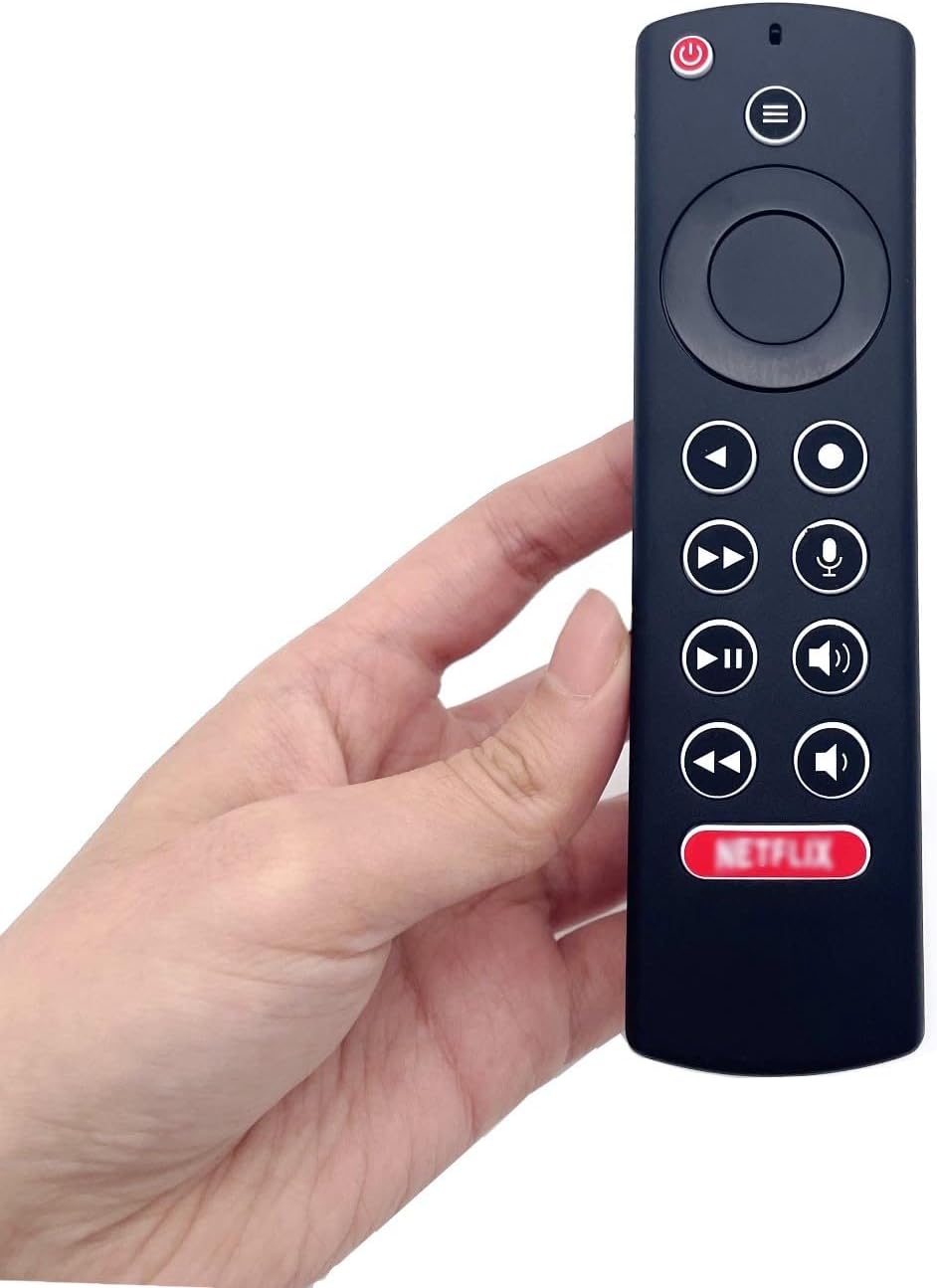
Image: The JZK remote control held in a hand, highlighting its comfortable and ergonomic design.
Garantieinformationen
Specific warranty details for this JZK product are not provided in the product description. Please refer to the retailer's return policy or contact JZK customer support for information regarding warranty coverage and terms.
Unterstützung
For further assistance, troubleshooting, or inquiries about your JZK Voice Remote Control, please contact the retailer where you purchased the product or refer to the official JZK webWebsite mit Kundensupportoptionen.