
Einführung
Vielen Dank für Ihren Einkauf.asing the Docooler GT77 BT5.4 2-in-1 Wireless Audio Adapter. This device functions as both a Bluetooth transmitter and receiver, allowing you to wirelessly stream audio to and from various devices. It features BT5.4 technology, NFC quick pairing, TF card playback, and RGB ambiance lighting. Please read this manual carefully before use to ensure proper operation and to maximize your experience with the product.
Produkt überview
The Docooler GT77 is a versatile audio adapter designed to enhance your audio connectivity. It can upgrade non-Bluetooth devices to be Bluetooth-compatible, offering seamless audio streaming. The device supports multiple audio input/output options including 3.5mm AUX and RCA.

Image: The Docooler GT77 adapter connected to a speaker and a smartphone, illustrating its use for upgrading wired speakers to wireless.
Hauptmerkmale:
- 2-in-1-Funktionalität: Easily switch between Bluetooth Transmitter (TX) and Receiver (RX) modes.
- Bluetooth 5.4: Provides stable and high-quality audio transmission with a range of up to 10 meters.
- NFC Quick Pairing: Simplifies connection with NFC-enabled devices.
- TF-Kartenwiedergabe: Supports direct music playback from a TF card (up to 64GB).
- Mehrere Audio-Schnittstellen: Includes 3.5mm AUX and RCA ports for broad compatibility.
- RGB Ambiance Lighting: Customizable lighting to enhance your listening environment.

Image: The Docooler GT77 adapter shown with its various cables, including 3.5mm AUX and RCA, highlighting its rich interface compatibility.
Aufstellen
Packungsinhalt:
- 1 x Docooler GT77 BT Audio Adapter
- 1 x 3.5-mm-Audiokabel.
- 1 x RCA Kabel
- 1 x Typ-C-Stromkabel
- 1 x Benutzerhandbuch
Einschalten des Geräts:
- Connect the provided Type-C power cable to the adapter's USB C port.
- Plug the other end of the Type-C power cable into a 5V USB power source (e.g., USB wall adapter, computer USB port).
- The device will power on automatically, indicated by the RGB lighting.
Bedienungsanleitung
Mode Switching (Transmitter/Receiver):
The Docooler GT77 features a single button to switch between Transmitter (TX) and Receiver (RX) modes.
- Drücken Sie die M/☀ button briefly to toggle between TX and RX modes.
- The device's indicator light will change to reflect the current mode.
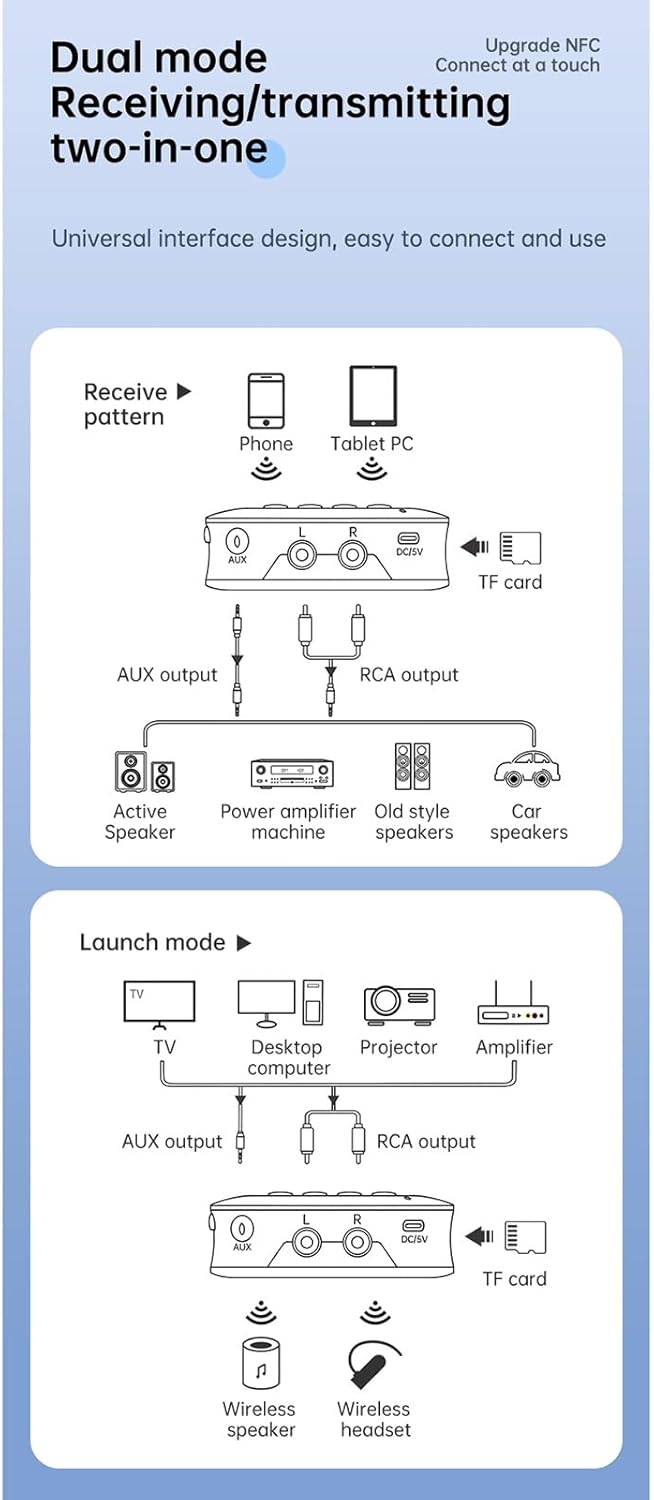
Image: A diagram illustrating the receive (RX) and launch (TX) modes, showing how the adapter connects to various devices like phones, tablets, TVs, speakers, and headphones.
Empfängermodus (RX):
In RX mode, the adapter receives Bluetooth audio from your smartphone, tablet, or other Bluetooth-enabled device and outputs it to a wired speaker, amplifier, or car stereo system.
- Ensure the adapter is in RX mode.
- Connect the adapter's AUX-AUSGANG or Cinch-Ausgang port to your non-Bluetooth audio device (e.g., speaker, amplifier) using the appropriate cable.
- On your smartphone or tablet, enable Bluetooth and search for "GT77" in the list of available devices.
- Select "GT77" to pair. Once paired, audio from your device will stream wirelessly to your connected speaker.
Image: The Docooler GT77 adapter in Receiver (RX) mode, connected to a traditional speaker, receiving audio wirelessly from a smartphone.
Sendermodus (TX):
In TX mode, the adapter transmits audio from a non-Bluetooth device (like a TV or PC) to Bluetooth headphones or speakers.
- Ensure the adapter is in TX mode.
- Connect your audio source (e.g., TV, desktop computer, projector) to the adapter's AUX IN or Cinch-EINGANG port using the appropriate cable.
- Versetzen Sie Ihre Bluetooth-Kopfhörer oder Ihren Lautsprecher in den Kopplungsmodus.
- The adapter will automatically search for and connect to nearby Bluetooth audio devices. Once connected, audio from your source will be transmitted wirelessly.

Image: The Docooler GT77 adapter in Transmitter (TX) mode, connected to a television, sending audio wirelessly to a user's headphones for private listening.
NFC Quick Pairing:
For NFC-enabled devices, pairing is even faster.
- Stellen Sie sicher, dass NFC auf Ihrem Smartphone oder Tablet aktiviert ist.
- Hold your NFC-enabled device close to the NFC area on the Docooler GT77 adapter.
- Bestätigen Sie die Kopplungsanfrage auf Ihrem Gerät.
Note: NFC pairing is primarily for Receiver (RX) mode.
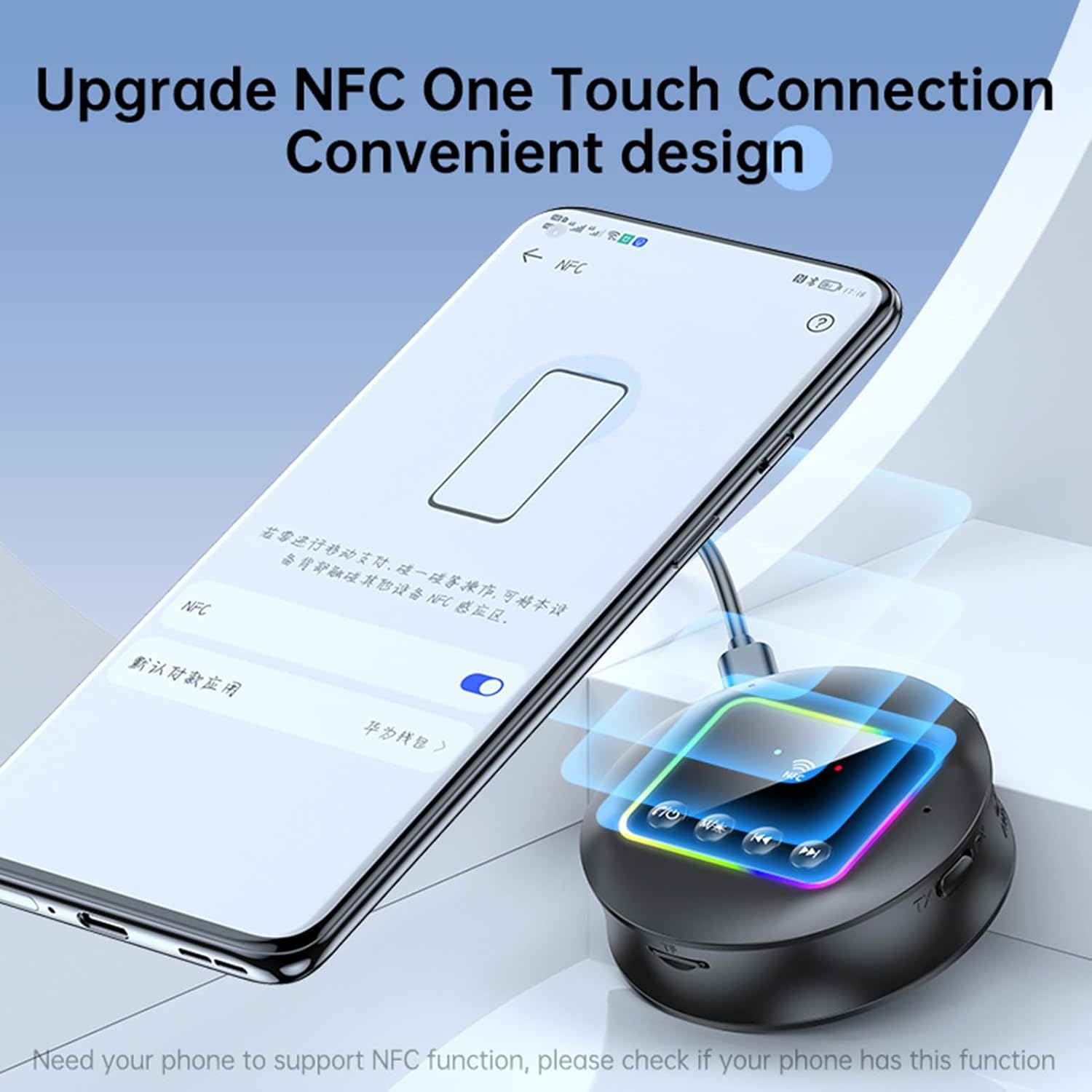
Image: A smartphone displaying an NFC connection prompt, positioned near the Docooler GT77 adapter, demonstrating the NFC quick pairing feature.
TF-Kartenwiedergabe:
The adapter supports direct music playback from a TF (MicroSD) card.
- Insert a TF card (up to 64GB, not included) loaded with MP3, FLAC, WMA, MAV, or APE audio files into the TF card slot on the adapter.
- Drücken Sie lange die M/☀ button to switch between wireless and TF card playback modes.
- Use the previous/next track buttons on the adapter to navigate your music.

Image: The Docooler GT77 adapter with a TF card being inserted into its dedicated slot, highlighting the TF card playback functionality.
RGB Ambiance Lighting:
The adapter features RGB lighting that can be adjusted to suit your preference. Refer to the device's controls for specific RGB adjustment options (e.g., short press M/☀ button for color cycle, long press for off/on).
Wartung
- Halten Sie das Gerät trocken. Feuchtigkeit kann die internen Schaltkreise beschädigen.
- Setzen Sie das Gerät keinen extremen Temperaturen aus.
- Reinigen Sie das Gerät mit einem weichen, trockenen Tuch. Verwenden Sie keine scharfen Chemikalien oder Reinigungsmittel.
- Lassen Sie das Gerät nicht fallen und setzen Sie es keinen starken Stößen aus.
Fehlerbehebung
Kein Strom:
- Ensure the Type-C power cable is securely connected to both the adapter and a working 5V power source.
- Versuchen Sie es mit einem anderen USB-Netzteil oder einem anderen USB-Anschluss.
Kopplung/Verbindung fehlgeschlagen:
- Make sure the adapter is in the correct mode (RX for receiving, TX for transmitting).
- Ensure your Bluetooth device (for RX mode) or Bluetooth headphones/speaker (for TX mode) is in pairing mode.
- Move the devices closer to each other (within 10 meters).
- Löschen Sie den Bluetooth-Kopplungsverlauf auf Ihrem Gerät und versuchen Sie es erneut.
- If using NFC, ensure NFC is enabled on your phone and you are tapping the correct area.
Kein Ton:
- Check all audio cable connections (3.5mm AUX, RCA) are secure and correctly plugged into the input/output ports.
- Ensure the volume on both the adapter and the connected audio device is turned up.
- Verify that the adapter is successfully paired and connected to the audio source/receiver.
- If using TF card, ensure the card is inserted correctly and the adapter is in TF card playback mode.
Schlechte Audioqualität/Störungen:
- Verringern Sie den Abstand zwischen dem Adapter und dem angeschlossenen Bluetooth-Gerät.
- Avoid physical obstructions (walls, large objects) between the devices.
- Move away from other wireless devices that might cause interference (e.g., Wi-Fi routers, microwaves).
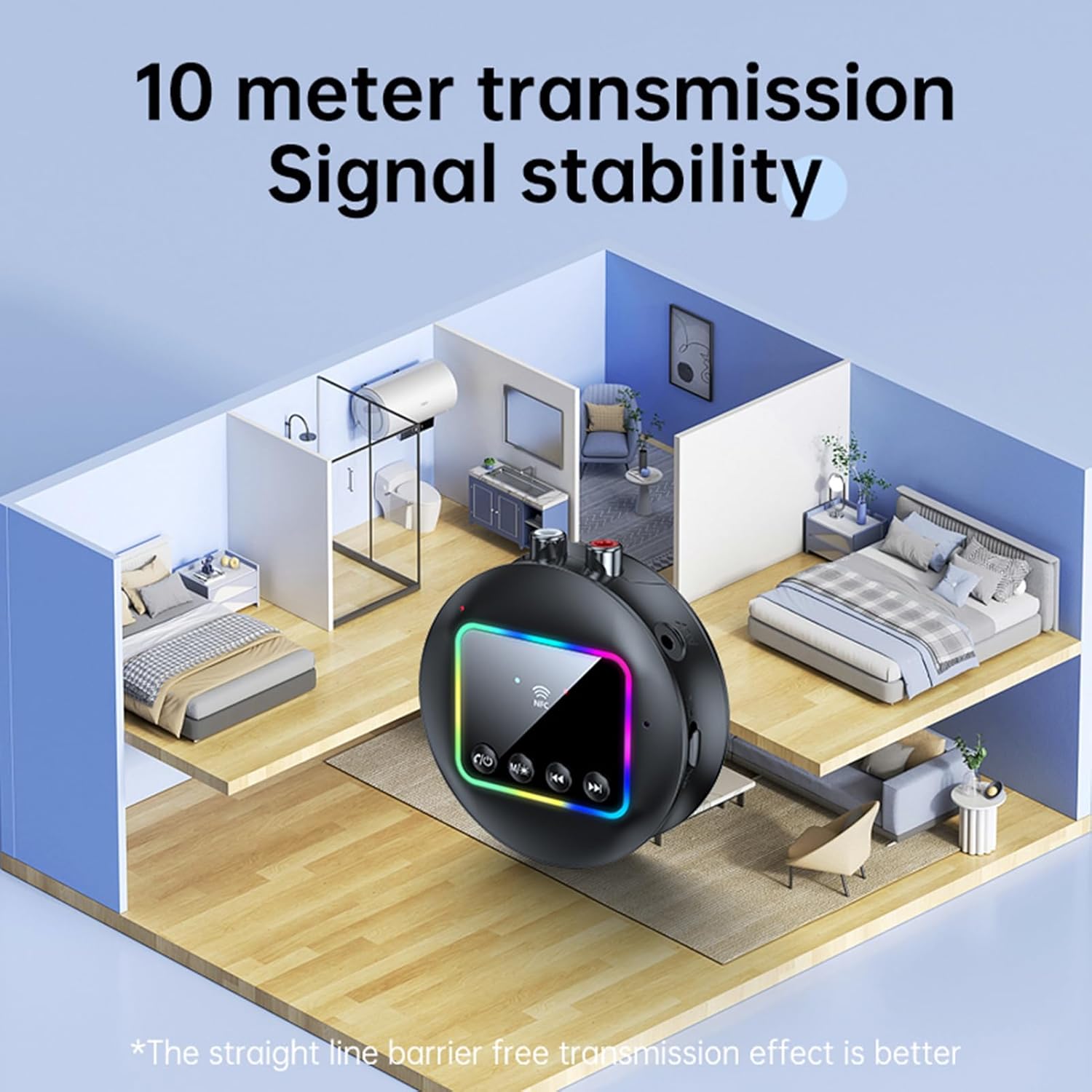
Image: A visual representation of the Docooler GT77's 10-meter transmission range, showing stable signal coverage within a typical home environment.
Technische Daten
| Modellnummer | ZRV0656844287655XH |
| Bluetooth-Version | V5.4 |
| Bluetooth-Protokolle | A2DP, AVRCP |
| Reichweite | Bis zu 10 Meter (freier Bereich) |
| NFC-Unterstützung | Ja |
| Frequenzgang | 10 Hz – 20 kHz |
| Signal-Rausch-Verhältnis | > 90 dB |
| TF-Karten-Unterstützung | Max. 64 GB (nicht enthalten) |
| TF-Kartenformate | MP3, FLAC, WMA, MAV, APE |
| Audio-Codecs | SBC |
| Ladeanschluss | USB Typ C |
| Eingangslautstärketage/Aktuell | Gleichstrom 5 V, 500 mA |
| Farbe | Schwarz |
| Dimensions (ϕ x H) | 7.3 cm x 2.2 cm (2.87 Zoll x 0.86 Zoll) |
| Gewicht | 44g |
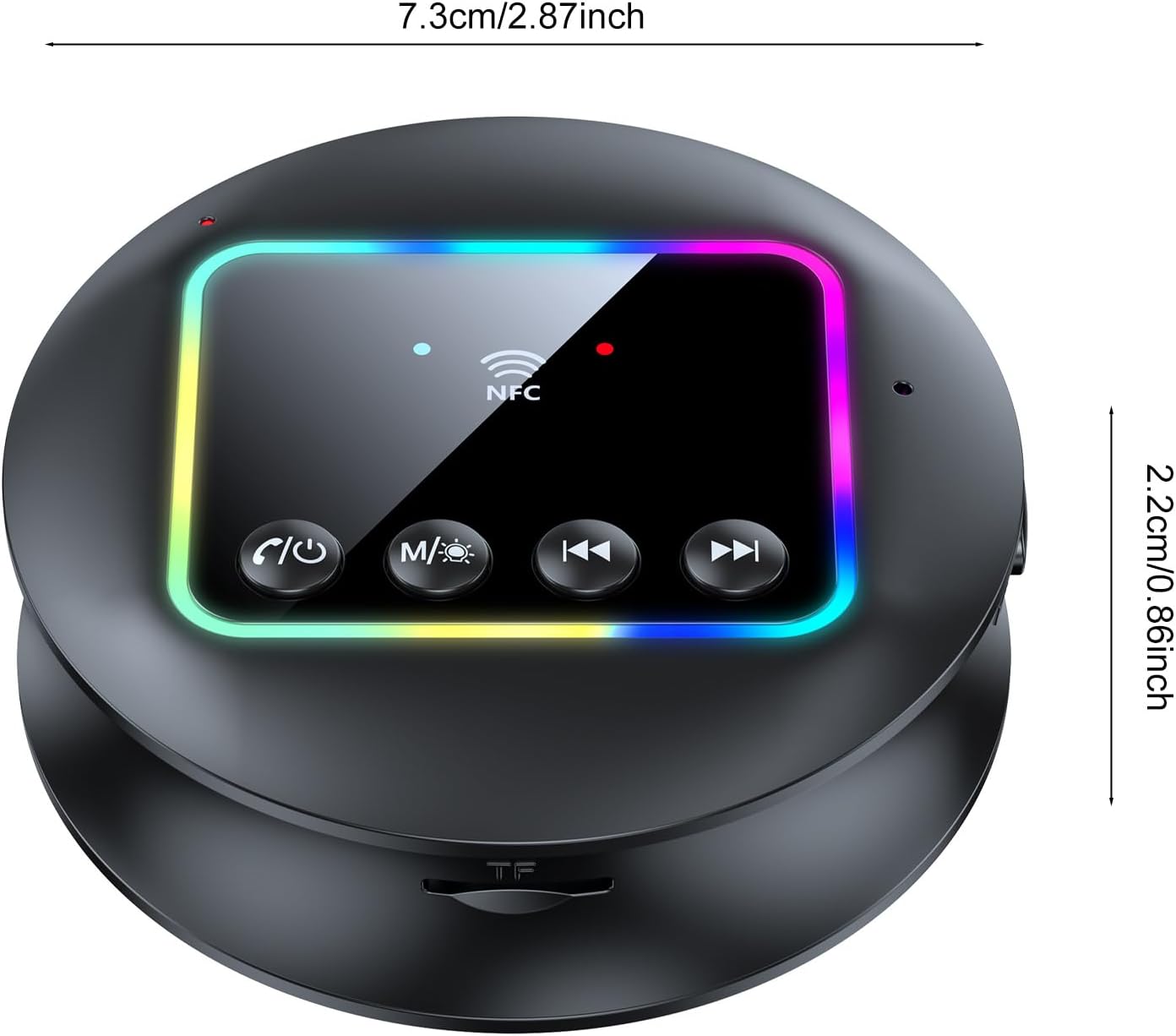
Bild: Eine Draufsicht view of the Docooler GT77 adapter, showing its compact dimensions of 7.3 cm diameter and 2.2 cm height.
Garantie und Support
Informationen zur Garantie und zum technischen Support finden Sie in der mitgelieferten Dokumentation oder wenden Sie sich an Ihren Händler. Bewahren Sie Ihren Kaufbeleg für Garantieansprüche auf.