
Einführung
Thank you for choosing the RORSOU B8 Bluetooth Headphones. These over-ear headphones are designed to provide a superior audio experience with deep bass and Hi-Fi stereo sound, powered by a 40mm audio driver and advanced Bluetooth 5.4 technology. Enjoy extended listening with up to 50 hours of playtime and versatile connectivity options. This manual will guide you through the setup, operation, and maintenance of your new headphones.

Figure 1: RORSOU B8 Bluetooth Headphones (Beige White)
The RORSOU B8 headphones feature a sleek beige white finish with gold accents, designed for comfort and portability.
Lieferumfang
- Bedienungsanleitung
- Ohrpolster (vorinstalliert)
- Protective Case (Drawstring Bag)
- USB-C-Ladekabel
- 3.5-mm-AUX-Audiokabel

Figure 2: Included accessories with the RORSOU B8 Headphones.
The box contains the headphones, a user manual, a USB-C charging cable, a 3.5mm AUX cable, and a soft drawstring protective case.
Produkt überview & Kontrollen
Familiarize yourself with the buttons and ports on your RORSOU B8 headphones for optimal use.

Abbildung 3: Ausführlich view von Kopfhörer-Bedienelementen und Anschlüssen.
The right earcup features the main controls including the EQ button, USB-C charging port, 3.5mm audio jack, and power/playback buttons.
- Ein-/Ausschalter/Wiedergabe-/Pause-Taste: Zum Ein-/Ausschalten lange drücken. Zum Abspielen/Pausieren von Musik oder Annehmen/Beenden von Anrufen kurz drücken.
- Lautstärketaste (+): Kurz drücken, um die Lautstärke zu erhöhen. Lang drücken, um zum nächsten Titel zu springen.
- Leiser-Taste (-): Kurz drücken, um die Lautstärke zu verringern. Lang drücken, um zum vorherigen Titel zu springen.
- EQ-Taste: Press to cycle through 6 preset EQ modes (Standard, Classical, Metal, Jazz, Rock, Bass).
- USB-C-Ladeanschluss: Zum Aufladen der Kopfhörer.
- 3.5-mm-Audiobuchse: Für kabelgebundene Verbindungen über das AUX-Kabel.
- Mikrofon: Für freihändige Anrufe.
Aufstellen
Aufladen Ihrer Kopfhörer
- Connect the USB-C charging cable to the headphone's charging port.
- Verbinden Sie das andere Ende des USB-Kabels mit einer kompatiblen USB-Stromquelle (z. B. USB-Anschluss am Computer, Netzteil).
- Die LED-Anzeige signalisiert den Ladestatus. Eine vollständige Ladung dauert etwa 2 Stunden.
- Once fully charged, the headphones provide up to 50 hours of playtime.
Bluetooth-Kopplung
- Stellen Sie sicher, dass die Kopfhörer ausgeschaltet sind.
- Long press the Power/Play/Pause button until the LED indicator flashes blue and red alternately. This indicates pairing mode.
- Aktivieren Sie auf Ihrem Gerät (Smartphone, Tablet, PC) Bluetooth und suchen Sie nach verfügbaren Geräten.
- Select "RORSOU B8" from the list of found devices.
- Once successfully paired, the LED indicator will turn solid blue or flash blue slowly.
- The headphones can be paired with two devices simultaneously and seamlessly switch between them.
Kabelverbindung (AUX)
If your headphones run out of battery or you prefer a wired connection, you can use the included 3.5mm AUX cable.
- Connect one end of the 3.5mm AUX cable to the headphone's 3.5mm audio jack.
- Verbinden Sie das andere Ende mit dem Audioausgang Ihres Geräts.
- Die Kopfhörer schalten automatisch in den kabelgebundenen Modus.
Bedienungsanleitung
Ein-/Ausschalten
- Einschalten: Long press the Power/Play/Pause button until the LED indicator lights up.
- Ausschalten: Long press the Power/Play/Pause button until the LED indicator turns off. The headphones will automatically shut down after 5 minutes if no device is connected.
Lautstärkeregelung
- Lautstärke erhöhen: Drücken Sie kurz die Lauter-Taste (+).
- Lautstärke verringern: Drücken Sie kurz die Leiser-Taste (-).
Wiedergabesteuerung
- Abspielen/Pause: Drücken Sie kurz die Ein-/Aus-/Wiedergabe-/Pause-Taste.
- Nächster Titel: Die Lauter-Taste (+) lange drücken.
- Vorheriges Lied: Die Leiser-Taste (-) lange gedrückt halten.
Anruf-Management
- Eingehenden Anruf annehmen: Drücken Sie kurz die Ein-/Aus-/Wiedergabe-/Pause-Taste.
- Anruf beenden: Drücken Sie während eines Anrufs kurz die Ein-/Aus-/Wiedergabe-/Pause-Taste.
- Anruf ablehnen: Long press the Power/Play/Pause button when a call is incoming.
- Call Back Last Number: Double click the Power/Play/Pause button.
EQ-Modi
The RORSOU B8 headphones offer 6 preset EQ modes to optimize your listening experience for different music genres.
- Standardmodus: Ausgewogener Sound-Profifile.
- Klassischer Modus: Enhanced for classical music.
- Metallmodus: Optimized for heavy metal and rock.
- Jazz-Modus: Tailored for jazz music.
- Rock-Modus: Boosted for rock music.
- Bassmodus: Enhanced bass for powerful low-end sound.
To switch between modes, press the EQ button on the right earcup.
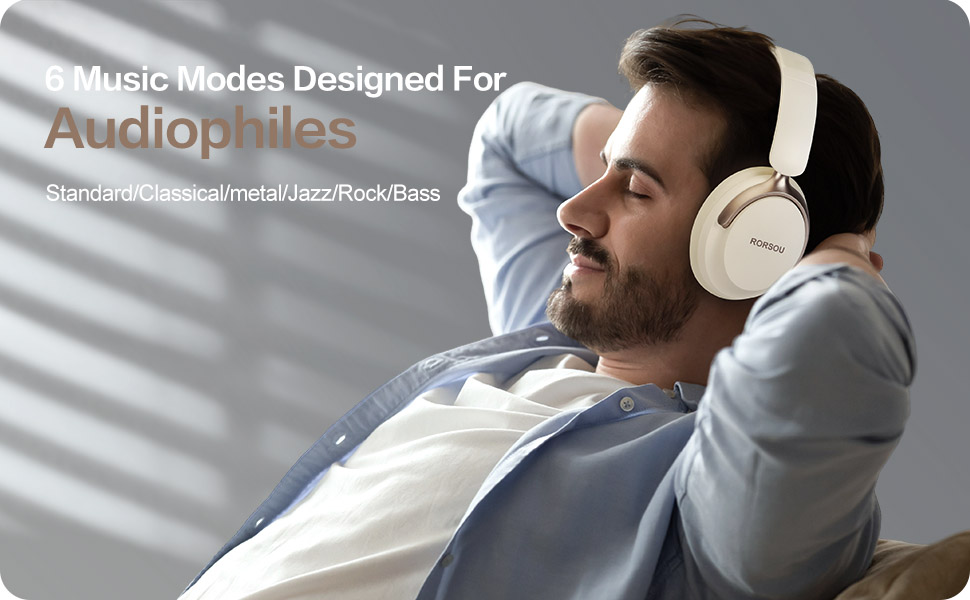
Figure 4: Experience optimized sound with 6 EQ modes.
The EQ modes allow users to customize the audio output to match their preferred music style.

