
Einführung
Thank you for choosing the CREATE Speaker Retro. This portable Bluetooth speaker combines a classic retro design with modern audio technology, offering versatile connectivity and powerful sound. This manual will guide you through the setup, operation, and maintenance of your new speaker to ensure optimal performance and longevity.

Image: The CREATE Speaker Retro, highlighting its elegant retro aesthetic and compact form factor.
Wichtige Sicherheitshinweise
- Lesen Sie alle Anweisungen sorgfältig durch, bevor Sie das Produkt verwenden.
- Bewahren Sie dieses Handbuch zum späteren Nachschlagen auf.
- Setzen Sie den Lautsprecher weder Wasser noch übermäßiger Feuchtigkeit aus. Dieses Produkt ist nicht wasserdicht.
- Nicht in der Nähe von Wärmequellen wie Heizkörpern, Heizlüftern, Öfen oder anderen Geräten (einschließlich) aufstellen. ampKonverter (Lüfter), die Wärme erzeugen.
- Verwenden Sie nur vom Hersteller angegebene Anbaugeräte/Zubehör.
- Bei Gewitter oder längerer Nichtbenutzung des Geräts den Stecker ziehen.
- Überlassen Sie sämtliche Wartungsarbeiten qualifiziertem Servicepersonal.
Packungsinhalt
The CREATE Speaker Retro package includes:
- CREATE Speaker Retro Portable Bluetooth Speaker (1 unit)
- USB-C-Ladekabel
- Benutzerhandbuch (dieses Dokument)
Bedienelemente und Anschlüsseview
Machen Sie sich mit den Bedienelementen und Anschlüssen des Lautsprechers vertraut:

Bild: Detailliert view des oberen Bedienfelds des Lautsprechers.
- Lautstärkeregler: Regelt die Gesamtlautstärke.
- Bass-Knopf: Stellt den Basspegel ein.
- Höhenregler: Stellt den Höhenpegel ein.
- Eingangswahlschalter: Toggles between AUX, Bluetooth (BT), and USB input modes.
- Stromschalter: Schaltet den Lautsprecher EIN/AUS.
- AUX-Eingang (3.5 mm): For connecting external audio devices via an audio cable.
- USB-Anschluss: Zur Wiedergabe von USB-Laufwerken.
- DC-IN 5V Port: Zum Aufladen des Lautsprechers.
- Kontrollleuchte: Zeigt den Stromstatus, den Ladestatus und den Bluetooth-Kopplungsstatus an.
Aufstellen
1. Laden Sie den Lautsprecher auf
Before first use, fully charge the speaker. Connect the provided USB-C charging cable to the DC-IN 5V port on the speaker and the other end to a compatible USB power adapter (not included) or a computer's USB port. The indicator light will show the charging status. A full charge takes approximately 4-5 hours.
- Laden: Indicator light glows (color may vary).
- Vollständig aufgeladen: Indicator light turns off or changes color.
2. Ein-/Ausschalten
To power on the speaker, flip the Netzschalter to the "ON" position. To power off, flip the switch to the "OFF" position.
Bedienungsanleitung
1. Bluetooth-Modus
The speaker features Bluetooth 5.2 for wireless audio streaming with a range of up to 10 meters.
- Schalten Sie den Lautsprecher ein.
- Legen Sie die Eingangswahlschalter to "BT/AUX" and then ensure it's in Bluetooth mode (indicator light will blink, indicating pairing mode).
- Aktivieren Sie Bluetooth auf Ihrem Smartphone, Tablet oder einem anderen Bluetooth-fähigen Gerät und suchen Sie nach verfügbaren Geräten.
- Select "CREATE Speaker Retro" from the list.
- Once paired, the indicator light will stop blinking and remain solid. You can now play music wirelessly.
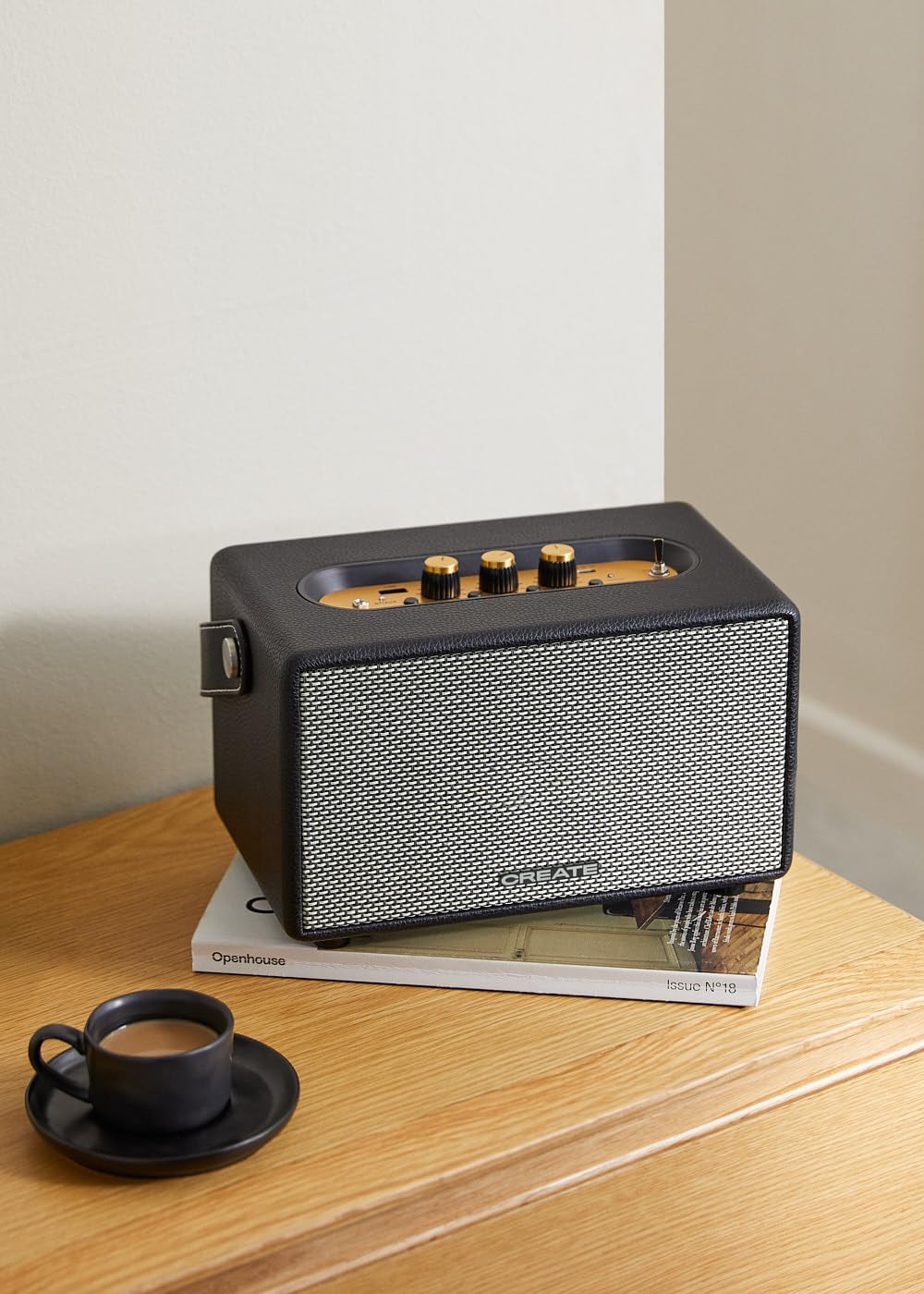
Image: Connecting to the speaker via Bluetooth from a mobile device.
2. USB-Wiedergabemodus
Audio wiedergeben files direkt von einem USB-Stick.
- Schalten Sie den Lautsprecher ein.
- Stecken Sie einen USB-Stick mit Audio ein files in die USB-Anschluss.
- Legen Sie die Eingangswahlschalter to "USB". The speaker will automatically begin playing music from the USB drive.

Image: Inserting a USB drive for direct audio playback.
3. AUX-Eingangsmodus
Schließen Sie externe Audiogeräte mit einem 3.5-mm-Audiokabel an.
- Schalten Sie den Lautsprecher ein.
- Verbinden Sie ein Ende eines 3.5-mm-Audiokabels (nicht im Lieferumfang enthalten) mit dem/der AUX-Eingang -Anschluss am Lautsprecher.
- Connect the other end of the cable to the headphone jack or audio output of your external device (e.g., MP3 player, laptop).
- Legen Sie die Eingangswahlschalter to "AUX". The speaker will now play audio from your connected device.
4. Ton anpassen
Nutzen Sie die dafür vorgesehenen Drehregler auf dem Bedienfeld, um Ihr Audioerlebnis feinabzustimmen:
- Drehen Sie den Lautstärkeregler den Gesamtschallpegel erhöhen oder verringern.
- Drehen Sie den Bass-Knopf to adjust the low-frequency sounds.
- Drehen Sie den Höhenregler to adjust the high-frequency sounds.
Wartung
Reinigung
To clean the speaker, use a soft, dry cloth. Do not use abrasive cleaners, waxes, or solvents as they may damage the finish. Avoid spraying liquids directly onto the speaker.
Lagerung
When not in use for extended periods, store the speaker in a cool, dry place away from direct sunlight and extreme temperatures. Ensure the speaker is fully charged before storing to preserve battery health.
Batteriepflege
The speaker is equipped with a built-in rechargeable battery. To maximize battery life:
- Vermeiden Sie häufiges vollständiges Entladen des Akkus.
- Recharge the battery regularly, even if the speaker is not used often.
- Do not expose the speaker to temperatures above 45°C (113°F) or below 0°C (32°F).
Fehlerbehebung
If you encounter any issues with your CREATE Speaker Retro, please refer to the following common problems and solutions:
| Problem | Mögliche Ursache | Lösung |
|---|---|---|
| Der Lautsprecher lässt sich nicht einschalten. | Batterie ist leer. | Charge the speaker for 4-5 hours using the USB-C cable. |
| Kein Ton aus dem Lautsprecher. | Die Lautstärke ist zu niedrig; falscher Eingangsmodus; Gerät nicht richtig angeschlossen. | Increase volume. Ensure the correct input mode (BT, USB, AUX) is selected. Reconnect Bluetooth device or AUX cable. |
| Die Bluetooth-Kopplung schlägt fehl. | Speaker is not in pairing mode; device is out of range; interference. | Ensure speaker is in Bluetooth pairing mode (blinking indicator). Move device closer to speaker (within 10m). Turn off other Bluetooth devices. |
| USB-Wiedergabe funktioniert nicht. | Incorrect input mode; USB drive not formatted correctly or no compatible files. | Ensure "USB" input mode is selected. Check USB drive for compatible audio files (e.g., MP3). Try a different USB drive. |
| Play/Pause button not responding. | Potential hardware issue or software glitch. | Restart the speaker. If the issue persists, contact customer support. (Hinweis: Ein Benutzer review mentioned this issue.) |
Technische Daten
| Modellname | SPEAKER RETRO |
| Modellnummer | 181643_452174 |
| Abmessungen (T x B x H) | 17 x 26 x 15 cm |
| Gewicht | 2.5 kg |
| Maximale Lautsprecherausgangsleistung | 40 Watt |
| Audioausgabemodus | Stereo (2.0-Kanal) |
| Konnektivitätstechnologie | Bluetooth 5.2, USB, AUX (3.5 mm) |
| Bluetooth-Reichweite | Bis zu 10 Meter |
| Batteriekapazität | 3000 mAh |
| Akkulaufzeit | Bis zu 5 Stunden (je nach Nutzung) |
| Ladezeit | Ca. 4-5 Stunden |
| Kontrollmethode | Touch (knobs and switches) |
| Farbe | Schwarz |
| Wasserdicht | NEIN |
Garantie und Support
Garantieinformationen
The CREATE Speaker Retro comes with a standard manufacturer's warranty. Please retain your proof of purchase for warranty claims. The warranty covers defects in materials and workmanship under normal use. It does not cover damage caused by misuse, accidents, unauthorized modifications, or exposure to water.
For specific warranty terms and conditions, please refer to the warranty card included with your product or contact CREATE customer service.
Kundenservice
If you have any questions, require technical assistance, or need to report an issue that cannot be resolved using the troubleshooting guide, please contact CREATE customer support.
Weitere Informationen und Kontaktdaten finden Sie auf der offiziellen CREATE-Website. webWebsite oder über ihren Amazon-Markenshop:


