
1. Einleitung
This manual provides essential information for the safe and efficient operation of your ZDSSY E2 Mini Projector. Please read it thoroughly before use and retain it for future reference.
2. Einrichtung
2.1 Auspacken und Komponenten
Packen Sie alle Artikel vorsichtig aus dem Karton aus. Stellen Sie sicher, dass die folgenden Komponenten vorhanden sind:
- Mini-Projektor
- Fernbedienung
- Netzkabel
- Benutzerhandbuch (dieses Dokument)
2.2 Einschalten
- Schließen Sie das Netzkabel an den Stromeingang des Projektors an.
- Stecken Sie das andere Ende des Netzkabels in eine geeignete Steckdose.
- Drücken Sie den Netzschalter am Projektor oder auf der Fernbedienung, um das Gerät einzuschalten.
2.3 Erstplatzierung
Stellen Sie den Projektor auf eine stabile, ebene Fläche. Für optimale Ergebnisse viewing, ensure the projection surface (wall or screen) is clean and smooth. The projector supports various mounting options including table placement, tripod mount, and ceiling mount.
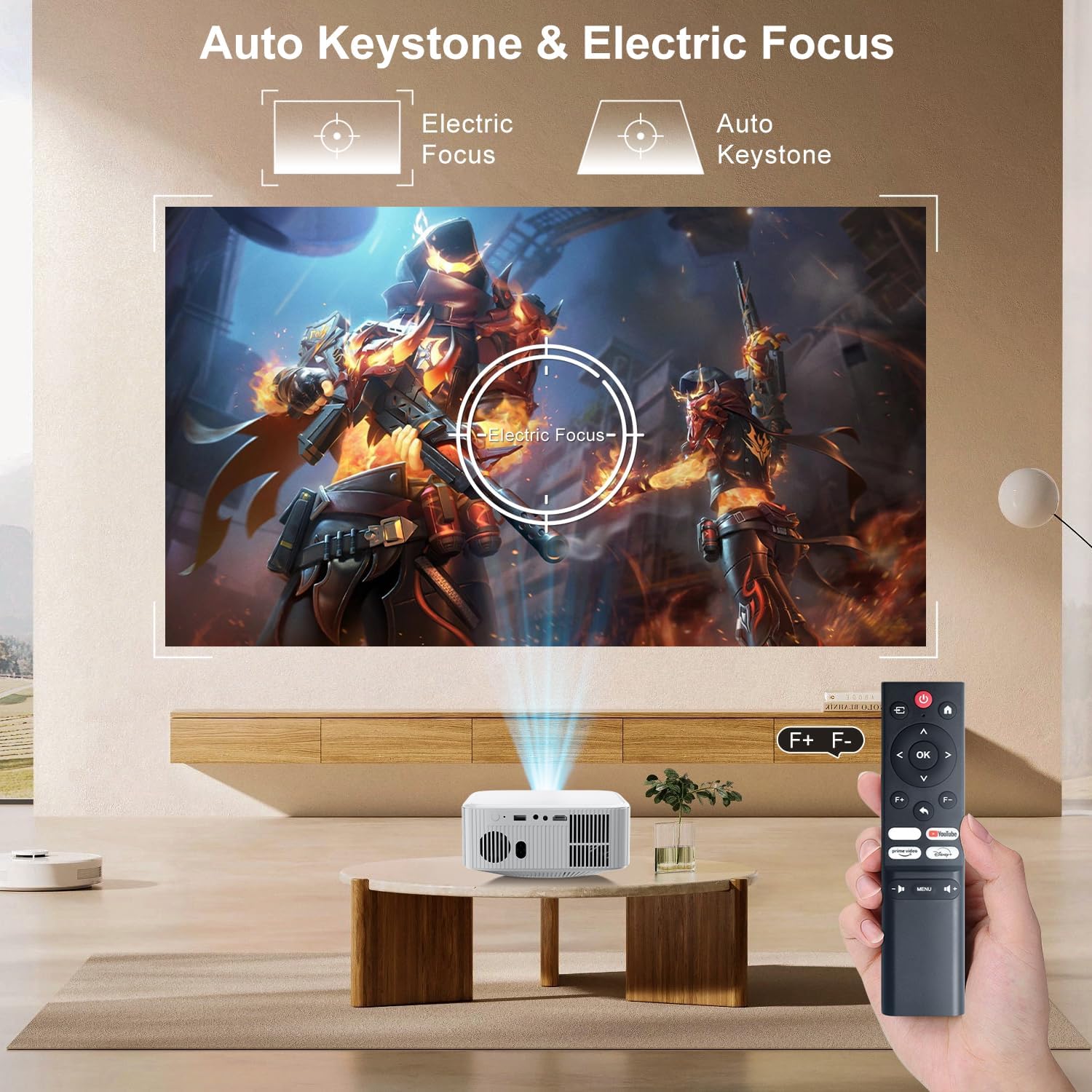
Image: The ZDSSY E2 Mini Projector demonstrating flexible placement options and screen sizes from 40 to 300 inches.
3. Bedienung
3.1 Navigation und Fernbedienung
Use the provided remote control to navigate the projector's interface. The remote allows you to select apps, adjust settings, and control media playback.
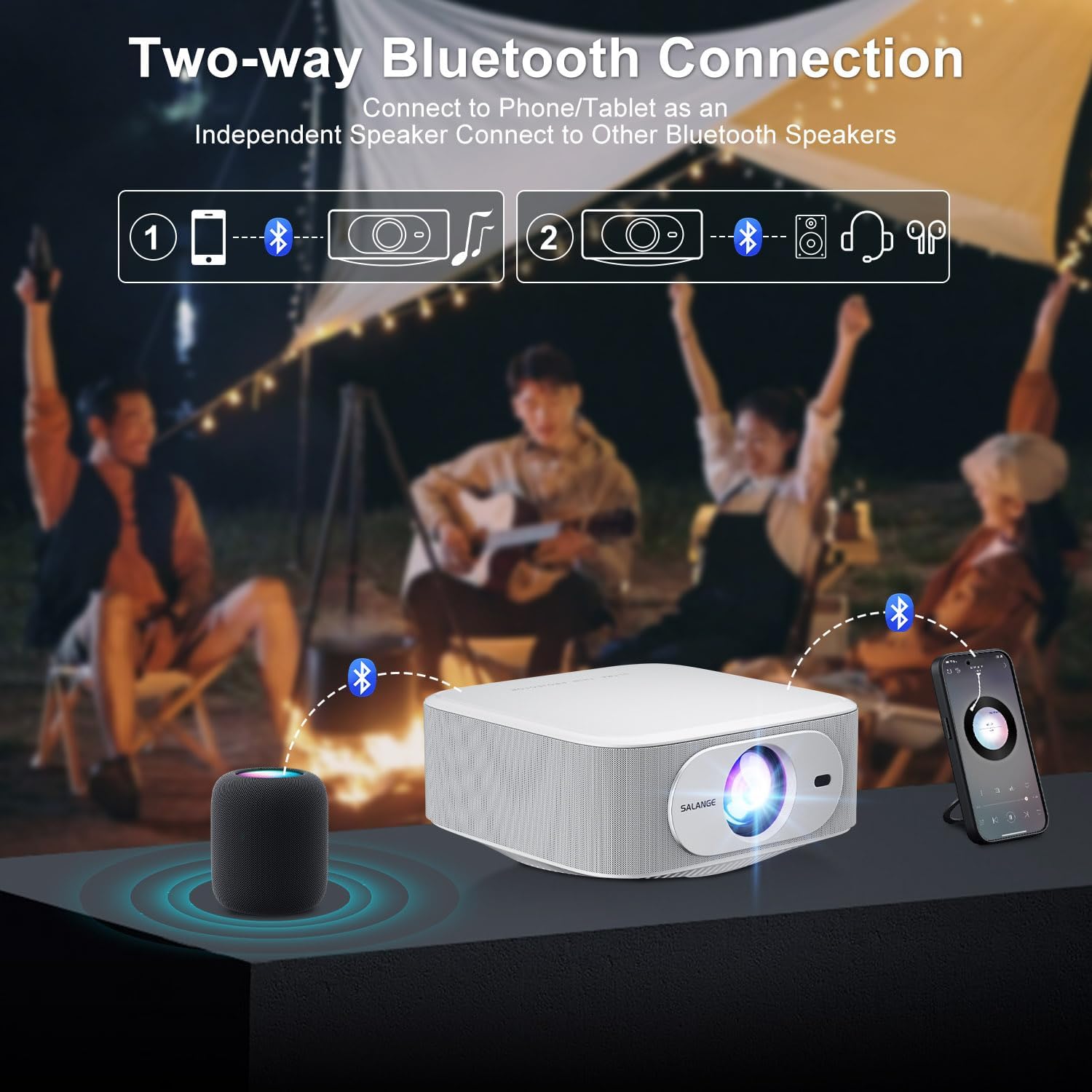
Image: The ZDSSY E2 Mini Projector and its remote control, highlighting the user interface.
3.2 Auto Keystone and Electric Focus
The projector features automatic keystone correction and electric focus for a clear and properly aligned image. These functions adjust the picture automatically upon startup or when the projector is moved.
- Elektrischer Fokus: Provides instant, crystal-clear images.
- 4-Punkt-Keystone-Korrektur: Smoothly adjusts the screen across a wide ±45° range from any direction.
- Zoomfunktion: Stellen Sie die Bildschirmgröße von 100 % auf 50 % ein, ohne den Projektor zu bewegen.

Image: Visual representation of the auto keystone and electric focus features of the ZDSSY E2 Mini Projector.
3.3 Mit WLAN verbinden
The ZDSSY E2 supports dual-band 5G/2.4G Wi-Fi for fast and stable internet connectivity.
- Navigieren Sie im Projektor zum Menü „Einstellungen“.
- Select 'Network' or 'Wi-Fi settings'.
- Wählen Sie das gewünschte WLAN-Netzwerk aus der Liste aus.
- Geben Sie gegebenenfalls das Passwort ein und stellen Sie die Verbindung her.
3.4 Bluetooth-Verbindung
The projector features two-way Bluetooth 5.2, allowing it to function as a standalone speaker or connect to external Bluetooth audio devices.
- As a Bluetooth Speaker: Connect your mobile device to the projector via Bluetooth to use the projector's built-in speakers for audio playback.
- Externe Lautsprecher anschließen: Pair the projector with external Bluetooth speakers, headphones, or soundbars for an enhanced audio experience. (Note: Bluetooth is for audio transmission only and does not support video.)

Image: Illustration of the two-way Bluetooth connectivity of the ZDSSY E2 Mini Projector.
3.5 Verwendung integrierter Apps
The ZDSSY E2 comes with officially licensed apps like Prime Video, YouTube, and more, pre-installed on its Android 13 Whale OS system. Access these apps directly from the home screen for instant entertainment.

Image: The ZDSSY E2 Mini Projector's home screen showing pre-installed streaming applications.
3.6 Anschluss externer Geräte
The projector is equipped with multiple ports for connecting external devices:
- HDMI-Anschluss: Connect gaming consoles, laptops, Fire Sticks, or other HDMI-enabled devices.
- USB-Anschluss: Medien direkt von USB-Laufwerken abspielen.
- 3.5mm Kopfhörerbuchse: Schließen Sie kabelgebundene Kopfhörer oder externe Lautsprecher an.

Image: Close-up of the ZDSSY E2 Mini Projector's connectivity ports.
4. Wartung
4.1 Reinigung
- Linse: Verwenden Sie ein weiches, fusselfreies Tuch, das speziell für optische Linsen entwickelt wurde. Verwenden Sie keine scheuernden Reinigungs- oder Tücher.
- Exterieur: Wischen Sie die Außenseite des Projektors mit einem weichen, trockenen Tuch ab. Bei hartnäckigen Flecken kann ein leicht klopfender Reflektor helfen.amp Man kann ein Tuch verwenden und anschließend mit einem trockenen Tuch nachwischen.
- Belüftung: Um eine Überhitzung zu vermeiden, muss sichergestellt werden, dass die Lüftungsöffnungen frei von Staub und Verstopfungen sind.
4.2 Speicherung
Bei längerer Nichtbenutzung sollte der Projektor an einem kühlen, trockenen Ort, geschützt vor direkter Sonneneinstrahlung und extremen Temperaturen, aufbewahrt werden. Verwenden Sie die Originalverpackung oder eine Schutzhülle, um Staubansammlungen und Beschädigungen zu vermeiden.
5. Fehlerbehebung
| Problem | Mögliche Ursache | Lösung |
|---|---|---|
| Kein Strom | Netzkabel nicht angeschlossen; Steckdose defekt | Vergewissern Sie sich, dass das Netzkabel fest angeschlossen ist; versuchen Sie es mit einer anderen Steckdose. |
| Verschwommenes Bild | Focus not adjusted; Projector too far/close to screen | Allow auto-focus to complete or manually adjust focus; Adjust projector distance. |
| Kein Ton | Lautstärke zu niedrig; Externes Audiogerät nicht angeschlossen/gekoppelt | Increase volume; Check Bluetooth connection or wired audio cable. |
| Probleme mit der WLAN-Verbindung | Falsches Passwort; Routerprobleme; Signalstörungen | Überprüfen Sie das WLAN-Passwort; Starten Sie den Router neu; Stellen Sie den Projektor näher an den Router heran. |
| Apps Not Working | No internet connection; App requires update | Check Wi-Fi connection; Update the app from the app store. |
6. Spezifikationen
| Besonderheit | Detail |
|---|---|
| Marke | ZDSSY |
| Modellnummer | E2 |
| Bildschirmauflösung | 1920 x 1080 (Native 1080p, 4K-Unterstützung) |
| Helligkeit | 400 ANSI-Lumen |
| Betriebssystem | Smart Android 13.0 NTV (Whale OS) |
| Erinnerung | 1 GB RAM + 8 GB ROM |
| Konnektivität | Wi-Fi 5G/2.4G, Two-way Bluetooth 5.2 |
| Besondere Merkmale | Electric Focus, Auto Keystone Correction (4D/4P), Zoom (100%-50%), Built-in Apps (Prime Video, YouTube, etc.) |
| Häfen | 1 HDMI, 1 USB, 1 3.5mm Headphone Jack |
| Technische Daten | 7.67 x 7.67 x 3.54 Zoll |
| Artikelgewicht | 3.3 Pfund |
| Empfohlene Verwendung | Innen/Außen |
7. Garantie und Support
The ZDSSY E2 Mini Projector comes with a standard manufacturer's warranty. For specific warranty details, including coverage and duration, please refer to the warranty card included in your product packaging or contact ZDSSY customer support.
Kundenservice
If you encounter any issues or have questions regarding your projector, please contact ZDSSY customer support through the retailer's platform or the official ZDSSY website. Our support team is available to assist you with troubleshooting, technical inquiries, and service requests.