
1. Einleitung
This manual provides essential information for the safe and efficient operation of your ZDSSY HY320MAX Mini Projector. Please read it thoroughly before using the device and retain it for future reference. The ZDSSY HY320MAX is a 1080P native mini projector featuring Android 13, built-in licensed applications, WiFi 6, Bluetooth 5.4, and automatic keystone correction, designed for versatile indoor and outdoor entertainment.
2. Sicherheitshinweise
- Stromversorgung: Verwenden Sie ausschließlich das mitgelieferte Netzteil. Stellen Sie sicher, dass die Lautstärketage passt zu Ihrer örtlichen Stromversorgung.
- Belüftung: Blockieren Sie nicht die Lüftungsöffnungen. Sorgen Sie für ausreichende Luftzirkulation um den Projektor herum, um eine Überhitzung zu vermeiden.
- Flüssigkeitsexposition: Halten Sie den Projektor von Wasser und anderen Flüssigkeiten fern. Betreiben Sie ihn nicht in der Sonne.amp Umgebungen.
- Wärmequellen: Avoid placing the projector near heat sources such as radiators, heat registers, stoves, or other heat-producing appliances.
- Augenschutz: Schauen Sie nicht direkt in die Projektorlinse, wenn der lamp ist eingeschaltet, da das helle Licht zu Augenbelastung oder -schäden führen kann.
- Reinigung: Vor der Reinigung die Stromzufuhr unterbrechen. Verwenden Sie zum Reinigen des Gehäuses ein weiches, trockenes Tuch. Für die Linse verwenden Sie ein spezielles Linsenreinigungstuch.
- Wartung: Versuchen Sie nicht, dieses Produkt selbst zu warten. Überlassen Sie alle Wartungsarbeiten qualifiziertem Servicepersonal.
3. Packungsinhalt
Bitte überprüfen Sie beim Auspacken, ob alle Artikel vorhanden und in gutem Zustand sind:
- ZDSSY HY320MAX Mini Projector
- Netzteil
- Bluetooth Sprachfernbedienung
- Bedienungsanleitung
- HDMI-Kabel (Abgeleitet)
4. Produktüberschreitungview
4.1 Projektorkomponenten
The ZDSSY HY320MAX Mini Projector features a compact design with essential components for ease of use.
- Projektionsobjektiv: Emits the image onto the screen or surface.
- Lüftungsgitter: Located on the sides or rear to dissipate heat.
- Leistungsaufnahme: Zum Anschluss des Netzteils.
- HDMI-Anschluss: For connecting external devices like gaming consoles or laptops.
- USB-Anschluss: Zum Anschließen von USB-Speichergeräten.
- IR Empfänger: Zum Empfangen von Signalen von der Fernbedienung.
- Verstellbarer Ständer: Allows for 180° flexible rotation for various projection angles.
4.2-Fernbedienung
The included Bluetooth voice remote control allows for easy navigation and voice commands.
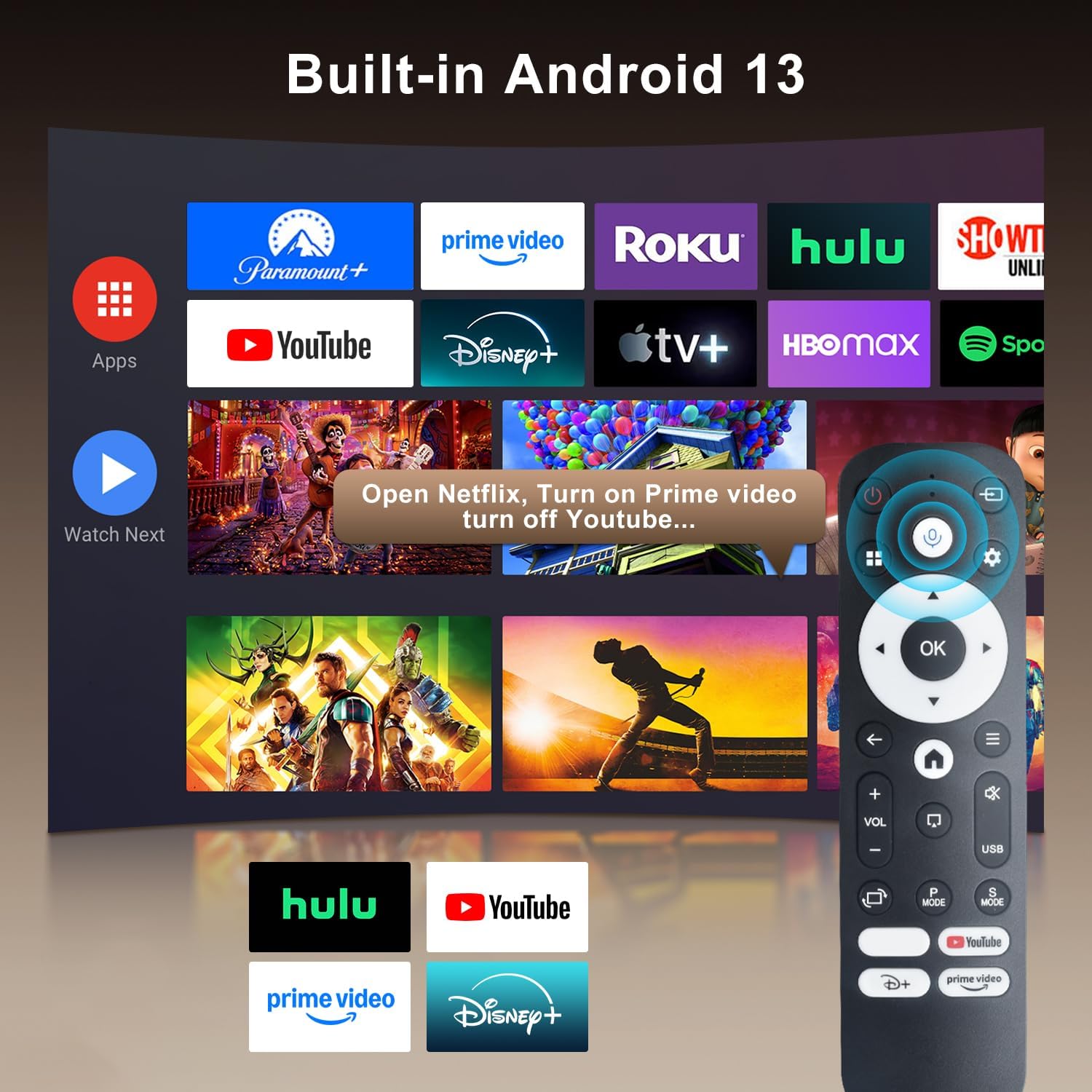
Image: The projector's interface showing built-in Android 13 apps and the Bluetooth voice remote control.
5. Einrichtung
5.1 Platzierung
Position the projector on a stable, flat surface. The 180° flexible rotation allows projection onto walls, ceilings, or floors. Ensure the projector is within the recommended throw distance of 1 to 6 meters for an optimal image size between 30 and 300 inches.

Image: The ZDSSY HY320MAX Mini Projector set up for an outdoor movie night, demonstrating its portability and flexible placement.
5.2 Stromanschluss
Schließen Sie den Netzadapter an den Stromeingang des Projektors an und stecken Sie den Adapter anschließend in eine Steckdose.
5.3 Erstes Einschalten
Drücken Sie den Ein-/Ausschalter am Projektor oder auf der Fernbedienung, um das Gerät einzuschalten. Der Projektor fährt hoch und zeigt die Android-13-Benutzeroberfläche an.
5.4 Fokus- und Trapezkorrektur
The projector features AI Auto Keystone correction, which automatically adjusts the image to be rectangular even if the projector is placed at an angle. You can also use the 50%-100% zoom function to resize the screen without moving the projector.

Image: A visual representation of the projector's automatic keystone correction feature, ensuring a perfectly aligned picture.
5.5 Netzwerkverbindung
Navigate to the settings menu to connect to a Wi-Fi network. The projector supports ultra-fast WiFi 6 for smooth streaming and lag-free gaming.

Image: The projector displaying content wirelessly, highlighting its WiFi 6 and Bluetooth 5.4 capabilities for smoother performance.
5.6 Bluetooth-Kopplung
For enhanced audio, pair Bluetooth 5.4 compatible speakers or headphones with the projector through the settings menu.
6. Bedienungsanleitung
6.1 Navigation auf der Benutzeroberfläche
Use the directional buttons and 'OK' button on the remote control to navigate through the Android 13 interface. The 'Back' button returns to the previous screen, and the 'Home' button returns to the main menu.

Image: The ZDSSY HY320MAX projector's home screen, displaying various pre-installed streaming applications.
6.2 Verwendung integrierter Apps
The projector comes with officially licensed apps such as Netflix, Prime Video, and YouTube pre-installed. Access these directly from the home screen. The built-in APP STORE allows you to download additional applications.
6.3 External Input Sources
Connect external devices via the HDMI or USB ports. Select the appropriate input source from the projector's menu to display content from these devices.
6.4 Bildschirmspiegelung
The projector supports screen mirroring from compatible smartphones (Android and iOS) over Wi-Fi. Refer to the on-screen instructions for connecting your device.

Image: A user mirroring their smartphone screen to the projector, demonstrating the wireless connectivity feature.
6.5 Sprachsteuerung
Utilize the Bluetooth voice remote for hands-free control. Press and hold the microphone button on the remote, then speak your command (e.g., "Open Netflix," "Suchen nach Filme").
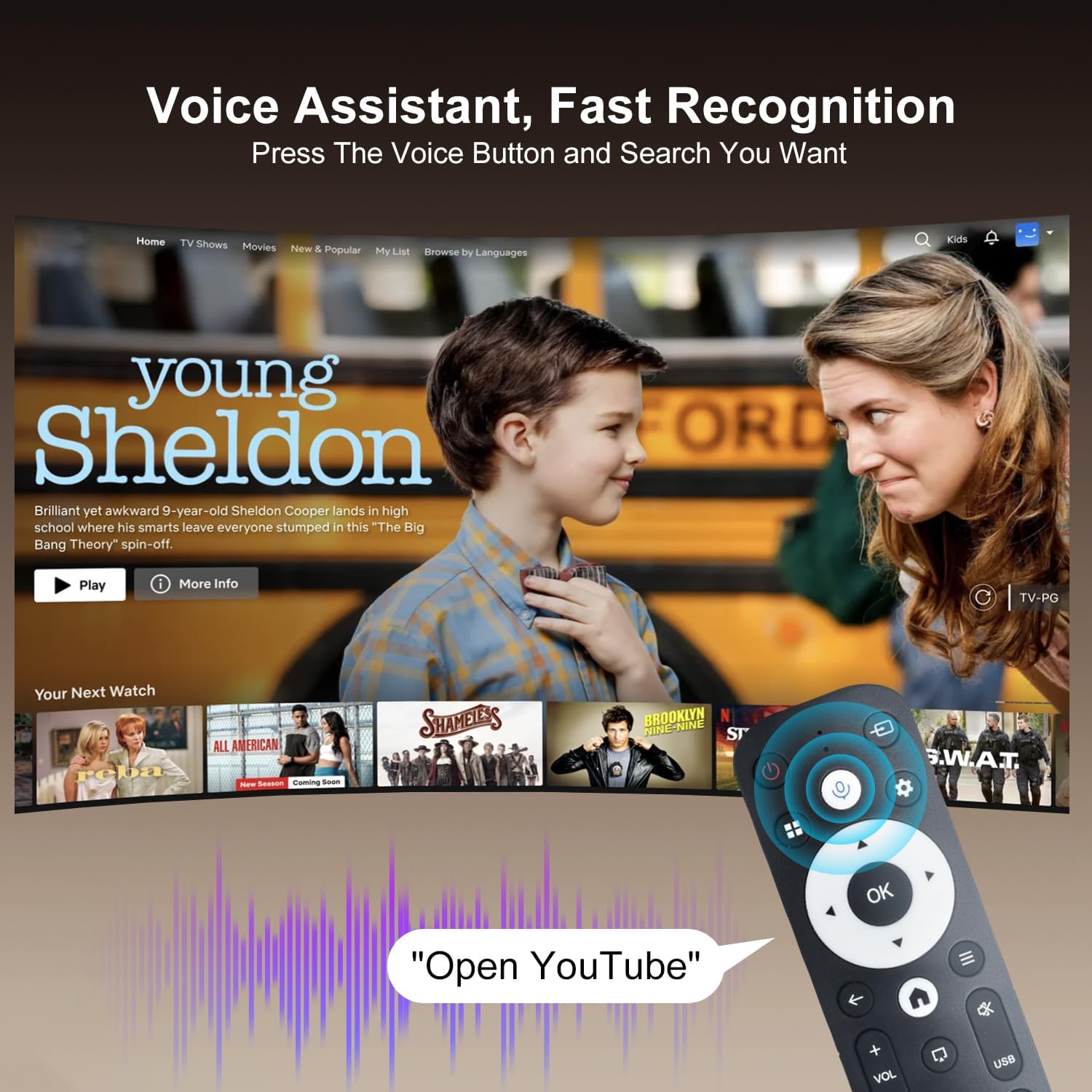
Image: The projector displaying a streaming service interface, with the remote control highlighting the voice assistant button and a voice command example.
7. Wartung
- Linsenreinigung: Gently wipe the projector lens with a soft, lint-free cloth specifically designed for optical lenses. Avoid using abrasive materials or harsh chemicals.
- Außenreinigung: Use a soft, dry cloth to clean the projector's exterior. Do not use liquid or aerosol cleaners.
- Belüftung: Regularly check that the ventilation grilles are free from dust and obstructions to ensure proper heat dissipation.
- Lagerung: Bei längerer Nichtbenutzung sollte der Projektor an einem kühlen, trockenen Ort aufbewahrt werden, geschützt vor Staub und direkter Sonneneinstrahlung.
8. Fehlerbehebung
Sollten Sie Probleme mit Ihrem Projektor haben, beachten Sie bitte die folgenden häufig auftretenden Probleme und Lösungen:
| Problem | Mögliche Ursache | Lösung |
|---|---|---|
| Kein Strom | Stromkabel nicht angeschlossen; Steckdose defekt | Vergewissern Sie sich, dass das Netzkabel fest angeschlossen ist; versuchen Sie es mit einer anderen Steckdose. |
| Kein Bild | Eingangsquelle nicht ausgewählt; Gerät nicht angeschlossen | Select correct input source (HDMI/USB); Ensure external device is connected and powered on. |
| Verschwommenes Bild | Unscharf; Falsche Schlusssteinbildung | Allow Auto Keystone to adjust; Manually adjust focus if available. |
| Kein Ton | Lautstärke zu niedrig; Externes Audiogerät nicht angeschlossen | Increase volume; Check Bluetooth connection for external speakers. |
| Fernbedienung reagiert nicht | Low battery; Not paired | Replace batteries; Re-pair the Bluetooth remote control. |
| Probleme mit der WLAN-Verbindung | Incorrect password; Router issues | Verify Wi-Fi password; Restart your router and the projector. |
9. Spezifikationen
Detailed technical specifications for the ZDSSY HY320MAX Mini Projector:
- Marke: ZDSSY
- Modellname: HY320MAX
- Modellnummer: HY320MAX-US
- Bildschirmauflösung: Native Auflösung 1920 x 1080 Pixel
- Maximale Bildschirmauflösung: 3840 x 2160 Pixel (4K-Unterstützung)
- Anzeigetyp: LCD
- Helligkeit: 20000 Lumen (400 ANSI Lumens)
- Kontrastverhältnis: 10000:1
- Lebensdauer der Lichtquelle: 60000 Stunden
- Konnektivitätstechnologie: USB, HDMI, Built-In Wi-Fi (WiFi 6), Bluetooth 5.4
- Kontrollmethode: Fernbedienung, Sprachsteuerung
- Empfohlene Verwendung: Innen/Außen
- Montageart: Ceiling Mount/Table Mount/Wall Mount
- Minimale Projektionsentfernung: 1 Meter
- Maximale Wurfweite: 6 Meter
- Minimum Image Size: 30 Zoll
- Maximale Bildgröße: 300 Zoll
- Bandtage: 110 Volt
- Wastage: 70 Watt
- Artikelabmessungen (L x B x H): 4.09 Zoll L x 3.98 Zoll B x 8.66 Zoll H

Image: A comparison illustrating the native 1080P resolution and 4K support capabilities of the ZDSSY HY320MAX projector.
10. Garantie und Support
The ZDSSY HY320MAX Mini Projector comes with a 3 Jahr Garantie. This warranty includes free parts replacement and lifelong technical support. For any warranty claims, technical assistance, or support inquiries, please contact ZDSSY customer service through the retailer where the product was purchased or refer to the contact information provided on the official ZDSSY webWebsite.