
1. Produktüberschreitungview
The Adin S8BT Bone Conduction Vibration Speaker is an innovative audio device that transmits sound through vibrations, allowing any flat surface to become a speaker. Its compact and portable design makes it ideal for various indoor and outdoor environments.
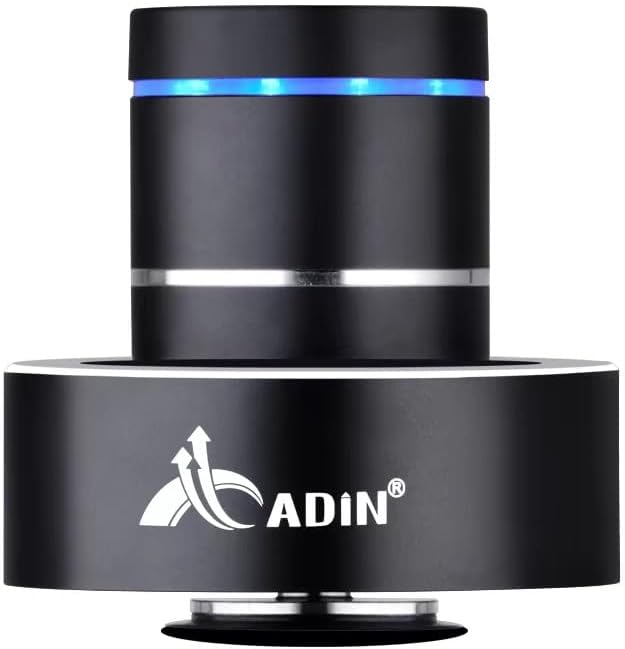
Figure 1: Adin S8BT Bone Conduction Vibration Speaker. This image displays the main unit of the speaker, showcasing its sleek black cylindrical design with a luminous blue accent ring and silver band. The speaker is designed to sit on a surface, utilizing bone conduction technology.

Figure 2: Adin S8BT Speaker and Included Accessories. This image shows the Adin S8BT speaker alongside its retail packaging, a USB charging cable, and an auxiliary audio cable, indicating the complete product package.
2. Hauptmerkmale
- Knochenleitungstechnologie: Transforms any flat surface into a speaker, delivering immersive audio.
- Kabellose Verbindung: Seamlessly stream audio via Bluetooth from compatible devices.
- Kompakt und tragbar: Lightweight and small form factor for easy transport and placement.
- Intuitive Steuerung: Simple touch controls for volume adjustment, track switching, and playback management.
- Mehrzweckdesign: Can function as a speaker, ambient lamp, or decorative item.
- Lange Akkulaufzeit: Built-in high-performance battery with Type-C socket charging.
3. Packungsinhalt
Bitte überprüfen Sie, ob alle Artikel in Ihrem Paket vorhanden sind:
- Adin S8BT Bone Conduction Vibration Speaker
- USB-Ladekabel (1 m)
- Auxiliary Audio Cable (1m)
- Instruction Manual (PDF version available online)
4. Technische Daten
| Besonderheit | Spezifikation |
|---|---|
| Modellname | Adin S8BT Bone Conduction Speaker |
| Lautsprechertyp | Knochenleitung |
| Konnektivitätstechnologie | Bluetooth |
| Bluetooth-Reichweite | 10 Meter |
| Kontrollmethode | Berühren |
| Stromquelle | Batteriebetrieben |
| Maximale Lautsprecherausgangsleistung | 26 Watt |
| Frequenzgang | 18 KHz |
| Audioausgabemodus | Stereo |
| Material | Aluminium |
| Farbe | Schwarz |
| Technische Daten | 3.35"T x 3.35"B x 3.35"H |
| Artikelgewicht | 2.2 Pfund |
| Verwendung im Innen- und Außenbereich | Innenbereich, Außenbereich |
| Ist wasserdicht | NEIN |
5. Installationsanleitung
5.1 Erstaufladung
Laden Sie den Lautsprecher vor der ersten Benutzung vollständig auf. Verbinden Sie das mitgelieferte USB-Ladekabel mit dem 5-V-DC-Anschluss des Lautsprechers und das andere Ende mit einem USB-Netzteil (nicht im Lieferumfang enthalten) oder einem USB-Anschluss Ihres Computers.

Figure 3: Adin S8BT Speaker Ports. This image shows the side of the speaker with the DC 5V charging port, ON/OFF/BT switch, and AUX input, indicating connectivity options.
5.2 Ein-/Ausschalten
Locate the ON/OFF switch on the side of the speaker. Slide it to the "ON" position to power on the device. Slide it to the "OFF" position to power off.
5.3 Placement for Optimal Sound
For the best audio experience, place the speaker on a flat, solid surface. Different surfaces will produce varying sound qualities and volumes due to the bone conduction technology. Experiment with surfaces like wood, glass, metal, or cardboard to find your preferred sound.
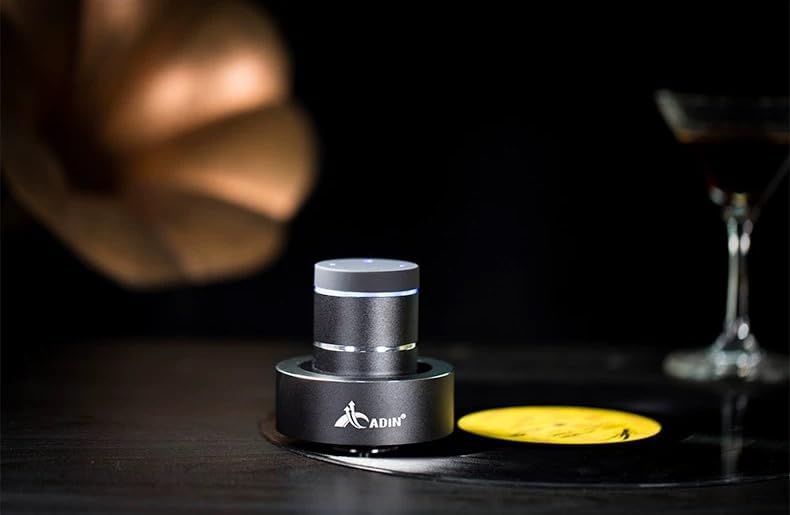
Figure 4: Adin S8BT Speaker in Use. This image depicts the Adin S8BT speaker placed on a flat surface, demonstrating its compact size and how it integrates into an environment for audio playback.
6. Bedienungsanleitung
6.1 Bluetooth-Kopplung
- Ensure the speaker is powered on and in Bluetooth mode. The blue accent ring will likely flash, indicating it's ready for pairing.
- Öffnen Sie auf Ihrem Smartphone oder einem anderen Bluetooth-fähigen Gerät die Bluetooth-Einstellungen.
- Suchen nach available devices. The speaker should appear as "Adin S8BT" or similar.
- Select the speaker from the list to pair. Once paired, the blue light may become solid or change its flashing pattern.
6.2 Audiowiedergabe
Once connected via Bluetooth, you can play audio from your device. Use the touch controls on the top of the speaker to manage playback:
- Klopfen: Wiedergabe/Pause.
- Nach links/rechts wischen: Previous/Next Track.
- Halten: Volume Up/Down (specific gesture may vary, refer to quick start guide for precise touch controls).
6.3 AUX-Eingang
For devices without Bluetooth, use the provided auxiliary cable. Connect one end to the speaker's "Link In" port and the other end to your audio source's headphone jack.
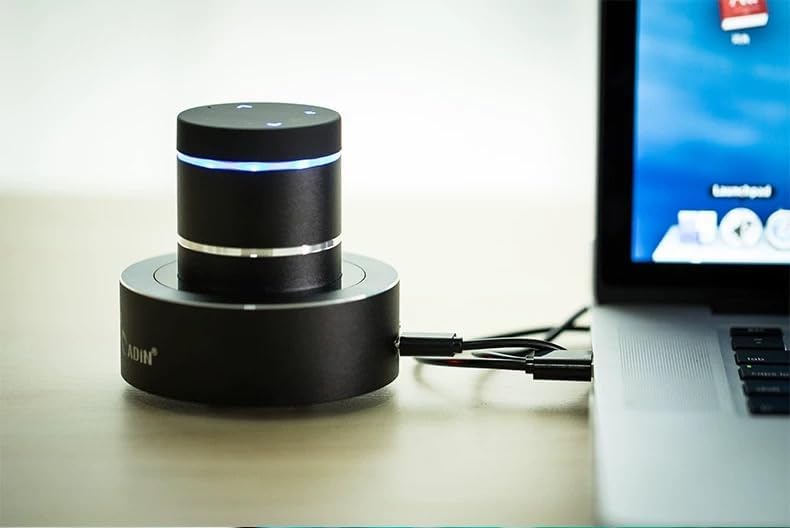
Figure 5: Adin S8BT Speaker with AUX Connection. This image illustrates the Adin S8BT speaker connected to a laptop via an auxiliary cable, demonstrating its wired connectivity option for audio input.
7. Wartung und Pflege
- Reinigung: Verwenden Sie ein weiches, trockenes Tuch, um die Oberfläche des Lautsprechers abzuwischen. Verwenden Sie keine Scheuermittel oder Lösungsmittel.
- Lagerung: Bewahren Sie den Lautsprecher an einem kühlen, trockenen Ort fern von direkter Sonneneinstrahlung und extremen Temperaturen auf.
- Wassereinwirkung: Der Sprecher ist nicht wasserdicht. Vermeiden Sie den Kontakt mit Wasser oder übermäßiger Feuchtigkeit.
- Batteriepflege: Um die Lebensdauer des Akkus zu verlängern, vermeiden Sie häufiges vollständiges Entladen. Laden Sie ihn regelmäßig auf, auch wenn er längere Zeit nicht benutzt wird.
8. Fehlerbehebung
| Problem | Mögliche Ursache | Lösung |
|---|---|---|
| Aus dem Lautsprecher kommt kein Ton. | Speaker is off, not paired, or volume is too low. | Ensure speaker is ON. Re-pair Bluetooth. Increase speaker and device volume. Check surface contact. |
| Kopplung via Bluetooth nicht möglich. | Der Lautsprecher befindet sich nicht im Kopplungsmodus, das Bluetooth des Geräts ist ausgeschaltet oder der Lautsprecher ist zu weit entfernt. | Ensure speaker is in pairing mode (flashing blue light). Turn device Bluetooth off/on. Move device closer to speaker (within 10m). |
| Schlechte Tonqualität. | Unsuitable surface, low battery, or interference. | Try placing on a different, more solid surface. Charge the speaker. Move away from other electronic devices. |
| Der Lautsprecher lädt nicht. | Cable issue, power source issue, or dirty port. | Check USB cable connection. Try a different USB port or power adapter. Ensure charging port is clean. |
9. Garantie und Support
For information regarding warranty coverage, please refer to the warranty card included with your purchase or contact the manufacturer directly. Keep your proof of purchase for any warranty claims.
If you encounter issues not covered in this manual or require further assistance, please contact Adin customer support through their official webWebsite oder der Händler, bei dem Sie das Produkt gekauft haben.