
1. Einleitung
The TKOWTB USB 2.0 Video Capture Card is a single-channel AV capture device designed to convert analog video and audio signals into digital format via a USB 2.0 interface. This device allows you to capture content from various analog sources such as VCRs, camcorders, and game consoles directly to your computer. It features a plug-and-play design, eliminating the need for external power supply or complex driver installations.
2. Produktmerkmale
- Plug-and-Play: Für die meisten Betriebssysteme ist keine Treiberinstallation erforderlich.
- Integrated Audio Capture: Collects audio resources without requiring a separate sound card.
- USB 2.0-Schnittstelle: Connects directly to your computer's USB 2.0 port, no external power supply needed.
- Unterstützung für Breitformate: Supports recording to DVD+/-R/RW, DVD+/-VR, and DVD-Video formats.
- NTSC and PAL Compatibility: Supports both NTSC (720x480) and PAL (720x576) video formats.
- Betriebssystem-Support: Compatible with Windows XP/Vista/7/8/8.1/10 (32/64 bit) systems.
- Vergoldete Schnittstellen: Gewährleistet eine stabile und klare Signalübertragung.
3. Installationsanleitung
3.1 Connecting the Capture Card
- Connect to Video Source: Identify the video and audio output ports on your source device (e.g., VCR, camcorder, game console). The capture card provides one Composite Video input (yellow RCA) and one S-Video input, along with Stereo Audio inputs (red and white RCA). Connect the corresponding cables from your source device to the capture card.
- Mit Computer verbinden: Plug the USB 2.0 connector of the capture card into an available USB 2.0 port on your desktop PC, laptop, or all-in-one PC. The device is powered via USB, so no additional power adapter is required.

Image: This diagram illustrates the various connection points of the USB video capture card. It shows the USB interface for connecting to a computer (desktop, laptop, all-in-one PC) and the audio/video input interfaces, including S-Video and RCA (yellow for video, red/white for audio). The device is powered by the USB connection.

Bild: A view of the TKOWTB USB Video Capture Card, highlighting its compact design and the attached RCA (composite video and stereo audio) and S-Video input connectors. The image also indicates that the device is 'Drive free' and 'Plug and play'.
3.2 Softwareinstallation
This device is designed to be drive-free, meaning it typically does not require manual driver installation on supported operating systems. However, you will need video capture software to record and manage the video stream. Popular options include OBS Studio, VLC Media Player, or other third-party capture applications. Ensure your chosen software is compatible with USB video capture devices.
4. Bedienungsanleitung
4.1 Capturing Video and Audio
- Quellgerät einschalten: Ensure your analog video source (VCR, camcorder, etc.) is powered on and playing the content you wish to capture.
- Startaufzeichnungssoftware: Open your preferred video capture software on your computer.
- Gerät auswählen: Within the software, locate the option to select a video input device. The TKOWTB capture card should appear as a recognized USB video device. Select it as your video and audio input source.
- Einstellungen konfigurieren: Adjust capture settings such as resolution (NTSC: 720x480, PAL: 720x576), frame rate, and output format within your software.
- Aufnahme starten: Initiate the recording process in your software. The video and audio from your analog source will now be digitized and saved to your computer.

Image: This image demonstrates the real-time capture capability of the device, showing a laptop screen displaying video content being captured from an old-fashioned video recorder and a video camera. The capture card is connected to the laptop and the source devices, enabling full-screen playback and acquisition.
4.2 Unterstützte Anwendungen
The capture card supports various applications including collection of old video tapes to computer, video from cameras or game consoles, and monitoring satellite receivers or encrypted video signals.
5. Wartung
To ensure the longevity and optimal performance of your TKOWTB USB 2.0 Video Capture Card, follow these maintenance guidelines:
- Sauber halten: Wischen Sie das Gerät vorsichtig mit einem weichen, trockenen Tuch ab. Vermeiden Sie die Verwendung von flüssigen Reinigern oder Lösungsmitteln.
- Vor Elementen schützen: Das Gerät sollte vor Feuchtigkeit, Staub und extremen Temperaturen geschützt werden.
- Vorsichtig handhaben: Lassen Sie das Gerät nicht fallen und setzen Sie es keinen starken Stößen aus.
- Kabelmanagement: Do not excessively bend or pull the integrated cables to prevent damage.
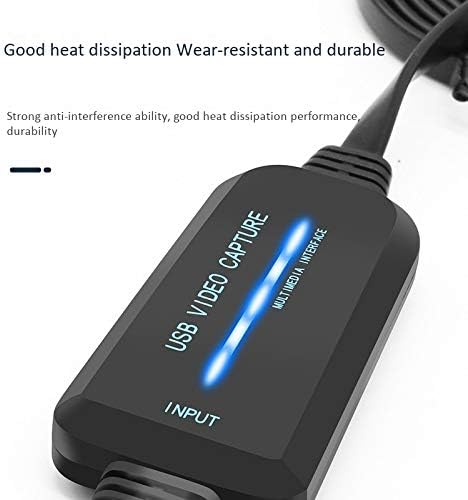
Bild: Eine Nahaufnahme view of the TKOWTB USB Video Capture Card, emphasizing its robust construction and good heat dissipation properties, indicating wear-resistant and durable design.
6. Fehlerbehebung
If you encounter issues with your capture card, refer to the following common problems and solutions:
- Kein Video-/Audiosignal:
- Stellen Sie sicher, dass alle Kabel (RCA, S-Video, USB) fest angeschlossen sind.
- Verify that the source device is powered on and playing content.
- Check your capture software settings to ensure the correct input device is selected.
- Confirm the video standard (NTSC/PAL) matches your source and software settings.
- Schlechte Videoqualität:
- The quality of the captured video is dependent on the quality of the original analog source.
- Verwenden Sie unbedingt hochwertige Kabel.
- Überprüfen Sie, ob Störungen durch andere elektronische Geräte auftreten.
- Gerät wird vom Computer nicht erkannt:
- Try plugging the capture card into a different USB 2.0 port on your computer.
- Starten Sie Ihren Computer neu.
- Ensure your operating system is supported (Windows XP/Vista/7/8/8.1/10 32/64 bit).
- Softwareprobleme:
- Ensure your capture software is up-to-date.
- Consult the documentation for your specific capture software.
- Systemanforderungen:
- Minimum processor: Pentium IV 1.8G or equivalent.
- Minimum RAM: 128MB.
- Minimum free disk space: 500MB.
- Display resolution: Not lower than 1024x768.
7. Spezifikationen
| Besonderheit | Spezifikation |
|---|---|
| Marke | TKOWTB |
| Modellname | 500039297 |
| Schnittstelle | USB 2.0 |
| Videoeingang | 1x Composite (RCA), 1x S-Video |
| Audioeingang | Stereo Audio (RCA L/R) |
| Komprimierungsstandard | Softwarekomprimierung |
| Valid Formats | NTSC, PAL |
| Video Resolution (NTSC) | 720 x 480 |
| Video Resolution (PAL) | 720 x 576 |
| Betriebssystemunterstützung | Windows XP/Vista/7/8/8.1/10 (32/64 bit) |
| Artikelgewicht | 128.5 Gramm |
| Artikelabmessungen (L x B x H) | 6.3 x 4.33 x 1.18 inches (815x 35x15mm) |
| Material | Plastik |
| Farbe | Schwarz |
8. Garantie und Support
For warranty information and technical support, please refer to the retailer where you purchased the product or visit the official TKOWTB webBewahren Sie Ihren Kaufbeleg als Kaufnachweis für eventuelle Garantieansprüche auf.