
SelfieShow C15
SelfieShow C15 Aluminium Selfie-Stick Handy-Stativ Bedienungsanleitung
Model: C15 | Brand: SelfieShow
1. Einleitung
This manual provides detailed instructions for the proper setup, operation, and maintenance of your SelfieShow C15 Aluminum Selfie Stick Phone Tripod. Please read this manual thoroughly before using the product to ensure optimal performance and longevity.
Packungsinhalt
- Selfie-Stick-Telefonstativ
- Wireless Remote Control (with 1 CR2032 battery included)
- Bedienungsanleitung

Figure 1: The SelfieShow C15 Aluminum Selfie Stick Phone Tripod shown collapsed, extended as a selfie stick, and set up as a tripod with the remote control.
2. Komponenten vorbeiview
Familiarize yourself with the main parts of your SelfieShow C15 device:
- Extendable Aluminum Pole: The main shaft that extends for selfie stick use or tripod height adjustment.
- Stativbasis: Foldable legs at the bottom for stable freestanding use. Features anti-slip silicone pads.
- Telefonhalter: Einstellbare Klamp to secure your smartphone. Detachable.
- 360° drehbarer Kugelkopf: Allows for flexible angle adjustments of the phone holder. Includes a 1/4" screw for other accessories and a cold shoe interface.
- Drahtlose Fernbedienung: Bluetooth-enabled remote for capturing photos or starting videos from a distance. Stores securely in the handle.
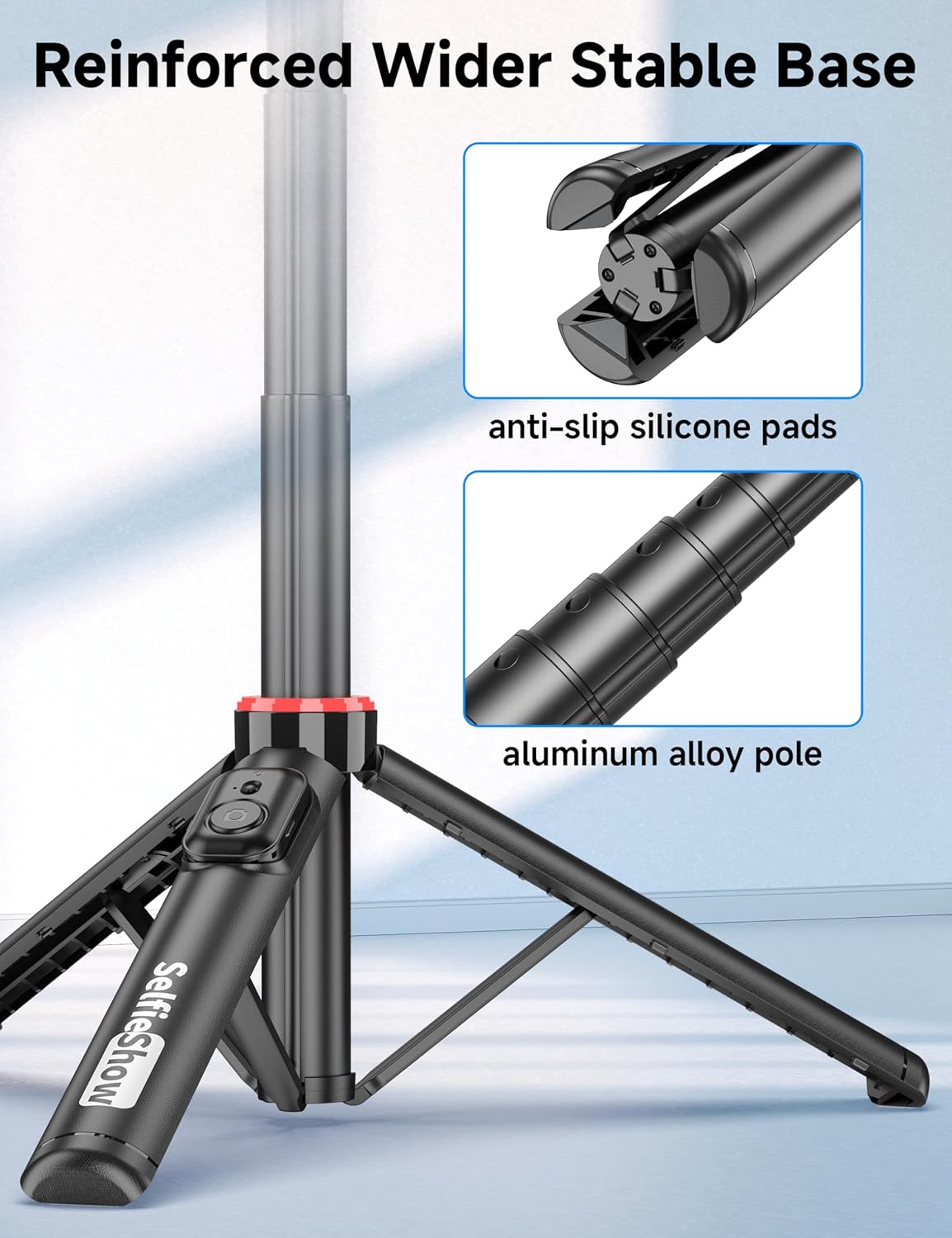
Abbildung 2: Nahaufnahme view of the reinforced tripod base, highlighting the anti-slip silicone pads and the durable aluminum alloy pole construction.
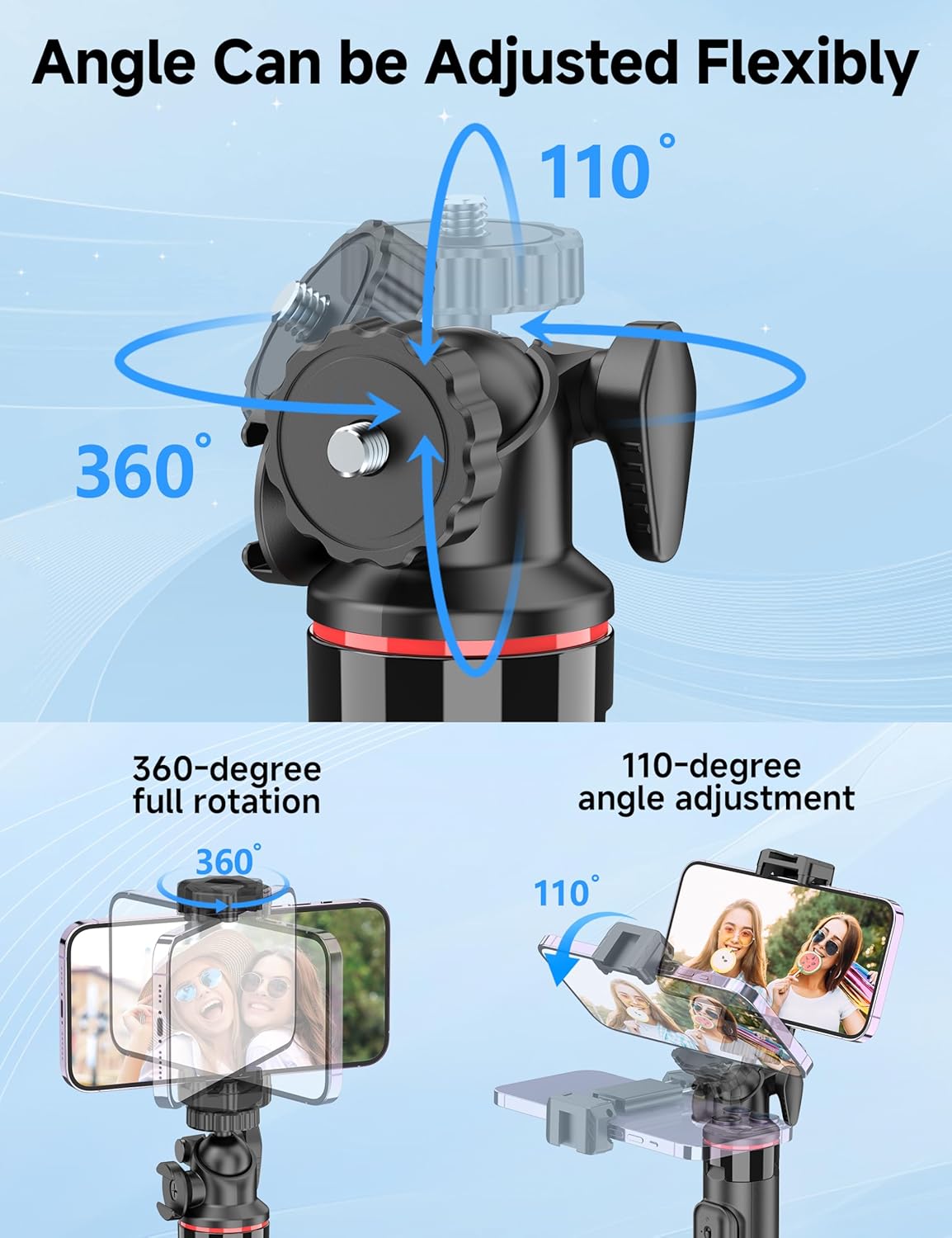
Figure 3: Illustration of the 360-degree full rotation and 110-degree angle adjustment capabilities of the ball head for flexible phone positioning.
3. Einrichtungsanweisungen
3.1 Fernbedienungskopplung
- Ensure the remote control has a working CR2032 battery.
- Halten Sie die Taste auf der Fernbedienung gedrückt, bis die Kontrollleuchte blinkt. Dies zeigt an, dass sich die Fernbedienung im Kopplungsmodus befindet.
- Öffnen Sie auf Ihrem Smartphone die Bluetooth-Einstellungen und suchen Sie nach verfügbaren Geräten.
- Select "SelfieShow" from the list to pair. The indicator light on the remote will stop flashing once successfully paired.
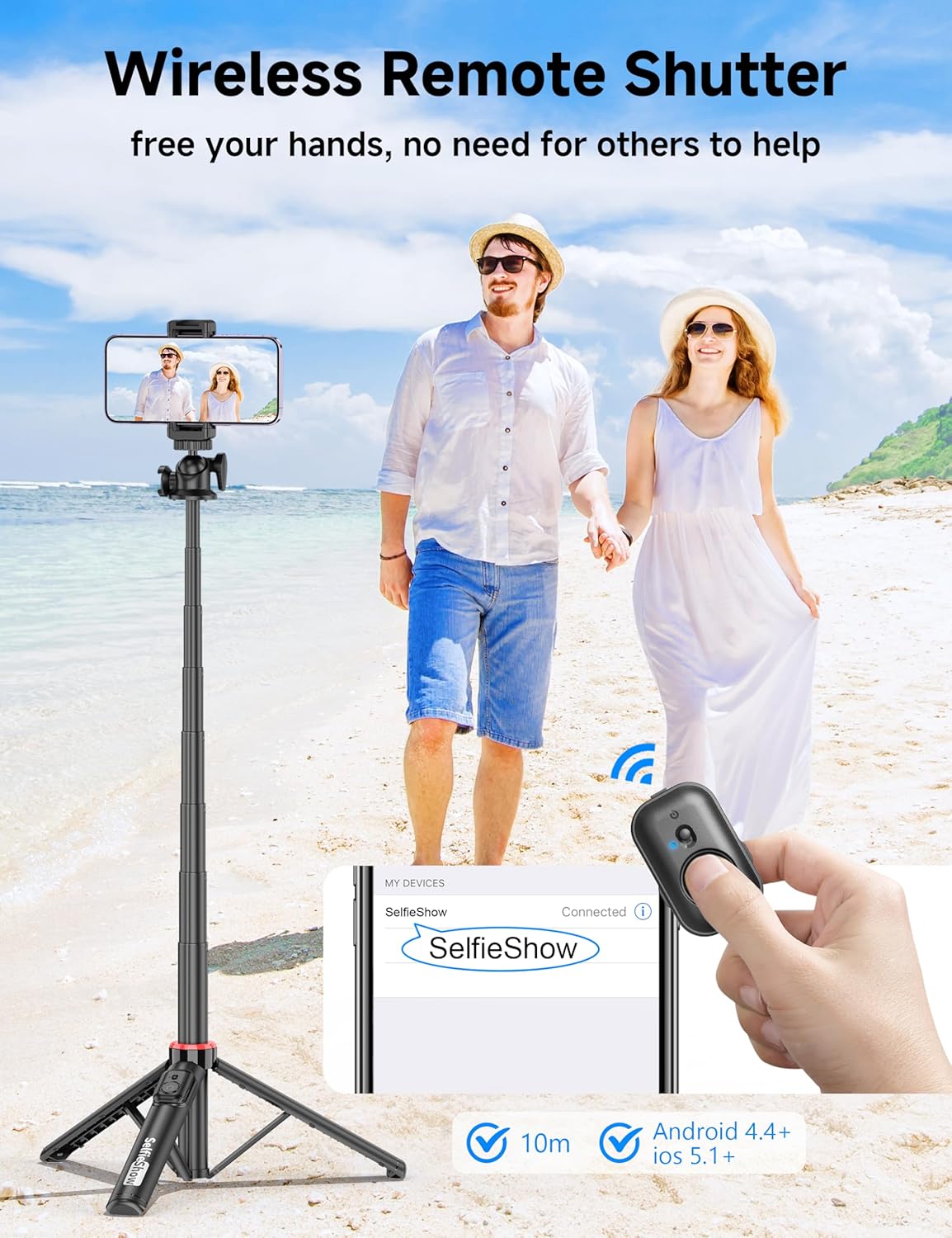
Figure 4: Visual guide for pairing the wireless remote shutter via Bluetooth, showing the remote and a phone screen with 'SelfieShow' connected.
3.2 Anbringen Ihres Smartphones
- Gently pull apart the phone holder clamps to expand them.
- Insert your smartphone into the holder, ensuring it is securely gripped by both clamps. The holder accommodates phones between 2.5 to 3.7 inches (6.5 to 9.5 cm) in width.
- Stellen Sie sicher, dass die Tasten Ihres Telefons nicht durch den Lärm blockiert oder gedrückt werden.amps.
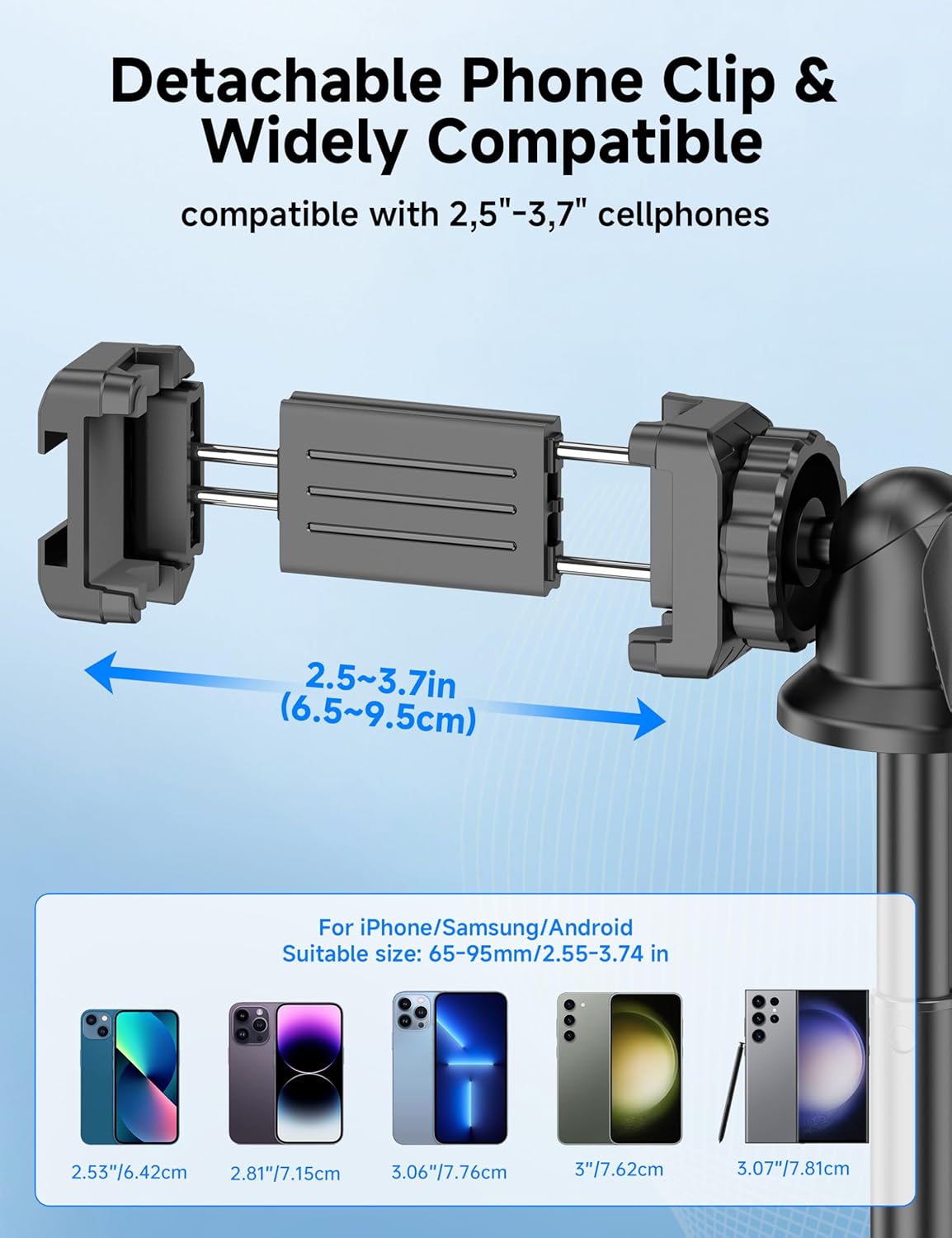
Figure 5: Diagram illustrating the adjustable width of the phone clip (2.5-3.7 inches) and its compatibility with various smartphone models.
4. Bedienungsanleitung
4.1 Verwendung als Selfie-Stick
- Halten Sie den Griff fest.
- Extend the aluminum pole to your desired length. The pole can extend from 9.8 inches (25 cm) to 49 inches (126 cm).
- Adjust the phone holder's angle using the ball head to achieve the desired shot.
- Use the paired wireless remote control to capture photos or start/stop video recording.
4.2 Verwendung als Stativ
- From the collapsed position, gently pull the bottom handle downwards to deploy the tripod legs. Ensure the legs are fully spread for maximum stability.
- Stellen Sie das Stativ auf eine ebene, stabile Fläche.
- Extend the aluminum pole to your desired height.
- Adjust the phone holder's angle using the ball head.
- Use the paired wireless remote control to capture photos or start/stop video recording.
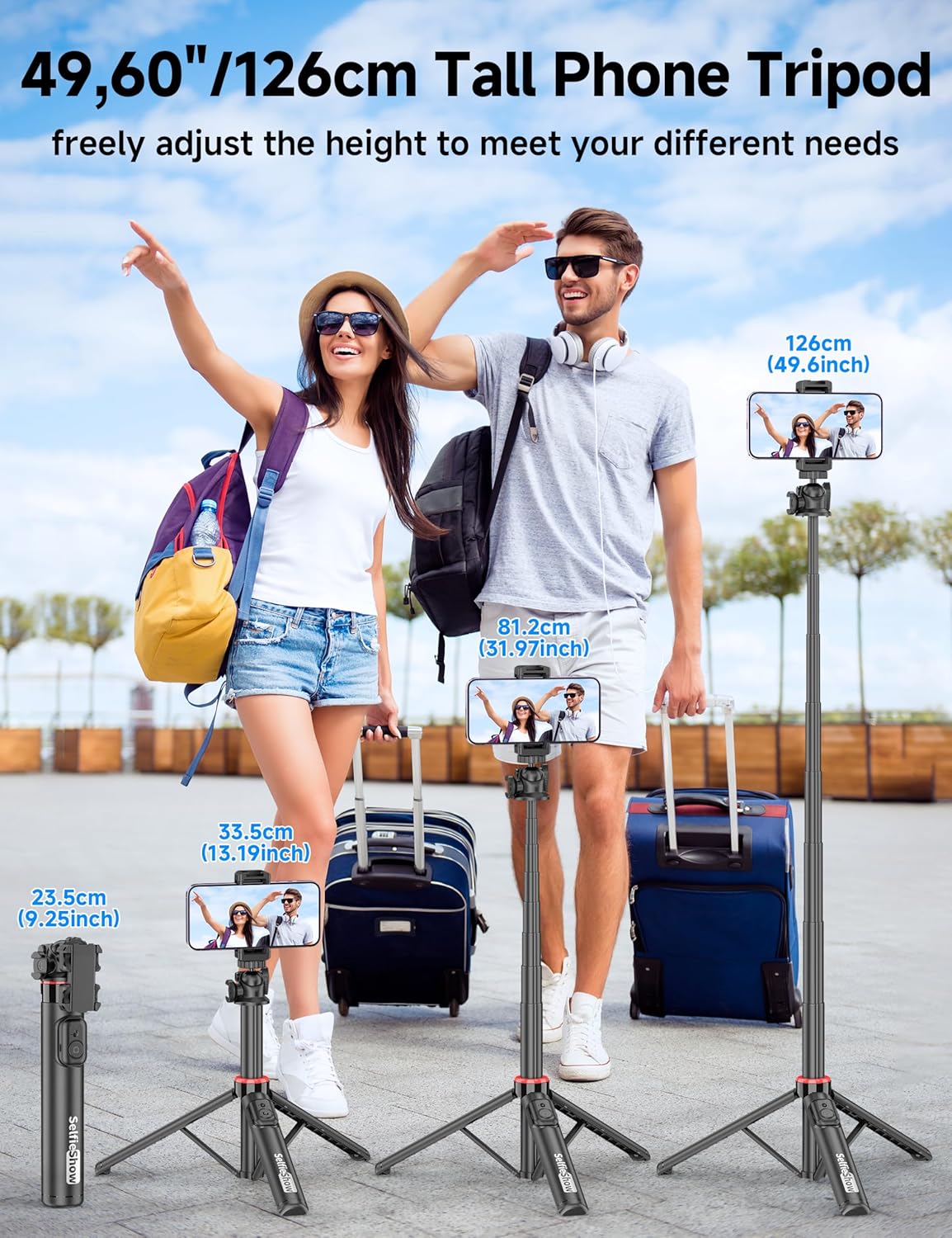
Figure 6: Visual guide demonstrating the adjustable height of the tripod from its folded state to various extended heights, up to 49 inches (126 cm).
4.3 Using the Cold Shoe and 1/4" Screw Mount
The SelfieShow C15 features a cold shoe interface and a standard 1/4" screw mount for expanded functionality:
- Kalter Schuh: Located on top of the phone holder, this allows you to attach accessories such as external microphones or LED fill lights.
- 1/4"-Schraubbefestigung: The ball head features a universal 1/4" screw, allowing direct attachment of compact cameras, action cameras (like GoPro), or other compatible accessories when the phone holder is detached.
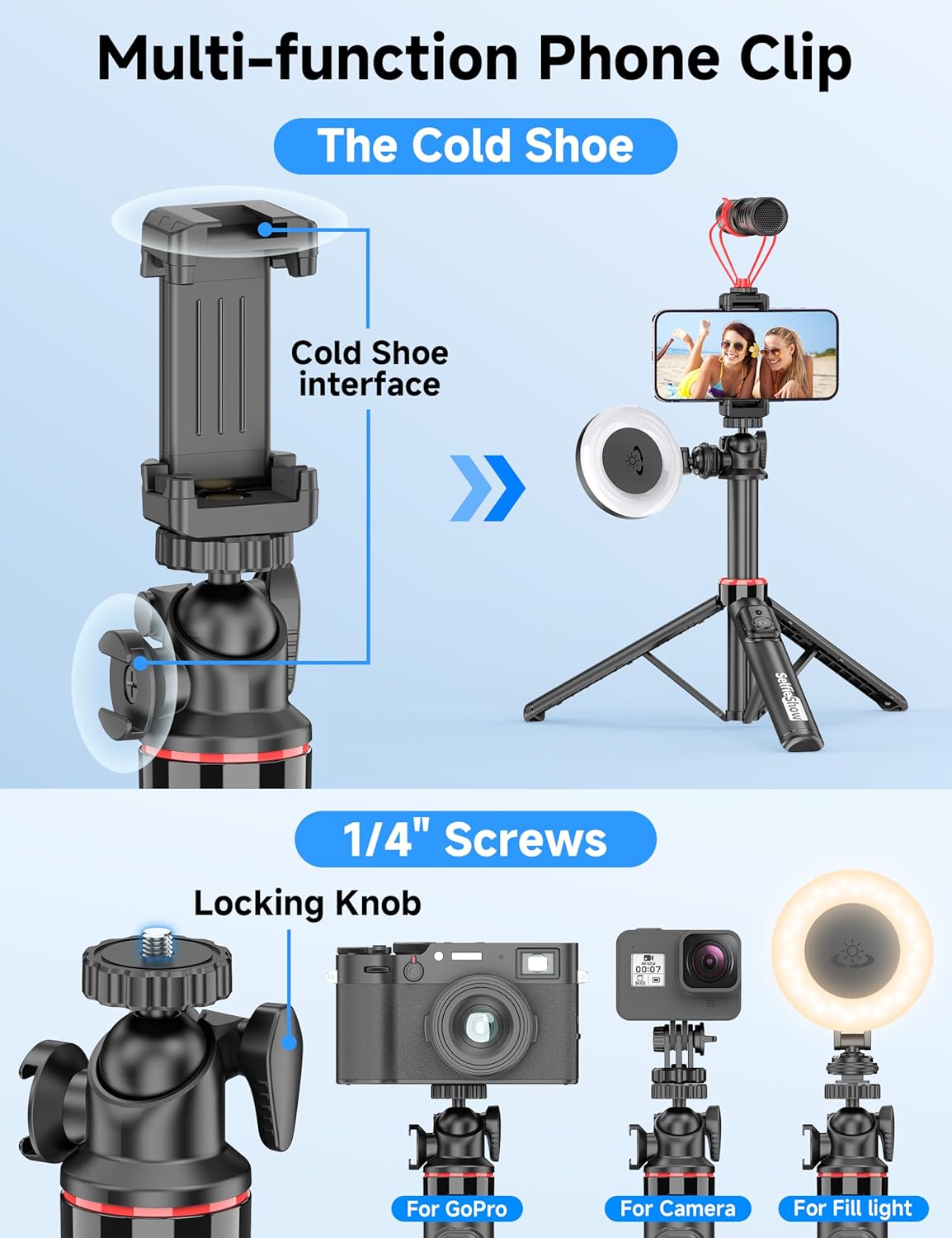
Abbildung 7: Ausführlich view of the multi-function phone clip, highlighting the cold shoe interface for attaching external accessories.
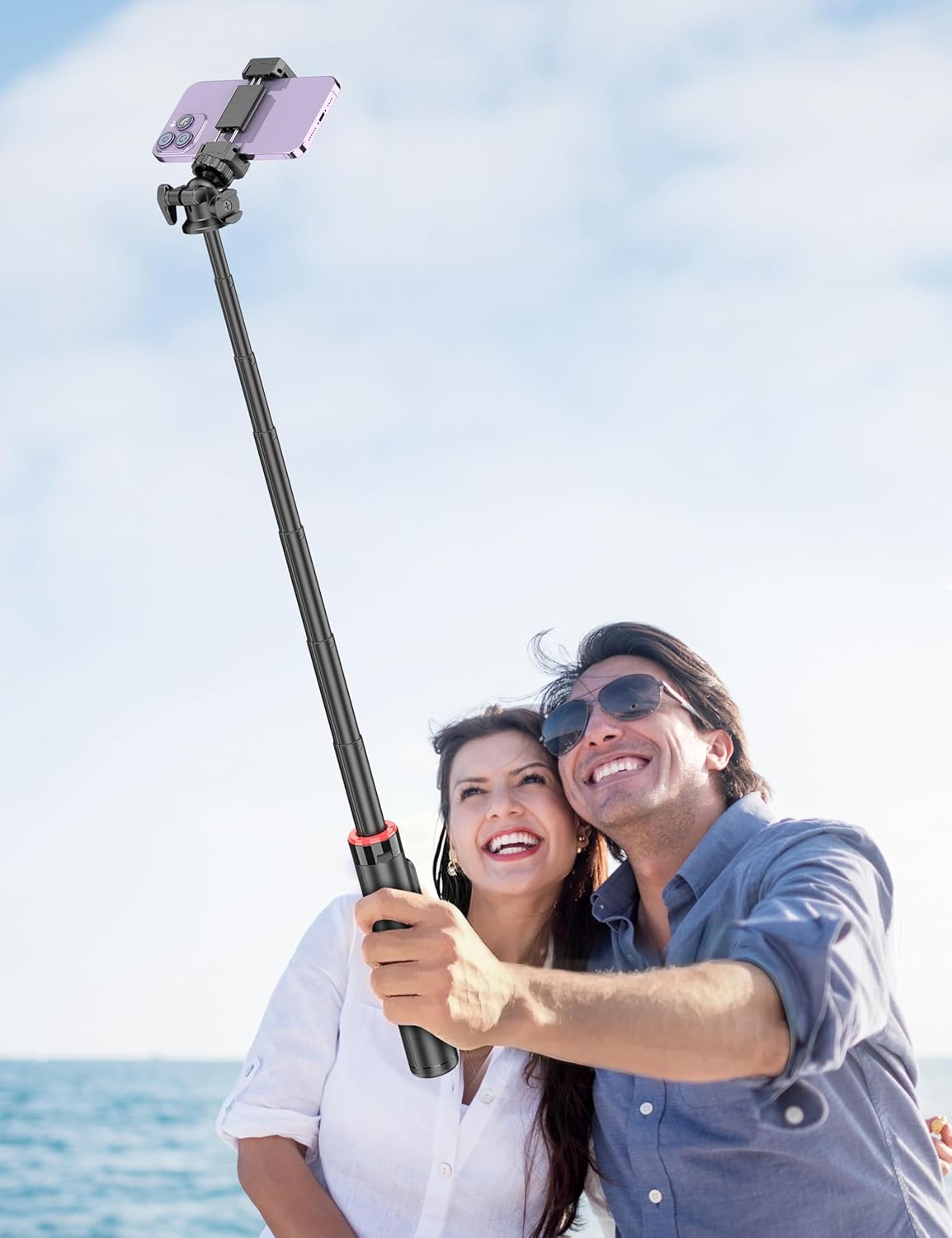
Figure 8: Image demonstrating the 1/4 inch screw mount for connecting cameras, GoPros, or fill lights, showcasing the versatility of the tripod head.
5. Wartung
5.1 Reinigung
- Wischen Sie das Gerät mit einem weichen, trockenen Tuch ab.
- Verwenden Sie keine aggressiven Chemikalien oder Scheuermittel.
- Vermeiden Sie es, das Gerät übermäßiger Feuchtigkeit auszusetzen.
5.2 Speicherung
- Bewahren Sie den Selfie-Stick bei Nichtgebrauch an einem kühlen, trockenen Ort auf.
- Achten Sie darauf, dass die Fernbedienung sicher in ihrem dafür vorgesehenen Fach verstaut ist, um einen Verlust zu verhindern.
5.3 Austausch der Fernbedienungsbatterie
The remote control uses a CR2032 coin cell battery. To replace:
- Suchen Sie das Batteriefach auf der Fernbedienung.
- Use a small coin or tool to open the compartment.
- Nehmen Sie die alte Batterie heraus und setzen Sie eine neue CR2032-Batterie mit der positiven Seite (+) nach oben ein.
- Verschließen Sie das Batteriefach fest.
6. Fehlerbehebung
6.1 Fernbedienung verbindet sich nicht
- Stellen Sie sicher, dass die Batterie der Fernbedienung nicht leer ist. Tauschen Sie sie gegebenenfalls aus.
- Stellen Sie sicher, dass Bluetooth auf Ihrem Smartphone aktiviert ist.
- Versuchen Sie, die Fernbedienung in den Bluetooth-Einstellungen Ihres Telefons zu entkoppeln und anschließend erneut zu koppeln.
- Ensure the remote is within the 30 ft (10 m) operating range of your phone.
6.2 Stativinstabilität
- Stellen Sie sicher, dass die Stativbeine vollständig ausgezogen und auf einer ebenen, stabilen Oberfläche arretiert sind.
- Vermeiden Sie es, die Stange bei windigen Bedingungen oder auf unebenem Gelände bis zur maximalen Höhe auszuziehen.
- Verify that your smartphone is securely seated in the phone holder and balanced.
6.3 Phone Not Fitting in Holder
- Check that your phone's width is within the compatible range of 2.5 to 3.7 inches (6.5 to 9.5 cm).
- Remove any bulky phone cases if they prevent a secure fit.
7. Spezifikationen
| Besonderheit | Detail |
|---|---|
| Modellname | C15 |
| Marke | SelfieShow |
| Material | Aluminium |
| Artikelgewicht | 10.5 Unzen (297.67 Gramm) |
| Gefaltete Größe | 9.8 Zoll (25 cm) |
| Mindesthöhe | 9.8 Zoll (25 cm) |
| Maximale Höhe | 49 Zoll (124.5 cm) |
| Breite des Telefonhalters | 2.5 - 3.7 Zoll (6.5 - 9.5 cm) |
| Stativkopftyp | Ball Head (360° rotation) |
| Reichweite der Fernbedienung | Bis zu 30 m |
| Batterie der Fernbedienung | 1 x CR2032 (im Lieferumfang enthalten) |
| Kompatible Geräte | Smartphones (iPhone, Android) |
| Zusätzliche Merkmale | Cold Shoe, 1/4" Screw Mount |
8. Garantieinformationen
SelfieShow products are manufactured to high-quality standards. For specific warranty details, please refer to the warranty card included with your purchase or contact customer support. Typically, products are covered against manufacturing defects for a period specified at the time of purchase.
9. Kundendienst
If you encounter any issues or have questions regarding your SelfieShow C15 Aluminum Selfie Stick Phone Tripod that are not addressed in this manual, please contact our customer support team. Refer to your product packaging or the SelfieShow official webWebsite für Kontaktinformationen.
Ask a question about this manual
Ask about setup, troubleshooting, compatibility, parts, safety, or missing instructions. Manuals+ will review the question and use this page’s manual context to help answer it.