
1. Einleitung
This manual provides essential instructions for the setup, operation, and maintenance of your TMY Projector. Please read this manual thoroughly before using the product to ensure proper functionality and to maximize your viewErfahrung. Bewahren Sie dieses Handbuch zum späteren Nachschlagen auf.
2. Produktüberschreitungview
2.1 Packungsinhalt
Überprüfen Sie, ob alle Artikel im Paket vorhanden sind:
- TMY Projector Unit
- Fernbedienung
- HDMI-Kabel
- Netzkabel
- Garantiekarte
2.2 Hauptmerkmale
- Offizielle Netflix-Lizenz: Access streaming services directly without external devices.
- 1080p-Auflösung: Liefert klare und detailreiche Bilder.
- Electric Focus & Auto Keystone: Automatic image adjustment for optimal clarity and shape.
- 270° drehbarer Ständer: Flexible Projektionswinkel, einschließlich Deckenprojektion.
- Upgraded WiFi 6 Connectivity: Gewährleistet stabiles und schnelles drahtloses Streaming.
- Dual-Mode Bluetooth 5.2: Connects to external speakers or functions as a standalone Bluetooth speaker.
- Mehrere Konnektivitätsoptionen: HDMI, USB, Phone/PC mirroring.
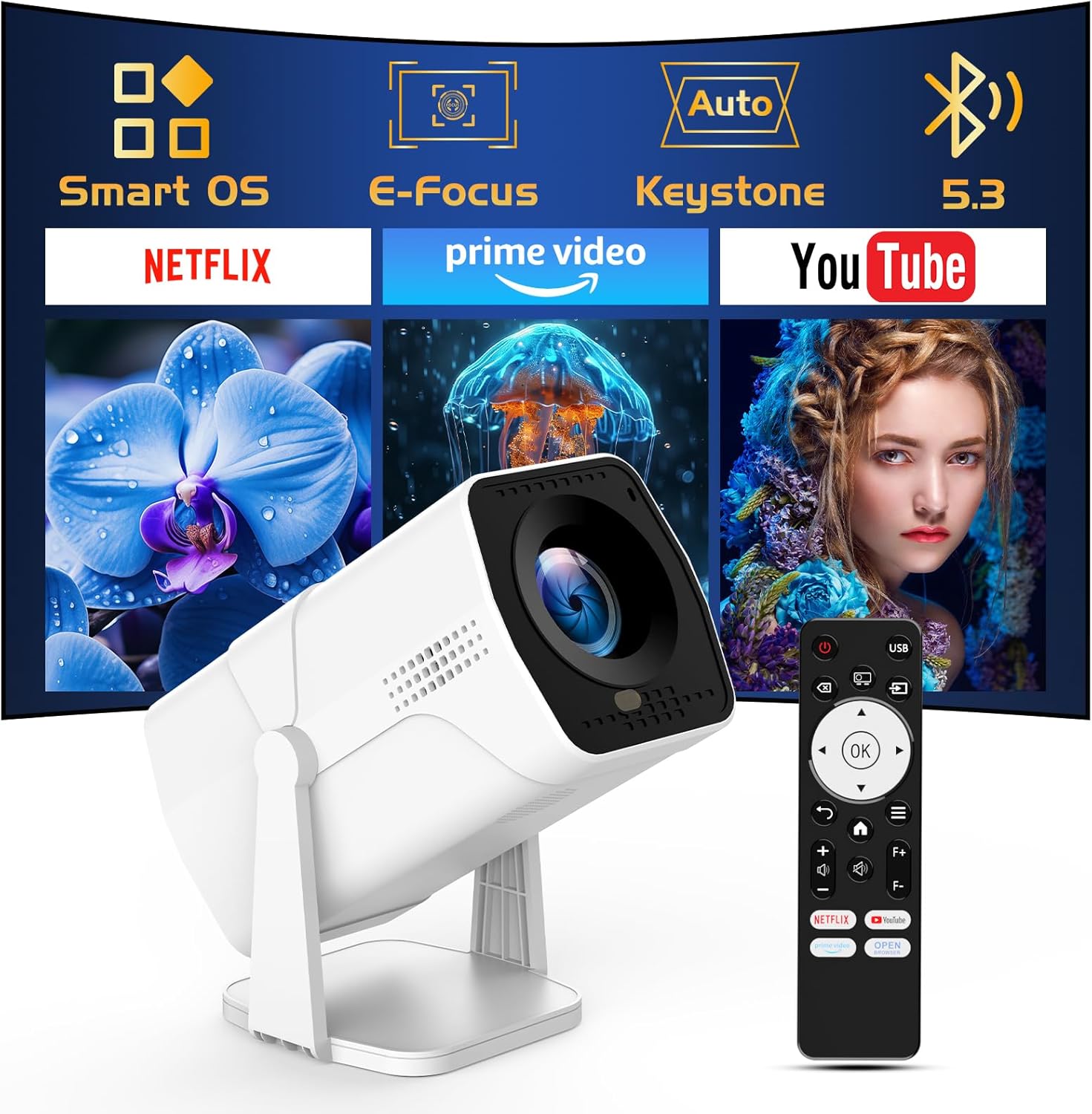
Image: The TMY Projector unit, its remote control, and a projected screen displaying logos for Smart OS, E-Focus, Auto Keystone, Bluetooth 5.3, Netflix, Prime Video, and YouTube.
3. Einrichtung
3.1 Platzierung
Position the projector on a stable, flat surface. The 270° rotatable stand allows for versatile placement, including projecting onto walls or ceilings. Ensure adequate ventilation around the projector.

Image: A TMY Projector positioned on a bedside table, projecting an image onto the ceiling, demonstrating its 270° rotatable stand for multi-angle viewing.
3.2 Stromanschluss
- Schließen Sie das Netzkabel an den Stromeingang des Projektors an.
- Stecken Sie das andere Ende des Netzkabels in eine normale Steckdose.
3.3 Erstes Einschalten und Fokussieren
- Drücken Sie den Netzschalter am Projektor oder auf der Fernbedienung, um das Gerät einzuschalten.
- Der Projektor verfügt über Elektrischer Fokus Und Automatische Trapezkorrektur correction. The image will automatically adjust for clarity and a rectangular shape within approximately 2 seconds.
- If further adjustment is needed, use the remote control to fine-tune the focus.

Image: A TMY Projector projecting a vibrant image onto a screen, with an overlay illustrating the 'FOCUS' function and icons for Auto Keystone and 50%-100% Zoom.
3.4 Netzwerkverbindung (WLAN)
The projector supports WiFi 6 for a fast and stable internet connection.
- Navigieren Sie mit der Fernbedienung zum Menü „Einstellungen“.
- Wählen Sie „Netzwerk“ oder „WLAN-Einstellungen“.
- Choose your desired WiFi network from the list and enter the password.
- Bestätigen Sie die Verbindung.

Image: A TMY Projector wirelessly connected to a tablet, smartphone, and laptop, illustrating its WiFi 6 connectivity for faster streaming with no lagging.
3.5 Bluetooth-Verbindung
The projector features Dual-Mode Bluetooth 5.2 for audio connectivity.
- Projector Mode (Output): To connect to external Bluetooth speakers or soundbars: Navigate to 'Bluetooth Settings', enable Bluetooth, and pair with your audio device.
- Speaker Mode (Input): To use the projector's built-in speakers as a standalone Bluetooth speaker: Select 'Speaker Mode' in the Bluetooth settings. Your phone or other device can then connect to the projector to play audio.

Image: A TMY Projector illustrating its two-way Bluetooth 5.2 functionality, showing connections to a soundbar (Projector Mode) and a smartphone (Speaker Mode).
4. Bedienung
4.1 Navigation im Smart OS
The projector runs on a smart TV operating system. Use the provided remote control to navigate menus, select applications, and control playback.

Image: The TMY Projector unit with a projected screen showing a grid of built-in smart OS applications, including Netflix, YouTube, Prime Video, TikTok, and others.
4.2 Zugriff auf integrierte Apps
The projector comes with pre-installed and officially licensed applications such as Netflix, Prime Video, and YouTube. Access these directly from the home screen or through the 'App Store' for additional content.

Image: A TMY Projector projecting a screen filled with content from officially licensed apps like Netflix, Prime Video, and YouTube, with the remote control in the foreground.
4.3 Externe Geräte anschließen
Der Projektor bietet mehrere Anschlüsse zum Verbinden externer Geräte:
- HDMI: Connect TV sticks, TV boxes, PCs/Laptops, or gaming consoles (e.g., PS).
- USB: Medien abspielen files directly from USB drives or connect other USB accessories.
- Phone/PC Mirroring: Wirelessly mirror content from your smartphone or PC (refer to the on-screen instructions for specific mirroring protocols).
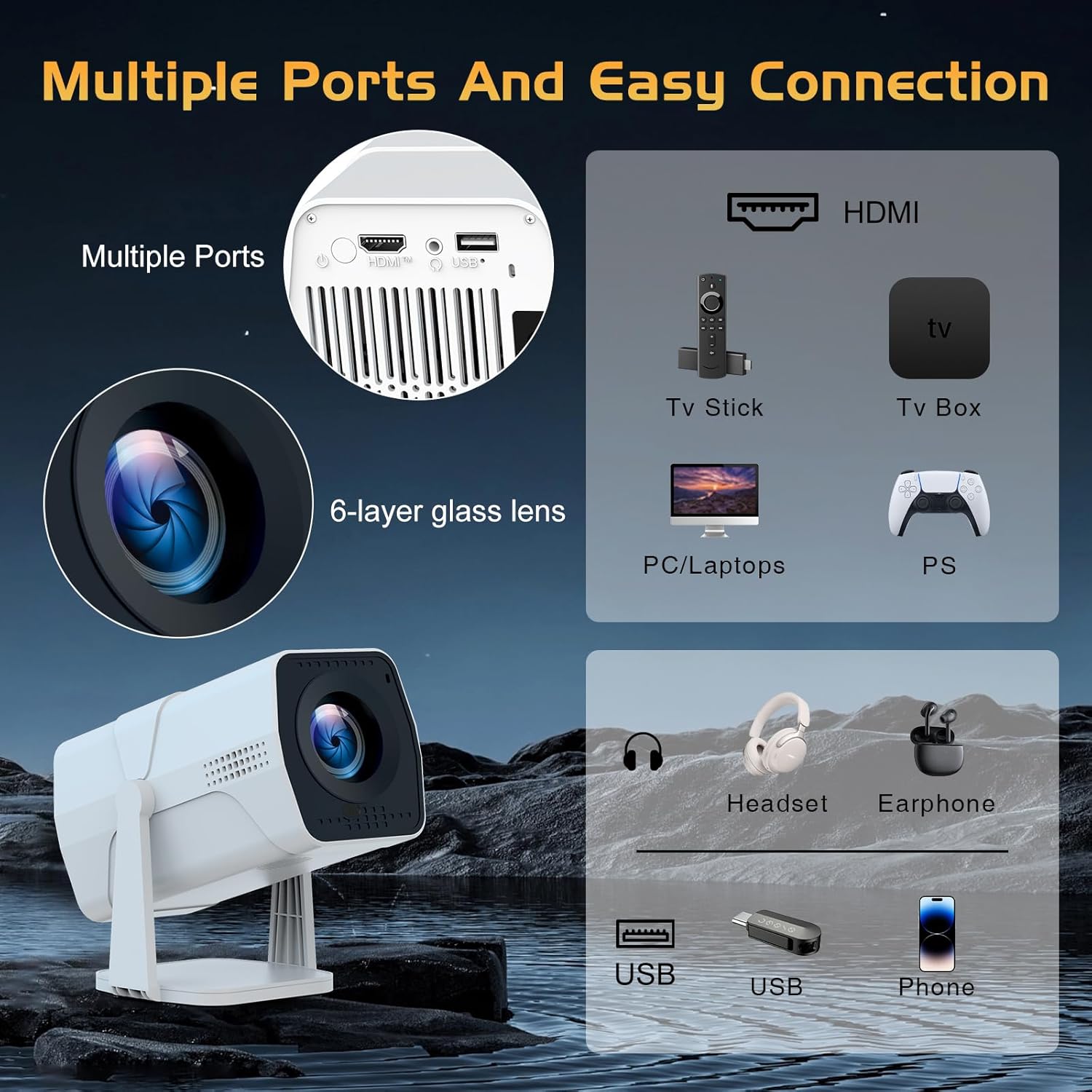
Image: A detailed diagram showing the multiple ports on the TMY Projector (HDMI, USB) and various connection possibilities, including TV sticks, PCs, gaming consoles, headsets, and phones.
4.4 Screen Zoom Function
The projector includes a 50%-100% zoom function, allowing you to adjust the screen size without moving the projector. This feature can be accessed via the remote control or settings menu.
5. Wartung
To ensure the longevity and optimal performance of your TMY Projector, follow these maintenance guidelines:
- Reinigung der Linse: Verwenden Sie ein weiches, fusselfreies Tuch, das speziell für optische Linsen entwickelt wurde. Vermeiden Sie scheuernde Materialien oder aggressive Chemikalien.
- Reinigung der Außenseite: Reinigen Sie das Gehäuse des Projektors mit einem weichen, trockenen Tuch. Verwenden Sie keine flüssigen Reinigungsmittel direkt am Gerät.
- Belüftung: Stellen Sie sicher, dass die Belüftungsöffnungen nicht blockiert sind, um eine Überhitzung zu vermeiden.
- Lagerung: Bei längerer Nichtbenutzung sollte der Projektor an einem kühlen, trockenen Ort, fern von direkter Sonneneinstrahlung und Staub, aufbewahrt werden.
6. Fehlerbehebung
If you encounter issues with your TMY Projector, refer to the following common problems and solutions:
- Kein Strom:
- Stellen Sie sicher, dass das Netzkabel sowohl mit dem Projektor als auch mit einer funktionierenden Steckdose fest verbunden ist.
- Überprüfen Sie, ob die Steckdose funktionsfähig ist.
- Kein Bild / Unscharfes Bild:
- Verify the projector is powered on and the lens cap is removed.
- Allow the automatic focus and keystone correction to complete. If still blurry, manually adjust focus using the remote.
- Ensure the projection surface is suitable and the projector is within the recommended distance.
- If using an external source (HDMI), ensure the correct input source is selected.
- Kein Ton:
- Überprüfen Sie die Lautstärke am Projektor und an allen angeschlossenen externen Audiogeräten.
- Wenn Sie Bluetooth-Lautsprecher verwenden, stellen Sie sicher, dass diese ordnungsgemäß gekoppelt und verbunden sind.
- If using internal speakers, ensure external Bluetooth output is not selected.
- Fernbedienung reagiert nicht:
- Stellen Sie sicher, dass die Batterien korrekt eingelegt und nicht entladen sind.
- Richten Sie die Fernbedienung direkt auf den Infrarotempfänger des Projektors.
- Probleme mit der WLAN-Verbindung:
- Stellen Sie sicher, dass Ihr WLAN-Netzwerk aktiv und in Reichweite ist.
- Überprüfen Sie das WLAN-Passwort noch einmal.
- Starten Sie den Projektor und Ihren WLAN-Router neu.
- If the connection times out, try moving the projector closer to the router or reducing interference.
7. Spezifikationen
| Besonderheit | Spezifikation |
|---|---|
| Marke | TMY |
| Modell | B0DRFF5KMF |
| Artikelgewicht | 2.79 Pfund |
| Technische Daten | 5.35 x 4.84 x 7.09 Zoll |
| Farbe | Weiß |
| Besondere Merkmale | Speakers, Electric Focus, Auto Keystone, 270° Rotatable Stand |
| Konnektivitätstechnologie | HDMI, USB, WiFi 6, Bluetooth 5.2 |
| Bildschirmauflösung | 1920 x 1080 (1080P Full HD) |
| Empfohlene Verwendung | Innenbereich |

Image: A visual comparison showing the TMY Projector's 1080P Full HD image quality, emphasizing that it is recommended for use in dark environments for optimal viewing, contrasted with daytime or light-on conditions.
8. Garantie und Support
TMY is committed to providing excellent customer service and product support.
- Garantie: Dieses Produkt wird mit einer 3-Jahres-Garantie geliefert.
- Rückgaberecht: Profitieren Sie von einem 30-tägigen Rückgaberecht.
- Technische Unterstützung: Lifetime after-sale service and technical support are available.
- Ansprechzeit: Bei Supportanfragen erhalten Sie innerhalb von 24 Stunden eine schnelle Antwort.
Weitere Hilfe finden Sie auf der offiziellen Website. TMY Store on Amazon or contact customer support through the provided channels in your warranty card.