
1. Einleitung
Thank you for choosing the gorsun Kids Bluetooth Headphones, Model E69. These headphones are designed specifically for children, prioritizing hearing protection, comfort, and durability. Featuring an 85dB volume limit, Bluetooth 5.3 connectivity, and a built-in microphone, they provide a safe and enjoyable audio experience for learning, travel, and entertainment.
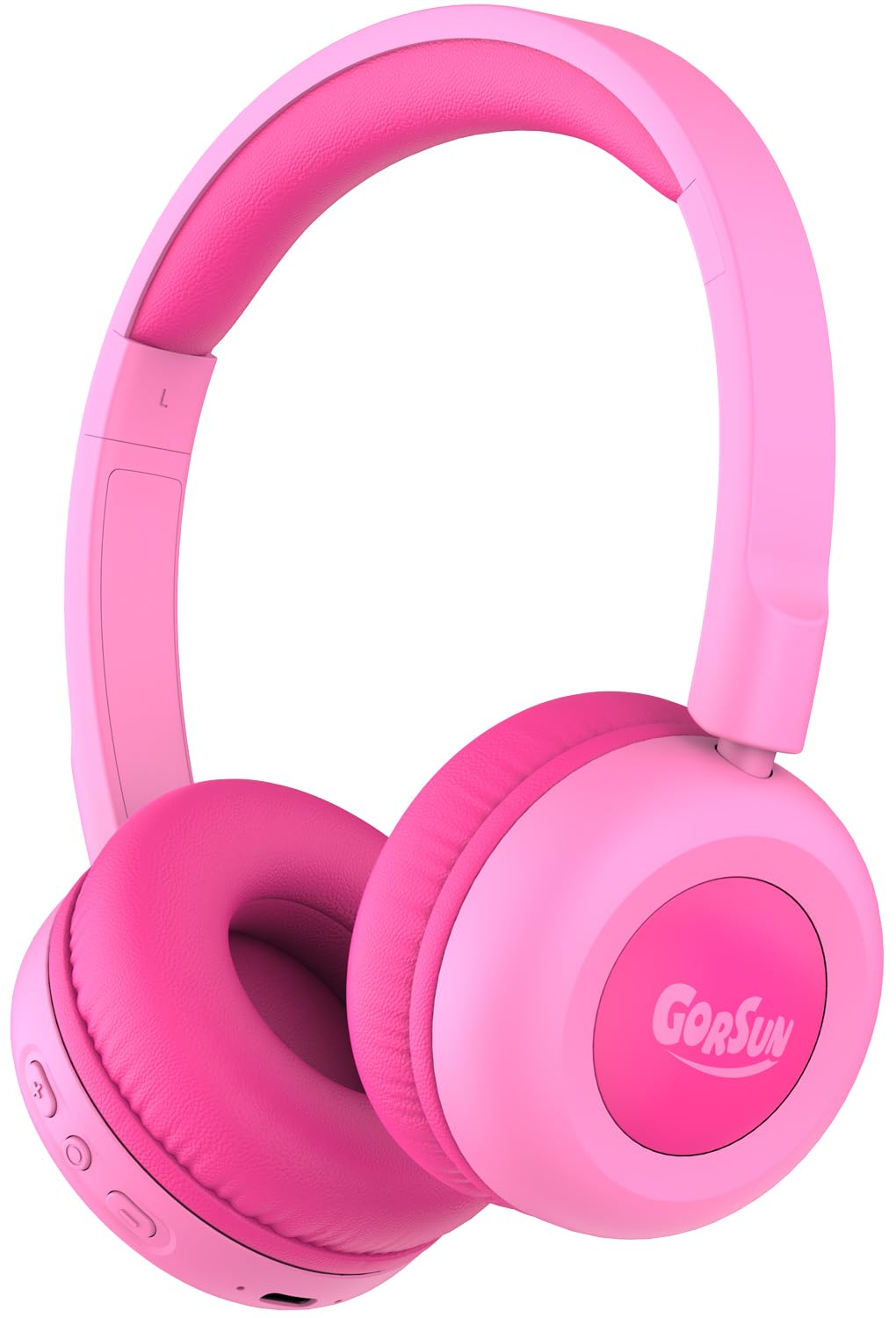
Image: gorsun Kids Bluetooth Headphones E69 in Pink.
2. Lieferumfang
- gorsun Kids Wireless Headphones (Model E69)
- USB-C-Ladekabel
- Bedienungsanleitung
3. Produktmerkmale
- Gehörschutz: Built-in fixed safety volume limit set to 85dB to protect children's ears, meeting strict safety standards.
- Unmatched Comfort & Durability: Lightweight design with memory-protein cushions for comfort. Adjustable headband accommodates children aged 3-12 years. Constructed with food-grade silicone parts to withstand daily use and accidental drops.
- Verlängerte Akkulaufzeit: Enjoy up to 50 hours of continuous playtime on a single charge, ideal for long trips and extended use without frequent recharging.
- Bluetooth 5.3 & Built-in Microphone: Equipped with the latest Bluetooth 5.3 technology for stable and fast wireless connections. The integrated microphone allows for clear communication during online classes, video calls, or talking with friends.
- Clear Sound & 40mm Driver: Delivers balanced audio specifically tuned for developing ears, with enhanced clarity. Precisely-tuned speakers eliminate harsh frequencies while maintaining rich detail.

Image: The headphones are designed to be flexible and durable, suitable for active children.

Image: A child comfortably wearing the gorsun Kids Bluetooth Headphones.
4. Einrichtung
4.1 Aufladen der Kopfhörer
Before first use, fully charge the headphones. Connect the provided USB-C charging cable to the charging port on the headphones and the other end to a compatible USB power source (e.g., computer, wall adapter). A full charge takes approximately 2 hours and provides up to 50 hours of playtime.

Image: The headphones connected to a USB-C charging cable.
4.2 Bluetooth-Kopplung
- Stellen Sie sicher, dass die Kopfhörer aufgeladen sind.
- Halten Sie die Ein-/Aus-Taste am Kopfhörer gedrückt, bis die LED-Anzeige blau und rot blinkt. Dies signalisiert den Kopplungsmodus.
- Gehen Sie auf Ihrem Gerät (Smartphone, Tablet, Laptop) zu den Bluetooth-Einstellungen und schalten Sie Bluetooth ein.
- Suchen nach available devices and select "gorsun E69" from the list.
- Sobald die Verbindung hergestellt ist, leuchtet die LED-Anzeige an den Kopfhörern durchgehend blau.
4.3 Kabelverbindung (optional)
For devices without Bluetooth or when battery is low, you can use the included 3.5mm audio cable (if provided, check package contents) to connect the headphones directly to your device's audio jack. This model supports both Bluetooth and 3.5mm wired connection.
5. Bedienungsanleitung
5.1 Grundlegende Bedienelemente
Die Kopfhörer verfügen über intuitive Bedienelemente an der Ohrmuschel:
- Netzschalter: Zum Ein-/Ausschalten gedrückt halten.
- Lauter (+): Kurz drücken, um die Lautstärke zu erhöhen.
- Lautstärke runter (-): Kurz drücken, um die Lautstärke zu verringern.
- Multifunktionstaste (Wiedergabe/Pause/Anruf):
- Einmaliges Drücken zum Abspielen/Pausieren der Musik.
- Einmaliges Drücken zum Annehmen/Beenden von Anrufen.
- Double press for Next track.
- Triple press for Previous track.
5.2 Lautstärkebegrenzung
The gorsun E69 headphones are designed with a fixed 85dB volume limit to protect children's hearing. This limit cannot be exceeded, ensuring a safe listening experience at all times.
6. Wartung
- Reinigen Sie die Kopfhörer regelmäßig mit einem weichen, trockenen Tuch. Verwenden Sie keine scharfen Chemikalien oder Scheuermittel.
- Vermeiden Sie es, die Kopfhörer extremen Temperaturen, hoher Luftfeuchtigkeit oder direkter Sonneneinstrahlung auszusetzen.
- When not in use, store the headphones in a clean, dry place. The foldable design allows for compact storage.
7. Fehlerbehebung
| Problem | Mögliche Lösung |
|---|---|
| Die Kopfhörer lassen sich nicht einschalten | Stellen Sie sicher, dass die Kopfhörer vollständig aufgeladen sind. Halten Sie den Ein-/Ausschalter einige Sekunden lang gedrückt. |
| Kopplung mit dem Gerät nicht möglich | Make sure headphones are in pairing mode (flashing blue/red LED). Turn off and on Bluetooth on your device. Ensure headphones are within 10 meters of the device. |
| Kein Ton | Check device volume and headphone volume. Ensure headphones are properly paired or connected via audio cable. Try restarting both devices. |
| Mikrofon funktioniert nicht | Ensure the headphones are connected via Bluetooth. Check device settings to confirm the headphone microphone is selected as the input device. |
8. Spezifikationen
- Modellname: E69
- Konnektivitätstechnologie: Wireless (Bluetooth 5.3) / Wired (3.5mm, if cable included)
- Bluetooth-Reichweite: 15 Meter
- Audiotreibertyp: Dynamischer Treiber
- Größe des Audiotreibers: 40 Millimeter
- Akkulaufzeit: 50 Stunden
- Ladezeit: 2 Stunden
- Kopfhöreranschluss: Typ-C (zum Laden)
- Geräuschpegelkontrolle: Schallisolierung
- Steuerungstyp: Lautstärkeregler, Druckknopf
- Material: Acrylnitril-Butadien-Styrol (ABS), Leder
- Artikelgewicht: 5.3 Unzen
- Altersspanne (Beschreibung): Kind
- Besonderheit: Volume Limited to 85dB for Kids' Hearing Protection
9. Offizielle Produktvideos
Gorsun Kids Headphones - Safe Sound for Little Ears
Video: Ein überview of the gorsun Kids Headphones, highlighting their safe sound features for young users.
Comfort & Durability
Video: Demonstrates the comfort and durable construction of the gorsun Kids Headphones, including their flexibility.
Perfect Toddler Headphones with Good Sound Quality
Video: Ein Benutzer review highlighting the suitability of the headphones for toddlers and their sound quality.
10. Garantie und Support
gorsun provides 24-hour customer service. If you encounter any issues or have questions regarding your headphones, please feel free to contact us via Amazon email. We are committed to providing satisfactory solutions.