
1. Einleitung
This manual provides detailed instructions for the installation, operation, and maintenance of your TMEZON MZ-IP-V728TW IP 4-Wire Intercom Monitor. Please read this manual thoroughly before using the product to ensure proper function and to prevent damage.
The TMEZON MZ-IP-V728TW is an advanced IP-enabled 4-wire intercom monitor designed for home and office security systems, offering reliable communication and video monitoring capabilities.
2. Sicherheitshinweise
- Stellen Sie sicher, dass alle elektrischen Anschlüsse von einem qualifizierten Elektriker vorgenommen werden und den örtlichen Elektrovorschriften entsprechen.
- Setzen Sie den Monitor weder Wasser, Feuchtigkeit noch extremen Temperaturen aus.
- Avoid placing the monitor near strong magnetic fields or sources of interference.
- Vor Durchführung von Wartungs- oder Installationsarbeiten die Stromzufuhr unterbrechen.
- Use only the power adapter and accessories supplied or recommended by TMEZON.
- Bewahren Sie das Gerät außerhalb der Reichweite von Kindern auf.
3. Packungsinhalt
Bitte überprüfen Sie, ob alle unten aufgeführten Artikel in Ihrem Paket enthalten sind:
- TMEZON MZ-IP-V728TW IP 4-Wire Intercom Monitor
- Montagehalterung
- Netzteil (AC/DC)
- Connection Cables (4-wire, network cable)
- Befestigungsschrauben und Dübel
- Benutzerhandbuch (dieses Dokument)
4. Produktüberschreitungview
4.1. Monitorkomponenten
The TMEZON MZ-IP-V728TW monitor features a high-resolution display, touch-sensitive buttons, and various ports for connectivity.
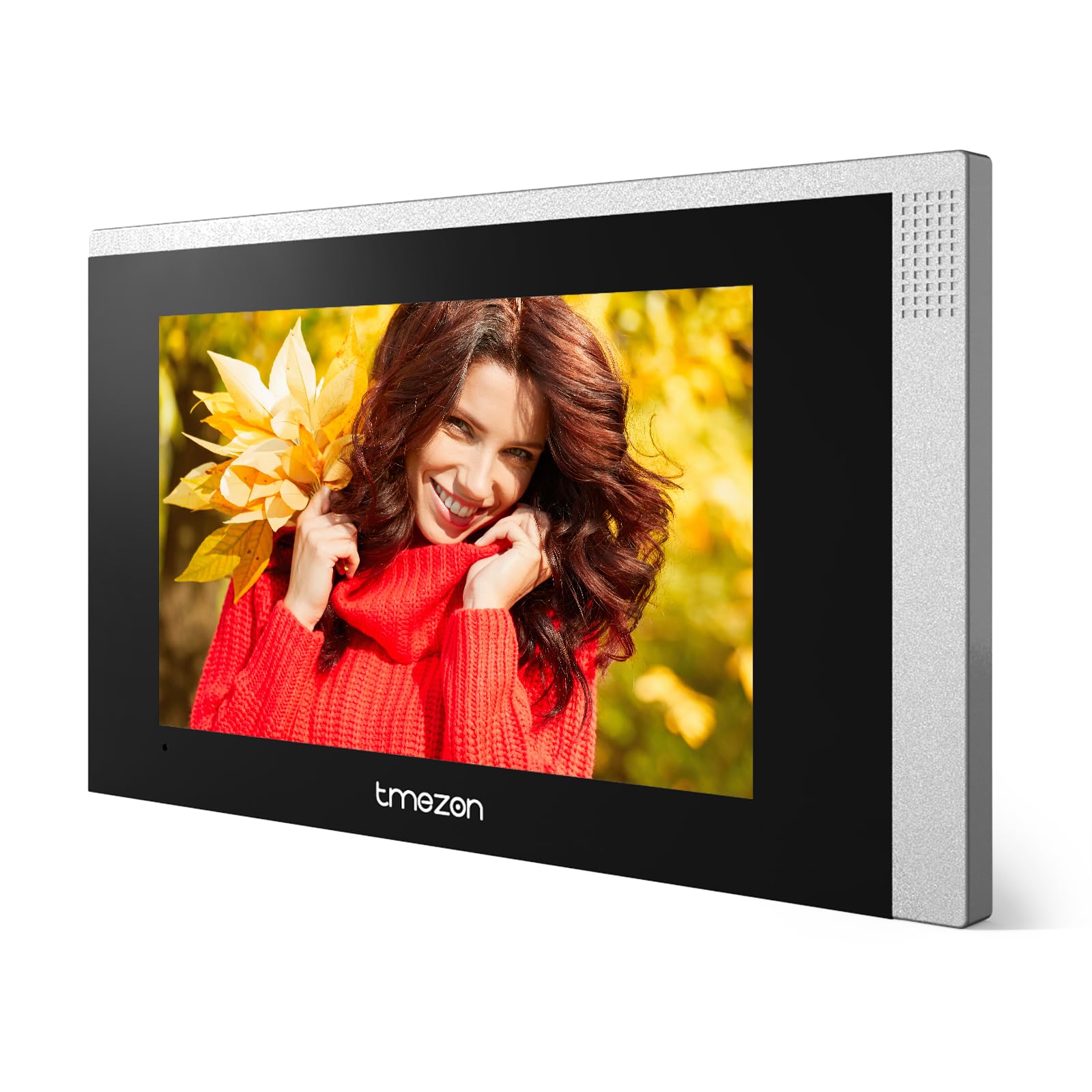
Bild 1: Vorderseite view of the TMEZON MZ-IP-V728TW IP 4-Wire Intercom Monitor, showing the display and control buttons.
- Bildschirm: Main interface for video and menu navigation.
- Funktionstasten: (e.g., Answer, Door Release, Monitor, Menu, Talk) - specific functions may vary slightly based on firmware.
- Mikrofon: Für die bidirektionale Audiokommunikation.
- Lautsprecher: Für Audioausgabe.
- Anschlüsse auf der Rückseite: Power input, 4-wire terminal, Ethernet port (RJ45), alarm inputs/outputs (if applicable).
4.2. Hauptmerkmale
- IP-enabled for remote access and integration with smart home systems.
- 4-wire connection for reliable power and data transmission.
- High-resolution color display for clear video.
- Zweiwege-Audiokommunikation.
- Türöffnungsfunktion.
- Multiple indoor monitor support.
- Recording and snapshot capabilities (if equipped with storage).
5. Einrichtung
5.1. Aufstellungsort
Choose a suitable indoor location for the monitor, typically at eye level, away from direct sunlight, heat sources, and areas with high humidity. Ensure there is sufficient space for wiring and ventilation.
5.2. Montage des Monitors
- Markieren Sie die gewünschte Montageposition an der Wand.
- Verwenden Sie die Montagehalterung als Schablone, um die Schraubenlöcher zu markieren.
- Bohren Sie an den markierten Stellen Löcher und setzen Sie Dübel ein.
- Befestigen Sie die Montagehalterung mit den mitgelieferten Schrauben an der Wand.
- Stellen Sie sicher, dass die Halterung waagerecht und fest montiert ist.
5.3. Kabelverbindungen
The MZ-IP-V728TW uses a 4-wire connection system. Proper wiring is crucial for system functionality. Refer to the wiring diagram provided with your outdoor station and other system components.
- Wire 1 (Video): Connects to the video signal output of the outdoor station.
- Wire 2 (Audio): Connects to the audio signal output/input of the outdoor station.
- Wire 3 (Power +): Connects to the positive power supply from the outdoor station or power distributor.
- Wire 4 (Ground -): Connects to the ground/negative power supply.
- Ethernet (RJ45): Connect to your local network router for IP functionality and remote access.
- Leistungsaufnahme: Connect the AC/DC power adapter to the monitor's power input port.
Note: A detailed wiring diagram specific to your complete intercom system (including outdoor station, additional monitors, and power supply) should be consulted. If you are unsure, consult a professional installer.
5.4. Erste Inbetriebnahme
- After all wiring is complete and secure, plug in the power adapter.
- The monitor will power on and display the TMEZON logo.
- Follow the on-screen prompts for initial setup, including language selection, date/time, and network configuration.
6. Bedienungsanleitung
6.1. Einen Anruf annehmen
When a visitor presses the call button on the outdoor station, the monitor will ring and display the visitor's video. Press the Antwort button to establish two-way audio communication.
6.2. Türöffnung
Drücken Sie während eines Anrufs oder während der Überwachung die Taste Türfreigabe button to unlock the connected electronic lock. Ensure the door is clear before activating the release.
6.3. Überwachung
Drücken Sie die Monitor Taste, um view the live video feed from the outdoor station without an incoming call. Press it again to end monitoring.
6.4. Menünavigation
Drücken Sie die Speisekarte button to access the monitor's settings. Use the arrow buttons (if physical) or touch screen gestures to navigate through options. Common settings include:
- Systemeinstellungen: Language, Date/Time, Ringtone, Volume.
- Netzwerkeinstellungen: Wi-Fi configuration, IP address.
- Aufnahme/Wiedergabe: View recorded videos or snapshots (if storage is installed).
- Alarmeinstellungen: Configure external alarm sensors (if connected).
7. Wartung
- Reinigung: Reinigen Sie den Bildschirm und das Gehäuse des Monitors mit einem weichen, trockenen Tuch. Verwenden Sie keine Scheuermittel oder Lösungsmittel.
- Firmware-Updates: Periodically check the TMEZON official webWebsite für Firmware-Updates zur Gewährleistung optimaler Leistung und Sicherheit.
- Aus- und Wiedereinschalten: If the monitor becomes unresponsive, disconnect the power adapter for 10 seconds and then reconnect it.
8. Fehlerbehebung
| Problem | Mögliche Ursache | Lösung |
|---|---|---|
| Der Monitor lässt sich nicht einschalten. | Keine Stromversorgung; defekter Adapter; lose Verbindung. | Check power adapter connection; ensure outlet has power; try a different adapter if available. |
| Kein Video von der Außenstation. | Incorrect wiring; faulty outdoor station; damaged cable. | Verify 4-wire connections; check outdoor station power; inspect cable for damage. |
| Kein Ton während des Anrufs. | Volume too low; incorrect wiring; faulty microphone/speaker. | Adjust monitor volume; check audio wire connection; test with another monitor if possible. |
| Türöffner funktioniert nicht. | Incorrect wiring to electric lock; faulty lock; insufficient power. | Verify door release wiring; check electric lock functionality; ensure adequate power supply to the lock. |
| Cannot connect to network (IP function). | Incorrect network settings; faulty Ethernet cable; router issue. | Check network cable connection; verify IP settings (DHCP/Static IP); restart router. |
9. Spezifikationen
| Besonderheit | Spezifikation |
|---|---|
| Modellnummer | MZ-IP-V728TW |
| Hersteller | TMEZON |
| Leistungstyp | Wechselstrom/Gleichstrom |
| Konnektivität | 4-Wire, IP (Ethernet) |
| Im Lieferumfang enthaltene Komponenten | Monitor (schermo) |
| ASIN | B0DRJJFFP8 |
10. Garantie und Support
TMEZON products are designed for reliability and performance. This product comes with a standard manufacturer's warranty. Please refer to the warranty card included in your package or visit the official TMEZON webAuf der Webseite finden Sie die detaillierten Garantiebedingungen.
Für technischen Support, Hilfe bei der Fehlerbehebung oder Garantieansprüche wenden Sie sich bitte an den TMEZON-Kundendienst über deren offizielle Website. website or the contact information provided with your purchase. When contacting support, please have your product model number (MZ-IP-V728TW) and purchase details ready.
Weitere Informationen finden Sie im TMEZON Store auf Amazon.