
Einführung
This manual provides detailed instructions for the Micool Bluetooth Headset V5.4 (Model DY20PLUS). Please read this manual carefully before using the product to ensure proper operation and to maximize its features and lifespan. This headset is designed for clear communication and comfortable wear, featuring advanced noise cancellation and long battery life.
Sicherheitshinweise
To ensure safe and proper use of your headset, please observe the following guidelines:
- Do not expose the headset to extreme temperatures, direct sunlight, or high humidity.
- Avoid dropping or subjecting the headset to strong impacts, which may damage internal components.
- Do not attempt to disassemble, repair, or modify the headset. This will void the warranty and may cause harm.
- Bewahren Sie das Headset und sein Zubehör außerhalb der Reichweite von Kindern und Haustieren auf.
- Use only the provided USB-C charging cable or a certified equivalent to prevent damage to the battery.
- Vermeiden Sie es, längere Zeit bei hoher Lautstärke zu hören, um Gehörschäden vorzubeugen.
Packungsinhalt
Bitte überprüfen Sie, ob alle Artikel in Ihrem Paket vorhanden sind:
- Micool Bluetooth Headset (DY20PLUS)
- USB-C-Ladekabel
- Bedienungsanleitung
- Additional Eartips (Sizes L, M, S)
- Ohrbügel

Image: Micool Bluetooth Headset and its accessories, including different sized eartips and a charging cable.
Produkt überview
Familiarize yourself with the various components and controls of your Micool Bluetooth Headset:

Bild: Vorderseite view of the Micool Bluetooth Headset, highlighting the main call button, volume controls, and the LED battery indicator lights.
- Multifunktionstaste: Used for power on/off, answering/ending calls, and playing/pausing music.
- Lautstärke +/- Tasten: Adjust volume, skip tracks, and check battery level.
- LED-Leistungsanzeige: Indicates the remaining battery level with four segments.
- Mikrofon: Equipped with dual-mic noise reduction for clear voice input during calls.
- USB-C-Ladeanschluss: For connecting the charging cable to power the headset.
Aufstellen
1. Laden des Headsets
Before initial use, fully charge your headset to ensure optimal battery performance.
- Schließen Sie das USB-C-Ladekabel an den Ladeanschluss des Headsets an.
- Verbinden Sie das andere Ende des Kabels mit einer USB-Stromquelle (z. B. Computer, Wandadapter).
- The LED power display will illuminate to indicate charging. A full charge typically takes approximately 1.5-2 hours.
2. Koppeln mit einem Gerät
The headset utilizes Bluetooth 5.4 for a stable and efficient wireless connection up to 50 meters.
- Ensure the headset is powered off and fully charged.
- Press and hold the Multi-function Button for approximately 3-5 seconds until the LED indicator flashes blue and red alternately. This indicates the headset is in pairing mode.
- On your desired device (smartphone, tablet, laptop), enable Bluetooth and search for available devices.
- Select "DY20PLUS" from the list of found devices.
- Once successfully connected, the LED indicator will flash blue slowly.
3. Connecting to Two Devices Simultaneously (Multi-point Connection)
The DY20PLUS supports connecting to two Bluetooth devices concurrently, allowing seamless switching between them.
- Koppeln Sie das Headset mit dem ersten Gerät, indem Sie die oben beschriebenen Schritte befolgen.
- Disable Bluetooth on the first device. The headset will re-enter pairing mode (flashing blue and red).
- Koppeln Sie das Headset mit dem zweiten Gerät.
- Re-enable Bluetooth on the first device. The headset should automatically connect to both devices. You can now receive calls or play audio from either device.
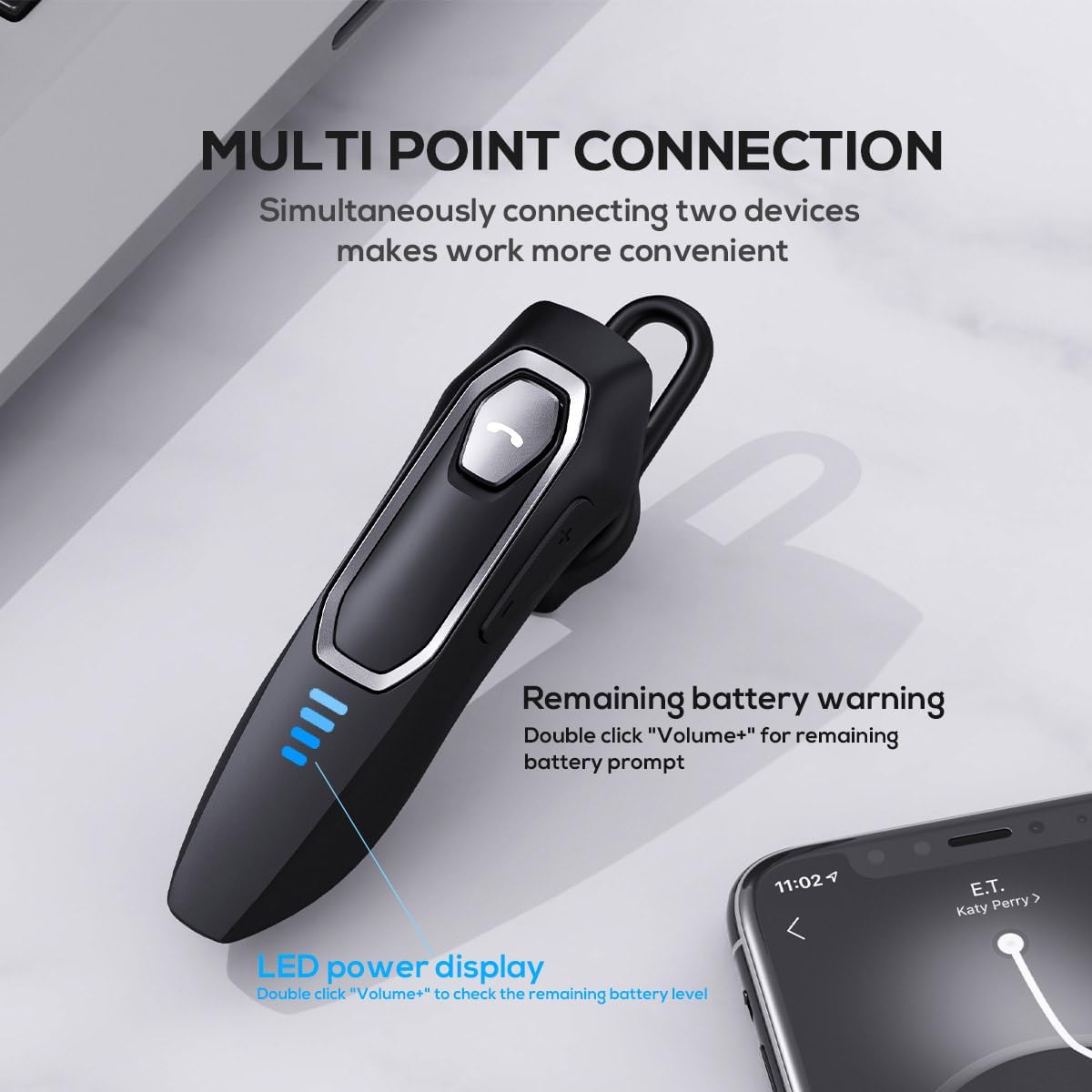
Image: The Micool headset demonstrating its multi-point connection capability, allowing simultaneous connection to two devices.
Bedienungsanleitung
Ein-/Ausschalten
- Einschalten: Halten Sie die Multifunktionstaste 3 Sekunden lang gedrückt.
- Ausschalten: Halten Sie die Multifunktionstaste 5 Sekunden lang gedrückt.
Anruf-Management
- Anruf annehmen/beenden: Drücken Sie kurz die Multifunktionstaste.
- Anruf ablehnen: Halten Sie die Multifunktionstaste 2 Sekunden lang gedrückt.
- Mikrofon stummschalten/Stummschaltung aufheben: During a call, press and hold the Volume "-" button for approximately 2 seconds.
- Letzten ausgehenden Anruf erneut wählen: Triple-tap the Multi-function Button.

Image: Illustration of the mute function, activated by holding the Volume '-' button.
Musikwiedergabe
- Abspielen/Pause: Drücken Sie kurz die Multifunktionstaste.
- Nächster Titel: Press and hold the Volume "+" button for 2 seconds.
- Vorheriges Lied: Press and hold the Volume "-" button for 2 seconds.
Lautstärkeregelung
- Lautstärke erhöhen: Short press the Volume "+" button.
- Lautstärke verringern: Short press the Volume "-" button.
Sprachassistent
- Sprachassistent aktivieren (Siri, Google Assistant usw.): Double-click the Multi-function Button.
LED-Leistungsanzeige
- The four LED lights indicate the remaining battery level, with each light representing approximately 25% charge.
- To check the remaining power, double-click the Volume "+" button.
Image: The LED power display on the headset, indicating battery level.
Wartung
Proper maintenance will help extend the life of your Micool Bluetooth Headset:
- Clean the headset regularly with a soft, dry, lint-free cloth.
- Verwenden Sie keine Scheuermittel, Lösungsmittel oder starke Chemikalien, da diese die Oberfläche oder die inneren Bauteile beschädigen können.
- Bewahren Sie das Headset an einem kühlen, trockenen Ort fern von direkter Sonneneinstrahlung und extremen Temperaturen auf.
- Ensure the USB-C charging port is free of dust and debris to maintain proper charging connection.
- If the headset gets wet, wipe it dry immediately. Do not charge it until it is completely dry.
Fehlerbehebung
Sollten Sie Probleme mit Ihrem Headset haben, beachten Sie bitte die folgenden häufig auftretenden Probleme und Lösungen:
| Problem | Mögliche Ursache | Lösung |
|---|---|---|
| Das Headset lässt sich nicht einschalten. | Niedriger oder leerer Akku. | Laden Sie das Headset vollständig mit dem mitgelieferten USB-C-Kabel auf. |
| Kopplung mit dem Gerät nicht möglich. | Headset nicht im Kopplungsmodus; Bluetooth am Gerät deaktiviert; Gerät zu weit entfernt. | Ensure headset is in pairing mode (flashing red/blue); enable Bluetooth on your device; move device closer (within 50m). Clear previous Bluetooth connections if necessary. |
| Kein Ton oder schlechte Tonqualität. | Volume too low; headset not connected; audio source issue; interference. | Adjust headset and device volume; re-pair headset; check audio source; move away from other wireless devices. |
| Mikrofon funktioniert nicht. | Mute function active; microphone blocked; device settings. | Deactivate mute function (hold Volume "-" for 2s); ensure microphone is clear; check microphone settings on your device. |
| Kurze Akkulaufzeit. | Headset not fully charged; high volume usage; aging battery. | Ensure full charge before use; reduce volume; if issue persists after full charge, contact support. |
Technische Daten
- Modellname: DY20PLUS
- Konnektivitätstechnologie: Kabellos (Bluetooth)
- Bluetooth-Version: 5.4
- Bluetooth-Reichweite: Bis zu 50 Meter
- Akkulaufzeit (Sprechzeit): Bis zu 36 Stunden
- Akkulaufzeit (Musikwiedergabe): Bis zu 45 Stunden
- Ladezeit: Etwa 1.5-2 Stunden
- Ladeanschluss: USB-C
- Geräuschpegelkontrolle: Active Noise Cancellation (Dual-Mic)
- Kompatible Geräte: Smartphones, Tablets, Smart Speaker
- Gewicht: 2.08 Unzen (ca. 59 Gramm)
- Material: Acrylnitril-Butadien-Styrol (ABS)
- Wasserbeständigkeit: Wasserfest
- Frequenzbereich: 20 Hz – 20,000 Hz
Garantie und Support
Micool products are designed for reliability and performance. For detailed warranty information, including coverage and terms, please refer to the warranty card included with your product or visit the official Micool webWebsite.
For technical support, troubleshooting assistance, or any inquiries regarding your Micool Bluetooth Headset, please contact our customer service team through the contact information provided on your product packaging or via the Micool Amazon Store:
Micool Amazon Store: Besuchen Sie den Shop
Our support team is available to assist you with any questions or concerns you may have.