
Einführung
Thank you for choosing the Micool DY20PLUS Bluetooth 5.4 Headset. This single-ear wireless headset is designed for clear communication and extended use, featuring advanced noise cancellation and long battery life. This manual provides detailed instructions to help you get the most out of your device.

Image: The Micool DY20PLUS Bluetooth 5.4 Headset, showcasing its sleek black and gold design with an ear hook and LED battery indicators.
Lieferumfang
Upon opening your Micool DY20PLUS package, you should find the following items:
- Micool DY20PLUS Bluetooth Headset
- USB-C-Ladekabel
- Bedienungsanleitung
- Zusätzliche Ohrstöpsel (verschiedene Größen)
Video: Ein Unboxing und mehrview of the Micool DY20PLUS headset and its included accessories, such as the charging cable and various eartips.
Aufstellen
1. Laden des Headsets
Before first use, fully charge your headset. The Micool DY20PLUS features a Type-C charging port for convenience.
- Schließen Sie das mitgelieferte USB-C-Ladekabel an den Ladeanschluss des Headsets an.
- Verbinden Sie das andere Ende des Kabels mit einer kompatiblen USB-Stromquelle (z. B. Netzteil, USB-Anschluss am Computer).
- Eine vollständige Aufladung dauert ungefähr 1.5 bis 2 Stunden.
- The LED Power Display Light on the headset indicates the remaining battery level. There are four levels, with each grid representing 25% of the battery. Double-click the Volume+ button to check the remaining power.

Image: Visual representation of the headset's quick charge capability, showing that 10 minutes of charging provides 4 hours of continuous use.
2. Koppeln mit Ihrem Gerät
The DY20PLUS uses Bluetooth 5.4 for a stable and efficient connection.
- Stellen Sie sicher, dass das Headset geladen und ausgeschaltet ist.
- Press and hold the Multi-Function Button (MFB) on the headset for more than 3 seconds until the indicator light flashes, indicating it's in pairing mode.
- Aktivieren Sie auf Ihrem Gerät (Smartphone, Tablet, Computer) Bluetooth und suchen Sie nach verfügbaren Geräten.
- Select "DY20PLUS" from the list of found devices to connect.
- Sobald die Kopplung erfolgreich war, hört die Kontrollleuchte auf zu blinken.
The headset offers a wireless connection distance of up to 50 meters (150 feet) in a straight line and can be connected to two devices simultaneously, allowing you to seamlessly switch between music and calls.
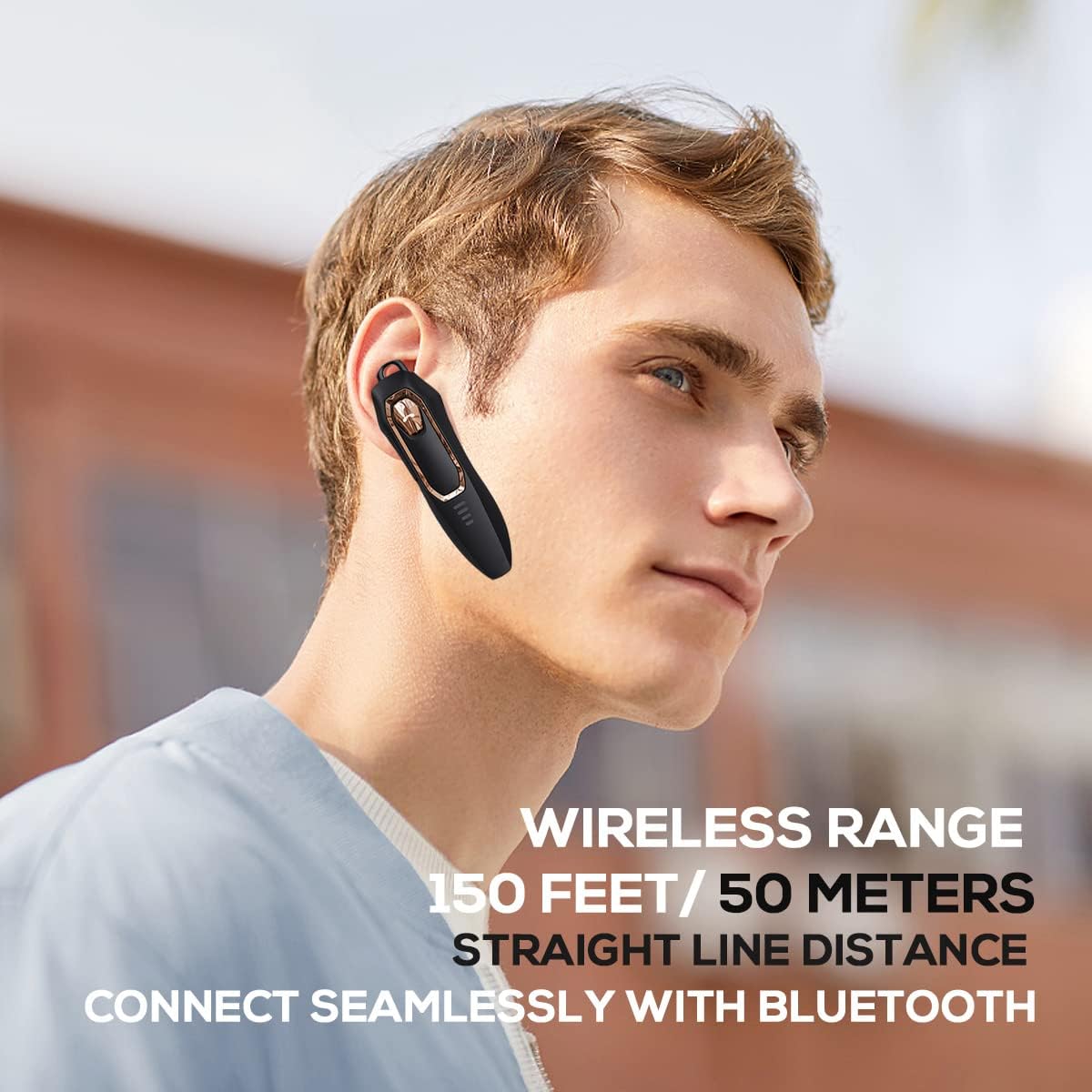
Image: A person wearing the headset, illustrating the 150 feet / 50 meters wireless range and seamless Bluetooth connectivity.
Bedienungsanleitung
Machen Sie sich mit den Bedienelementen des Headsets vertraut, um eine optimale Nutzung zu gewährleisten.
Tastenfunktionen:

Image: A detailed diagram showing the location and function of each button on the Micool DY20PLUS headset, including the Multi-Function Button (MFB), volume controls, and mute button.
- Ein-/Ausschalten: Press and hold the MFB for >3 seconds.
- Musik abspielen/pausieren: One-tap the MFB.
- Anruf annehmen/beenden: One-tap the MFB.
- Anruf ablehnen: Press and hold the MFB for >2 seconds.
- Sprachassistent aktivieren (Siri/Google Assistant): Doppeltippen Sie auf den Multifunktionsbutton.
- Songs wechseln: Press Volume+ for 2 seconds for next song, Volume- for 2 seconds for previous song.
- Lautstärkeregelung: Short press Volume+ to increase volume, short press Volume- to decrease volume.
- Mute-Funktion: Press the dedicated mute button for >2 seconds to mute/unmute your microphone during a call.
- Sprache ändern: Three-tap the MFB.
- Letzten ausgehenden Anruf erneut wählen: Three-tap the call button (MFB).
Hauptmerkmale
Fortschrittliche Geräuschunterdrückung
The DY20PLUS headset is equipped with two microphones for noise reduction and omnidirectional silicon microphone technology. It filters out approximately 80% of external noise. An updated Bluetooth 5.4 version with an integrated digital noise reduction algorithm further enhances noise reduction by 30%, ensuring clearer calls even in noisy environments.

Image: An illustration demonstrating how the two noise-cancelling microphones work to block background noise and maintain clear call quality.
Video: A demonstration highlighting the noise-cancelling capabilities of the Micool DY20PLUS Bluetooth Headset, particularly useful for truck drivers and noisy environments.
Verlängerte Akkulaufzeit
The headset provides up to 36 hours of talk time and 45 hours of music playback on a single charge. With a standby time of 20 days, it's designed for long-lasting performance, suitable for extended meetings or travel.

Image: An illustration emphasizing the headset's 36+ hour talk time and 45 hours of music playback, designed to power through work calls and daily activities.
Comfortable and Lightweight Design
Weighing only 12 grams, the DY20PLUS is ultra-small and light. Its ergonomic design ensures a secure and comfortable fit for all-day wear without causing ear fatigue. The ear canal-mouth canal design is airtight and optimized for bass.

Image: A person wearing the headset, highlighting its 12g ultra-lightweight design and compatibility with various devices like laptops, computers, pads, and phones.
Umfassende Kompatibilität
The Micool DY20PLUS is compatible with a wide range of devices, including telephones, smart speakers, and cellphones, making it versatile for various communication needs.
Wartung
- Reinigung: Reinigen Sie das Headset mit einem weichen, trockenen Tuch. Vermeiden Sie die Verwendung von scharfen Chemikalien oder scheuernden Materialien.
- Lagerung: Bewahren Sie das Headset an einem kühlen, trockenen Ort fern von extremen Temperaturen und direkter Sonneneinstrahlung auf.
- Wasserbeständigkeit: The headset is water-resistant. However, avoid submerging it in water or exposing it to heavy rain for prolonged periods.
- Laden: Always use the provided USB-C cable or a certified equivalent for charging to prevent damage.
Fehlerbehebung
| Problem | Mögliche Lösung |
|---|---|
| Das Headset lässt sich nicht einschalten. | Ensure the headset is fully charged. Press and hold the MFB for more than 3 seconds. |
| Kopplung mit dem Gerät nicht möglich. |
|
| Kein Ton oder geringe Lautstärke. |
|
| Die Gesprächsqualität ist schlecht. |
|
Technische Daten
| Besonderheit | Detail |
|---|---|
| Modellname | DY20PLUS |
| Marke | Micool |
| Konnektivitätstechnologie | Kabellos (Bluetooth) |
| Bluetooth-Version | 5.4 |
| Akkulaufzeit (Sprechzeit) | Bis zu 36 Stunden |
| Akkulaufzeit (Musikwiedergabe) | Bis zu 45 Stunden |
| Ladezeit | 1.5 - 2 Stunden |
| Ladeanschluss | USB-C |
| Drahtlose Reichweite | Bis zu 50 Meter (150 Fuß) |
| Geräuschunterdrückung | Dual-Mic Noise Reduction (80% filtered, 30% enhanced by algorithm) |
| Gewicht | 12 Gramm |
| Form der Hörmuschel | Im Ohr |
| Wasserbeständigkeit | Wasserfest |
| Kompatible Geräte | Telephones, Smart Speaker, Cellphones |
Garantie und Support
For warranty information and customer support, please refer to the documentation included with your purchase or contact Micool customer service directly. Details can typically be found on the manufacturer's official weboder über Ihre Verkaufsstelle.