
1. Einleitung
Welcome to the Valerion VisionMaster Pro 4K Laser Projector. This manual provides essential information for setting up, operating, and maintaining your projector to ensure optimal performance and longevity. Please read this manual thoroughly before using the product.
2. Lieferumfang
Your Valerion VisionMaster Pro package includes the following items:
- VisionMaster Pro Projector
- Fernbedienung
- Benutzerhandbuch (dieses Dokument)
- Netzteil
- EPP Protective Case
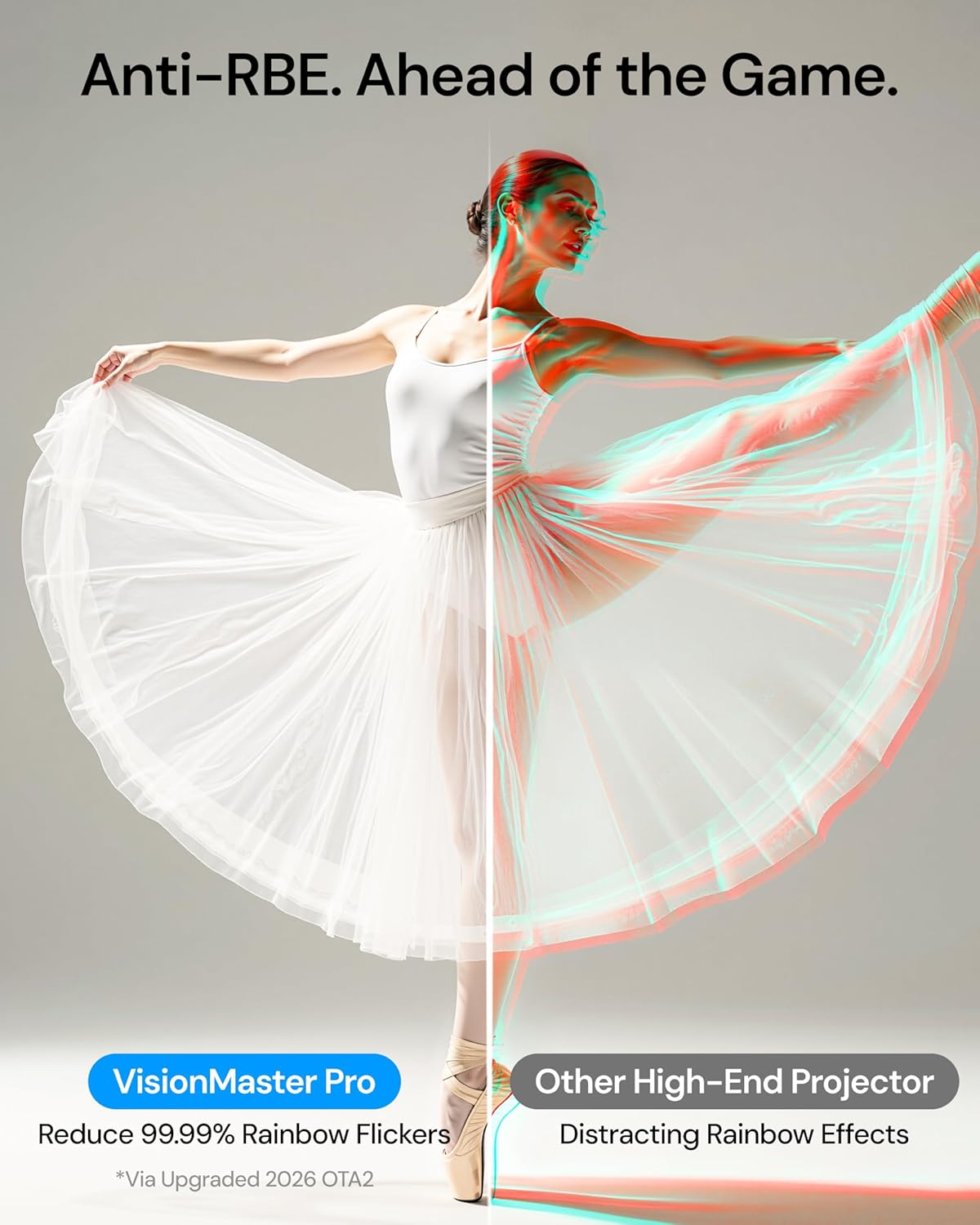
Image: Valerion VisionMaster Pro projector with included accessories.
3. Produktüberschreitungview
3.1-Vorderseite View

Image: The front of the projector features the main projection lens and integrated sensors for auto-focus and keystone correction.
3.2 Rückseite View (Anschlussmöglichkeiten)

Image: The rear panel provides various connectivity options, including HDMI, USB, Ethernet, and audio outputs.
- Gleichstrom 36V: Leistungsaufnahme.
- S/PDIF: Optischer Audioausgang.
- USB 3.0: High-speed USB port for external storage or devices.
- USB 2.0: Standard USB port for external storage or devices.
- HDMI 1, HDMI 2, HDMI 3 (eARC): HDMI inputs for connecting external video sources. HDMI 3 supports eARC for enhanced audio return.
- Audio Ausgang: 3.5-mm-Audiobuchse für externe Lautsprecher oder Kopfhörer.
- LAN: Ethernet-Anschluss für kabelgebundene Netzwerkverbindung.
3.3-Fernbedienung

Image: The included remote control allows for easy navigation and control of the projector's features.
4. Einrichtung
4.1 Platzierung
The VisionMaster Pro offers flexible placement options thanks to its 0.9-1.5 throw ratio optical zoom and automatic adjustment features. You can project an image up to 300 inches.

Image: Optical zoom allows for flexible projector placement without loss of image clarity.
Für optimale viewing, ensure the projector is placed on a stable, flat surface or mounted securely. The projector features automatic focus and keystone correction to quickly adjust the image geometry.
4.2 Einschalten und Ersteinrichtung
- Connect the power adapter to the DC 36V port on the projector and plug it into a power outlet.
- Drücken Sie die Einschalttaste am Projektor oder auf der Fernbedienung, um ihn einzuschalten.
- The projector will automatically perform auto-focus and auto-keystone correction.
- Folgen Sie den Anweisungen auf dem Bildschirm, um die Ersteinrichtung abzuschließen, einschließlich der Sprachauswahl und der Netzwerkverbindung.

Image: The projector features AI Box for automatic scene optimization, auto-calibration for precise setup, and auto-focus for instant clarity.
5. Bedienungsanleitung
5.1 Intelligentes Betriebssystem und Streaming
The VisionMaster Pro features an AI Smart OS with built-in Google TV+, providing instant access to popular streaming platforms like Netflix, YouTube, Amazon Prime Video, and Disney+. Its MT9618 chipset with 4GB RAM and 128GB ROM ensures seamless multitasking and smooth 4K UHD streaming.

Image: The Google TV interface offers easy access to streaming apps and content.
5.2 Bildeinstellungen
Experience stunning visuals with 4K UHD clarity, 15,000:1 contrast ratio, and Enhanced Black Level (EBL) technology. The projector supports HDR10+ with Dynamic Tone Mapping and is ISF-certified for color accuracy.
- Helligkeit: Adjust the ISO Lumens output. For optimal black levels, ensure the room is as dark as possible.
- Kontrast: The 15,000:1 contrast ratio with EBL delivers deep blacks.
- Farbe: 110% Rec.2020 wide color gamut ensures vivid, lifelike colors. ISF-certified calibration provides industry-leading color accuracy.
- AI Super Resolution: Enhances Full HD content to sharper 4K details.
- Dynamisches Tone Mapping: Optimizes brightness and contrast for HDR10+ content in real-time.

Image: The projector offers color mastery with RGB Laser technology, ISF certification, and Dynamic Tone Mapping.
5.3 Toneinstellungen
The VisionMaster Pro supports Dolby Vision and DTS:X audio formats for an immersive sound experience. While it has built-in speakers, connecting to an external sound system via HDMI (eARC) or optical output is recommended for a full home theater experience.
5.4 Gaming-Modus
For gamers, the projector offers ultra-smooth 4ms input lag and a 240Hz refresh rate on ultra-wide 21:9 or 32:9 screens. Customize your gameplay with dedicated modes like RPG, FPS, and RCG, along with enhanced FPS crosshairs and night vision.

Image: The projector supports 4ms input lag and 240Hz refresh rate for pro-level gaming.
5.5 Voice Control and Casting
Control your projector with voice commands via Alexa, Google Home, or Apple HomeKit. Stream high-resolution content effortlessly from any device with AirPlay 2, Miracast, and Chromecast support.

Image: The projector is the first to offer Google Assistant support in near and far field.
6. Wartung
6.1 Reinigung
Regularly clean the projector lens with a soft, lint-free cloth. Avoid using abrasive cleaners or solvents. Keep the ventilation grilles clear of dust to ensure proper airflow.
6.2 Firmware-Updates
To ensure optimal performance and access to the latest features, keep your projector's firmware updated. Anti-RBE technology, for example, requires a two-part firmware update (System Firmware OTA and DLP Display Engine Firmware).

Image: Firmware updates are crucial for enabling features like Anti-RBE. Both System Firmware (OTA) and DLP Display Engine Firmware updates are required.
7. Fehlerbehebung
If you encounter any issues with your VisionMaster Pro, please refer to the following common solutions:
- Kein Strom: Vergewissern Sie sich, dass das Netzteil fest mit dem Projektor und der Steckdose verbunden ist. Versuchen Sie es mit einer anderen Steckdose.
- Kein Bild: Check that the correct input source is selected. Verify HDMI cables are securely connected.
- Verschwommenes Bild: Allow the auto-focus to complete. If needed, manually adjust focus via settings.
- Bildverzerrung: Allow auto-keystone correction to complete. If needed, manually adjust keystone via settings.
- Kein Ton: Check the volume level on the projector and your connected audio device. Ensure the correct audio output is selected.
For further assistance, please contact Valerion Customer Service.
8. Spezifikationen
| Marke: | Valerion |
| Modellnummer: | VisionMaster Pro |
| Bildschirmauflösung: | 3840 x 2160 (4K UHD) |
| Helligkeit: | 2500 ISO-Lumen |
| Kontrastverhältnis: | 15,000:1 with EBL |
| Lichtquelle: | RGB Laser (DLP) |
| Farbpalette: | 110 % REC 2020 |
| Projektionsverhältnis: | Norm 0.9-1.5:1 |
| Konnektivitätstechnologie: | Bluetooth 5.2, Ethernet, HDMI 2.1, USB 3.0, Wi-Fi 6e |
| Besondere Merkmale: | HDR 10+, IMAX Enhanced, Optical Zoom 0.9-1.5, 4ms Input Lag, 240Hz Refresh Rate, AI Smart OS |
| Artikelgewicht: | 15.4 Pfund |
| Produktabmessungen: | 7.48 x 9.45 x 10.24 Zoll |
9. Garantie und Support
9.1 30-Day Price Protection

Image: Valerion offers a 30-Day Price Protection policy. If the price drops within 30 days of purchase from Valerion on Amazon, contact customer service for a refund of the difference.
9.2 Kundendienst
For any inquiries or support, please contact Valerion Customer Service:
- E-Mail: support@valerion.com
- Live Chat: Erhältlich auf unserem website, Mon-Fri | 9 AM – 6 PM (EST)
- Anrufen oder per WhatsApp kontaktieren: +1 (888) 891-8839, Mon-Fri | 9 AM – 6 PM (EST)

Image: Valerion Customer Service contact details for email, live chat, and phone/WhatsApp support.
10. Produktvideos
Valerion VisionMaster Pro: Theater-Size Home Viewing
Video: Experience theater-size home viewing with the Valerion VisionMaster Pro projector.
Valerion VisionMaster Pro2: Outdoor Big Screen Magic
Video: See how the Valerion VisionMaster Pro2 transforms outdoor spaces into big-screen entertainment areas.
Meet the VisionMaster Pro2: A Good Projector Can Do It All
Video: Ein überview of the versatile capabilities of the VisionMaster Pro2 projector.


