
1. Sicherheitshinweise
Bitte lesen Sie vor der Montage und Inbetriebnahme alle Anweisungen sorgfältig durch. Die Nichtbeachtung dieser Anweisungen kann zu Verletzungen oder Schäden am Produkt führen.
- Vor der Montage sicherstellen, dass alle Komponenten vorhanden und unbeschädigt sind.
- Halten Sie Kinder und Haustiere während des Betriebs vom Schreibtisch fern.
- Do not place hands or other objects near moving parts of the desk frame.
- Stellen Sie sicher, dass das Netzkabel nicht eingeklemmt oder beschädigt ist.
- Überladen Sie den Schreibtisch nicht. Die maximale Tragfähigkeit beträgt 100 kg (220 lbs).
- Der Schreibtisch darf nur auf einer ebenen Fläche verwendet werden.
- Trennen Sie die Stromversorgung vor der Reinigung oder Wartung.
2. Packungsinhalt
The FLEXISPOT E6 Essential Standing Desk is typically shipped in two separate packages: one for the desktop and one for the frame components. Verify that all parts listed below are included in your packages.
2.1. Desktop Package
- Whole-piece Desktop (48x24 Inch, Mahogany)
2.2. Frame and Accessories Package
- Schreibtischbeine (2)
- Füße (2)
- Querträger-/Rahmenstütze
- Kontrollkästchen
- Intelligente Tastatur
- Netzteil und Kabel
- Kabelmanagement-Clips/Kabelbinder
- Hardware Kit (screws, Allen wrenches)
- Bedienungsanleitung
3. Montageanleitung
Assembly requires careful attention to detail. It is recommended to have two people for assembly, especially when handling the desktop. Ensure you have a clear, spacious area for assembly.
3.1. Erforderliches Werkzeug
- Included Allen wrenches
- Kreuzschlitzschraubendreher (nicht enthalten)
- Bohren (optional, für Vorbohrungen, falls erforderlich)
3.2. Schrittweise Montage
- Komponenten auspacken: Carefully remove all parts from their packaging and lay them out on a soft, clean surface to prevent scratches. Verify all parts are present against the package contents list.
- Assemble Desk Legs and Feet: Attach the feet to the bottom of each desk leg using the provided screws and Allen wrench. Ensure they are securely fastened.
- Querstange anbringen: Connect the crossbar/frame support between the two desk legs. Adjust the length of the crossbar to match the width of your desktop (48 inches for this model). Secure with screws.
- Mount Control Box and Keypad: Attach the control box to the designated area on the underside of the desk frame. Mount the intelligent keypad to the front edge of the desktop, typically on the right side, using the provided screws.
- Kabel anschließen: Connect the motor cables from each leg to the control box. Connect the keypad cable to the control box. Finally, connect the power adapter to the control box.
- Desktop am Rahmen befestigen: Carefully place the desktop upside down on a soft surface. Position the assembled frame onto the desktop, aligning the pre-drilled holes (if available) or marking new pilot holes. Secure the desktop to the frame using the provided screws. Note: Some desktops may require drilling new pilot holes for optimal alignment.
- Kabelmanagement: Use the included cable management clips or ties to neatly route and secure all cables under the desk, preventing them from dangling or getting caught.
- Upright the Desk: With assistance, carefully flip the desk upright and place it in its desired location. Ensure the power cable is accessible and not obstructed.

Image: The FLEXISPOT E6 Essential Standing Desk with a laptop, coffee cup, and plant, showcasing its design and workspace.
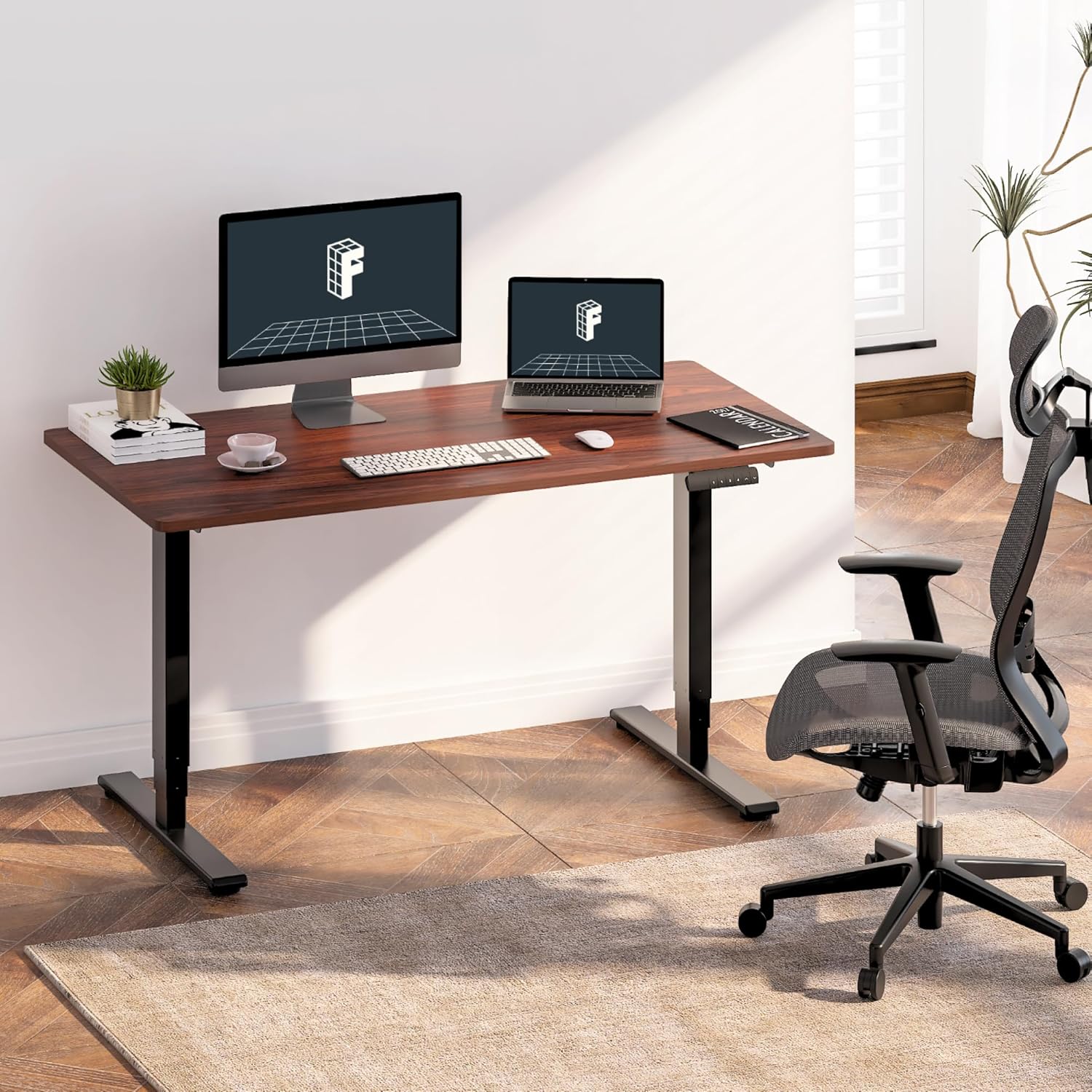
Image: The standing desk integrated into a home office, featuring dual monitors and an ergonomic chair, demonstrating its use.

Image: An illustration highlighting the strong steel structure of the desk frame, designed for stability and durability.
4. Bedienungsanleitung
The FLEXISPOT E6 Essential desk features an intelligent keypad for easy height adjustment and memory settings.
4.1. Erste Inbetriebnahme
- Plug the power cable into a wall outlet. The LED display on the keypad should illuminate.
4.2. Höhenverstellung
- Verwenden Sie die Nach oben (▲) Und Runter (▼) arrow buttons on the keypad to raise or lower the desk to your desired height. The current height will be displayed on the LED panel.
- The desk operates smoothly and quietly with its dual motors, producing less than 50 dB of sound.
4.3. Speichervoreinstellungen
The keypad allows you to save up to four preferred height settings for quick adjustments.
- Stellen Sie den Schreibtisch mithilfe der Auf-/Ab-Tasten auf die gewünschte Höhe ein.
- Drücken Sie die M button (or similar memory set button, often labeled 'S' or 'SET'). The display may flash.
- Drücken Sie sofort eine der nummerierten Speichertasten (1, 2, 3 oder 4) um die aktuelle Höhe in dieser Voreinstellung zu speichern.
- To recall a saved height, simply press the corresponding numbered memory button. The desk will automatically move to the saved position.
4.4. Antikollisionssystem
The desk is equipped with an anti-collision system to prevent damage. If the desk encounters an obstacle during movement, it will automatically stop and reverse slightly.
- The sensitivity of the anti-collision system can often be adjusted via specific keypad combinations (refer to the full manual for advanced settings if available).

Bild: Eine detaillierte view of the intelligent keypad, showing the LED display, memory buttons (1-4), and up/down controls.

Image: A visual representation of the desk's height range (23.6" to 48.8"), indicating suitability for various user heights from children to tall adults.

Image: The desk supporting two 110 lbs weights, illustrating its robust maximum load capacity of 220 lbs.

Image: An illustration demonstrating the anti-collision system, where the desk stops and reverses upon detecting an obstacle.
5. Wartung
Regelmäßige Wartung gewährleistet die Langlebigkeit und optimale Leistung Ihres Stehtisches.
- Reinigung: Wischen Sie die Tischplatte und den Rahmen mit einem weichen, fusselfreien Tuch ab.amp Mit einem Tuch abwischen. Vermeiden Sie aggressive Chemikalien oder Scheuermittel, die die Oberfläche beschädigen könnten.
- Kabelprüfung: Periodically inspect all cables for wear, fraying, or damage. Ensure they are securely connected and properly managed.
- Überprüfung der Befestigungselemente: Überprüfen Sie gelegentlich alle Schrauben und Bolzen, um sicherzustellen, dass sie fest sitzen. Ziehen Sie sie gegebenenfalls nach.
- Motorbetrieb: Listen for any unusual noises during height adjustment. If you notice grinding or excessive noise, discontinue use and consult the troubleshooting section or contact support.
6. Fehlerbehebung
If you encounter issues with your FLEXISPOT E6 Essential Standing Desk, refer to the following common problems and solutions.
| Problem | Mögliche Ursache | Lösung |
|---|---|---|
| Desk does not move or respond to keypad. | Power cable disconnected; control box issue; motor cable disconnected. | Check power connection to wall and control box. Ensure all motor and keypad cables are securely plugged into the control box. Try resetting the desk (unplug for 30 seconds, then replug). |
| Der Schreibtisch wackelt ungleichmäßig oder macht ungewöhnliche Geräusche. | Uneven load; loose fasteners; motor issue. | Ensure weight is evenly distributed on the desktop. Check and tighten all assembly screws. If the issue persists, contact customer support. |
| Das Antikollisionssystem löst zu leicht oder gar nicht aus. | Sensitivity setting; obstruction. | Ensure no objects are obstructing the desk's path. Refer to the full manual for instructions on adjusting anti-collision sensitivity. |
| Speichervoreinstellungen werden nicht korrekt gespeichert oder abgerufen. | Fehlerhafter Speichervorgang. | Follow the memory preset saving steps precisely: adjust height, press 'M' (or 'S'), then immediately press the desired number button (1-4). |
7. Spezifikationen
Detailed technical specifications for the FLEXISPOT E6 Essential Standing Desk.
| Besonderheit | Spezifikation |
|---|---|
| Modell | E6 Essential |
| Desktopgröße | 48" x 24" (47.5"D x 23.6"W) |
| Desktop-Material | FSC-Certified Wood (Mahogany finish) |
| Rahmenfarbe | Schwarz |
| Rahmenmaterial | Metall |
| Hebesystem | 3-Stage Doppelmotor |
| Höhenbereich | 23.6" bis 48.8" |
| Maximale Tragfähigkeit | 220 kg |
| Geräuschpegel | < 50 dB |
| Bedienfeld | Intelligent Keypad with 4 Memory Presets |
| Sicherheitsfunktionen | Antikollisionssystem |
| Montage erforderlich | Ja |
| Artikelgewicht | 55 Pounds (approximate, frame and desktop combined) |
| UPC | 840460433792 |
8. Garantie und Support
FLEXISPOT provides a limited warranty for the E6 Essential Standing Desk.
8.1. Garantieumfang
- 5-jährige Abdeckung: Applies to the desk frame and motor components.
- 2-jährige Abdeckung: Applies to the control panel and electronic components.
This warranty covers defects in materials and workmanship under normal use. It does not cover damage caused by misuse, accidents, unauthorized modifications, or failure to follow the instructions in this manual.
8.2. Kundendienst
For warranty claims, technical assistance, or any questions regarding your FLEXISPOT E6 Essential Standing Desk, please contact FLEXISPOT customer service. Refer to the contact information provided with your purchase or visit the official FLEXISPOT webWebsite.
Besuchen Sie auch die FLEXISPOT Store auf Amazon Für weitere Ressourcen und Produktinformationen.