
1. Einleitung
This manual provides essential information for the setup, operation, and maintenance of your VIMTAG 8310 5G/2.4G 4MP Camera. Please read thoroughly before use to ensure proper functionality and safety.

Abbildung 1: VIMTAG 8310 5G/2.4G 4MP Camera
2. Lieferumfang
Überprüfen Sie, ob alle Artikel im Paket vorhanden sind:
- Camera Body with power cable
- Bedienungsanleitung
- Befestigungsschraube
- Netzteil
3. Produktüberschreitungview
Der VIMTAG 8310 camera features a compact design suitable for both indoor and outdoor use. Key components include:
- Linse: Captures 2.5K (4MP) video.
- Infrared & White Light: Für Nachtsichtfähigkeiten.
- Mikrofon: Für die bidirektionale Audiokommunikation.
- Lautsprecher: Für bidirektionale Audiokommunikation und Benachrichtigungen.
- SD-Kartensteckplatz: Supports Micro SD cards up to 512GB for local storage.
- Reset-Taste: Zum Zurücksetzen auf Werkseinstellungen.
- Stromanschluss: Micro USB for continuous power supply.

Figure 2: Camera features overview
4. Einrichtung und Installation
4.1 App-Download und Kontoregistrierung
- Download the 'Canny Cam' app from your device's app store (iOS/Android).
- Register a new account using your email address and follow the on-screen instructions.
- Melden Sie sich in Ihrem neu erstellten Konto an.

Figure 3: App download and registration process
4.2 Powering On and Device Connection
- Connect the camera to the power adapter using the provided USB cable and plug it into a power outlet.
- Open the 'Canny Cam' app and tap the '+' icon to add a new device.
- Follow the in-app instructions to connect the camera to your 5G/2.4G Wi-Fi network. This typically involves scanning a QR code displayed on your phone with the camera lens.
- Sobald die Verbindung hergestellt ist, können Sie Ihrer Kamera einen Namen geben und sie einem bestimmten Raum zuweisen.
Video 1: Why choose Vimtag Mini G3 Outdoor Security Camera? (Seller)
4.3 Montage der Kamera
The camera comes with a versatile stand that allows for various mounting options:
- Tabletop/Free Standing: Place the camera on any flat surface. The stand has padded feet for stability.
- Wand-/Deckenhalterung: The base of the stand can be detached and screwed into a wall or ceiling using the provided mounting screws. The camera then easily attaches to the mounted base.

Figure 4: Easy setup and mounting options

Figure 5: Mounting the camera to a wall
5. Bedienung der Kamera
5.1 Live View und Zwei-Wege-Audio
Access the live video feed anytime, anywhere through the Canny Cam app. Use the built-in microphone and speaker for two-way communication.

Abbildung 6: Zwei-Wege-Audio in Aktion
5.2 Nachtsichtmodi
The camera offers full-color night vision, enhanced by a built-in LED light, and traditional infrared night vision. Switch between modes via the app settings.

Figure 7: Comparison of Color and Infrared Night Vision
Video 2: How to set full-color night vision of Vimtag Mini G3 (Seller)
5.3 Intelligente Erkennung und Warnmeldungen
Configure motion, human, and sound detection settings within the app. Receive instant alerts on your mobile device when activity is detected.
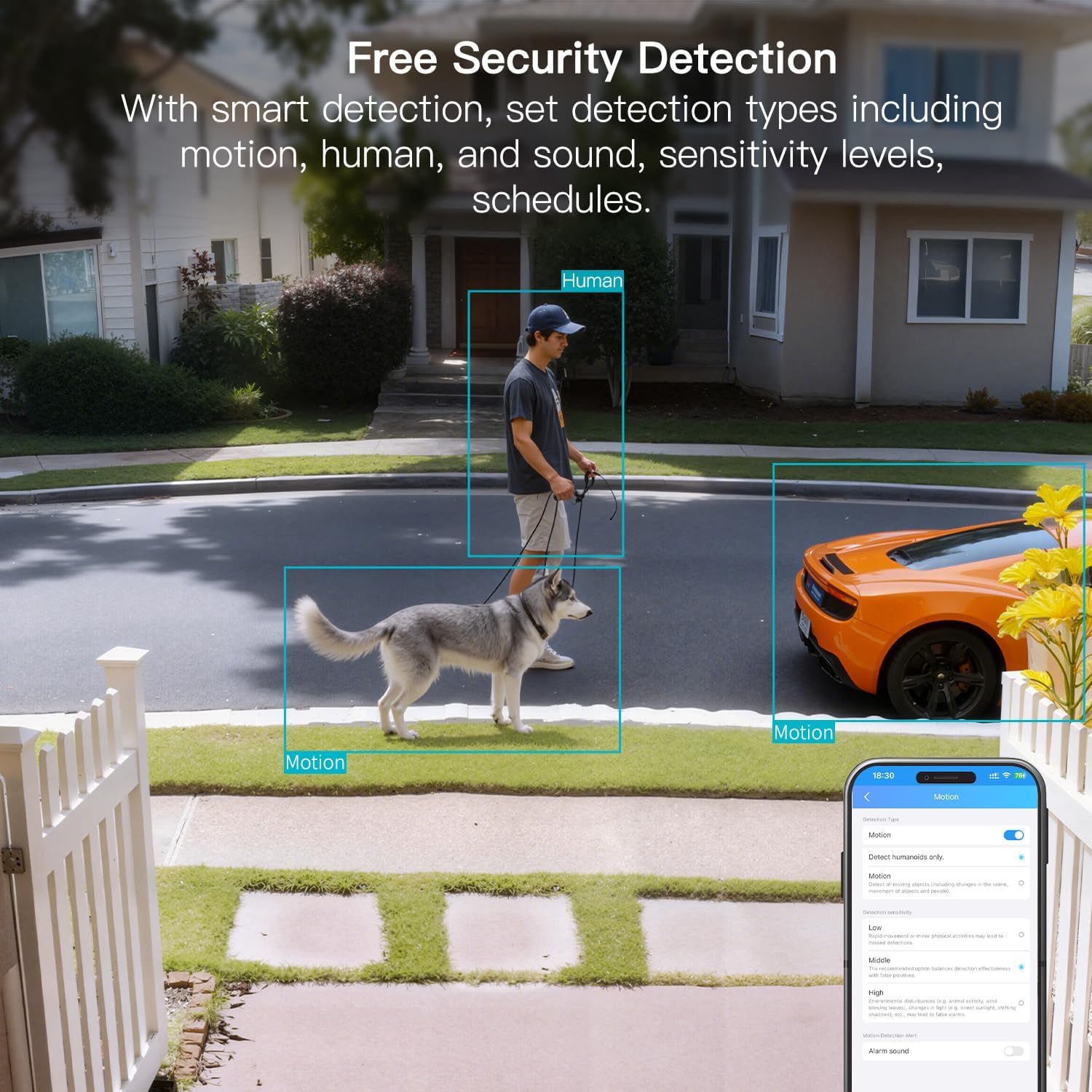
Figure 8: AI Detection capabilities

Figure 9: Smart alarm modes with sound and light
5.4 Speichermöglichkeiten
The camera supports continuous 24/7 recording to a Micro SD card (up to 512GB, sold separately) or secure Cloud storage (subscription required).

Figure 10: Local and Cloud storage options
6. Spezifikationen
| Besonderheit | Detail |
|---|---|
| Modellname | 8310 |
| Verwendung im Innen- und Außenbereich | Außenbereich (IP65 wetterfest) |
| Auflösung der Videoaufnahme | 2.5K (1440p) |
| Effektive Standbildauflösung | 4 Megapixel |
| Konnektivitätstechnologie | Wi-Fi (2.4 & 5G Hz, Dual Band, Wi-Fi 6) |
| Besondere Merkmale | 2-Way Audio, HD Resolution, Motion Sensor, Color Night Vision, AI Detection, Alexa Support |
| Viewing-Winkel | 130 Grad |
| Nachtsichtbereich | 33 Fuß |
| Stromquelle | Kabelgebundenes Elektrogerät (5 Volt, 5 Watt) |
| Maximal unterstützter Flash-Speicher | 512 GB (Micro-SD) |
| Technische Daten | 1.57 x 2.28 x 2.76 Zoll |
7. Wartung
- Reinigung: Verwenden Sie ein weiches, trockenes Tuch, um das Kameraobjektiv und das Kameragehäuse zu reinigen. Vermeiden Sie aggressive Chemikalien.
- Firmware-Updates: Regularly check the Canny Cam app for firmware updates to ensure optimal performance and security.
- SD-Kartenverwaltung: If using a Micro SD card, periodically check its status and format it via the app to maintain recording quality.
8. Fehlerbehebung
- Verbindungsprobleme: Ensure the camera is within range of your Wi-Fi router. Verify Wi-Fi password and network stability. The camera supports both 2.4GHz and 5GHz bands.
- Aufnahmeprobleme: Check if the Micro SD card is inserted correctly and has sufficient space. If using Cloud storage, verify your subscription status.
- Keine Warnmeldungen: Confirm motion/human/sound detection is enabled in the app settings and notification permissions are granted for the Canny Cam app on your phone.
- Schlechte Bildqualität: Ensure the lens is clean. Check network stability for optimal streaming resolution.
- Rückstelleinrichtung: If issues persist, use the reset button on the camera to restore factory settings. You will need to reconfigure the device after a reset.
9. Garantie und Support
VIMTAG offers a 2-year warranty and lifetime technical support for this product. For assistance, please contact VIMTAG Kundendienst:
- E-Mail: Kunde@vimtag.com
- In-App-Support: Access the 'Message Center' within the Canny Cam app for direct support.
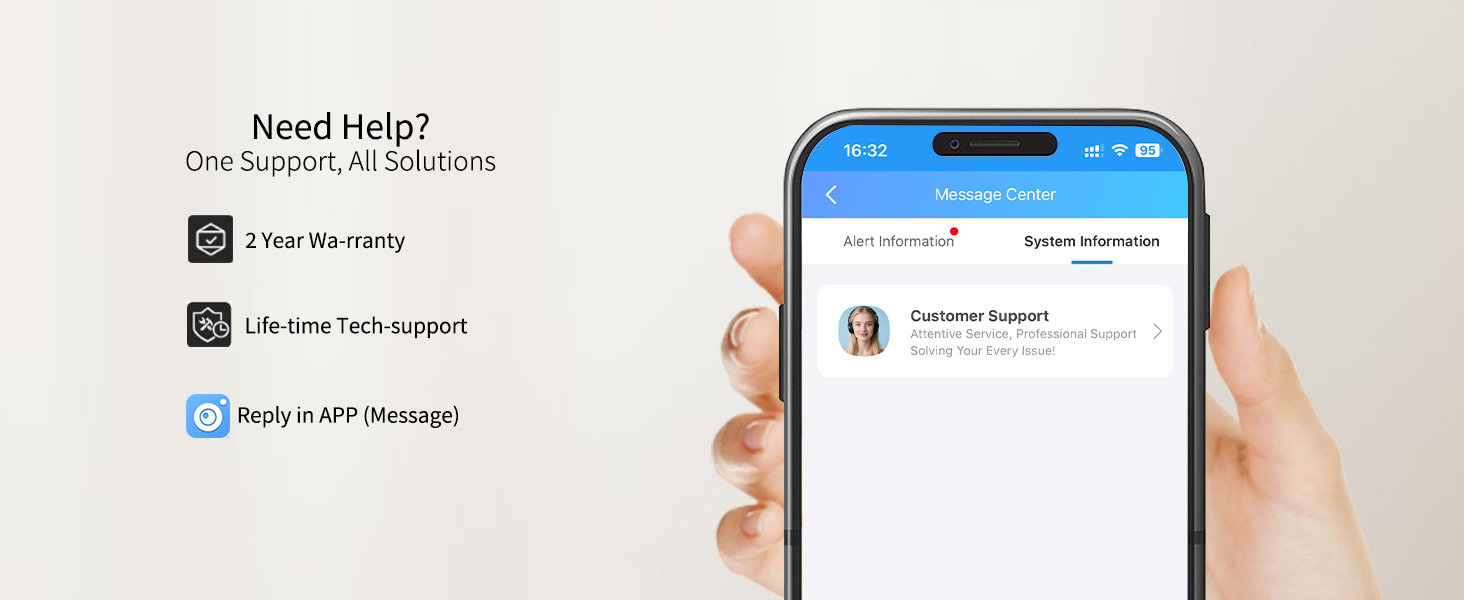
Abbildung 11: VIMTAG Kundenservice