
1. Einleitung
Welcome to the Valerion StreamMaster Plus 4K Projector user manual. This guide provides essential information for setting up, operating, and maintaining your new projector. Please read it thoroughly before use to ensure safe and optimal performance of your device.
2. Sicherheitshinweise
Beachten Sie beim Benutzen Ihres Projektors stets diese grundlegenden Sicherheitsvorkehrungen:
- Blockieren Sie keine Lüftungsöffnungen. Sorgen Sie für ausreichend Platz um den Projektor herum, um eine ordnungsgemäße Luftzirkulation zu gewährleisten.
- Setzen Sie den Projektor weder Regen noch Feuchtigkeit aus, um einen Brand oder Stromschlag zu vermeiden.
- Vermeiden Sie, direkt in die Projektorlinse zu blicken, wenn das lamp ist eingeschaltet, da es Augenschäden verursachen kann.
- Verwenden Sie ausschließlich das mit dem Projektor gelieferte Netzteil.
- Halten Sie den Projektor von Wärmequellen und direkter Sonneneinstrahlung fern.
- Versuchen Sie nicht, den Projektor zu zerlegen oder zu verändern. Überlassen Sie alle Wartungsarbeiten qualifiziertem Fachpersonal.
3. Packungsinhalt
Überprüfen Sie, ob alle Artikel in Ihrem Paket vorhanden sind:
- Valerion StreamMaster Plus 4K Projector
- Stromkabel
- Fernbedienung
- Benutzerhandbuch (dieses Dokument)
4. Produktüberschreitungview
The Valerion StreamMaster Plus is a high-performance 4K projector designed for versatile indoor and outdoor use. It features a native 3840 x 2160 resolution, 3D-ready capabilities, built-in speakers, and extensive connectivity options.
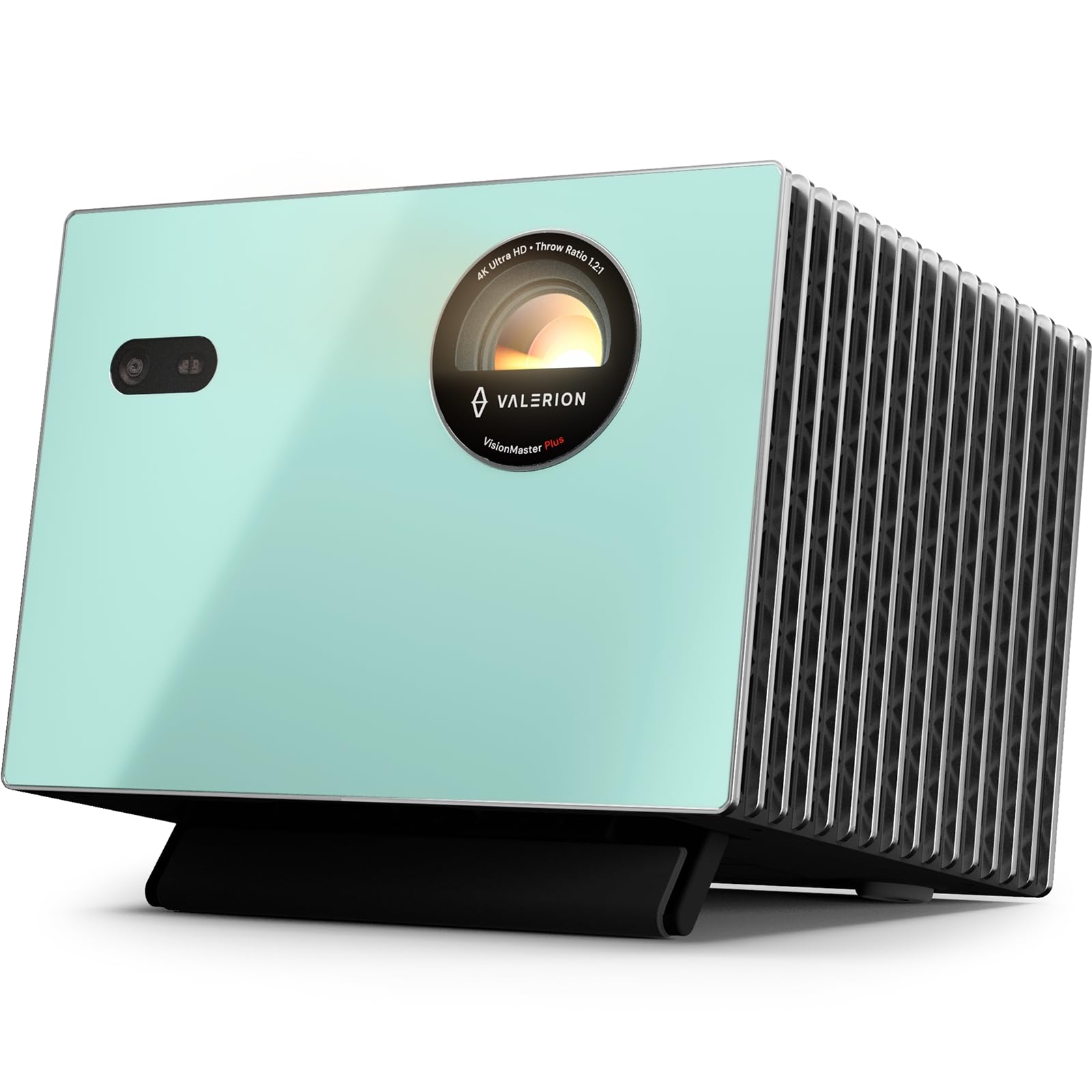
Abbildung 4.1: Vorderseite view of the Valerion StreamMaster Plus 4K Projector. This image highlights the projector's lens and compact design, showcasing sein elegantes Aussehen.
Hauptmerkmale:
- Bildschirmauflösung: 3840 x 2160 (4K UHD)
- Anzeigetyp: DLP
- Besondere Merkmale: 3D-Ready, Built-In 3D, Internet Ready, Integrated Speakers
- Konnektivität: HDMI, S/PDIF, USB 3.0, Ethernet
- Empfohlene Verwendung: Innen/Außen
5. Einrichtung
5.1 Platzierung
The StreamMaster Plus is suitable for both indoor and outdoor environments. For optimal viewBetrachten Sie dazu Folgendes:
- Bildgröße: The projector can produce an image size ranging from 40 inches to a maximum of 300 inches diagonally. Adjust the distance from the projection surface to achieve your desired screen size.
- Montage: The projector supports wall mounting. Ensure the mounting surface is sturdy and capable of supporting the projector's weight (7 Kilograms).
- Umfeld: Place the projector on a stable, level surface or mount it securely. Ensure proper ventilation and avoid placing it near heat sources or in direct sunlight.
5.2 Stromanschluss
- Schließen Sie das Netzkabel an den Stromeingang des Projektors an.
- Stecken Sie das andere Ende des Stromkabels in eine geerdete Steckdose.
5.3 Geräte anschließen
The StreamMaster Plus offers multiple connectivity options:
- HDMI: Connect your video sources (e.g., Blu-ray player, gaming console, laptop) using an HDMI cable to the HDMI input ports.
- USB 3.0: Use the USB 3.0 port for connecting external storage devices to play media directly.
- S/PDIF: Für die digitale Audioausgabe an ein externes Soundsystem.
- Ethernet: Connect an Ethernet cable for wired internet access, enabling smart features and streaming.
6. Betrieb
6.1 Ein-/Ausschalten
- Einschalten: Press the power button on the projector or the remote control. The indicator light will illuminate.
- Ausschalten: Drücken Sie den Netzschalter erneut. Bestätigen Sie das Herunterfahren, falls Sie dazu aufgefordert werden. Lassen Sie den Projektor abkühlen, bevor Sie ihn vom Stromnetz trennen.
6.2 Auswahl der Eingangsquelle
Use the 'Source' button on the remote control or projector to cycle through available input sources (HDMI 1, HDMI 2, USB, etc.) until your desired source is displayed.
6.3 Anpassen der Anzeigeeinstellungen
Access the projector's on-screen menu to adjust settings such as:
- Auflösung: The native resolution is 3840 x 2160. Ensure your source device is set to output at this resolution for the best picture quality.
- Seitenverhältnis: Adjust to match your content (e.g., 16:9, 4:3).
- Bildmodus: Select from various presets (e.g., Standard, Dynamic, Cinema) or customize brightness, contrast, and color settings.
6.4 3D-Funktionalität
The StreamMaster Plus is 3D-ready and features built-in 3D capabilities. To enjoy 3D content:
- Ensure your 3D source content and player are compatible.
- Wear compatible active 3D glasses (sold separately).
- Activate 3D mode through the projector's menu if it doesn't automatically detect 3D content.
6.5 Audioausgang
The projector includes integrated speakers for direct audio playback. For enhanced audio, connect external speakers or a sound system via the S/PDIF port.
6.6 Internet-Konnektivität
With its Internet Ready feature and Ethernet connectivity, you can access online streaming services and updates directly through the projector. Navigate the smart interface using the remote control.
7. Wartung
7.1 Reinigung der Linse
Reinigen Sie die Projektorlinse vorsichtig mit einem weichen, fusselfreien Tuch, das speziell für optische Oberflächen geeignet ist. Verwenden Sie keine Scheuermittel und üben Sie keinen übermäßigen Druck aus.
7.2 Reinigung des Projektorgehäuses
Reinigen Sie die Außenseite des Projektors mit einem weichen, trockenen Tuch. Bei hartnäckigen Flecken kann ein leicht trocknendes Tuch helfen.amp Ein Tuch kann verwendet werden, anschließend mit einem trockenen Tuch nachwischen. Vermeiden Sie die Verwendung aggressiver Chemikalien.
7.3 Belüftung
Regularly check that the ventilation openings are clear of dust and debris to prevent overheating. Use a soft brush or compressed air to gently clean the vents.
7.4 Speicherung
When not in use for extended periods, store the projector in a cool, dry place, protected from dust and extreme temperatures. Use the original packaging if available.
8. Fehlerbehebung
Sollten Sie Probleme mit Ihrem Projektor haben, beachten Sie bitte die folgenden häufig auftretenden Probleme und Lösungen:
| Problem | Mögliche Ursache | Lösung |
|---|---|---|
| Kein Bild angezeigt | Incorrect input source selected; Loose cable connection; Projector not powered on. | Select the correct input source. Check all cable connections. Ensure the projector is powered on. |
| Bild ist verschwommen | Focus ring not adjusted; Projector too close/far from screen. | Adjust the focus ring on the lens. Reposition the projector to achieve optimal image size and clarity. |
| Kein Ton | Lautstärke zu niedrig; Stummgeschaltet; Falscher Audioausgang ausgewählt. | Increase volume. Unmute the projector. Check audio settings and external speaker connections. |
| Fernbedienung funktioniert nicht | Leere Batterien; Blockade zwischen Fernbedienung und Projektor. | Replace batteries. Ensure a clear line of sight to the projector's IR receiver. |
If the problem persists after trying these solutions, please contact Valerion customer support.
9. Spezifikationen
| Besonderheit | Spezifikation |
|---|---|
| Marke | Valerion |
| Modellnummer | StreamMaster Plus |
| Bildschirmauflösung | 3840 x 2160 (4K UHD) |
| Native Auflösung | 3840 x 2160 |
| Anzeigetyp | DLP |
| Konnektivitätstechnologie | Ethernet |
| Hardware-Konnektivität | HDMI, S/PDIF, USB 3.0 |
| Besondere Merkmale | 3D-Ready, Built-In 3D, Internet Ready, Speakers |
| Empfohlene Verwendung | Innen/Außen |
| Montagetyp | Wandhalterung |
| Minimale Bildgröße | 40 Zoll |
| Maximale Bildgröße | 300 Zoll |
| Artikelabmessungen (L x B x H) | 18 Zoll L x 23 Zoll B x 26 Zoll H |
| Artikelgewicht | 7 Kilogramm |
| Hersteller | VALERION TECHNOLOGY USA CO., LTD |
| UPC | 850067089872 |
10. Garantie und Support
Valerion products are manufactured to the highest quality standards. For warranty information, please refer to the warranty card included with your purchase or visit the official Valerion website. For technical support or service inquiries, please contact Valerion customer service through the contact information provided on our webWebsite.
Online-Hilfe: Valerion Official Store