
FLEXISPOT 63x55"Top (3-Legged) Black Frame + Rustic Brown Top
FLEXISPOT L Shaped Standing Desk User Manual
Model: 63x55"Top (3-Legged) Black Frame + Rustic Brown Top
Einführung
This manual provides comprehensive instructions for the assembly, operation, and maintenance of your FLEXISPOT L Shaped Standing Desk. Please read this manual thoroughly before assembly and use to ensure safe and efficient operation. This desk is designed to provide a versatile and ergonomic workspace, allowing seamless transitions between sitting and standing positions.

Image: The FLEXISPOT L Shaped Standing Desk in a home office setting, showcasing its spacious design and ability to accommodate multiple devices like monitors and a printer.
Sicherheitshinweise
Adherence to the following safety guidelines is crucial for preventing injury and damage to the desk:
- Always assemble the desk on a stable, level surface.
- Halten Sie den Schreibtisch von Wärmequellen fern.
- Do not place heavy objects on the desk when it is in the raised position beyond the specified weight capacity.
- Always use the desk with caution and follow all instructions provided in this manual.
- Ensure no obstructions are present in the desk's path during height adjustments to prevent collision.
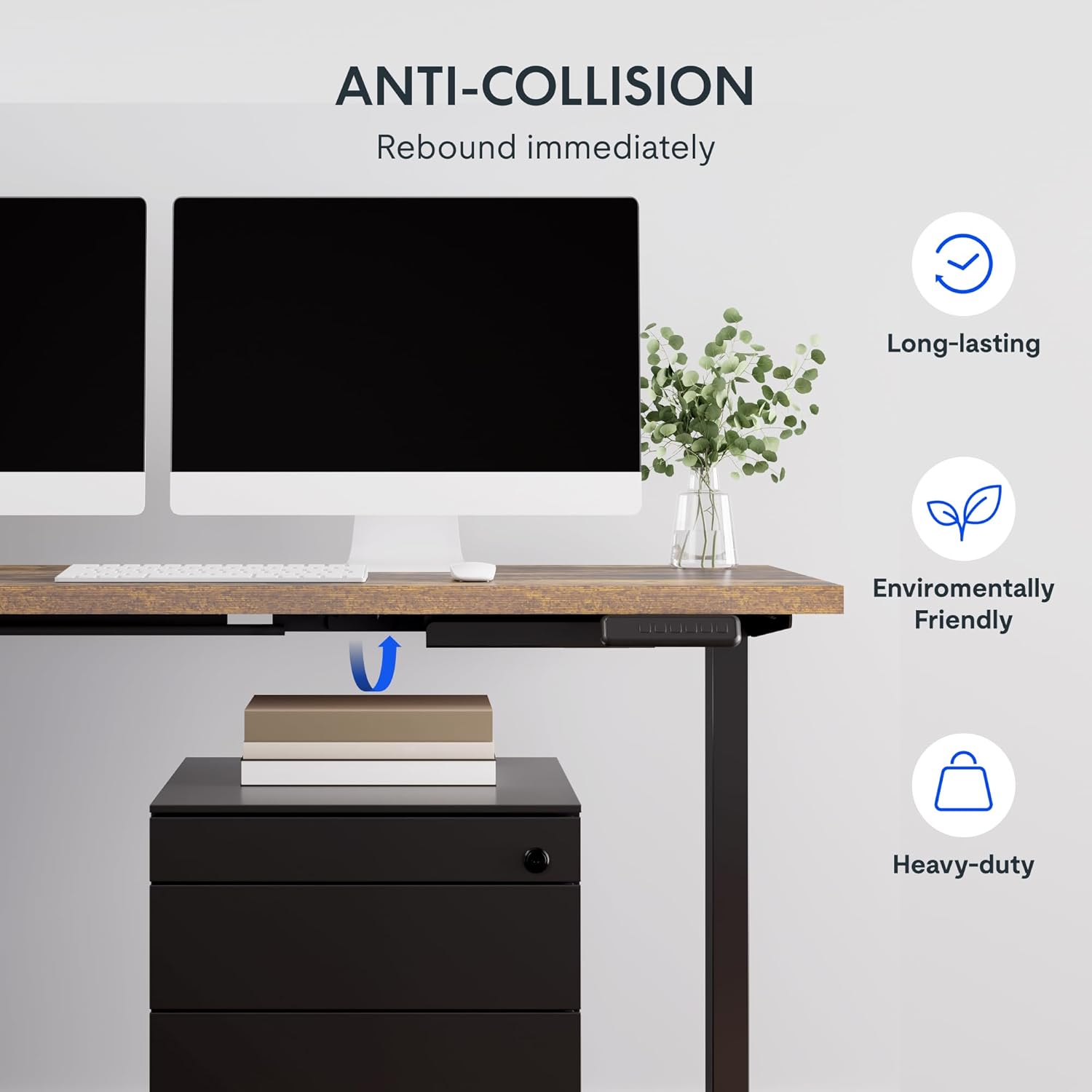
Image: Illustration of the desk's anti-collision feature, showing it rebounding when an object is detected underneath, ensuring safety during height adjustments.
Produkteigenschaften
- Geräumiger Desktop: The expansive L-shaped work surface is seamlessly crafted with environmentally sourced splice board, measuring 63.0" x 55.1". It provides ampPlatz für laufende Projekte und Büromaterial.
- Vielseitige Ausrichtung: This height-adjustable desk features a wider desktop section that can be positioned on either the left or right side, allowing you to customize the layout to best fit your space.
- Solide Konstruktion: The industrial-grade steel frame and solid desktop (1") combine to support a maximum weight capacity of up to 220 lbs, effortlessly handling your ideal work setup.
- Customizable LED Control Panel: The LED control pad allows you to customize the desk height with 4 different memory settings, enabling easy switching between your preferred standing and sitting positions.

Abbildung: Draufsicht view demonstrating the flexible right/left orientation of the L-shaped standing desk, highlighting its adaptability to various room layouts.

Bild: Eine Nahaufnahme view emphasizing the 1-inch thick commercial-grade desktop, indicating durability and suitability for monitor mounts.
Einrichtung und Montage
Your FLEXISPOT L Shaped Standing Desk ships in two separate packages, which may arrive on different days. Please ensure you have received both packages before beginning assembly.

Image: Visual representation indicating that the desk components are shipped in two separate boxes, which may arrive at different times.
Bevor Sie beginnen:
- Schaffen Sie ausreichend Platz für die Versammlung.
- Unpack all components and verify against the parts list (refer to the included assembly guide for a detailed list).
- It is recommended to have two people for assembly due to the weight and size of the components.
- Ensure all necessary tools are available. While some basic tools may be included, additional tools like a drill might be helpful for pre-drilled holes that may be missing (as noted in some customer reviewS).
Montageschritte:
- Assemble the desk frame according to the provided assembly instructions. Pay close attention to the orientation of the L-shaped sections, as they can be configured for left or right-sided use.
- Attach the desktop sections to the assembled frame. Ensure all screws are tightened securely.
- Connect the motor and control panel cables as indicated in the assembly guide.
- Carefully flip the desk upright with assistance.
- Schließen Sie den Schreibtisch an eine Steckdose an.
Bedienungsanleitung
The FLEXISPOT L Shaped Standing Desk features an intuitive LED control panel for easy height adjustment and memory settings.

Bild: Eine detaillierte view of the smart control panel, showing the LED display, up/down buttons, four memory preset buttons, and the anti-collision indicator.
Schreibtischhöhe anpassen:
- Verwenden Sie die Nach oben (▲) Und Runter (▼) arrow buttons on the control panel to manually adjust the desk height. The current height will be displayed on the LED screen.
- The desk has a height range from 28.3 inches (minimum) to 45.9 inches (maximum).

Image: The desk demonstrating its large adjustable height range, from a minimum of 28.3 inches to a maximum of 45.9 inches, suitable for various user preferences.
Voreinstellungen für Speicherplätze festlegen:
The control panel allows you to save up to four preferred height settings:
- Stellen Sie den Schreibtisch mithilfe der Auf-/Ab-Tasten auf die gewünschte Höhe ein.
- Drücken Sie die "M" button (or similar memory set button, if present). The display may flash.
- Drücken Sie sofort eine der nummerierten Speichertasten (1, 2, 3 oder 4) um die aktuelle Höhe in dieser Voreinstellung zu speichern.
- To recall a saved height, simply press the corresponding numbered memory button. The desk will automatically move to the saved position.
Antikollisionsfunktion:
The desk is equipped with an anti-collision system. If the desk encounters an obstruction during height adjustment, it will automatically stop and rebound slightly to prevent damage. Ensure the area around and under the desk is clear before adjusting height.
Wartung
Regular maintenance ensures the longevity and optimal performance of your FLEXISPOT L Shaped Standing Desk.
- Reinigung: Wischen Sie die Tischplatte und den Rahmen mit einem weichen, fusselfreien Tuch ab.amp cloth. Avoid abrasive cleaners or harsh chemicals that could damage the finish. For the rustic brown top, a mild cleaner can be used for smudges.
- Kabelmanagement: Periodically check and organize cables to prevent tangling or interference with the desk's movement. The desk includes some small cable management tools.
- Motor and Frame: The motor is designed for quiet and smooth operation. No specific user maintenance is required for the motor or frame. If you notice unusual noises or movement, refer to the troubleshooting section or contact customer support.
- Gewichtskapazität: Do not exceed the maximum weight capacity of 220 lbs. Distribute weight evenly across the desktop.
Fehlerbehebung
Sollten Sie Probleme mit Ihrem Schreibtisch haben, beachten Sie bitte die folgenden häufig auftretenden Probleme und Lösungen:
| Problem | Mögliche Ursache | Lösung |
|---|---|---|
| Der Schreibtisch bewegt sich nicht und reagiert nicht auf die Bedienelemente. | Power disconnected, motor cable loose, control panel issue. |
|
| Desk stops during adjustment or moves erratically. | Obstruction detected (anti-collision activated), uneven weight distribution, motor overload. |
|
| Speichervoreinstellungen werden nicht korrekt gespeichert oder abgerufen. | Fehlerhafter Speichervorgang, vorübergehende Störung. |
|
If the problem persists after attempting these solutions, please contact FLEXISPOT customer support for further assistance.
Technische Daten
| Besonderheit | Detail |
|---|---|
| Marke | FLEXISPOT |
| Modell | 63x55"Top (3-Legged) |
| Produktabmessungen (T x B x H) | 55.1"T x 63"B x 45.9"H |
| Farbe | Black Frame + Rustic Brown Top |
| Stil | Modern |
| Grundmaterial | Legierter Stahl |
| Top-Materialtyp | Holz |
| Ausführung | Poliert |
| Besonderheit | Kabelgebunden |
| Möbelfinish | Nussbaum |
| UPC | 840460438421 |
| Name des Elementtyps | Stehpult |
| Mindesthöhe | 28.3 Zoll |
| Maximale Höhe | 45.9 Zoll |
| Maximalgewichtsempfehlung | 220 Pfund |
| Erforderliche Montage | Ja |
| Garantietyp | Erweitert |

Image: A detailed diagram illustrating the key dimensions of the L-shaped standing desk, including length, width, and height range.
Garantie und Support
FLEXISPOT provides a comprehensive warranty for your peace of mind:
- 5-jährige Abdeckung: Applies to the desk frame and motor.
- 2 Jahre Schutz: Applies to the control panel and electronics.
For warranty claims, technical support, or any inquiries, please contact FLEXISPOT customer support. You can find contact information on the official FLEXISPOT webWebsite oder über Ihre Einkaufsplattform.
Rückgaberecht: This product typically has a 30-day return policy for refund or replacement, subject to the retailer's terms and conditions.
Schutzpläne: Extended protection plans are available for purchase, including 2-Year and 3-Year options, as well as a monthly "Complete Protect" plan. These plans offer additional coverage beyond the standard manufacturer's warranty.
Ask a question about this manual
Ask about setup, troubleshooting, compatibility, parts, safety, or missing instructions. Manuals+ will review the question and use this page’s manual context to help answer it.