
1. Einleitung
Thank you for choosing the FLEXISPOT L-Shaped Electric Standing Desk. This manual provides essential information for the safe assembly, operation, and maintenance of your new desk. Please read it thoroughly before use and retain it for future reference.
The FLEXISPOT L-Shaped Electric Standing Desk offers a spacious 63.0" x 55.1" work surface with electric height adjustment, allowing seamless transitions between sitting and standing positions. It features a robust 3-legged frame, a preset controller for personalized height settings, and a versatile orientation to fit various office layouts.
2. Sicherheitshinweise
Always ensure the desk is properly assembled and anchored to the floor to prevent tipping. Do not exceed the maximum weight capacity of 220 lbs (100 kg) to maintain stability. Be cautious when adjusting the desk height to avoid injury. Keep children and pets away from the desk during operation. Ensure all cables are managed to prevent tripping hazards or damage during height adjustments.
3. Packungsinhalt
Your FLEXISPOT L-Shaped Electric Standing Desk ships in two separate packages, which may arrive on different days. Please verify all components against the included packing list before beginning assembly. If any parts are missing or damaged, contact FLEXISPOT customer support immediately.
4. Aufbau und Montage
Assembly of the FLEXISPOT L-Shaped Electric Standing Desk requires careful attention to detail. It is recommended to have two people for certain steps, especially when handling the desktop and flipping the assembled unit. The desk features a flexible design, allowing the wider desktop section to be positioned on either the left or right side to best suit your workspace.
4.1 Auspacken und Vorbereitung
- Packen Sie alle Komponenten vorsichtig aus beiden Kartons aus.
- Legen Sie alle Teile auf eine saubere, weiche Unterlage (z. B. eine Decke oder einen Teppich), um Kratzer zu vermeiden.
- Identifizieren Sie alle Komponenten anhand der bereitgestellten Teileliste.
4.2 Rahmenmontage
Follow the detailed instructions in the separate assembly guide provided with your desk. Ensure all screws are tightened securely. The robust industrial-grade steel frame provides stability for your workstation.
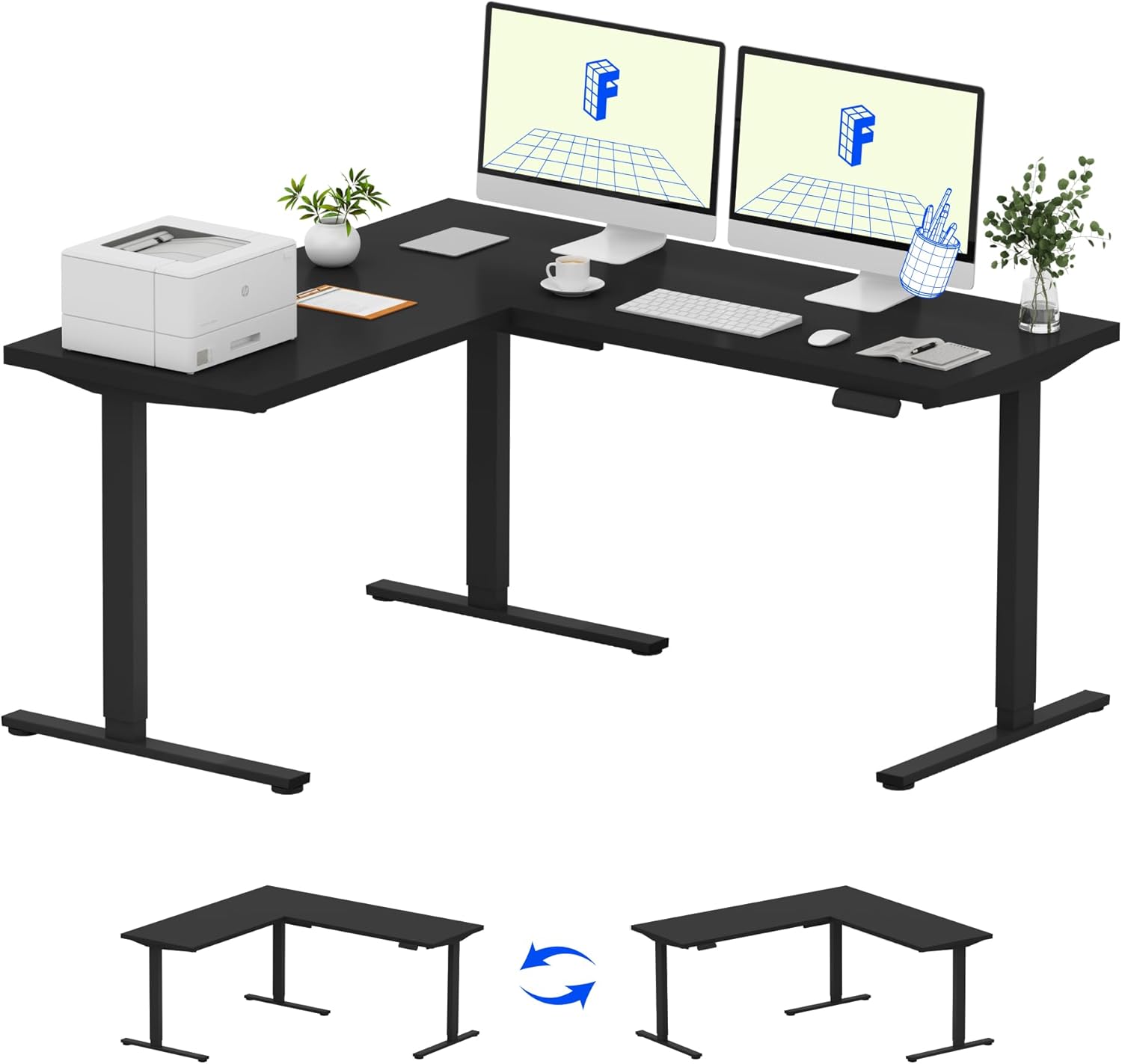
Image: Assembled FLEXISPOT L-Shaped Electric Standing Desk.
4.3 Desktop Attachment and Orientation
The expansive L-shaped desktop can be configured for either a left-hand or right-hand setup. Decide on your preferred orientation before attaching the desktop to the frame. The desktop is crafted from environmentally sourced splice board, measuring 63.0" x 55.1".

Image: Flexible right/left orientation options for the L-shaped desk.
4.4 Kabelmanagement
Utilize the included cable management tools to keep your workspace tidy and prevent cables from interfering with the desk's movement.

Image: The desk ships in two packages and has a 220 lbs weight capacity.
5. Bedienungsanleitung
Your FLEXISPOT L-Shaped Electric Standing Desk is equipped with an intuitive LED control panel for easy height adjustments and memory presets.
5.1 Einstellen der Schreibtischhöhe
- Verwenden Sie die Nach oben (▲) Und Runter (▼) Tasten am Bedienfeld zur manuellen Einstellung der Schreibtischhöhe auf die gewünschte Höhe.
- The desk offers a large adjustable range, from a minimum height of 28.3 inches to a maximum height of 45.9 inches.

Image: Large adjustable height range of the desk.
5.2 Verwenden von Speichervoreinstellungen
The LED control panel allows you to save up to four preferred height settings for quick transitions.
- Stellen Sie den Schreibtisch mithilfe der Auf-/Ab-Tasten auf die gewünschte Höhe ein.
- Drücken Sie die M Taste (Speicher) gefolgt von einer der nummerierten Voreinstellungstasten (1, 2, 3 oder 4) um die aktuelle Höhe zu speichern.
- Um eine gespeicherte Höhe abzurufen, drücken Sie einfach die entsprechende nummerierte Voreinstellungstaste.

Image: Smart LED control panel with memory presets.
5.3 Antikollisionsfunktion
The desk is equipped with an anti-collision system. If the desk encounters an obstacle during height adjustment, it will automatically stop and rebound slightly to prevent damage or injury.

Image: Anti-collision feature in action.
6. Wartung
Regelmäßige Wartung gewährleistet die Langlebigkeit und optimale Leistung Ihres Stehtisches.
- Reinigung: Wischen Sie die Tischplatte und den Rahmen mit einem weichen, fusselfreien Tuch ab.amp Mit einem Tuch abwischen. Vermeiden Sie aggressive Chemikalien oder Scheuermittel, die die Oberfläche beschädigen könnten.
- Inspektionen: Überprüfen Sie regelmäßig alle Schrauben und Bolzen auf festen Sitz. Ziehen Sie sie gegebenenfalls nach.
- Kabelmanagement: Achten Sie darauf, dass Stromkabel und andere Kabel nicht eingeklemmt oder verheddert werden, insbesondere bei Höhenverstellungen.
- Gewichtskapazität: Do not exceed the maximum weight capacity of 220 lbs to prevent strain on the motor and frame.
7. Fehlerbehebung
If you encounter issues with your FLEXISPOT L-Shaped Electric Standing Desk, refer to the following common troubleshooting steps:
- Schreibtisch bewegt sich nicht:
- Prüfen Sie, ob das Netzkabel sowohl am Schreibtisch als auch an einer funktionierenden Steckdose fest angeschlossen ist.
- Stellen Sie sicher, dass keine Gegenstände die Bewegung des Schreibtisches behindern.
- Versuchen Sie, den Schreibtisch zurückzusetzen, indem Sie ihn für 30 Sekunden vom Stromnetz trennen und ihn dann wieder anschließen.
- Ungleichmäßige Bewegung/Wackeln:
- Prüfen Sie, ob alle Montageschrauben fest angezogen sind.
- Stellen Sie sicher, dass der Schreibtisch auf einer ebenen Fläche steht. Justieren Sie gegebenenfalls die Nivellierfüße.
- Confirm that the weight distribution on the desktop is balanced and within the maximum capacity.
- Systemsteuerung reagiert nicht:
- Perform a power cycle (unplug and replug).
- Check for any visible damage to the control panel or its cable.
If these steps do not resolve the issue, please contact FLEXISPOT customer support.
8. Spezifikationen
| Marke | FLEXISPOT |
| Modell | B0DV54QLX4 |
| Technische Daten | 55.1"T x 63"B x 45.9"H |
| Farbe | Schwarzer Rahmen + schwarze Oberseite |
| Stil | Modern |
| Grundmaterial | Legierter Stahl |
| Top-Materialtyp | Holz |
| Tischplattendicke | 1 Zoll |
| Mindesthöhe | 28 Zoll |
| Maximale Höhe | 45.9 Zoll |
| Maximalgewichtsempfehlung | 220 Pfund |
| Besonderheit | Corded, Preset Controller, Anti-collision |
| Erforderliche Montage | Ja |
| UPC | 840460438384 |
9. Garantie und Support
9.1 Garantieinformationen
FLEXISPOT provides the following warranty coverage for your L-Shaped Electric Standing Desk:
- 5-jährige Abdeckung: Applies to the desk frame and motor.
- 2 Jahre Schutz: Applies to the control panel and electronics.
Please retain your proof of purchase for warranty claims. The warranty covers manufacturing defects under normal use.
9.2 Kundendienst
For any questions, assistance with assembly, troubleshooting, or warranty inquiries, please contact FLEXISPOT customer support. You can find contact information on the official FLEXISPOT webWebsite oder über Ihre Einkaufsplattform.