Produkt überview
The Gravity C28 Rugged Smartwatch is designed for durability and comprehensive health and fitness tracking. It features a 2.02-inch TFT high-resolution display, AI-generated watch faces, and over 100 sports modes. This device also includes Bluetooth calling, smart notifications, and robust water, shock, and dust resistance.

Bild: Vorderseite view of the Gravity C28 Rugged Smartwatch, showcasing dank seiner robusten Bauweise und des digitalen Displays.
Hauptmerkmale
- 2.02-Zoll-HD-Display: Clear visuals with 320x390 resolution and customizable watch faces.
- Umfassendes Gesundheits-Tracking: Monitors heart rate, sleep patterns, step count, and calories.
- Über 100 Sportmodi: Tracks various activities including running, cycling, and hiking.
- Bluetooth Calling & Smart Alerts: Answer calls and receive notifications directly from the wrist.
- Langlebig und wetterbeständig: 1 ATM waterproof, shockproof, and dustproof design.
- Lange Akkulaufzeit: Up to 25 days standby time with a 410mAh battery.
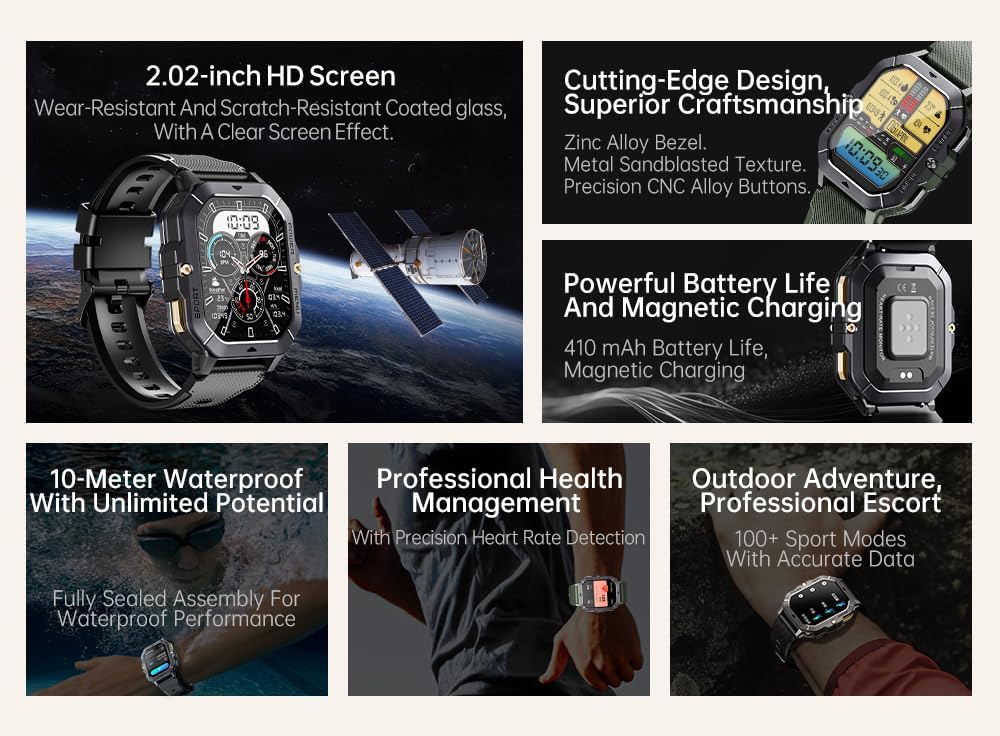
Image: Visual summary of the smartwatch's features, including HD screen, craftsmanship, battery life, waterproofing, health management, and sports modes.
Lieferumfang
Upon unboxing your Gravity C28 Smartwatch, please ensure all components are present:
- Gravity C28 Smartwatch
- Ladekabel
- Benutzerhandbuch (dieses Dokument)
Aufstellen
1. Aufladen des Geräts
Before first use, fully charge your Gravity C28 Smartwatch. Connect the magnetic charging cable to the charging points on the back of the watch and plug the USB end into a compatible power adapter (not included) or a computer USB port.

Image: Close-up of the smartwatch's rear, showing the magnetic charging pins and the charging cable attached.
2. Ein-/Ausschalten
- Einschalten: Halten Sie die Taste „POWER“ (normalerweise die obere rechte Taste) gedrückt, bis der Bildschirm aufleuchtet.
- Ausschalten: Press and hold the 'POWER' button, then select 'Power Off' on the screen, or continue holding until the device shuts down.
3. App-Installation und -Kopplung
The Gravity C28 Smartwatch uses the Da Fit application for full functionality and data synchronization. The app is compatible with both Android and iOS devices.
- Download the 'Da Fit' app from your device's app store (Google Play Store for Android, Apple App Store for iOS).
- Öffnen Sie die Da Fit App und folgen Sie den Anweisungen auf dem Bildschirm, um ein Konto zu erstellen oder sich anzumelden.
- Stellen Sie sicher, dass Bluetooth auf Ihrem Smartphone aktiviert ist.
- In the Da Fit app, navigate to 'Add Device' or 'Bind Device'.
- Select 'C28' from the list of available devices.
- Bestätigen Sie die Kopplungsanfrage sowohl auf Ihrem Smartphone als auch auf der Smartwatch.
Bedienung der Smartwatch
Navigation
- Touch-Screen: Swipe left, right, up, or down to navigate through menus and access different functions. Tap to select.
- 'POWER' Button: Short press to return to the watch face or wake the screen. Long press for power options.
- 'MENU' Button: Kurz drücken, um zum Hauptmenü zu gelangen.
- 'SPORT' Button: Kurzes Drücken ermöglicht den schnellen Zugriff auf die Sportmodi.

Bild: Examples of different menu display modes available on the smartwatch, such as Grid View, Surface, Parallel, and Helm.
Bluetooth Calling and Smart Alerts
Once paired with your smartphone, the Gravity C28 allows you to manage calls and notifications directly from your wrist.
- Anrufe entgegennehmen: Bei einem eingehenden Anruf zeigt die Uhr die Anrufer-ID an. Tippen Sie auf das grüne Telefonsymbol, um den Anruf anzunehmen.
- Anrufe tätigen: Um Anrufe zu tätigen, rufen Sie die Wähltastatur oder die Kontaktliste über das Menü der Uhr auf.
- Benachrichtigungen: Receive alerts for messages, social media, and other app notifications. Swipe down from the watch face to view Aktuelle Benachrichtigungen.

Image: Two Gravity C28 smartwatches displaying an incoming call and a message alert, demonstrating the Bluetooth call and message alert features.
AI Watch Face and DA GPT
The smartwatch supports AI-generated watch faces for personalization and integrates with DA GPT for interactive features.
- KI-Zifferblatt: Customize your watch face by providing text prompts to the AI, which will generate unique designs.
- DA GPT: Interact with the DA GPT feature to explore new ideas or learn new things directly from your watch.

Image: Diagram illustrating the DA GPT interaction flow and the AI Watch Face generation process, showing how users can request custom watch face backgrounds.
Sportmodi
The Gravity C28 offers over 100 sports modes to accurately track your physical activities. Access these modes via the 'SPORT' button or the main menu.
- Select your desired sport (e.g., running, cycling, swimming).
- The watch will begin tracking relevant metrics such as duration, distance, calories burned, and heart rate.
- End your workout by following the on-screen prompts. Data will sync with the Da Fit app.
Gesundheitsüberwachung
The smartwatch provides continuous monitoring of various health metrics.
- Herzfrequenz: Herzfrequenzüberwachung in Echtzeit.
- Schlafüberwachung: Analysiert Schlafmuster, einschließlich Tiefschlaf, Leichtschlaf und Wachphasen.
- Step Counter & Calories: Tracks daily steps and estimated calories burned.
- SpO2, Blood Pressure, Stress: Provides readings for blood oxygen saturation, blood pressure, and stress levels.

Image: Screenshots of the smartwatch display showing various health metrics: Heart Rate, SpO2, Blood Pressure, Stress, Sleep, and Cycle Tracking.
Wartung
Reinigung
Regular cleaning helps maintain the smartwatch's appearance and functionality.
- Wischen Sie Bildschirm und Gehäuse mit einem weichen, fusselfreien Tuch ab.
- Bei hartnäckigen Verschmutzungen leicht dampBefeuchten Sie das Tuch mit Wasser. Vermeiden Sie aggressive Chemikalien oder scheuernde Materialien.
- Vor dem Laden sicherstellen, dass die Ladekontakte sauber und trocken sind.
Wasserbeständigkeit
The Gravity C28 is 1 ATM waterproof, meaning it can withstand splashes, rain, and brief immersion in shallow water. It is suitable for daily cleaning, sweating, and getting wet by rain.

Image: The smartwatch being used underwater, illustrating its 1 ATM waterproof capability for activities like snorkeling, and icons for daily cleaning, sweat, and rain resistance.
Wichtig: While waterproof, avoid prolonged exposure to hot water, steam, or high-pressure water jets. Do not operate buttons underwater.
Lagerung
Bewahren Sie die Smartwatch bei längerer Nichtbenutzung an einem kühlen, trockenen Ort fern von direkter Sonneneinstrahlung und extremen Temperaturen auf.
Fehlerbehebung
- Uhr schaltet sich nicht ein: Stellen Sie sicher, dass die Uhr vollständig aufgeladen ist. Schließen Sie sie für mindestens 30 Minuten an das Ladegerät an.
- Kopplung mit dem Telefon nicht möglich:
- Stellen Sie sicher, dass Bluetooth auf Ihrem Telefon und Ihrer Uhr aktiviert ist.
- Stellen Sie sicher, dass sich die Uhr in Bluetooth-Reichweite befindet (ca. 10 Meter).
- Starten Sie sowohl die Uhr als auch Ihr Telefon neu.
- Löschen Sie den Bluetooth-Cache auf Ihrem Telefon (Android) oder entkoppeln Sie das Gerät und koppeln Sie es erneut (iOS).
- Ungenaue Gesundheitsdaten:
- Achten Sie darauf, dass die Uhr eng am Handgelenk sitzt, nicht zu locker und nicht zu eng.
- Reinigen Sie den Sensor auf der Rückseite der Uhr.
- Vermeiden Sie übermäßige Bewegungen während der Messungen.
- Benachrichtigungen werden nicht angezeigt:
- Check notification permissions in the Da Fit app and your phone's settings.
- Stellen Sie sicher, dass die Da Fit App im Hintergrund läuft.
- Vergewissern Sie sich, dass die Uhr per Bluetooth verbunden ist.
- Kurze Akkulaufzeit:
- Reduzieren Sie die Bildschirmhelligkeit.
- Deaktivieren Sie die kontinuierliche Herzfrequenzüberwachung, falls diese nicht benötigt wird.
- Begrenzen Sie die Anzahl aktiver Benachrichtigungen.
- Ensure background app refresh for Da Fit is enabled on your phone.
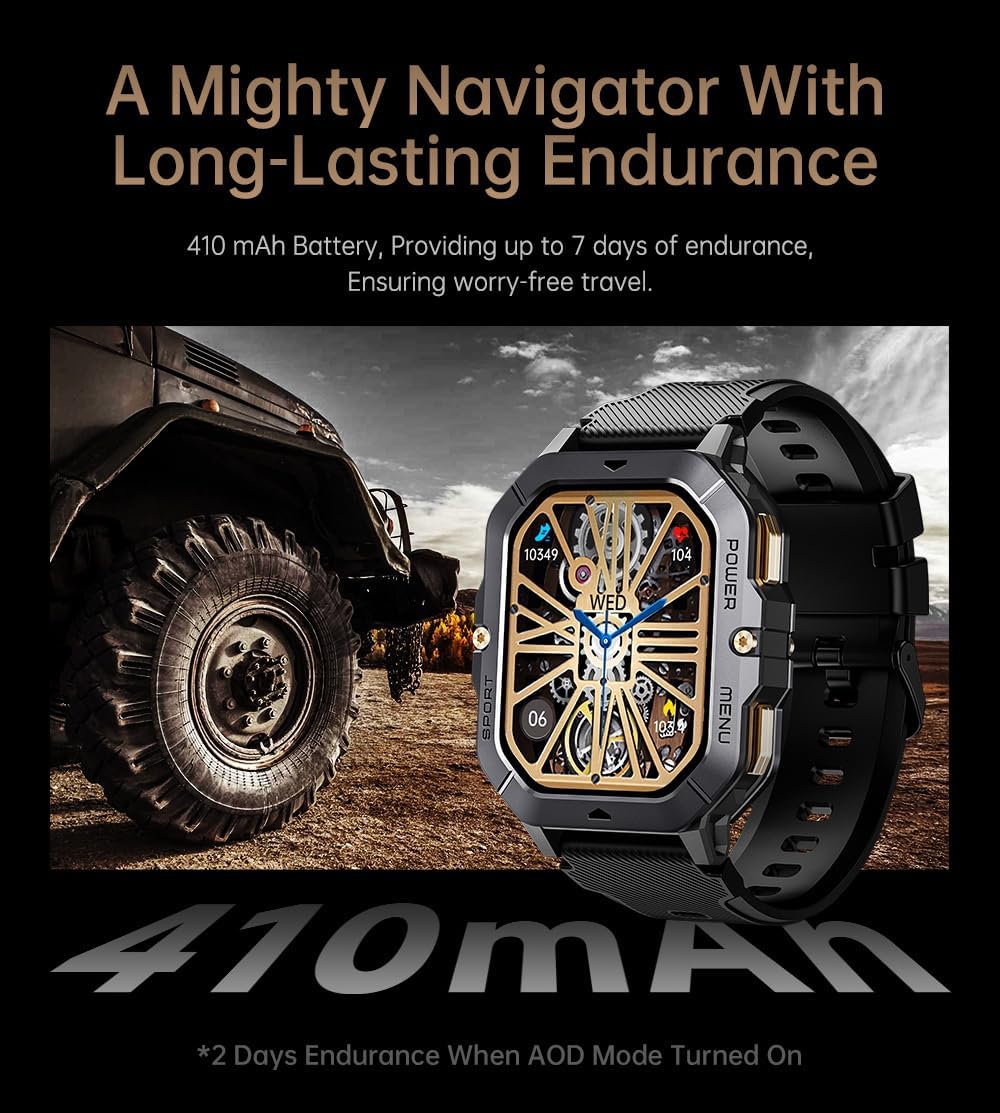
Image: The smartwatch displayed next to a large tire, emphasizing its ruggedness and long-lasting 410 mAh battery, providing up to 7 days of endurance (2 days with AOD mode).
Technische Daten
| Besonderheit | Detail |
|---|---|
| Modellnummer | W4-C28 |
| Anzeigegröße | 2.02 Zoll TFT |
| Batteriekapazität | 410 mAh |
| Betriebssystem | Android OS (compatible with Android & iOS via Da Fit app) |
| Konnektivität | Bluetooth |
| Wasserbeständigkeit | 1 Geldautomaten |
| Artikelgewicht | 1 Pfund |
| Maße | 9 x 4 x 1 Zoll (Verpackung) |
| Akku-Typ | Lithium Polymer |
Garantie und Support
Garantieinformationen
Warranty details for the Gravity C28 Smartwatch are typically provided with your purchase documentation. Please refer to the warranty card or contact your retailer for specific terms and conditions regarding coverage and duration.
Kundenservice
For technical assistance, troubleshooting not covered in this manual, or inquiries regarding your device, please contact Gravity customer support through the contact information provided on the product packaging or the official Gravity webWebsite.