
1. Einleitung
Vielen Dank für Ihren Einkauf.asing the Deeyaple G4 60W Gaming Soundbar. This manual provides essential information for setting up, operating, and maintaining your soundbar to ensure optimal performance and longevity. Please read this manual thoroughly before use and retain it for future reference.
2. Sicherheitshinweise
- Setzen Sie die Soundbar keinen extremen Temperaturen, hoher Luftfeuchtigkeit oder direkter Sonneneinstrahlung aus.
- Lassen Sie das Gerät nicht fallen und setzen Sie es keinen starken Stößen aus.
- Keep the soundbar away from water and other liquids. The IPX5 rating indicates resistance to splashes, but it is not fully submersible.
- Do not attempt to disassemble, repair, or modify the soundbar yourself. Contact qualified service personnel for assistance.
- Verwenden Sie ausschließlich das mitgelieferte Netzkabel und Zubehör.
- Sorgen Sie während des Betriebs für ausreichende Belüftung rund um die Soundbar.
3. Packungsinhalt
Bitte prüfen Sie das Paket auf folgende Artikel:
- Deeyaple G4 60W Gaming Soundbar
- Stromkabel
- Benutzerhandbuch (dieses Dokument)
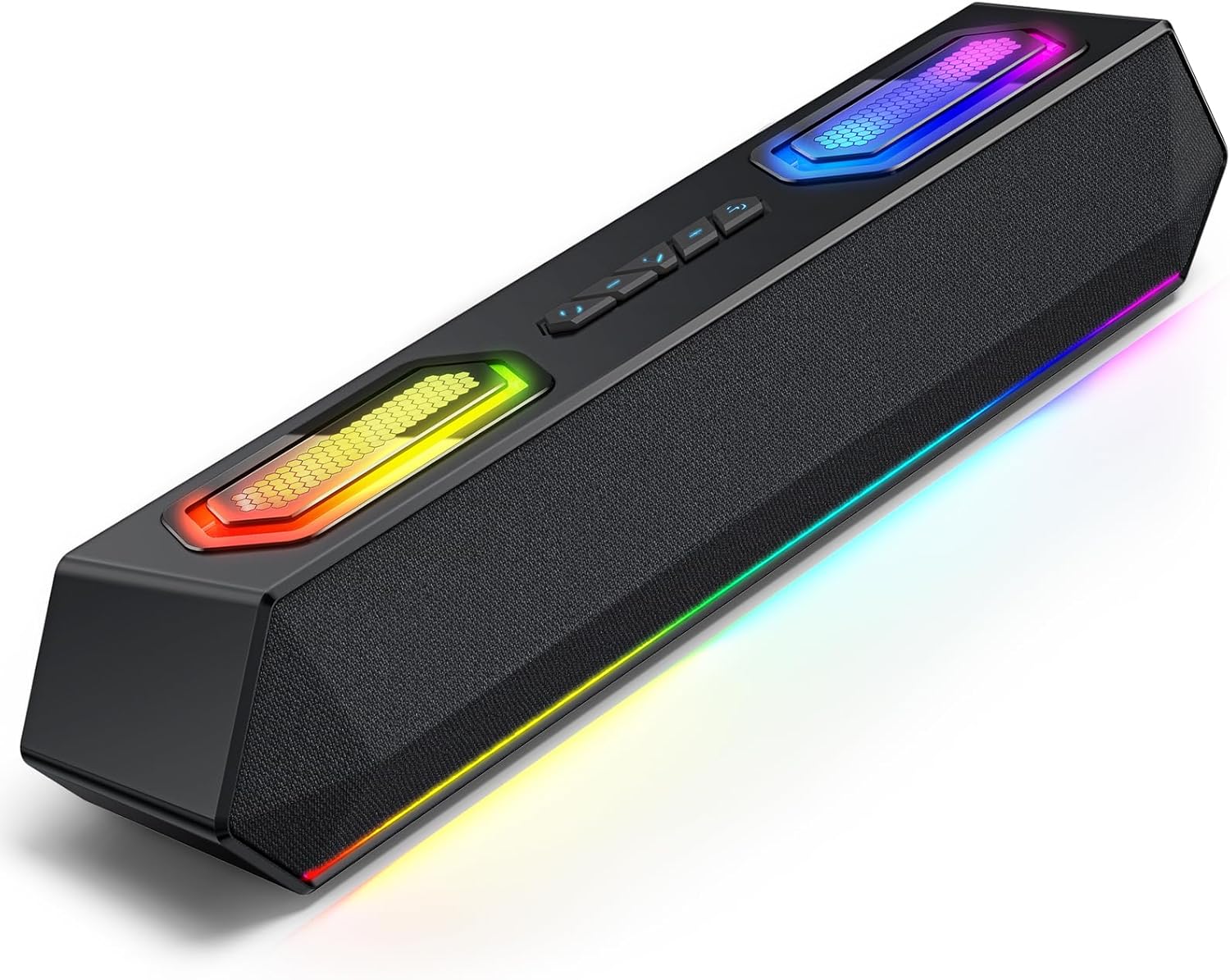
Image: Deeyaple G4 Soundbar, showcasing sein Design und seine RGB-Beleuchtung.
4. Produktüberschreitungview
Hauptmerkmale:
- 60-Watt-Doppellautsprecher: Delivers rich bass, clear mids, and crisp highs.
- RGB-Beleuchtung: Dynamic lights that pulse in sync with music, offering multiple atmosphere modes.
- Bluetooth 5.3: Stable wireless connectivity with a 66-foot range.
- Extended 20-Hour Battery: 2500mAh battery for long playback (at 50% volume with lights off).
- Wasserdicht IPX5: Spritzwasser- und regenbeständig.
- Drahtlose Stereo-Kopplung (TWS): Connect two soundbars for immersive stereo sound.
- Precision Audio Positioning: Enhanced stereo sound effects for gaming.
Bedienelemente und Anschlüsse:
The soundbar features intuitive controls for power, volume, and RGB lighting modes. Connection options include Bluetooth, USB, and 3.5mm AUX.

Bild: Oben view of the Deeyaple G4 Soundbar highlighting the control buttons and RGB lighting panels.

Image: Diagram illustrating the internal speaker components of the 60W soundbar.
5. Einrichtung
Einschalten:
- Connect the provided power cable to the soundbar's power input.
- Stecken Sie das andere Ende des Netzkabels in eine geeignete Steckdose.
- Press and hold the power button on the soundbar until the RGB lights illuminate, indicating the device is on.
Verbindung über Bluetooth:
- Ensure the soundbar is powered on and in Bluetooth pairing mode (indicated by a flashing blue light, if applicable).
- Aktivieren Sie auf Ihrem Gerät (Smartphone, Tablet, Computer) Bluetooth und suchen Sie nach verfügbaren Geräten.
- Select "Deeyaple G4" from the list of devices.
- Once connected, the soundbar will indicate a successful pairing (e.g., a solid blue light or an audible prompt).
Video: Demonstrates connecting a soundbar via Bluetooth and other modes. While not the exact Deeyaple G4, the connection process is similar.
Connecting via AUX (3.5mm Audio Cable):
- Connect one end of a 3.5mm AUX audio cable (not included) to the AUX input port on the soundbar.
- Connect the other end of the AUX cable to the audio output jack of your device (e.g., computer, TV, smartphone).
- The soundbar should automatically switch to AUX mode. If not, use the mode button (if available) to select AUX.
Verbindung über USB:
- Connect the soundbar to your computer's USB port using a compatible USB cable (not included).
- The soundbar should be recognized as an audio output device by your computer. Select it from your computer's sound settings.
- Some soundbars may also support USB drives for direct music playback. Insert a USB drive into the designated USB port.
Video: Shows a soundbar connecting via USB and demonstrating RGB lighting. This video is for a related product (LENRUE E-1103) but illustrates similar functionality.
6. Bedienungsanleitung
Lautstärkeregelung:
- Rotate the main knob on the soundbar to adjust the volume.
- Alternativ können Sie die Lautstärke direkt an Ihrem angeschlossenen Gerät anpassen.
RGB-Beleuchtungsmodi:
- The soundbar features dynamic RGB lighting. Use the dedicated light effect button (if available) or a short press on the main knob to cycle through different lighting modes.
- Long press the light effect button or main knob to turn the lights on/off.

Image: Visual representation of different RGB pulse light modes available on the soundbar.
Playback Control (Bluetooth/USB Mode):
- Use the Play/Pause button to start or pause audio playback.
- Use the Next Track and Previous Track buttons to skip between songs.
Drahtlose Stereo-Kopplung (TWS):
To connect two Deeyaple G4 soundbars for a true stereo experience:
- Ensure both soundbars are powered on and in Bluetooth pairing mode.
- On one soundbar, long press the TWS pairing button (refer to product diagram if available, otherwise assume a dedicated button or combination).
- The soundbars will attempt to connect to each other. Once paired, they will function as a stereo pair.
- Connect your device to one of the paired soundbars via Bluetooth.
7. Wartung
- Reinigen Sie die Soundbar mit einem weichen, trockenen Tuch. Verwenden Sie keine Scheuermittel oder Lösungsmittel.
- Halten Sie die Anschlüsse frei von Staub und Schmutz.
- Bewahren Sie die Soundbar an einem kühlen, trockenen Ort auf, wenn sie längere Zeit nicht benutzt wird.
8. Fehlerbehebung
| Problem | Mögliche Lösung |
|---|---|
| Kein Strom | Ensure the power cable is securely connected to both the soundbar and the power outlet. Check if the outlet is functional. |
| Kein Ton | Check volume levels on both the soundbar and the connected device. Ensure the correct input mode (Bluetooth, AUX, USB) is selected. Verify audio cable connections. |
| Die Bluetooth-Kopplung schlägt fehl | Ensure the soundbar is in pairing mode. Turn off and on Bluetooth on your device. Move closer to the soundbar. Clear previous Bluetooth connections on your device and try again. |
| Klangverzerrung | Reduce the volume on both the soundbar and the connected device. Check audio source quality. Ensure cables are not damaged. |
| RGB-Lichter funktionieren nicht | Press the light effect button to cycle through modes or turn them on/off. Ensure the soundbar is powered on. |
9. Spezifikationen
- Modellname: G4
- Lautsprechertyp: Tragbarer Lautsprecher
- Maximale Ausgangsleistung des Lautsprechers: 60 Watt
- Konnektivitätstechnologie: Bluetooth
- Drahtlose Kommunikationstechnologie: Bluetooth 5.3
- Maximale Reichweite: 66 Fuß
- Audioausgabemodus: Stereo
- Besonderheit: Wasserdicht (IPX5)
- Energiequelle: Corded Electric (Internal 2500mAh battery for portable use)
- Produktabmessungen: 13 cm (T) x 8 cm (B) x 41.3 cm (H)
- Artikelgewicht: 1.18 kg
- Kontrollmethode: App, Touch (Physical buttons/knob)
- Hersteller: Deeyaple
10. Garantie und Support
The Deeyaple G4 Soundbar comes with a limited warranty. For detailed warranty information, product support, or technical assistance, please refer to the official Deeyaple webBesuchen Sie die Website oder kontaktieren Sie direkt den Kundenservice. Bewahren Sie Ihren Kaufbeleg als Kaufnachweis auf.
Weitere Hilfe finden Sie unter Deeyaple Store on Amazon.