
Einführung
Thank you for choosing the Mibro Smartwatch Lite 3. This manual provides essential information for setting up, operating, and maintaining your device. Please read it carefully to ensure proper use and to maximize the performance of your smartwatch.
Packungsinhalt
Stellen Sie sicher, dass alle Artikel im Paket vorhanden sind:
- Mibro Smartwatch Lite 3 (with strap)
- Magnetisches Ladekabel
- Bedienungsanleitung
Produkt überview
The Mibro Smartwatch Lite 3 features a 1.3-inch AMOLED display, designed for clear visuals and intuitive interaction. It integrates various sensors for health monitoring and supports Bluetooth calling.
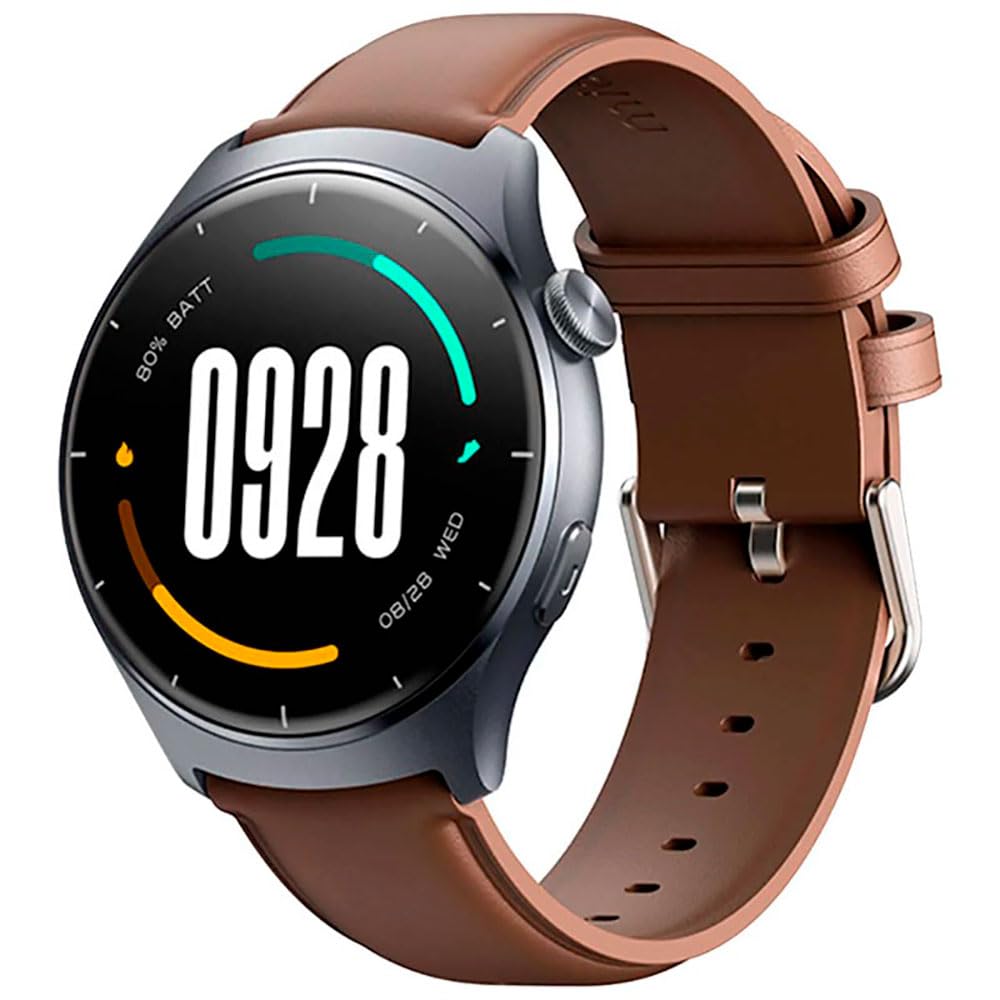
Bild: Vorderseite view of the Mibro Smartwatch Lite 3, showcasing sein rundes Display und Armband.
Aufstellen
1. Aufladen der Smartwatch
- Verbinden Sie das magnetische Ladekabel mit den Ladekontakten auf der Rückseite der Smartwatch.
- Stecken Sie das USB-Ende des Kabels in ein Standard-USB-Netzteil (5V/1A empfohlen) oder in einen USB-Anschluss Ihres Computers.
- Auf dem Display der Uhr wird eine Ladeanzeige angezeigt. Stellen Sie sicher, dass die Uhr vor der ersten Verwendung vollständig aufgeladen ist.
2. App-Installation und -Kopplung
- Download the official Mibro Fit application from your smartphone's app store (App Store for iOS, Google Play Store for Android).
- Öffne die Mibro Fit App und erstelle ein Konto oder melde dich an.
- Stellen Sie sicher, dass Bluetooth auf Ihrem Smartphone aktiviert ist.
- In the Mibro Fit app, navigate to 'Device' or 'Add Device' and select 'Mibro Lite 3' from the list of available devices.
- Confirm the pairing request on both your smartphone and the smartwatch. A successful connection will be indicated on the watch display.
Betrieb
1. Grundlegende Navigation
- Nach unten wischen: Zugriff auf Schnelleinstellungen (z. B. Helligkeit, Nicht stören, Energiesparmodus).
- Nach oben wischen: View Benachrichtigungen.
- Nach links/rechts wischen: Navigieren Sie durch Widgets (z. B. Herzfrequenz, Wetter, Aktivitätsdaten).
- Seitlichen Knopf drücken: Kehren Sie zum Zifferblatt zurück oder rufen Sie das Hauptmenü auf.
- Seitliche Taste lange drücken: Gerät ein-/ausschalten oder neu starten.
2. Sportmodi
The Mibro Lite 3 supports over 100 sports modes. To start a workout:
- From the main menu, select the 'Workout' or 'Sports' icon.
- Wähle deine gewünschte Aktivität (z. B. Laufen, Radfahren, Schwimmen).
- Tap 'Start' to begin tracking. The watch will display real-time data such as duration, heart rate, and calories burned.
- Um ein Training zu pausieren oder zu beenden, drücken Sie die Seitentaste oder wischen Sie wie angezeigt über den Bildschirm.
3. Bluetooth-Anrufe
Once paired with your smartphone, the Mibro Lite 3 allows you to make and receive calls directly from your wrist.
- Anrufe entgegennehmen: Bei einem eingehenden Anruf zeigt die Uhr die Anrufer-ID an. Tippen Sie auf das grüne Symbol, um den Anruf anzunehmen, oder auf das rote Symbol, um ihn abzulehnen.
- Anrufe tätigen: Access the 'Phone' or 'Dialer' function on the watch, then select a contact or dial a number.
4. Gesundheitsüberwachung
- Herzfrequenz: Die Uhr überwacht kontinuierlich Ihre Herzfrequenz. View real-time data by swiping to the heart rate widget or accessing the 'Heart Rate' app.
- SpO2 (Blutsauerstoff): Measure your blood oxygen levels through the 'SpO2' app on the watch. Ensure the watch is snug on your wrist for accurate readings.
- Schlaf-Tracking: Wear the watch to bed for automatic sleep monitoring. Data on sleep stages and duration can be viewed in the Mibro Fit app.
- Stress Monitoring & Breath Training: Utilize these features to manage stress and improve relaxation.
5. Weitere Funktionen
- Musiksteuerung: Steuern Sie die Musikwiedergabe auf Ihrem Smartphone direkt von der Uhr aus.
- App Message Reminders: Receive notifications from various apps on your watch.
- Wetter: Erhalten Sie Wetterinformationen in Echtzeit.
- Wecker, Timer, Stoppuhr: Standard-Dienstprogramme.
- Finden Sie Ihr Telefon: Finden Sie Ihr gekoppeltes Smartphone, indem Sie einen Alarmton auslösen.
- Frauengesundheit: Menstruationszyklen und zugehörige Daten erfassen.
Wartung
1. Reinigung
- Reinigen Sie das Uhrengehäuse und das Armband regelmäßig mit einem weichen, fusselfreien Tuch.amp Tuch.
- Ensure the charging contacts are free from dust and debris to maintain efficient charging.
- Vermeiden Sie die Verwendung scharfer Chemikalien oder scheuernder Materialien zum Reinigen.
2. Wasserbeständigkeit
The Mibro Lite 3 is 2ATM waterproof, meaning it can withstand splashes, rain, and brief immersion in shallow water. It is suitable for activities like swimming in pools. However, it is not recommended for hot showers, saunas, or diving, as steam and high-pressure water jets may compromise the seal.
Fehlerbehebung
- Uhr schaltet sich nicht ein: Stellen Sie sicher, dass die Uhr vollständig aufgeladen ist. Schließen Sie sie für mindestens 30 Minuten an das Ladegerät an.
- Kopplung mit dem Telefon nicht möglich:
- Überprüfen Sie, ob Bluetooth auf Ihrem Telefon aktiviert ist.
- Stellen Sie sicher, dass sich die Uhr in Bluetooth-Reichweite Ihres Telefons befindet.
- Starten Sie sowohl die Uhr als auch Ihr Telefon neu und versuchen Sie dann erneut, die Geräte zu koppeln.
- Stellen Sie sicher, dass die Mibro Fit App auf die neueste Version aktualisiert ist.
- Ungenaue Gesundheitsdaten: Ensure the watch is worn snugly on your wrist, about one finger's width from the wrist bone. Avoid excessive movement during measurements.
- Benachrichtigungen nicht erhalten:
- Check notification permissions for the Mibro Fit app in your phone settings.
- Ensure 'Do Not Disturb' mode is not active on either the watch or the phone.
- Verify that the app is running in the background on your phone.
- Kurze Akkulaufzeit: Reduce screen brightness, disable continuous heart rate monitoring if not needed, and limit background app refresh.
Technische Daten
| Besonderheit | Spezifikation |
|---|---|
| Modellname | Mibro Watch Lite 3 |
| Maße | φ44.8mm, T=11.2mm (Without HR protrusion) |
| Gewicht | 53.2g (with leather strap), 56g (with rubber strap) |
| Anzeige | 1.3-inch AMOLED, 360*360 resolution, AOD, PPI 277 |
| Konnektivität | Bluetooth V5.3 |
| Sensoren | PPG Heart Rate/SpO2 Sensor/Accelerometer |
| Wasserdichtigkeit | 2ATM |
| Akkulaufzeit (Tagesmodus) | Bis zu 12 Tage |
| Akkulaufzeit (Standby-Modus) | Bis zu 50 Tage |
| Akkulaufzeit (Musikmodus) | Bis zu 5 Stunden |
| Battery Life (BT-Calling Mode) | Bis zu 6 Stunden |
| Betriebstemperatur | 0°C ~ 45°C |
Garantie und Support
The Mibro Smartwatch Lite 3 comes with a 12-month warranty from the date of purchase. This warranty covers manufacturing defects under normal use. It does not cover damage caused by misuse, accidents, unauthorized modifications, or normal wear and tear.
For technical support, warranty claims, or further assistance, please contact Mibro customer service through the official Mibro webWebsite oder die in Ihren Kaufunterlagen angegebenen Kontaktinformationen.