
Produkt überview
The HUANUO 32" Small Electric Standing Desk is designed to provide a versatile and ergonomic workspace. Featuring a wide height adjustment range and convenient memory presets, this desk allows you to effortlessly switch between sitting and standing positions, promoting better posture and productivity. Its durable construction ensures long-lasting performance, making it an ideal solution for home offices and computer workstations.
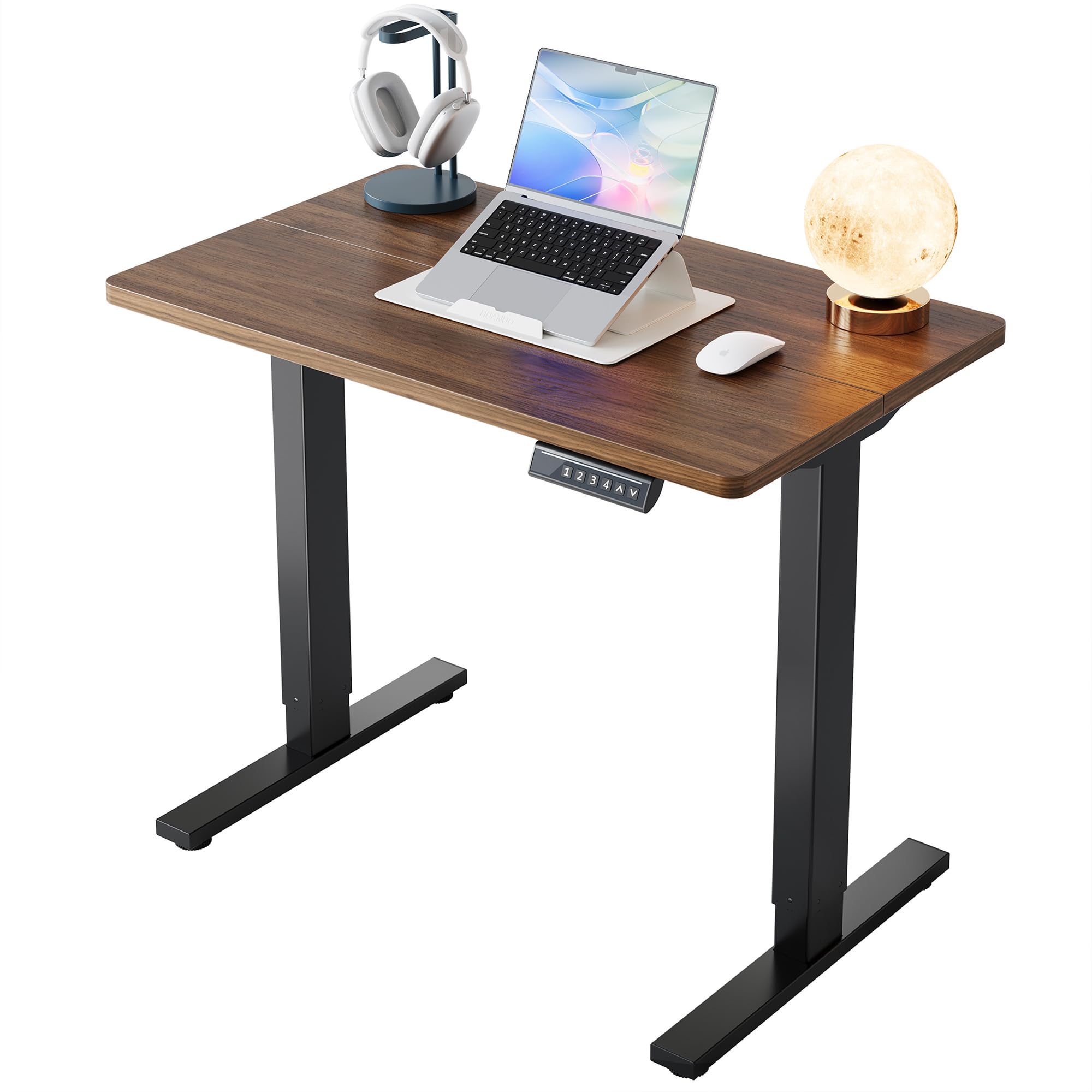
Abbildung: Schreibtischabmessungen. This image illustrates the compact dimensions of the HUANUO 32" Electric Standing Desk, showing a width of 32 inches, a depth of 19 inches, and an adjustable height range from 28.3 inches to 46.5 inches. The desk features a black walnut desktop and black alloy steel legs.
Installationsanweisungen
Montage
The HUANUO Electric Standing Desk is designed for quick and easy assembly with a streamlined process. All necessary tools are included. Please refer to the detailed assembly video below for step-by-step guidance.
Video: HUANUO Electric Standing Desk Assembly. This official seller video provides a visual guide for assembling the HUANUO Electric Standing Desk. It demonstrates how to connect the frame components, attach the desktop, and connect the controller and motor, ensuring a smooth setup process.
Wichtigste Montageschritte:
- Montieren Sie den Rahmen: Attach the motor to the designated table legs and secure the crossbar.
- Den Desktop zusammenbauen: Use wooden dowels to secure the two-piece desktop. Attach the steel plate to stabilize the tabletop.
- Attach the Frame to the Desktop: Secure the assembled frame to the underside of the desktop using the provided screws.
- Installation des Bedienfelds und des Zubehörs: Mount the control panel on the side you prefer. Attach any additional accessories like headphone hooks.
- Verkabelung anschließen: Connect the controller and motor cables. Organize cables using the provided ties for a tidy setup.
Bedienungsanleitung
Höhenverstellung
The desk offers a wide height adjustment range from 28.3" to 46.5", allowing you to easily switch between sitting and standing positions. The electric lifting mechanism operates smoothly and quietly, ensuring minimal disruption.

Image: Wide Adjustment Range. This image demonstrates the desk's ability to adjust from a sitting height of 28.3 inches to a standing height of 46.5 inches, accommodating various user preferences and postures.
Speichervoreinstellungen
The smart control panel features four programmable height settings. This allows you to save your preferred sitting and standing heights and switch between them with a single touch, eliminating the need for manual adjustments.

Image: Effortless Controls. This image highlights the desk's control panel, featuring an LED display for real-time height, up/down arrows for smooth control, and four memory buttons (1, 2, 3, 4) to save favorite heights for quick switching. The lifting speed is 20mm/s.
Video: HUANUO Electric Standing Desk, 4 Memory Height Settings. This official seller video demonstrates the functionality of the 4 memory height settings on the HUANUO Electric Standing Desk, showing how users can easily program and recall their preferred sitting and standing heights.
Leiser Betrieb
The desk is designed for ultra-quiet performance, ensuring you can work without distractions. The motor operates at less than 50dB.

Image: Ultra-Quiet Performance. This image visually compares the noise level of the HUANUO desk (less than 50dB) to city traffic (80dB) and talking (60dB), emphasizing its quiet operation for an undisturbed work environment.
Wartung
- Reinigung: Wischen Sie die Tischplatte und den Rahmen mit einem weichen, fusselfreien Tuch ab.amp Tuch. Vermeiden Sie aggressive Chemikalien oder Scheuermittel.
- Kabelmanagement: Periodically check and re-organize cables to prevent tangles and ensure smooth operation during height adjustments.
- Regelmäßige Inspektion: Ensure all screws and connections are secure. Do not overtighten.
Fehlerbehebung
- Schreibtisch lässt sich nicht verstellen: Überprüfen Sie alle Stromanschlüsse. Stellen Sie sicher, dass das Netzkabel sowohl am Schreibtisch als auch an der Wandsteckdose fest eingesteckt ist.
- Fehlercodes: If the control panel displays an error code, refer to the full user manual for specific instructions or contact customer support.
- Ungleichmäßige Bewegung: Ensure the desk is placed on a flat, stable surface. Check for any obstructions under the desk that might impede movement.
Technische Daten
| Besonderheit | Detail |
|---|---|
| Marke | HUANUO |
| Modellnummer | MSESD202WN-80A-US |
| Technische Daten | 19"T x 32"B x 28.3"H |
| Farbe | Schwarze Walnuss |
| Höhenverstellbereich | 28.3" bis 46.5" |
| Speicherhöheneinstellungen | 4 |
| Gewichtskapazität | 154 Pfund |
| Hebemechanismus | Elektrisch |
| Geräuschpegel | <50 dB |
| Rahmenmaterial | Legierter Stahl |
| Top-Materialtyp | Holzwerkstoff |
| Montage erforderlich | Ja (Werkzeuge inklusive) |
| Lift Cycles Tested | 50,000+ at full capacity |

Image: Reliable Lifting. This image highlights the desk's durability, stating it is 50,000 times lift tested and has a weight capacity of 176 lbs (note: specifications list 154 lbs, using the more conservative value from specifications). It shows a sturdy desk with items on top, emphasizing stability.
Garantie
The HUANUO Electric Standing Desk comes with a Limited Warranty. Please refer to the product packaging or contact customer support for detailed warranty terms and conditions.
Unterstützung
For any questions, technical assistance, or support regarding your HUANUO Electric Standing Desk, please contact our customer support team.
Support-E-Mail: support@huanuo.com
Before contacting support, please ensure you have reviewed this instruction manual and the assembly video.