
Einführung
This instruction manual provides detailed guidance for the proper use and maintenance of your JMDHKK K68+ and K18+ Hidden Camera Detector Bundle. These devices are designed to help detect hidden cameras, listening devices, and magnetic surveillance equipment, ensuring your privacy in various environments. Please read this manual thoroughly before operating the devices.
Produkt überview
The JMDHKK K68+ and K18+ are multi-functional detectors bundled together to offer comprehensive privacy protection. Both devices feature capabilities for detecting hidden cameras and RF signals, while the K68+ also includes a magnetic field detection function.
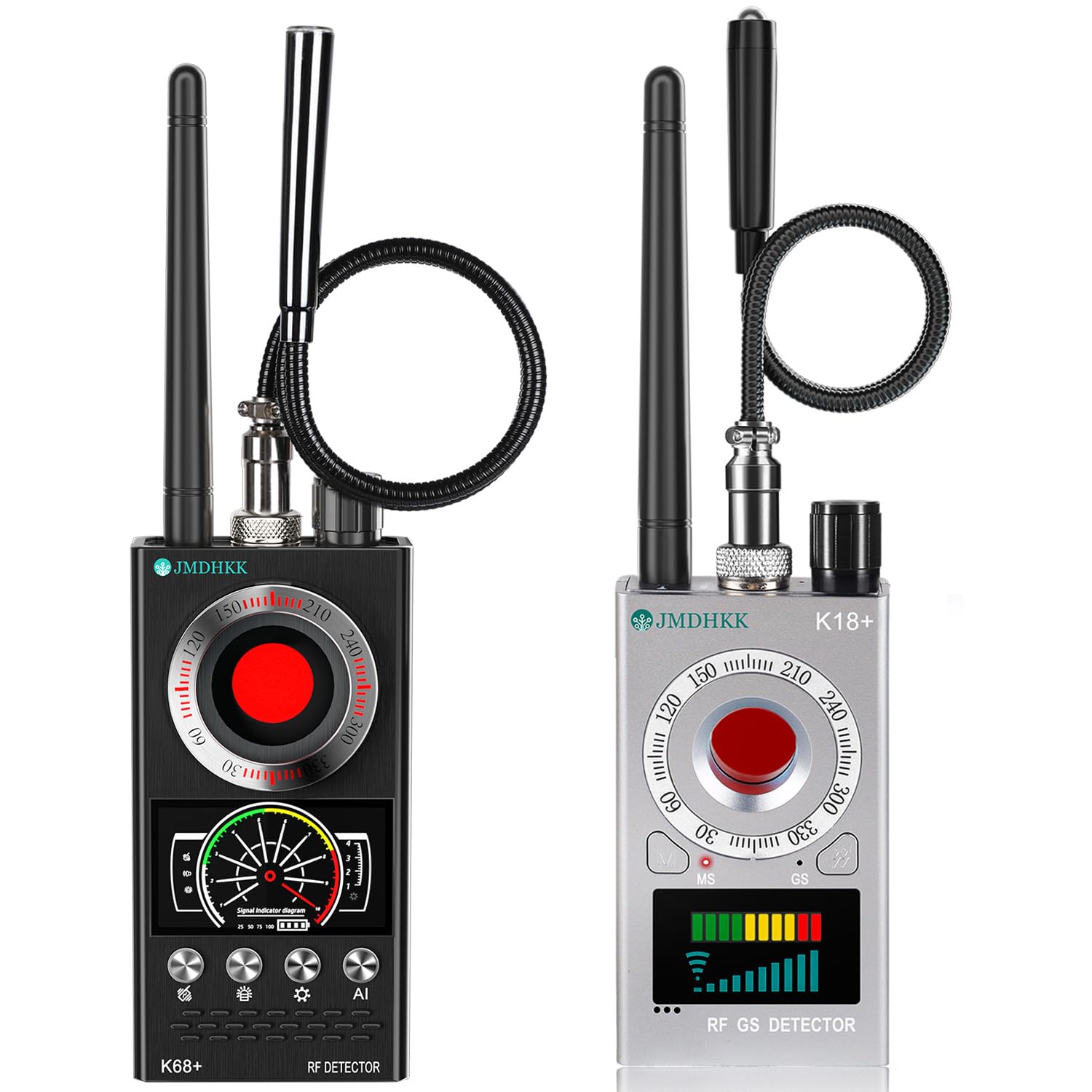
Image: The JMDHKK K68+ and K18+ Hidden Camera Detector Bundle, showcasing both devices and their primary functions.
K68+ Detector
The K68+ is a versatile detector equipped with RF signal detection, hidden camera detection via infrared LED scanning, and magnetic field detection. It features an adjustable sensitivity dial and multiple alert modes.

Image: The K68+ detector displaying its AI Auto Scan and RF Signal Detection capabilities, useful for finding devices like Wi-Fi cameras or AirTags.
K18+ Detector
The K18+ focuses on hidden camera detection and RF signal detection. It is compact and user-friendly, ideal for quick scans in various environments.

Image: The K18+ detector in use, demonstrating its ability to detect hidden wireless transmitters or bugging devices in a meeting room setting.
Hauptmerkmale
- Advanced Hidden Camera & Bug Detection: Provides comprehensive surveillance detection for hotels, offices, rental properties, and vehicles.
- Multi-Functional Privacy Protection with Magnetic Detection: Equipped with hidden camera detection, bug detection, and magnetic field detection (K68+) to identify covert tracking devices.
- Easy Operation with Smart Alerts & Adjustable Sensitivity: Features LED signal strength indicators and customizable alert modes (sound and vibration). Sensitivity can be adjusted for precise detection.
- Compact, Portable & Durable Design: Lightweight and easy to carry, suitable for travelers and professionals.
- Comprehensive Security for Any Environment: Offers full privacy protection against hidden threats in various personal and professional spaces.
Aufstellen
- Aufladen des Geräts: Before first use, fully charge both the K68+ and K18+ detectors using the provided USB-C cables. The charging indicator will typically change color or turn off when fully charged.
- Attaching Antennas/Probes: For RF signal detection, securely attach the antenna to the designated port on the device. For magnetic field detection (K68+), attach the flexible magnetic probe.
- Einschalten: Press and hold the power button on each device until it turns on.
Bedienungsanleitung
K68+ Detector Operation
- Hidden Camera Detection (Infrared Scan):
- Activate the infrared scanning mode.
- Schau durch das Rot hindurch viewFenster auf dem Gerät.
- Slowly scan the area. Hidden camera lenses will appear as bright red dots.
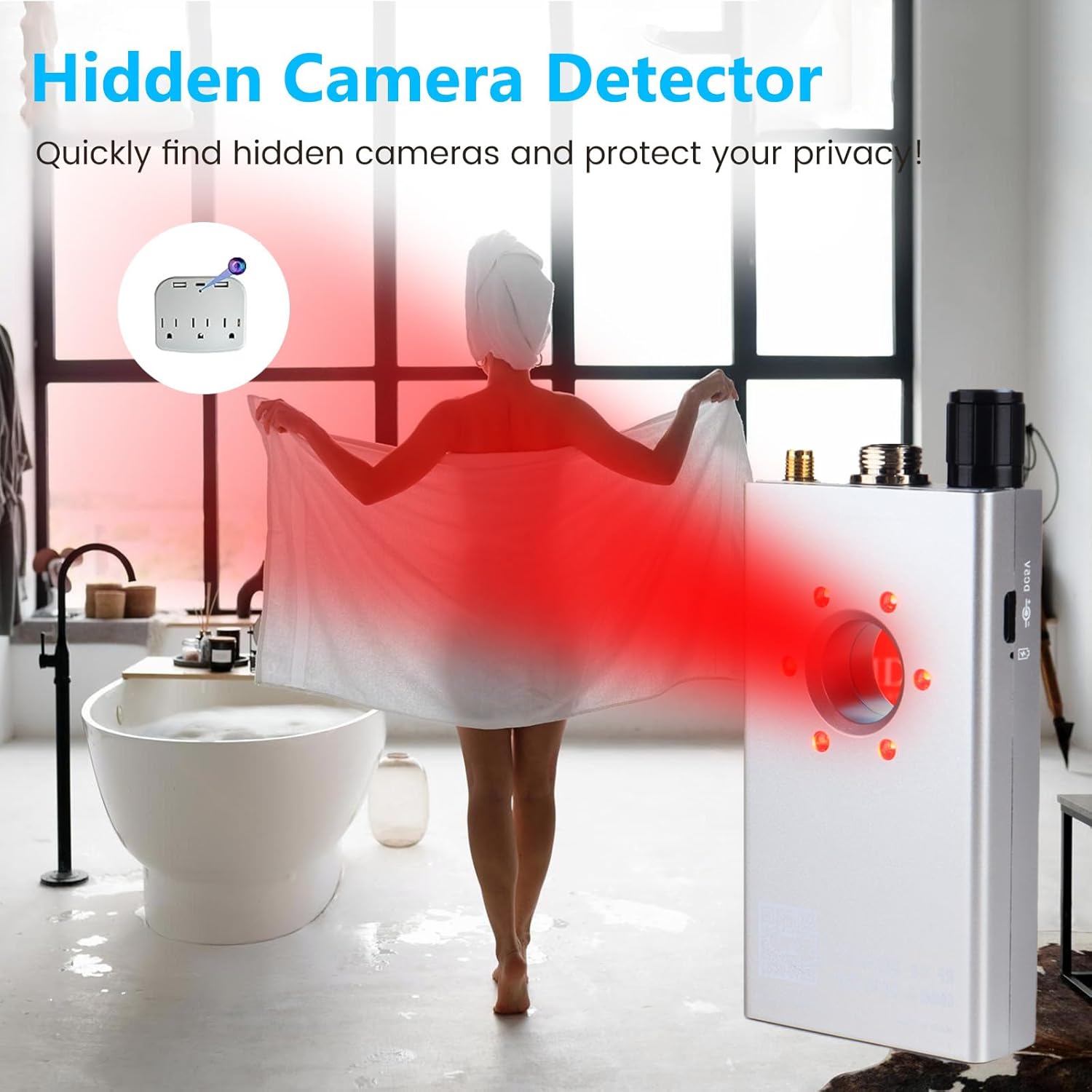
Image: The K68+ detector being used to scan a bedroom for hidden cameras, illustrating how the infrared LED light exposes camera lenses.
- HF-Signalerkennung:
- Ensure the RF antenna is attached.
- Turn on the RF detection mode.
- Adjust sensitivity using the dial. Start with lower sensitivity and increase as needed.
- Move the device around the area. The LED signal strength indicator will illuminate, and an audible or vibratory alert will activate when an RF signal is detected. Higher signal strength indicates closer proximity to the source.
- Magnetfelderkennung:
- Attach the flexible magnetic probe.
- Activate the magnetic detection mode.
- Scan surfaces, especially in vehicles or under furniture, where magnetic trackers might be placed. The device will alert you to the presence of strong magnetic fields.

Image: The K68+ detector with its magnetic probe, demonstrating its use to locate magnetized tracking devices within a car interior.
K18+ Detector Operation
- Hidden Camera Detection (Infrared Scan):
- Activate the infrared scanning mode.
- Look through the green viewing Fenster.
- Scan the environment slowly. Hidden camera lenses will reflect the infrared light and appear as bright green dots.

Image: The K18+ detector being used to quickly find hidden cameras in a bathroom, highlighting its ease of use for privacy protection.
- HF-Signalerkennung:
- Ensure the RF antenna is attached.
- Turn on the RF detection mode.
- Adjust sensitivity as needed.
- Move the device around. The LED signal strength indicator will show the presence and intensity of RF signals.

Image: The K18+ detector demonstrating magnetic field detection in a car, showing how it can detect hidden devices with strong magnetic fields, such as GPS trackers.
Wartung
- Reinigung: Reinigen Sie das Gerät mit einem weichen, trockenen Tuch. Verwenden Sie keine flüssigen Reinigungsmittel oder Scheuermittel.
- Lagerung: Store the detectors in a cool, dry place away from direct sunlight and extreme temperatures.
- Batteriepflege: Recharge the devices regularly, even if not in frequent use, to maintain battery health. Avoid fully discharging the battery for extended periods.
Fehlerbehebung
- Falscher Alarm: Reduce sensitivity if the device is constantly alarming without a clear source. Environmental RF noise (e.g., Wi-Fi routers, cell phones) can trigger alerts.
- Kein Nachweis: Ensure the device is fully charged and turned on. Check that the correct detection mode is selected and sensitivity is appropriately adjusted.
- Schwaches Signal: Move closer to the suspected area or increase sensitivity. Ensure no obstructions are blocking the signal path.
Technische Daten
| Besonderheit | Beschreibung |
|---|---|
| Modellnummern | K68+, K18+ |
| Erkennungstypen | RF Signal, Hidden Camera (Infrared), Magnetic Field (K68+ only) |
| Alarmmodi | Sound, Vibration, LED Indicator |
| Batterie | Wiederaufladbar (USB-C) |
| Portabilität | Kompakt und leicht |
Sicherheitshinweise
- Die Geräte dürfen weder Wasser noch übermäßiger Feuchtigkeit ausgesetzt werden.
- Vermeiden Sie es, die Geräte fallen zu lassen oder starken Stößen auszusetzen.
- Außerhalb der Reichweite von Kindern aufbewahren.
- Versuchen Sie nicht, die Geräte selbst zu zerlegen oder zu reparieren. Wenden Sie sich an den Kundendienst, um Unterstützung zu erhalten.
Garantie und Support
This product is subject to a standard return policy of 30 days from the date of purchase. For any technical support or warranty inquiries, please refer to the contact information provided with your purchase or visit the official JMDHKK webWebsite.