1. Einleitung
Thank you for choosing the Coowisty CW1 Slim 10000mAh Portable Charger. This device is designed to provide convenient and reliable power for your mobile devices on the go. Featuring built-in cables and multiple output options, it ensures you stay connected wherever you are. Please read this manual carefully before use to ensure optimal performance and safety.
2. Produktmerkmale
- Schlankes und tragbares Design: Measuring 5.7 x 2.7 x 0.73 inches and weighing only 9.17 ounces, this power bank is lightweight and easy to carry.
- Built-in 4 Cables: Includes integrated USB-C, USB-A, Micro USB, and Lightning cables, eliminating the need for extra charging cords.
- Mehrere Ausgänge: Equipped with 5 output ports (built-in USB-A, Micro USB, USB-C, Lightning cables, and an additional USB-A port) to charge up to 5 devices simultaneously.
- Duale Eingabeoptionen: Recharge the power bank via the built-in USB-A cable (10W max input) or the bidirectional USB-C port (12W max input/output).
- LED-Digitalanzeige: Provides real-time battery percentage, so you always know the remaining power.
- Micro USB Lanyard Design: The Micro USB cable doubles as a convenient lanyard for easy carrying.
- Universelle Kompatibilität: Compatible with a wide range of devices including iPhones, Android phones, tablets, and earbuds.
- 5-lagiger Sicherheitsschutz: Built-in smart chip protects against overcharge, overvoltage, overcurrent, short circuits, and overheating.
3. Einrichtung
3.1 Erstes Aufladen der Powerbank
Before first use, fully charge your Coowisty CW1 power bank. This ensures optimal battery performance.
- Verwendung des integrierten USB-A-Kabels: Pull out the built-in USB-A cable and plug it into a compatible USB wall adapter (not included).
- Verwendung des USB-C-Anschlusses: Alternatively, connect a USB-C cable (not included) to the power bank's USB-C input port and a compatible USB-C wall adapter.
- Das digitale LED-Display zeigt den Ladefortschritt an. Die Powerbank ist vollständig geladen, wenn das Display 100 % anzeigt.

Figure 1: Two methods for recharging the Coowisty CW1 power bank.
4. Bedienungsanleitung
4.1 Laden Ihrer Geräte
The Coowisty CW1 offers multiple ways to charge your devices:
- Verwendung der integrierten Kabel: Gently pull out the appropriate built-in cable (USB-C, USB-A, Micro USB, or Lightning) and connect it directly to your device.
- Verwenden des USB-A-Ausgangsanschlusses: For devices requiring a standard USB-A connection, use your own USB cable and plug it into the dedicated USB-A output port on the power bank.
- Using USB-C Port (Output): The USB-C port is bidirectional. It can be used as an output to charge compatible USB-C devices with your own USB-C cable.
Die Powerbank beginnt automatisch mit dem Laden Ihres Geräts. Das LED-Display zeigt den verbleibenden Akkustand in Prozent an.tage der Powerbank.

Abbildung 2: Überview of built-in cables and ports.
4.2 Gleichzeitiges Laden
The Coowisty CW1 supports charging up to 5 devices simultaneously using its various output options.
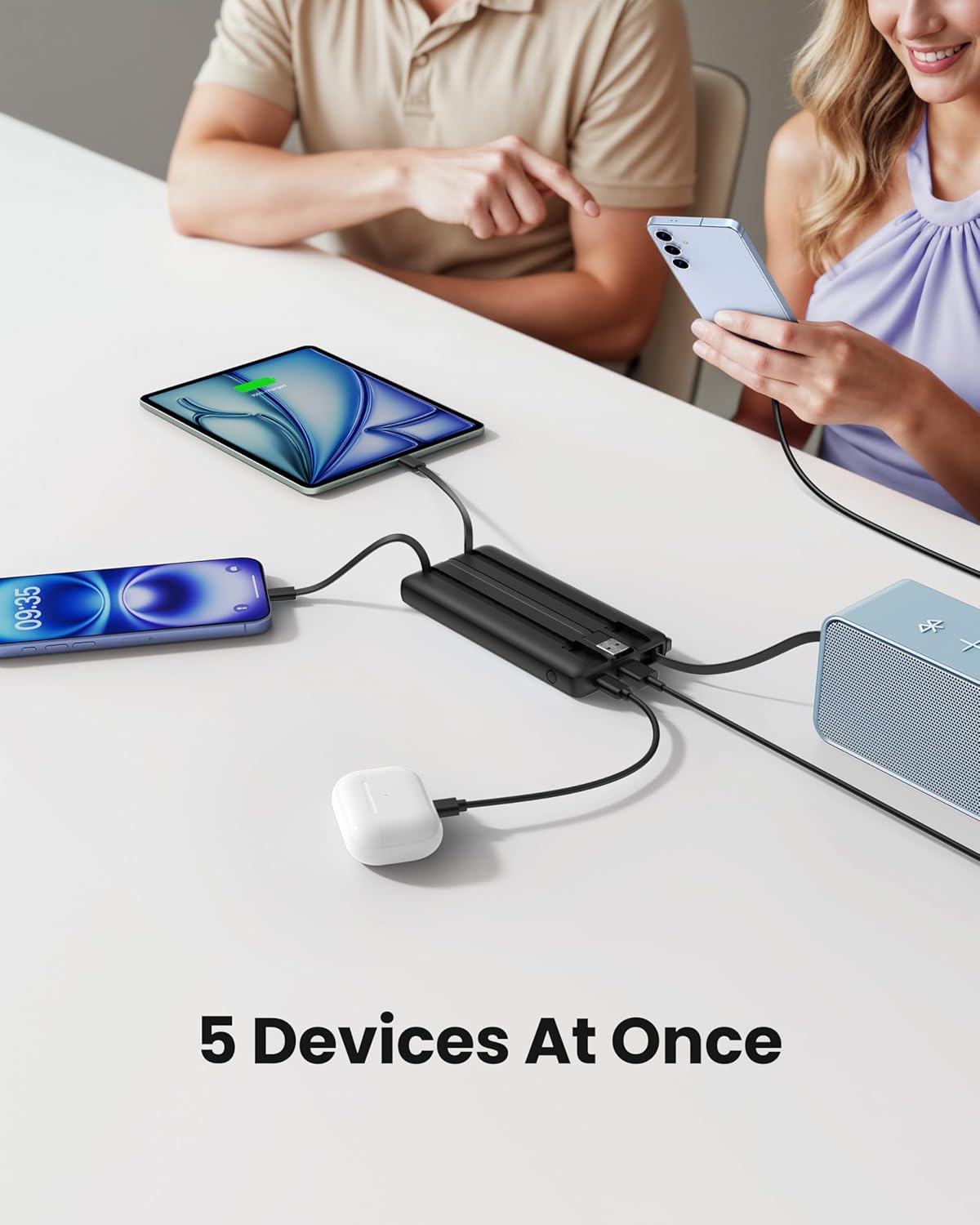
Abbildung 3: Mehrere Geräte gleichzeitig laden.
4.3 LED-Digitalanzeige
Press the power button on the side of the power bank to activate the LED digital display. It will show the current battery percentage der Powerbank, sodass Sie deren Ladezustand genau überwachen können.
4.4 Lanyard Functionality
The built-in Micro USB cable is designed to also function as a convenient lanyard. When not in use for charging, it can be retracted and used to carry the power bank securely.

Figure 4: Strap-Cable Design for easy carrying.
5. Medienressourcen
5.1 Produktüberschussview Video
Video 1: Ein kurzer Überblickview of the Coowisty Slim 10000mAh Portable Charger with Built-in Cables, showcasing sein Design und seine wichtigsten Merkmale.
5.2 Detailed Features Video
Video 2: A more in-depth look at the Coowisty Slim 10000mAh Portable Charger, detailing its built-in cables and various functionalities.
6. Spezifikationen
| Besonderheit | Detail |
|---|---|
| Marke | Coowisty |
| Modellnummer | CW1 |
| Batteriekapazität | 10000 Milliamp Stunden (37 Wh) |
| Akku-Typ | Lithiumpolymer mit hoher Dichte |
| Technische Daten | 5.7 x 2.57 x 0.72 Zoll |
| Artikelgewicht | 10.3 Unzen |
| Eingang (USB-A-Kabel) | 5V-2A (10W max) |
| Input/Output (USB-C Port) | 5V-2.4A (12W max) |
| Ausgang (USB-A-Anschluss) | 5V-2.4A (12W max) |
| Output (Micro USB Cable) | 5V-2.4A (12W max) |
| Output (USB-C Cable) | 5V-2.4A (12W max) |
| Ausgang (Lightning-Kabel) | 5V-2.4A (12W max) |
| Betriebstemperatur | Input: 0°C - 45°C; Output: -10°C - 60°C |
7. Wartung
- Bewahren Sie die Powerbank an einem kühlen, trockenen Ort fern von direkter Sonneneinstrahlung und extremen Temperaturen auf.
- Vermeiden Sie das Fallenlassen oder starke Stöße auf die Powerbank.
- Zerlegen Sie das Gerät nicht und versuchen Sie nicht, es selbst zu reparieren.
- Reinigen Sie die Außenseite mit einem weichen, trockenen Tuch. Vermeiden Sie die Verwendung von scharfen Chemikalien oder Scheuermitteln.
- For prolonged storage, charge the power bank to approximately 50-70% every three months to maintain battery health.
8. Fehlerbehebung
- Gerät lädt nicht: Ensure the power bank is charged. Check that the cable is securely connected to both the power bank and your device. Try a different built-in cable or an external cable if available.
- Powerbank lädt nicht: Verify that the charging cable is properly connected to a power source and the power bank's input port. Ensure the wall adapter is functioning correctly.
- Langsames Laden: Ensure you are using a compatible wall adapter with sufficient power output. Charging multiple devices simultaneously may reduce individual charging speeds.
- LED-Anzeige funktioniert nicht: Drücken Sie den Ein-/Ausschalter, um das Display zu aktivieren. Bleibt es ausgeschaltet, ist die Powerbank möglicherweise vollständig entladen oder muss repariert werden.
9. Garantie und Support
The Coowisty CW1 Portable Charger comes with a user manual and 24/7 friendly customer support to assist with any questions. Please refer to the product packaging or contact Coowisty customer service for specific warranty details and support inquiries.