
ClokoWe T800
CLOKOWE Mini-Projektor Benutzerhandbuch
Modell: T800
Brand: ClokoWe
1. Einleitung
This manual provides detailed instructions for the setup, operation, maintenance, and troubleshooting of your CLOKOWE Mini Projector, Model T800. Please read this manual thoroughly before using the projector to ensure proper function and to maximize your viewErfahrung.
2. Lieferumfang
Bitte überprüfen Sie nach dem Öffnen des Pakets, ob alle folgenden Artikel enthalten sind:
- CLOKOWE Mini Projector
- HDMI-Kabel
- Fernbedienung
- Netzkabel
- Benutzerhandbuch (dieses Dokument)
3. Sicherheitshinweise
To ensure safe operation and prolong the lifespan of your projector, please observe the following safety precautions:
- Die Lüftungsöffnungen dürfen nicht blockiert werden. Sorgen Sie für ausreichende Luftzirkulation um den Projektor herum.
- Schauen Sie nicht direkt in die Projektorlinse, wenn der lamp ist eingeschaltet. Das helle Licht kann Augenschäden verursachen.
- Keep the projector away from water or any liquids. Do not operate in damp Umgebungen.
- Verwenden Sie ausschließlich das mitgelieferte Netzkabel und den Adapter.
- Stellen Sie den Projektor nicht auf instabile Oberflächen.
- Bei Gewittern oder längerer Nichtbenutzung sollte der Projektor vom Stromnetz getrennt werden.
4. Produktmerkmale
The CLOKOWE Mini Projector offers a range of advanced features for a versatile entertainment experience:
- Fortschrittliche Display-Technologie: Equipped with LCD screen technology, supporting Full HD 1080P and 4K resolution for vivid details and colors. Features 10000 lumens brightness and a 10000:1 contrast ratio.
- Smart Android TV 11 OS: Built-in Android TV 11 operating system provides access to over 8000 applications, including popular streaming platforms like Netflix, Prime Video, and YouTube.
- Integrated Galaxy & Night Light Modes: Features 6 distinct galaxy projection modes and 7 ambient night light colors (with lens cover) to create various atmospheric effects.
- 270° drehbarer Ständer: The flexible stand allows for projection onto various surfaces, including walls and ceilings, offering greater positioning versatility.
- Hochgeschwindigkeitsverbindung: Supports the latest WiFi 6 (5G and 2.4G dual-band) for fast and stable content transmission, and Bluetooth 5.2 for effortless pairing with external audio devices.
- Automatische Bildkorrektur: Features automatic keystone correction for quick adjustment of tilted images, ensuring a perfectly aligned picture.
- Breite Kompatibilität: Equipped with HDMI, USB, and audio ports for seamless connection to laptops, TV sticks, game consoles, smartphones, tablets, and USB drives.

Image: The CLOKOWE Mini Projector, highlighting its key features such as 4K support, galaxy projection, 270-degree adjustability, WiFi 6, Bluetooth 5.2, and integrated streaming apps.

Image: Visual representation of the projector's Full HD 1080P capability, emphasizing sharper images and brighter colors compared to standard projectors.
5. Einrichtung
5.1 Physische Einrichtung
Befolgen Sie diese Schritte, um Ihren Projektor zum ersten Mal einzurichten:
- Platzierung: Position the projector on a stable, flat surface. Utilize the 270° rotatable stand to adjust the projection angle as needed. The projector can project onto walls, screens, or ceilings.
- Stromanschluss: Schließen Sie das Netzkabel an den Stromeingang des Projektors an und stecken Sie es dann in eine Steckdose.
- Fernbedienung: Legen Sie zwei AAA-Batterien (nicht im Lieferumfang enthalten) in die Fernbedienung ein.
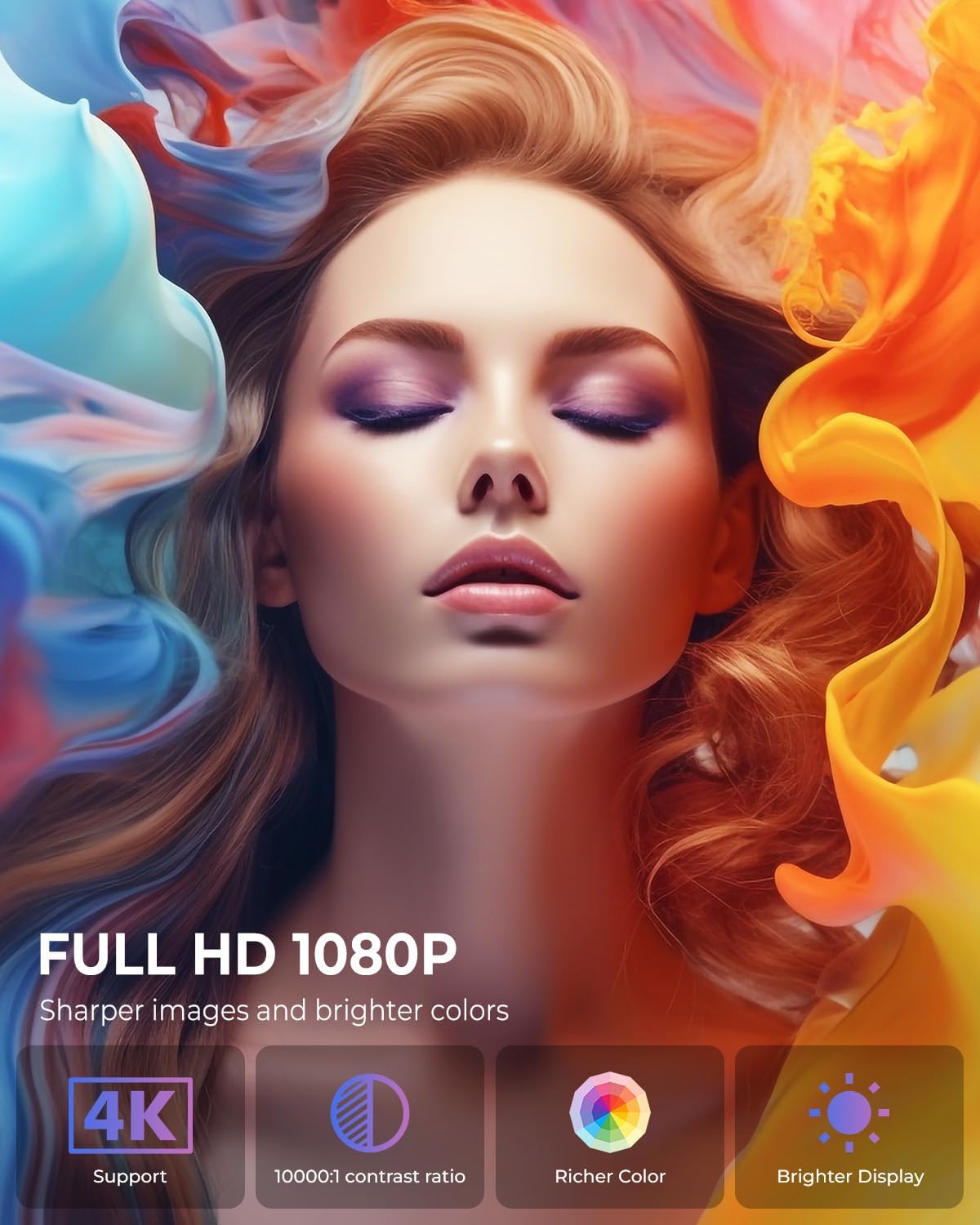
Image: The projector positioned to project galaxy patterns onto a ceiling, illustrating the flexibility of its 270-degree rotatable stand and its galaxy projection feature.

Bild: Ein Example of the projector creating a large 200-inch screen, with a note on recommended projection distances for optimal viewing.
5.2 Erstkonfiguration
After connecting power, press the power button on the projector or remote control to turn it on. Follow the on-screen prompts for initial setup:
- Sprachauswahl: Wählen Sie Ihre bevorzugte Sprache.
- Netzwerkverbindung: Select your Wi-Fi network and enter the password. The projector supports both 2.4G and 5G networks.
- Account Login: Log in with your Google account to access the Android TV OS features and app store.
6. Bedienungsanleitung
6.1 Grundlegende Bedienung
- Ein-/Ausschalten: Drücken Sie den Ein-/Ausschalter an der Fernbedienung oder am Projektor.
- Navigation: Use the arrow keys on the remote to navigate menus and select options. The 'OK' button confirms selections, and the 'Back' button returns to the previous screen.
6.2 Konnektivität
Der Projektor bietet verschiedene Anschlussmöglichkeiten:
- Wi-Fi-Verbindung: Access network settings to connect to a Wi-Fi network. The projector supports Wi-Fi 6 for faster and more stable streaming.
- Bluetooth Verbindung: Go to Bluetooth settings to pair with external Bluetooth speakers, headphones, or other compatible devices for enhanced audio.
- HDMI-Eingang: Connect devices like laptops, gaming consoles, or TV sticks using an HDMI cable. Select the HDMI input source from the projector's menu.
- USB Eingang: Schließen Sie ein USB-Laufwerk an, um Medien abzuspielen. files direkt vom Laufwerk.
- Audioausgang: Use the 3.5mm audio jack to connect wired headphones or external speakers.
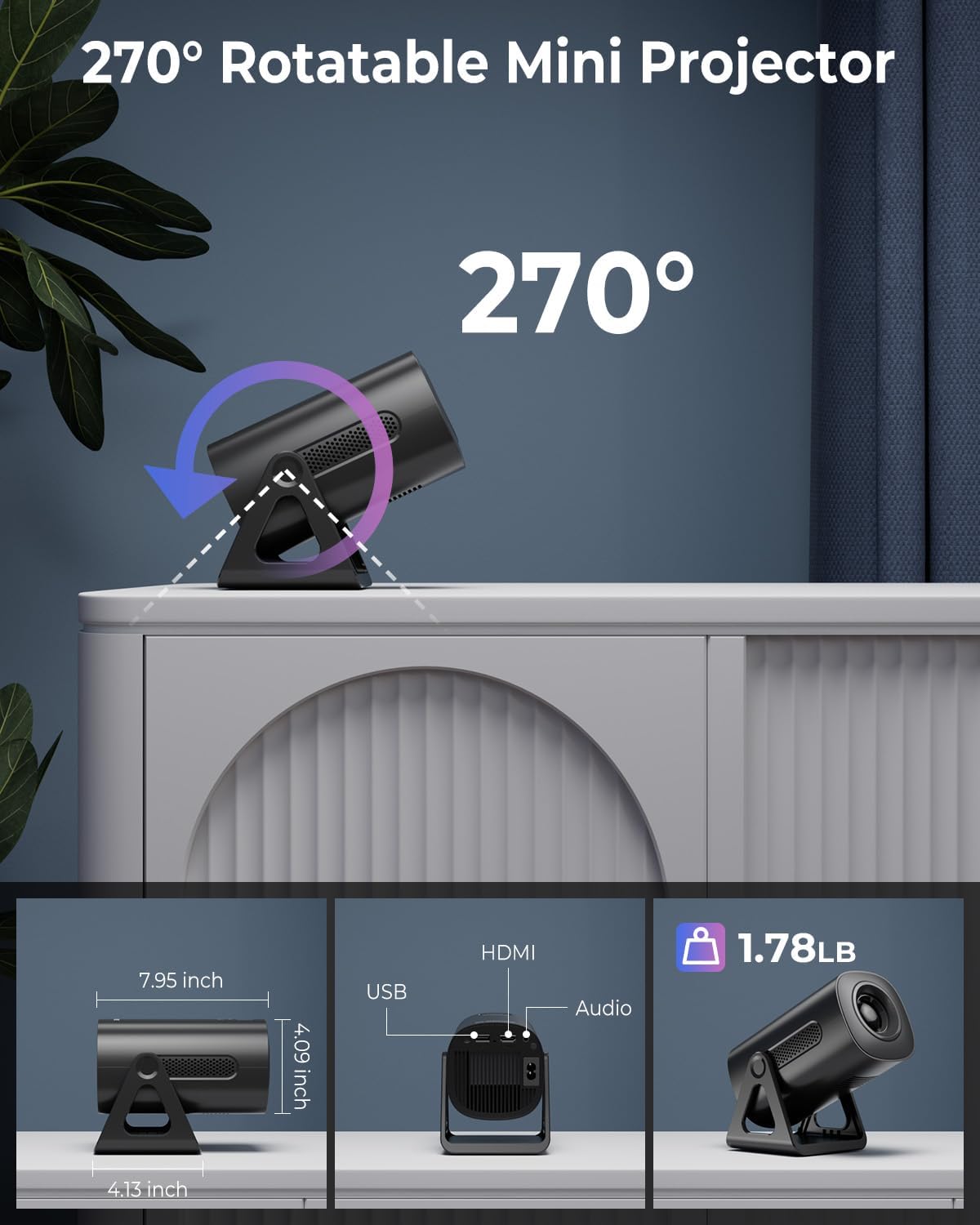
Image: Illustration of the projector's dual-band Wi-Fi 6 and Bluetooth 5.2 capabilities, demonstrating seamless wireless connectivity for streaming and audio.

Image: A visual guide to the projector's various input/output ports, including HDMI, USB, and audio, along with exampweniger kompatible Geräte.
6.3 App Usage (Android TV OS)
With Android TV 11, you can access a wide range of applications:
- Auf Apps zugreifen: From the home screen, navigate to the 'Apps' section to view pre-installed applications or download new ones from the Google Play Store.
- Streaming-Dienste: Enjoy content from pre-installed apps like Netflix, Prime Video, and YouTube. Ensure you are logged into your respective accounts.

Image: The projector's interface showcasing its built-in smart apps, providing direct access to popular streaming services without external devices.
6.4 Projektionsmodi
- Galaxie-Projektionsmodi: Activate the galaxy projection feature to display various cosmic patterns. There are 6 distinct modes to choose from.
- Nachtlichtmodi: When the lens cover is applied, the projector can function as an ambient night light with 7 different color options.
6.5 Bildanpassung
- Automatische Trapezkorrektur: The projector automatically corrects vertical image distortion. If manual adjustment is needed, navigate to the image settings.
- Zoomfunktion: Adjust the projection size from 60% to 100% via the settings menu to fit your screen or wall perfectly.

Image: A demonstration of the projector's automatic vertical keystone correction, which ensures a rectangular image even when the projector is placed at an angle.
7. Wartung
Regelmäßige Wartung trägt dazu bei, die optimale Leistung und Langlebigkeit Ihres Projektors zu gewährleisten:
- Linsenreinigung: Verwenden Sie ein weiches, fusselfreies Tuch, das speziell für optische Linsen entwickelt wurde, um die Projektorlinse vorsichtig abzuwischen. Verwenden Sie keine Scheuermittel und üben Sie keinen übermäßigen Druck aus.
- Belüftung: Periodically check that the ventilation openings are clear of dust and debris. Use a soft brush or compressed air to clean them.
- Lagerung: Bewahren Sie den Projektor bei Nichtgebrauch an einem kühlen, trockenen Ort, fern von direkter Sonneneinstrahlung und extremen Temperaturen auf.
8. Fehlerbehebung
Sollten Sie Probleme mit Ihrem Projektor haben, beachten Sie bitte die folgenden häufig auftretenden Probleme und Lösungen:
| Problem | Mögliche Ursache | Lösung |
|---|---|---|
| Kein Strom | Power cord not connected; Power outlet faulty; Projector off. | Ensure power cord is securely connected. Test outlet with another device. Press power button. |
| Kein Bild | Eingangsquelle falsch; Kabel locker; Objektivdeckel aufgesetzt. | Select correct input source (HDMI, USB). Check cable connections. Remove lens cap. |
| Verschwommenes Bild | Focus not adjusted; Keystone incorrect; Projector too close/far. | Adjust focus ring. Check auto keystone correction or manually adjust. Adjust projection distance. |
| Kein Ton | Lautstärke zu niedrig; Stummgeschaltet; Externes Audiogerät nicht angeschlossen/gekoppelt. | Increase volume. Unmute. Ensure Bluetooth device is paired or wired device is connected. |
| Probleme mit der WLAN-Verbindung | Falsches Passwort; Router zu weit entfernt; Netzwerkstörungen. | Überprüfen Sie das WLAN-Passwort. Stellen Sie den Projektor näher an den Router. Starten Sie Router und Projektor neu. |
9. Spezifikationen
Detailed technical specifications for the CLOKOWE Mini Projector (Model T800):
- Modellnummer: T800
- Marke: ClokoWe
- Bildschirmauflösung: 1280 x 720 (Supports 1080P and 4K input)
- Konnektivitätstechnologie: Bluetooth 5.2, Wi-Fi 6 (2.4G/5G Dual-Band), USB, HDMI, 3.5mm Audio Jack
- Besonderheit: Portable, 270° Rotatable Stand, Android TV 11 OS, Galaxy Projector
- Empfohlene Verwendung: Bildung, Heimkino, Gaming, Business
- Artikelgewicht: 2.38 Pfund
- Paketabmessungen: 9.29 x 6.61 x 5.24 Zoll
- Hersteller: ClokoWe
10. Garantie und Support
For warranty information and technical support, please refer to the contact details provided on the product packaging or the official ClokoWe webWebsite. Bewahren Sie Ihren Kaufbeleg für Garantieansprüche auf.
Für weitere Unterstützung können Sie auch die folgende Webseite besuchen: ClokoWe Store on Amazon.
Ask a question about this manual
Ask about setup, troubleshooting, compatibility, parts, safety, or missing instructions. Manuals+ will review the question and use this page’s manual context to help answer it.