Einführung
This manual provides essential instructions for the safe and efficient use of your Philips TAT5000 True Wireless Bluetooth Earbuds. Please read this guide thoroughly before operating the device and retain it for future reference. These earbuds feature Adaptive Noise Canceling Pro, 6-mic call technology, and Bluetooth 5.4 multipoint connectivity, designed for a superior audio experience.
Lieferumfang
- Philips TAT5000 True Wireless Earbuds (Left and Right)
- Ladeetui
- USB-C-Ladekabel
- Eartips (Small, Medium, Large)
- Bedienungsanleitung

Image: Philips TAT5000 True Wireless Earbuds shown inside their open charging case, ready for use.
Aufstellen
1. Aufladen der Ohrhörer und des Ladecase
Before first use, fully charge the earbuds and charging case. Connect the USB-C charging cable to the charging port on the case and to a power source. The charging indicators on the case will show the charging status. A full charge provides up to 40 hours of total playtime (10 hours from earbuds + 30 hours from case with ANC off). A 15-minute quick charge provides approximately 3 hours of playtime.

Image: The Philips TAT5000 charging case, closed, displaying its USB-C charging port on the front.
2. Koppeln mit Ihrem Gerät
- Stellen Sie sicher, dass die Ohrhörer aufgeladen sind und sich im Ladecase befinden.
- Öffnen Sie das Ladeetui. Die Ohrhörer wechseln automatisch in den Kopplungsmodus.
- Aktivieren Sie auf Ihrem Gerät (Smartphone, Tablet, Laptop) Bluetooth und suchen Sie nach neuen Geräten.
- Select "Philips TAT5000" from the list of available devices to connect.
- For Android devices, Google Fast Pair allows for instant connection. For Windows devices, Microsoft Swift Pair offers quick pairing.
- The earbuds support Bluetooth 5.4 multipoint connectivity, allowing connection to two devices simultaneously.
3. Auswahl der richtigen Ohrstöpsel
Choose the soft silicone eartips (S/M/L) that provide the most comfortable and secure fit for optimal sound quality and noise cancellation performance.
Bedienungsanleitung
1. Ein-/Ausschalten
- Einschalten: Öffnen Sie das Ladeetui und die Ohrhörer schalten sich automatisch ein.
- Ausschalten: Legen Sie die Ohrhörer zurück in das Ladecase und schließen Sie den Deckel. Sie schalten sich automatisch aus.
2. Music Playback (Touch Controls)
- Abspielen/Pause: Tap the touch panel on either earbud once.
- Nächster Titel: Double-tap the touch panel on the right earbud.
- Vorheriges Lied: Double-tap the touch panel on the left earbud.
3. Call Management (Touch Controls)
- Anruf annehmen/beenden: Tap the touch panel on either earbud once.
- Anruf ablehnen: Drücken und halten Sie das Touchpanel an einem der Ohrhörer 2 Sekunden lang.
4. Geräuschunterdrückungsmodi
The earbuds feature Adaptive Noise Canceling Pro. Tap the touch panel (specific earbud/pattern may vary, refer to app for customization) to cycle through modes:
- Adaptive Noise Canceling (ANC): Reduziert Umgebungsgeräusche.
- Bewusstseinsmodus: Allows you to hear your surroundings.
- Quick Awareness: Amplifies voices for quick conversations without removing earbuds.
5. Philips Headphones App
Download the Philips Headphones App for additional features, including:
- Anpassen der Touch-Bedienelemente.
- Adjusting Equalizer (EQ) settings.
- Managing ANC levels and modes.
- Empfangen von Firmware-Updates.
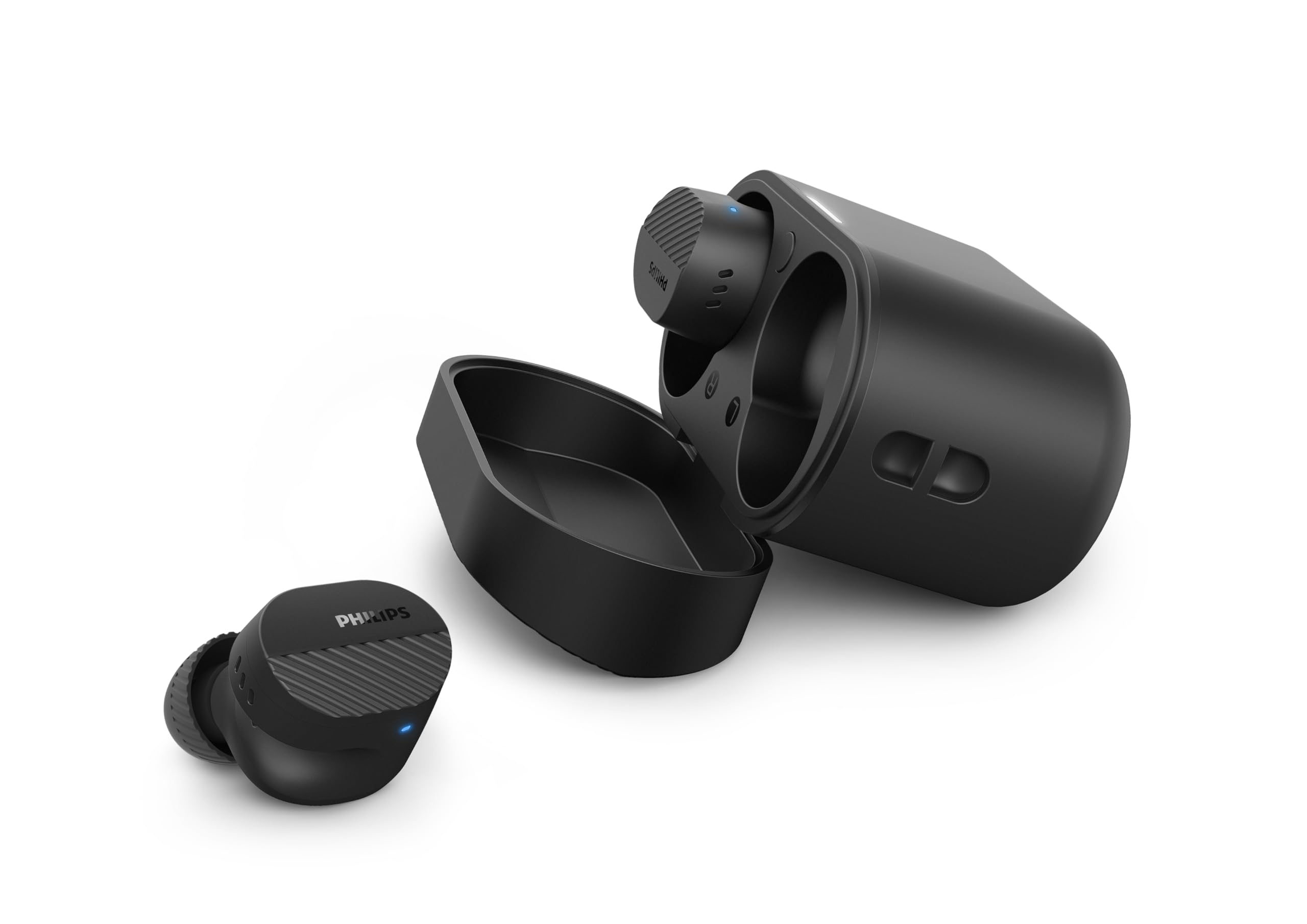
Image: A person holds the Philips TAT5000 earbuds in their charging case in one hand and a smartphone displaying the Philips Headphones app settings in the other, demonstrating app control.
Wartung
Reinigung
- Wischen Sie die Ohrhörer und das Ladecase vorsichtig mit einem weichen, trockenen, fusselfreien Tuch ab.
- Ohrstöpsel abnehmen und mit milder Seife und Wasser reinigen, anschließend gründlich trocknen lassen, bevor sie wieder angebracht werden.
- Verwenden Sie keine Scheuermittel, Alkohol oder chemische Lösungsmittel.
Wasserbeständigkeit
The earbuds are IPX5 water resistant, meaning they are protected against sweat and splashes of water. They are not designed for submersion in water. Ensure the charging port is dry before charging.
Lagerung
Store the earbuds in their charging case when not in use to protect them and conserve battery life. Avoid extreme temperatures.
Fehlerbehebung
| Problem | Mögliche Ursache | Lösung |
|---|---|---|
| Ohrhörer lassen sich nicht einschalten | Schwache Batterie | Legen Sie die Ohrhörer in das Ladecase und laden Sie sie vollständig auf. |
| Kopplung mit dem Gerät nicht möglich | Bluetooth off, earbuds not in pairing mode, or device too far | Ensure Bluetooth is enabled on your device. Open the charging case to activate pairing mode. Move device closer to earbuds. Try forgetting the device in Bluetooth settings and re-pairing. |
| Kein Ton oder schlechte Tonqualität | Incorrect eartip size, low volume, or connection issue | Adjust eartips for a secure fit. Increase volume on your device. Reconnect earbuds to your device. |
| ANC funktioniert nicht effektiv | Improper fit, or ANC mode not active | Ensure earbuds are properly seated in your ears with the correct eartip size. Verify ANC is enabled via touch controls or the Philips Headphones App. |
| Ladeetui lädt nicht | Fehlerhaftes Kabel oder Stromquelle | Try a different USB-C cable and power adapter. Ensure the charging port is clean and dry. |
If issues persist, refer to the Philips Headphones App for further assistance or contact customer support.
Technische Daten
- Modellname: TAT5000BK/00
- Konnektivität: Bluetooth 5.4
- Audiotreiber: 8mm Graphene-Coated Dynamic Driver
- Akkulaufzeit: Up to 40 Hours Total (10 hours earbuds + 30 hours case, ANC off)
- Schnelle Ladung: 15 Minuten für 3 Stunden Spielzeit
- Wasserbeständigkeit: IPX5 (Sweat and splash proof)
- Kontrollmethode: Berühren
- Geräuschpegelkontrolle: Adaptive Noise Canceling Pro
- Gewicht: Approximately 4.16 ounces (earbuds and case)
- Enthaltene Komponenten: Earbuds, Charging Case, USB-C Cable, Eartips, User Manual
Garantie und Support
Your Philips TAT5000 True Wireless Bluetooth Earbuds are covered by a limited warranty. Please refer to the warranty card included in your product packaging or visit the official Philips webAuf der Website finden Sie detaillierte Garantiebedingungen speziell für Ihre Region.
For technical support, product registration, or frequently asked questions, please visit the Philips support website or contact Philips customer service directly. Contact information can typically be found on the Philips webauf der Website oder in Ihrer Produktdokumentation.