
1. Einleitung
This manual provides essential information for the safe and efficient operation of your ZDSSY ZD-L018AQ Smart Projector. This device offers 1080P native resolution with 4K support, 600 ANSI lumens brightness, electric focus, and auto keystone correction. It features integrated WiFi 6 and Bluetooth 5.2 for seamless connectivity and a built-in Smart TV OS with access to various applications.

Image 1.1: ZDSSY ZD-L018AQ Smart Projector, a compact device with a lens on the front and a stand for adjustable positioning.
2. Lieferumfang
Prüfen Sie beim Auspacken, ob alle Artikel vorhanden sind:
- Mini-Projektor
- Fernbedienung
- Netzkabel
- Benutzerhandbuch (dieses Dokument)
3. Produktüberschreitungview
Machen Sie sich mit den Komponenten und Anschlüssen des Projektors vertraut.
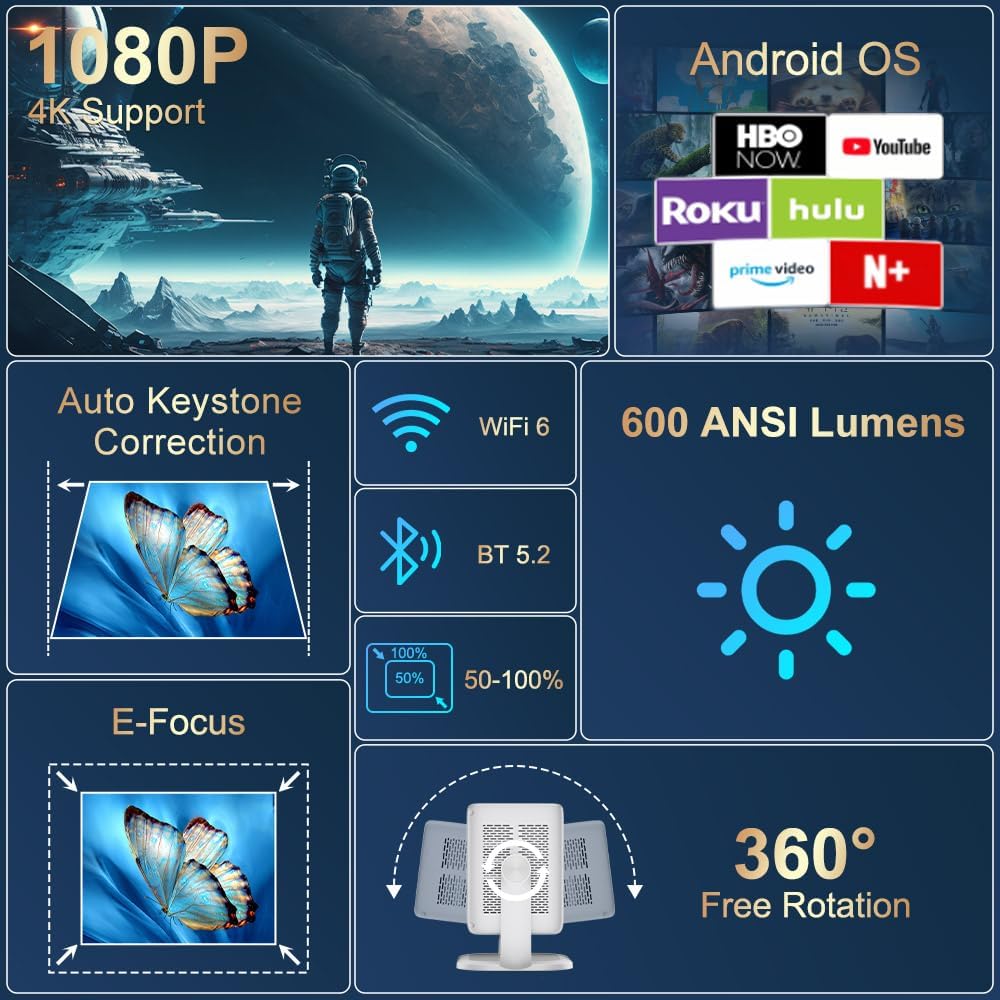
Bild 3.1: Überview of the projector's key features including 1080P 4K support, Auto Keystone, WiFi 6, Bluetooth 5.2, E-Focus, 600 ANSI Lumens, and 360° Free Rotation.
3.1 Frontplatte
- Projektionsobjektiv: Emits the image onto the screen or surface.
- Fokusring: Manual adjustment for image sharpness (though electric focus is primary).
3.2 Rückseite
- Stromanschluss: Wird an das mitgelieferte Netzkabel angeschlossen.
- HDMI-Anschluss: Connects to external devices like laptops, gaming consoles, or DVD players.
- USB-Anschluss: Zum Anschließen von USB-Speichergeräten oder anderen Peripheriegeräten.
- Audioausgang (3.5-mm-Klinkenbuchse): Zum Anschluss externer Kopfhörer oder Lautsprecher.
- Netzschalter: Schaltet den Projektor ein/aus.
4. Einrichtung
4.1 Stromanschluss
- Connect the included power cord to the projector's power port.
- Stecken Sie das andere Ende des Netzkabels in eine normale Steckdose.
4.2 Platzierung und Anpassung
Position the projector on a stable, flat surface. The integrated 360° rotatable and adjustable stand allows for flexible projection angles, including ceilings and walls.
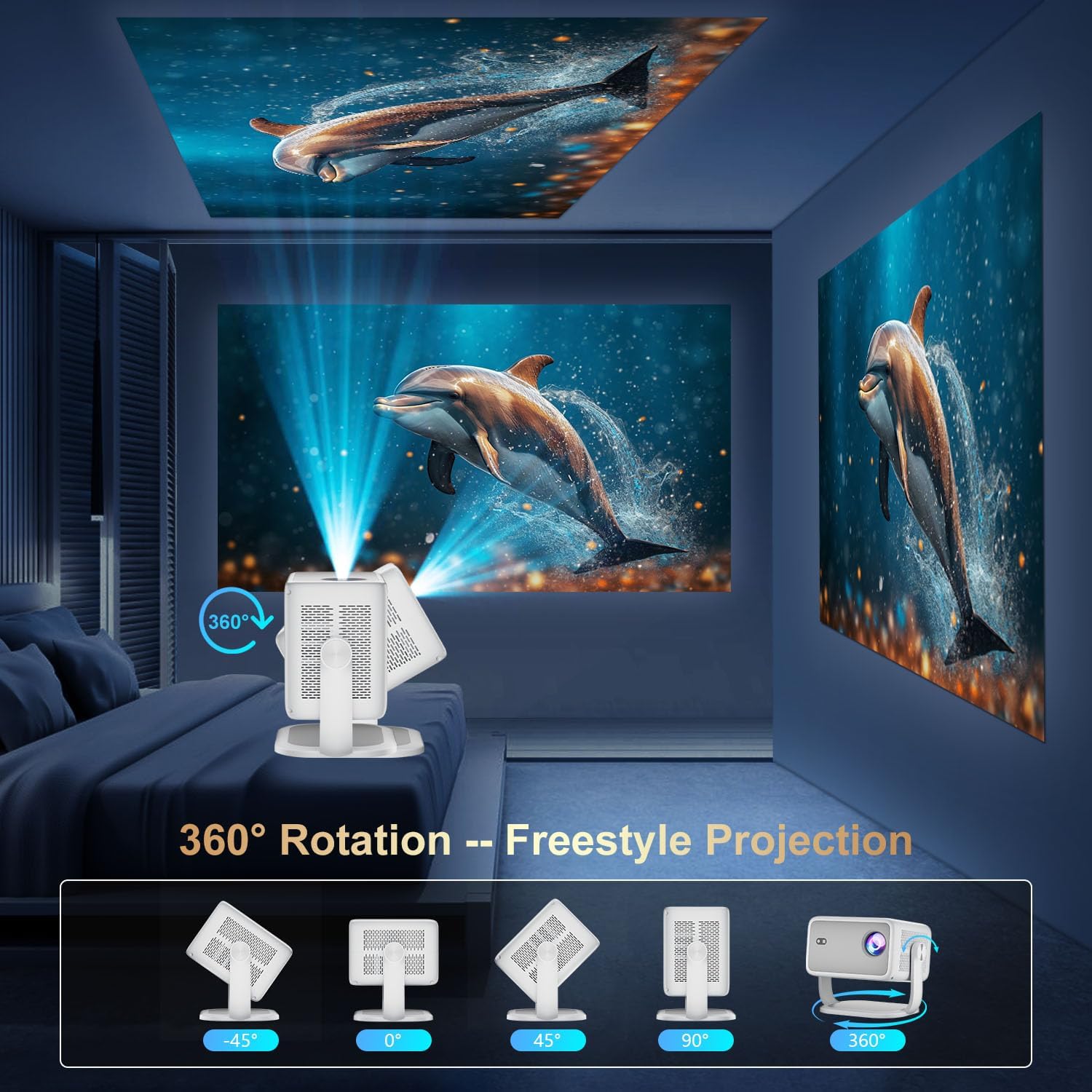
Image 4.1: The projector demonstrating its 360-degree rotation capability for versatile projection angles.
4.3 Fokus- und Trapezkorrektur
The projector features automatic keystone correction and electric focus for quick image alignment and sharpness. Digital zoom (50%-100%) allows for image resizing without moving the unit.

Image 4.2: The projector automatically adjusting focus and keystone correction for a perfectly aligned and sharp image.
4.4 Erste Netzwerkeinrichtung
- Power on the projector using the power button on the rear panel or the remote control.
- Navigate to 'Networking Setting' on the home screen using the remote.
- Select your WiFi network and enter the password to connect.
5. Betrieb
5.1 Verwendung der Fernbedienung
The included remote control is the primary interface for navigating the projector's Smart TV OS. It requires two AAA batteries (not included).
- Netzschalter: Schaltet den Projektor ein/aus.
- Navigationstasten: Use the directional arrows to move between menu options.
- OK-Taste: Bestätigt die Auswahl.
- Zurück-Schaltfläche: Kehrt zum vorherigen Bildschirm zurück.
- Lautstärketasten: Passt die Audioausgabe an.
5.2 Smart-TV-Betriebssystem und Anwendungen
The projector runs on a Smart TV OS, providing access to various streaming applications.

Image 5.1: The projector's home screen displaying various built-in applications such as Netflix, YouTube, Prime Video, and Hulu.
- From the home screen, select the desired application (e.g., Netflix, YouTube, Hulu, Prime Video).
- Melden Sie sich gegebenenfalls mit Ihren Zugangsdaten an.
- Browse and enjoy content.
- Additional apps can be downloaded from the App Store.
5.3 Anschlussmöglichkeiten für externe Geräte
Connect external devices via HDMI or USB:
- HDMI: Connect an HDMI cable from your external device to the projector's HDMI port. Select 'HDMI' input from the projector's home screen.
- USB: Insert a USB drive into the USB port. Navigate to 'Files' on the home screen to access content.
5.4 Drahtlose Bildschirmspiegelung (Miracast/AirPlay)
The projector supports Miracast and AirPlay for wireless screen mirroring from compatible devices (Windows, iOS, Android).

Image 5.2: A smartphone wirelessly mirroring its screen content to the ZDSSY ZD-L018AQ Smart Projector via WiFi.
- Stellen Sie sicher, dass Ihr Gerät und der Projektor mit demselben WLAN-Netzwerk verbunden sind.
- On the projector, select the 'AirPin' or 'ScreenCast' option (may vary by firmware version).
- Aktivieren Sie auf Ihrem Mobilgerät die Bildschirmspiegelung/Bildschirmübertragung und wählen Sie den Projektor aus der Liste der verfügbaren Geräte aus.
5.5 Bluetooth-Audio
Schließen Sie externe Bluetooth-Lautsprecher oder Kopfhörer für ein besseres Klangerlebnis an.

Image 5.3: The projector wirelessly connected to a soundbar via Bluetooth 5.2, enhancing the audio experience.
- Navigate to 'Bluetooth Setting' on the projector's home screen.
- Aktivieren Sie Bluetooth und suchen Sie nach verfügbaren Geräten.
- Select your Bluetooth audio device to pair.
6. Wartung
Regelmäßige Wartung gewährleistet optimale Leistung und Langlebigkeit Ihres Projektors.
- Linsenreinigung: Use a soft, lint-free cloth specifically designed for optical lenses to gently wipe the projection lens. Avoid abrasive materials or harsh chemicals.
- Belüftung: Ensure the projector's ventilation openings are clear of dust and obstructions to prevent overheating. Do not block the vents during operation.
- Lagerung: Bewahren Sie den Projektor bei Nichtgebrauch an einem kühlen, trockenen Ort, geschützt vor direkter Sonneneinstrahlung und extremen Temperaturen, auf. Verwenden Sie die Originalverpackung oder, falls vorhanden, eine Schutzhülle.
- Ausschalten: Schalten Sie den Projektor immer ordnungsgemäß aus, bevor Sie ihn vom Stromnetz trennen.
7. Fehlerbehebung
In diesem Abschnitt finden Sie Lösungen für häufig auftretende Probleme.
| Problem | Mögliche Ursache | Lösung |
|---|---|---|
| Kein Strom | Netzkabel nicht angeschlossen; Problem mit der Steckdose. | Überprüfen Sie den Netzanschluss; versuchen Sie es mit einer anderen Steckdose. |
| Kein Bild | Input source not selected; external device not connected. | Select correct input source (HDMI, USB); ensure external device is on and connected. |
| Verschwommenes Bild | Fokus nicht eingestellt; Projektor zu nah/zu weit entfernt. | Use electric focus or manual focus ring; adjust projector distance. |
| Kein Ton | Lautstärke zu niedrig; externes Audiogerät nicht angeschlossen/gekoppelt. | Increase volume; check Bluetooth pairing or 3.5mm audio cable connection. |
| WLAN-/Bluetooth-Verbindungsprobleme | Falsches Passwort; Gerät außerhalb der Reichweite; Störungen. | Re-enter password; move closer to router/device; reduce interference. |
8. Spezifikationen
| Besonderheit | Detail |
|---|---|
| Marke | ZDSSY |
| Modellnummer | ZD-L018AQ |
| Bildschirmauflösung | 1920 x 1080 (Native Auflösung) |
| 4K-Unterstützung | Ja |
| Helligkeit | 600 ANSI-Lumen |
| Konnektivitätstechnologie | Bluetooth 5.2, HDMI, USB, Wi-Fi 6 |
| Besondere Merkmale | Auto Screen Alignment, Built-In Speaker, Built-In Wi-Fi, Portable, Electric Focus |
| Empfohlene Verwendung | Innen/Außen |
| Technische Daten | 6.69 x 5.9 x 9.05 Zoll |
| Artikelgewicht | 2.97 Pfund |
9. Garantie und Support
ZDSSY is committed to providing high-quality products and customer satisfaction.
- Kundendienst: 24/7 Professional Service is available for any inquiries or assistance.
- Rückgabe/Umtausch: A 30-day return or exchange policy is offered.
- Technische Unterstützung: Für Ihr Produkt wird lebenslanger technischer Support bereitgestellt.
For further assistance, please refer to the contact information provided with your purchase or visit the official ZDSSY webWebsite.


